
1. Product Overview
The Heayzoki Handheld Surface Resistance Tester (Model LS-385) is a sophisticated instrument designed for accurate measurement of surface impedance. Its lightweight and compact design ensures ease of use and portability, making it an ideal choice for various applications requiring resistivity measurements.
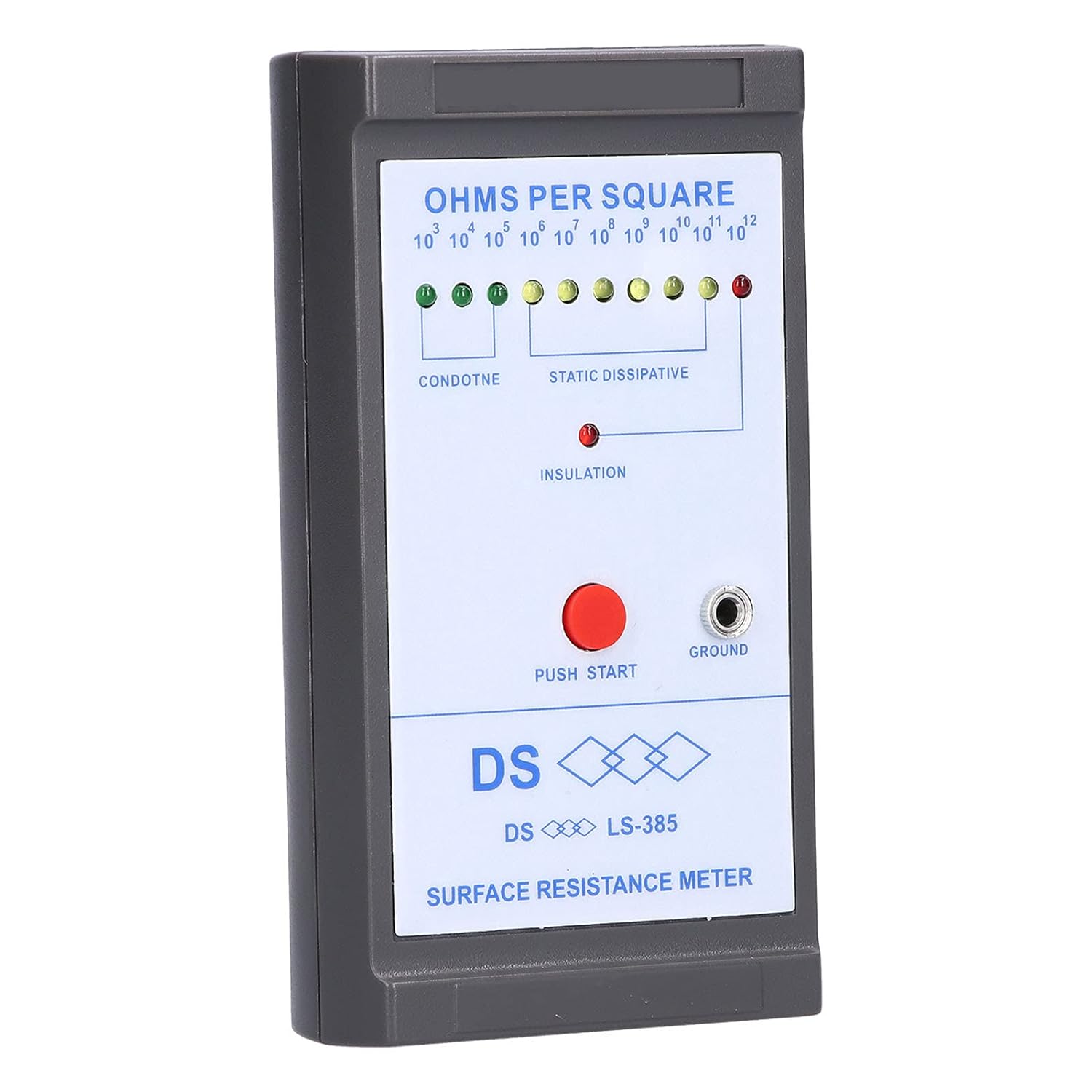
Figure 1: Front view of the Heayzoki Handheld Surface Resistance Tester, showing the display panel, push start button, and ground jack.
Key Features:
- High measurement accuracy due to sophisticated production technology.
- Durable construction with high-quality materials, ensuring a long service life.
- Lightweight and novel design for simple and delicate appearance.
- Compact size and light weight for easy portability and convenient use.
- Integrated copper strip test line on the back for convenient and direct measurement.
2. Package Contents
Upon opening the package, please verify that all the following items are included:
- 1 x Surface Resistance Tester (Model LS-385)
- 1 x Test Cable
- 1 x User Manual (this document)
- 1 x 9V Prismatic Battery (Model: 6F22)

Figure 2: Contents of the product package, showing the tester, test cable, and battery.
3. Setup
3.1 Battery Installation
The Heayzoki Surface Resistance Tester operates on a 9V Prismatic Battery (Model 6F22), which is included in the package. To install the battery:
- Locate the battery compartment cover on the back of the tester.
- Slide or unclip the cover to open the compartment.
- Connect the 9V battery to the battery clip inside the compartment, ensuring correct polarity.
- Place the battery into the compartment and close the cover securely.

Figure 3: Battery compartment with the 9V battery installed.
3.2 Initial Inspection
Before first use, inspect the device for any visible damage. Ensure the copper strip test lines on the back are clean and free from obstructions. Confirm that the push start button and ground jack are intact.
4. Operating Instructions
The Heayzoki Surface Resistance Tester is designed for straightforward operation. Follow these steps to measure surface impedance:
- Ensure the tester has a charged 9V battery installed.
- Place the meter firmly on the surface to be measured. Ensure the copper strip test lines on the back of the device are in full contact with the surface.
- Press and hold the red TEST button located on the front panel.
- Observe the continuously luminous Light Emitting Diode (LED) indicators on the display panel. The illuminated LED will indicate the impedance level of the measured surface in Ohms per Square.
- Release the TEST button when the reading is complete.

Figure 4: The tester in operation, highlighting its ease of use.
Understanding the LED Indicators:
The display panel features a series of LEDs corresponding to different resistance ranges (Ohms per Square). The illuminated LED indicates the measured resistance:
- CONDUCTIVE: Typically indicated by lower resistance values (e.g., 103 to 105 Ohms/Square).
- STATIC DISSIPATIVE: Indicated by mid-range resistance values (e.g., 106 to 109 Ohms/Square).
- INSULATIVE: Indicated by higher resistance values (e.g., 1010 to 1012 Ohms/Square).
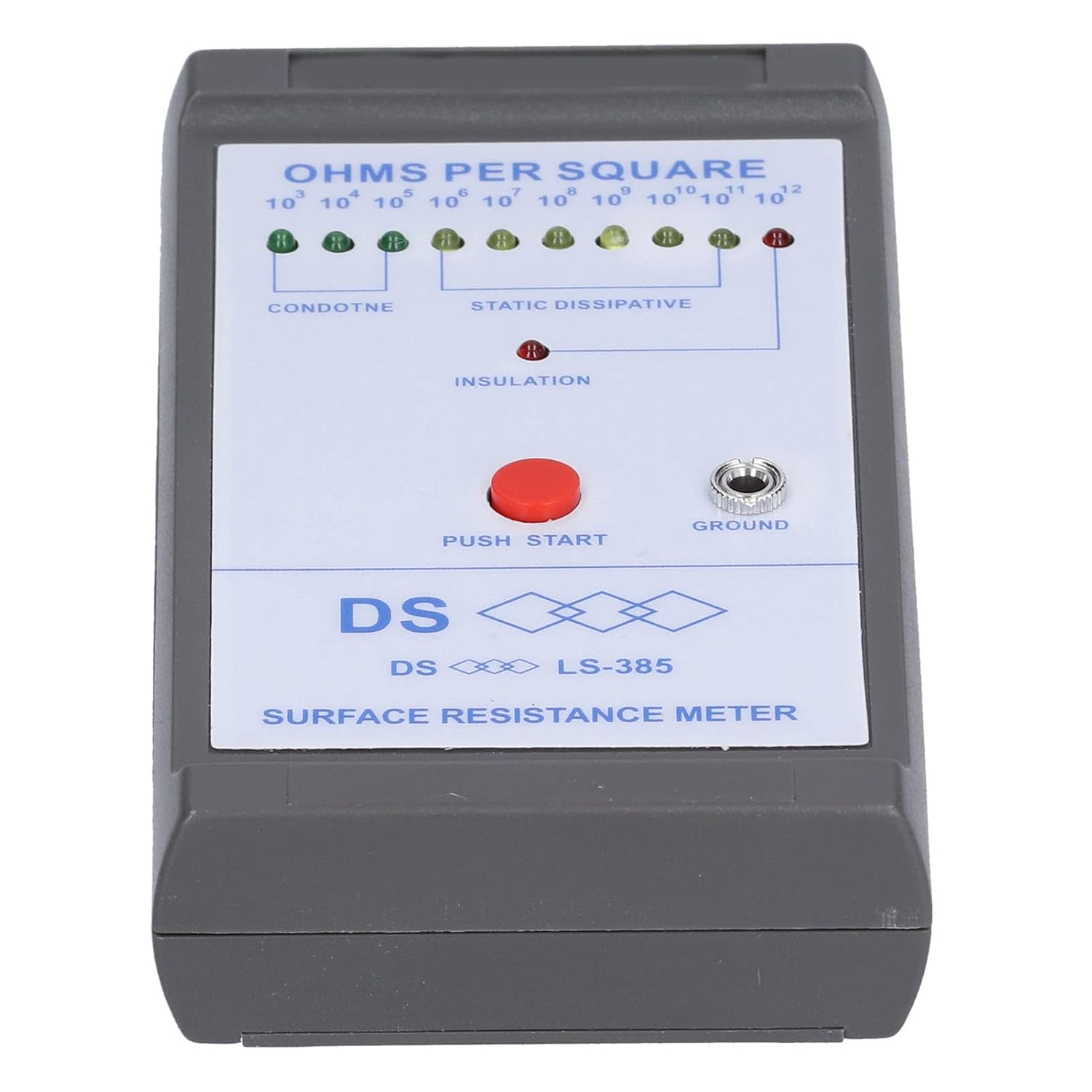
Figure 5: Detailed view of the LED indicator panel.
5. Maintenance
5.1 Cleaning
To ensure accurate readings and prolong the life of your tester, keep it clean. Wipe the exterior with a soft, dry cloth. Do not use abrasive cleaners or solvents. Ensure the copper strip test lines on the back are free of dust and debris.
5.2 Storage
Store the tester in a cool, dry place away from direct sunlight and extreme temperatures. If the device will not be used for an extended period, it is recommended to remove the battery to prevent leakage.
5.3 Battery Replacement
When the LED indicators become dim or the device fails to power on, it is likely time to replace the 9V battery. Follow the battery installation steps in Section 3.1.
6. Troubleshooting
If you encounter issues with your Heayzoki Surface Resistance Tester, please refer to the following common troubleshooting steps:
| Problem | Possible Cause | Solution |
|---|---|---|
| Device does not turn on / LEDs do not light up. | Low or dead battery; incorrectly installed battery. | Replace the 9V battery. Ensure the battery is installed with correct polarity. |
| Inconsistent or inaccurate readings. | Poor contact with the surface; dirty test lines; low battery. | Ensure firm and complete contact of the copper strips with the surface. Clean the copper strips. Replace the battery. |
| No LED lights up when TEST button is pressed. | Battery issue; internal fault. | Check and replace battery. If problem persists, contact customer support. |
If the problem persists after attempting these solutions, please contact Heayzoki customer support for further assistance.
7. Specifications
Detailed technical specifications for the Heayzoki Handheld Surface Resistance Tester (Model LS-385):
| Parameter | Value |
|---|---|
| Model | LS-385 |
| Material | ABS |
| Measuring Voltage | 9V |
| Relative Temperature | 0% to 90% |
| Accuracy | ±5% |
| Repeatability | ±5% |
| Battery Capacity | 190mAh |
| Battery Type | Prismatic Battery |
| Battery Model | For 6F22 |
| Package Dimensions | 6.77 x 3.66 x 2.24 inches (17.2 x 9.3 x 5.7 cm) |
| Weight | 7.76 ounces (220 g) |

Figure 6: Product dimensions.
8. Warranty and Support
Heayzoki products are manufactured with quality and reliability in mind. For warranty information or technical support, please contact your retailer or the manufacturer directly. Please have your product model (LS-385) and purchase details ready when contacting support.
For more information about Heayzoki products, you may visit the official Heayzoki Store on Amazon.