
1. Introduction
This manual provides instructions for the PERFASCIN RM-AAU006 Replacement Remote Control. This remote is designed to function as a direct replacement for the original RM-AAU006 remote, compatible with specific Sony AV System models including HT-DDW700, HT-DDW780, and STR-K700. It operates using infrared (IR) technology.
2. Setup
2.1 Battery Installation
The remote control requires two (2) AAA batteries for operation. Ensure correct polarity when inserting the batteries.
- Locate the battery compartment on the back of the remote control.
- Slide the battery compartment cover downwards or in the direction indicated by an arrow to open it.
- Insert two new AAA batteries, matching the positive (+) and negative (-) terminals as indicated inside the compartment.
- Replace the battery compartment cover by sliding it back into position until it clicks securely.
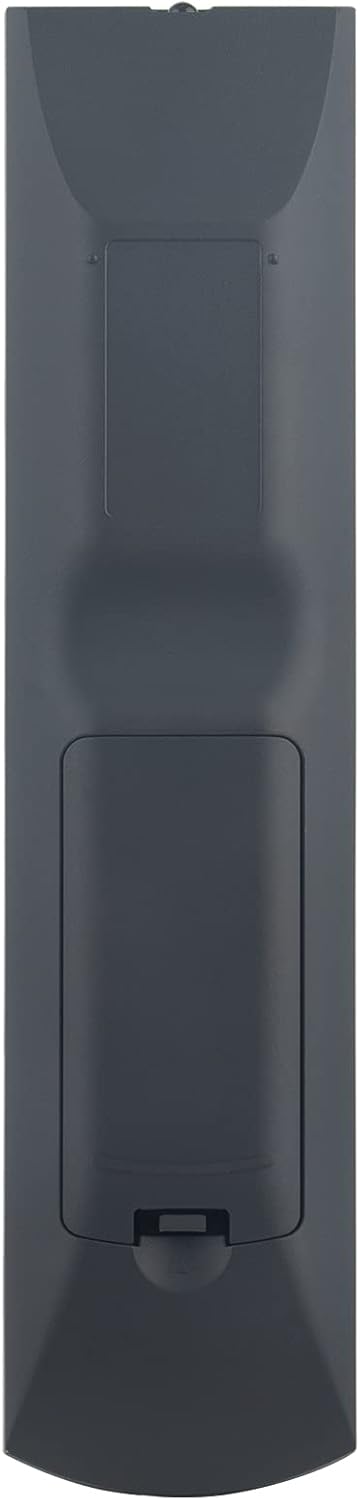
Figure 1: Back view of the remote control, illustrating the battery compartment location.
2.2 Initial Use
This is an infrared replacement remote control. No programming or pairing is typically required. Once batteries are installed, point the remote directly at your Sony AV System and begin operation.
3. Operating Instructions
To operate your Sony AV System, point the remote control directly towards the system's IR receiver. Ensure there are no obstructions between the remote and the system.

Figure 2: Front view of the remote control, displaying all functional buttons.
3.1 Common Functions
- Power On/Off: Use the POWER button to turn the AV system on or off.
- Input Selection: Buttons like VIDEO 1, VIDEO 2, DVD/CD, TUNER allow you to switch between different audio/video sources.
- Volume Control: Use the MASTER VOL + and MASTER VOL - buttons to adjust the overall volume. The MUTING button silences the audio.
- Navigation: The directional pad (UP, DOWN, LEFT, RIGHT) and ENTER button are used for menu navigation.
- Numeric Keypad: Buttons 0-9 are used for direct input, such as radio station frequencies or track numbers.
- Audio Settings: Buttons like MOVIE, MUSIC, DUAL/MONO, FM MODE may control sound modes and settings.
4. Maintenance
4.1 Cleaning
To clean the remote control, use a soft, dry cloth. For stubborn dirt, lightly dampen the cloth with water or a mild, non-abrasive cleaner. Do not use harsh chemicals or immerse the remote in liquid.
4.2 Battery Replacement
Replace batteries when the remote's range decreases or it becomes unresponsive. Always replace both batteries at the same time with new AAA batteries. Do not mix old and new batteries, or different types of batteries.
4.3 Storage
If the remote control will not be used for an extended period, remove the batteries to prevent leakage and potential damage to the device.
5. Troubleshooting
- Remote not responding:
- Check if the batteries are inserted correctly with the correct polarity.
- Replace old batteries with new ones.
- Ensure there is a clear line of sight between the remote control and the AV system's IR receiver. Remove any obstructions.
- Confirm the AV system is powered on.
- Some functions not working:
- Verify that your AV system model (HT-DDW700, HT-DDW780, STR-K700) is listed as compatible. While this remote is a replacement, some specific advanced functions might vary slightly from the original or across different Sony models.
- Ensure you are pressing the correct button for the desired function.
6. Specifications
| Feature | Description |
|---|---|
| Brand | PERFASCIN |
| Model Name | RM-AAU006 |
| Connectivity Technology | Infrared (IR) |
| Compatible Devices | Sony AV System HT-DDW700, HT-DDW780, STR-K700 |
| Power Source | 2 x AAA Batteries (not included) |
| Maximum Range | Approximately 33 feet (10 meters) |
| Controller Type | Button Control |
| Item Dimensions (L x W x H) | 6" x 3" x 0.5" (approximate) |
7. Warranty and Support
Specific warranty information for this replacement remote control is not provided in the product details. For support or warranty inquiries, please contact the seller or manufacturer, DeFascin Inc, directly through your purchase platform.