
KOM Cycling TG03
KOM Cycling TG03 Quick Release Adapter User Manual
Model: TG03
1. Introduction
The KOM Cycling TG03 Quick Release Adapter is designed to enhance the versatility of your cycling setup, allowing for rapid attachment and removal of accessories such as action cameras and lights. This adapter integrates seamlessly with compatible KOM Cycling Quick Release Series mounts, providing a secure and convenient solution for cyclists.
2. Product Overview
The TG03 adapter consists of two primary components: a base that attaches to your cycling accessory and a top piece that interfaces with compatible KOM Cycling mounts. Its lightweight design ensures minimal impact on your bike's performance.

3. Compatibility
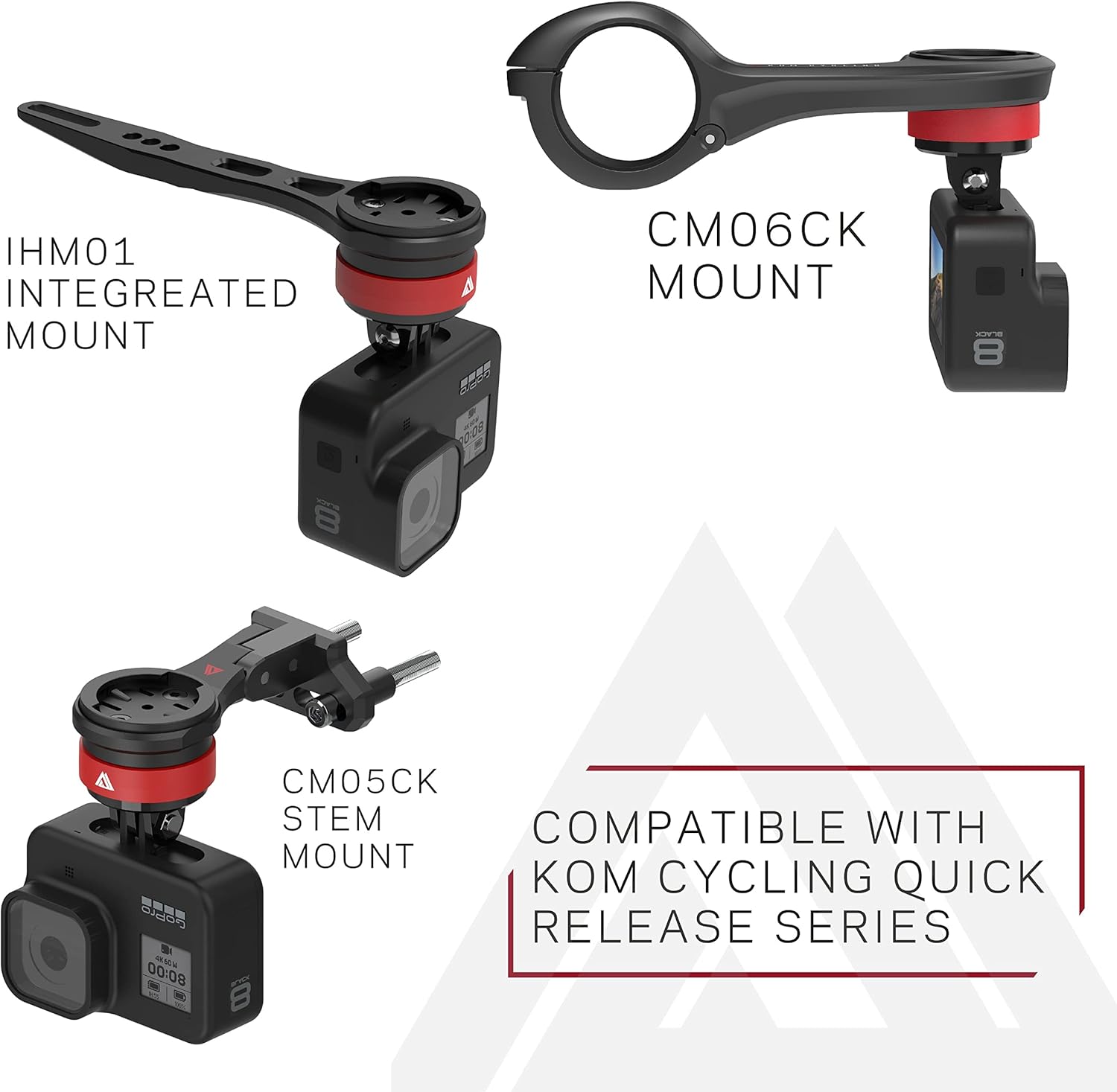
The TG03 Quick Release Adapter is specifically designed for use with the KOM Cycling Quick Release Series mounts. It is compatible with the following KOM Cycling mounts:
- CM06 Mount
- Stem Mount
- Integrated Handlebar Mount
The adapter supports accessories with a standard GoPro-style mounting interface, including:
- GoPro cameras
- Garmin Varia lights
- Other compatible lights and cameras
4. Setup and Installation
4.1 Attaching the TG03 Adapter to a KOM Cycling Mount
Ensure your KOM Cycling mount is securely installed on your bicycle before attaching the TG03 adapter.
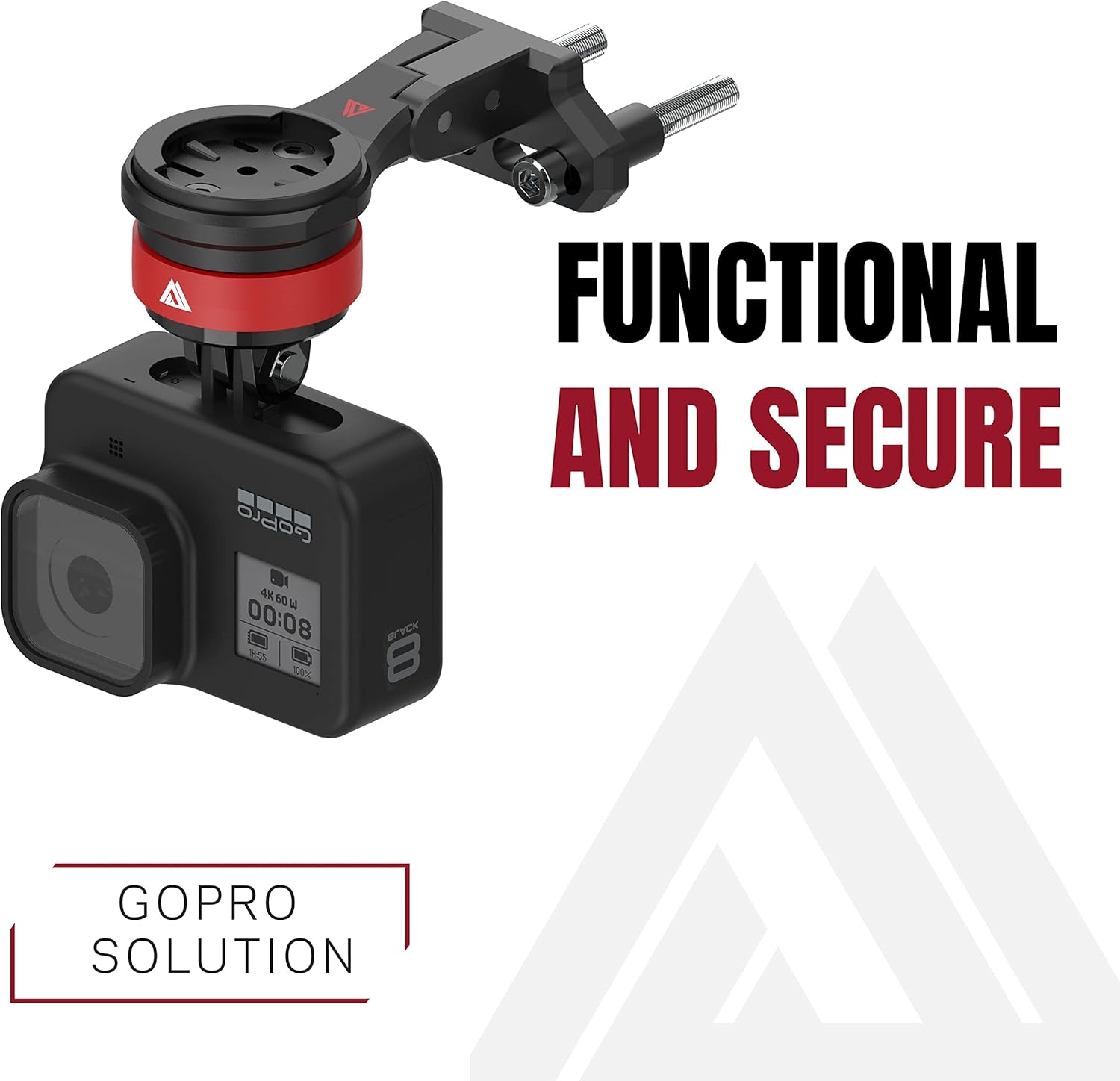
- Align the red base of the TG03 adapter with the quarter-turn interface on your compatible KOM Cycling mount.
- Press the adapter firmly into the mount.
- Rotate the adapter 90 degrees clockwise until it clicks securely into place. Verify that the adapter is firmly seated and does not wobble.
4.2 Attaching Accessories to the TG03 Adapter
Once the TG03 adapter is secured to your KOM Cycling mount, you can attach your desired accessory.
- Align the GoPro-style tabs of your accessory (e.g., GoPro camera, Garmin Varia light) with the prongs on the black section of the TG03 adapter.
- Insert the accessory's tabs into the adapter's prongs.
- Secure the accessory using its standard mounting screw and nut. Ensure the screw is tightened sufficiently to prevent movement during use.
5. Operating Instructions
5.1 Quick Release Mechanism
The TG03 adapter allows for quick removal and attachment of your accessories without the need for tools.
- To remove an accessory: While holding the accessory, rotate the TG03 adapter 90 degrees counter-clockwise. The adapter and attached accessory will then be released from the KOM Cycling mount.
- To re-attach an accessory: Align the adapter with the mount, press firmly, and rotate 90 degrees clockwise until it clicks into place.
6. Maintenance
To ensure the longevity and proper function of your TG03 Quick Release Adapter, follow these maintenance guidelines:
- Cleaning: Wipe the adapter with a damp cloth to remove dirt and debris. Avoid harsh chemicals that may damage the material.
- Inspection: Periodically inspect the adapter for any signs of wear, cracks, or damage. Ensure the quarter-turn mechanism operates smoothly and securely.
- Storage: Store the adapter in a clean, dry place when not in use.
7. Troubleshooting
| Issue | Possible Cause | Solution |
|---|---|---|
| Adapter does not click into place on the mount. | Incorrect alignment or debris in the mechanism. | Ensure proper alignment and clear any debris from the mount and adapter interface. Apply firm, even pressure when rotating. |
| Accessory feels loose on the adapter. | Mounting screw not tightened sufficiently. | Tighten the accessory's mounting screw and nut securely. Do not overtighten. |
| Difficulty rotating the adapter for quick release. | Dirt buildup or mechanism stiffness. | Clean the adapter and mount interface. If stiffness persists, contact customer support. |
| Adapter is not compatible with my mount. | Mount is not part of the KOM Cycling Quick Release Series. | Verify your mount is a compatible KOM Cycling Quick Release Series product (CM06, Stem, Integrated Mount). The TG03 adapter is not universally compatible with all mounts. |
8. Specifications
| Feature | Detail |
|---|---|
| Model Number | TG03 |
| Item Weight | 0.634 ounces (approximately 18 grams) |
| Package Dimensions | 3.62 x 2.05 x 0.28 inches |
| Compatible Devices | GoPro, Garmin Varia, and other GoPro-style accessories |
| Mounting Type | Quarter-turn interface for KOM Cycling Quick Release Series mounts |
| Special Feature | Lightweight, Quick Release |
9. Warranty and Support
For information regarding product warranty, returns, or technical support, please refer to the official KOM Cycling website or contact their customer service directly. You can visit the KOM Cycling Store on Amazon for additional product information and support resources.