
1. Product Overview
The Jsbaby Smart Watch for Kids is designed to provide communication, entertainment, and utility features for children. It includes functions such as two-way calling, SOS emergency calls, a music player, a video player, a camera, and various puzzle games. The watch is also rated IP67 waterproof for daily use.
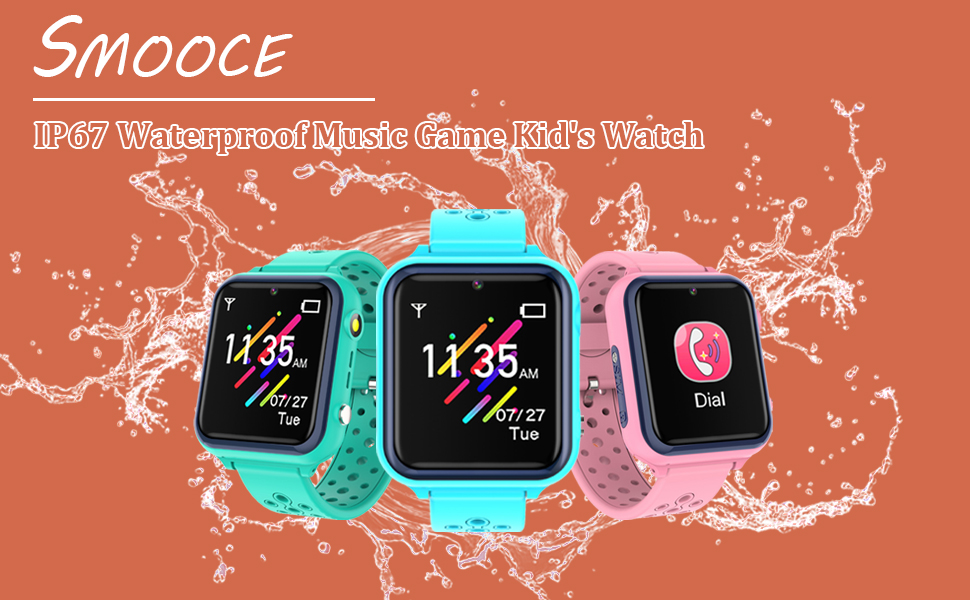
Image: The Jsbaby Smart Watch highlighting its two-way call functionality, allowing children to communicate with approved contacts.
2. Setup
2.1 Charging the Watch
Before first use, fully charge the watch. Connect the magnetic charging cable to the charging port on the back of the watch and plug the USB end into a compatible USB power adapter (not included). The charging indicator will appear on the screen. A full charge typically takes 2-3 hours.
2.2 SIM Card Installation
For two-way calling and SOS features, a Nano-SIM card with 2G network support is required. Ensure the watch is powered off before inserting or removing the SIM card.
- Locate the SIM card slot on the side of the watch.
- Carefully open the rubber cover protecting the SIM slot.
- Insert the Nano-SIM card into the slot with the metal contacts facing up and the cut corner oriented correctly, as shown in the diagram.
- Push the SIM card gently until it clicks into place.
- Close the rubber cover securely to maintain water resistance.

Image: Visual guide for inserting a Nano-SIM card into the watch, emphasizing 2G network compatibility.
2.3 Power On/Off
- To Power On: Press and hold the power button (usually on the side) for a few seconds until the screen lights up.
- To Power Off: Press and hold the power button until the power-off options appear, then select 'Power Off' on the screen. Alternatively, if the watch is unresponsive, press and hold the power button for approximately 10 seconds for a forced shutdown.
3. Operating Instructions
3.1 Basic Navigation
The watch features a touchscreen display. Swipe left or right to navigate between different app screens. Tap an icon to open an application. Swipe down from the top of the screen to access quick settings or notifications.
3.2 Two-Way Calling and SOS
- Making a Call: Tap the 'Dial' icon. You can either dial a number directly or select a contact from the pre-saved phonebook.
- Receiving a Call: When a call comes in, tap the green answer icon to accept or the red hang-up icon to decline.
- SOS Emergency Call: Press and hold the SOS button (usually a dedicated button on the side) for 3 seconds. The watch will automatically dial pre-set emergency contacts in a loop until one answers.
3.3 Music Player
To play music, transfer MP3 audio files to the watch's internal storage via a USB connection to a computer. Open the 'Music Player' app, select a song, and use the on-screen controls for playback, pause, and volume adjustment.
3.4 Video Player and Camera
The watch includes a built-in camera for taking photos and recording short videos. Open the 'Camera' app to capture media. Recorded videos can be viewed using the 'Video Player' app. Videos can also be transferred to the watch's storage for playback.

Image: The watch displaying its selfie camera and flashlight functions, useful for various activities.
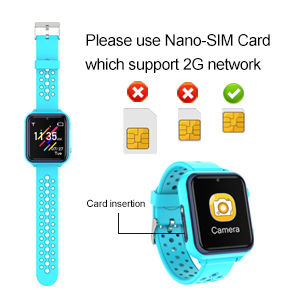
Image: The watch interface for music and video playback, allowing children to enjoy multimedia content.
3.5 Puzzle Games
Access the 'Games' app to choose from 11 pre-installed puzzle games. These games are designed for entertainment and cognitive development.
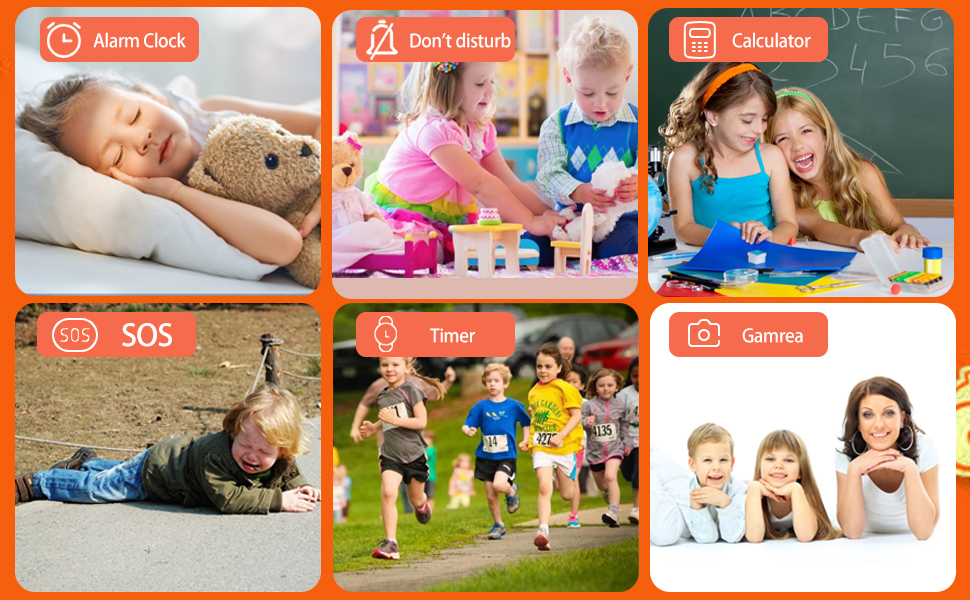
Image: The watch screen showing the menu for 11 built-in puzzle games, suitable for children's entertainment.
3.6 Other Functions
- Flashlight: Activate the flashlight feature from the quick settings or a dedicated app.
- Alarm Clock: Set multiple alarms with custom times and sounds.
- Calculator: Basic arithmetic functions.
- Recorder: Record voice memos.
- Stopwatch: Measure time intervals.
- Languages: The watch supports multiple languages, including English, Spanish, German, Italian, and French. Adjust in settings.
- Silent Mode/Do Not Disturb: Activate this mode to silence notifications and calls during specific times, such as school hours.

Image: The watch interface showcasing a range of utility functions including flashlight, recorder, calculator, alarm clock, and stopwatch.
4. Maintenance
4.1 Water Resistance (IP67)
The Jsbaby Smart Watch is IP67 waterproof, meaning it is resistant to splashes, rain, and brief immersion in shallow water. It is suitable for washing hands or wearing in light rain. It is not recommended for swimming, showering, or prolonged submersion in water. Ensure the SIM card slot cover is securely closed to maintain water resistance.

Image: Demonstrations of the watch's IP67 waterproof capabilities during everyday activities like hand washing and playing in the rain.
4.2 Cleaning and Storage
- Cleaning: Wipe the watch and strap with a soft, damp cloth. Avoid using harsh chemicals or abrasive cleaners.
- Storage: Store the watch in a cool, dry place away from direct sunlight and extreme temperatures when not in use.
5. Troubleshooting
- Watch does not turn on: Ensure the watch is fully charged. If the battery is completely depleted, it may take a few minutes of charging before the screen responds.
- Cannot make/receive calls:
- Verify that a 2G Nano-SIM card is correctly inserted and activated with a mobile carrier.
- Check for network signal strength on the watch.
- Ensure the phone numbers are correctly saved in the watch's contacts.
- Confirm that the watch is not in 'Silent Mode' or 'Do Not Disturb' mode.
- Screen is unresponsive: Try restarting the watch by holding the power button. If unresponsive, perform a forced shutdown by holding the power button for approximately 10 seconds.
- Charging issues: Ensure the magnetic charging cable is properly aligned with the charging contacts on the watch. Try a different USB power adapter or port.
- Games or apps not loading: Restart the watch. If the issue persists, check for available storage space.
6. Specifications
| Feature | Detail |
|---|---|
| Product Dimensions | 5.12 x 1.97 x 1.57 inches |
| Item Weight | 2.39 ounces |
| Screen Size | 1.54 Inches |
| Connectivity Technology | USB |
| Battery Life | 1 day (typical use) |
| Case Material | Plastic |
| Water Resistance Level | IP67 Waterproof |
| Manufacturer | Jsbaby |
7. Warranty and Support
For warranty information or technical support, please refer to the documentation included with your purchase or contact the seller directly. Keep your purchase receipt as proof of purchase.