
1. Introduction
This manual provides essential information for the proper installation and care of your new Generic replacement belt set, designed specifically for the Admiral Bread Maker Model 4452007. Adhering to these instructions will help ensure the correct function and longevity of your bread maker.
Important Compatibility Notice
Before proceeding with installation, it is crucial to verify that your bread maker is indeed the Admiral Model 4452007. Incorrect belt installation on a different model may lead to damage or improper operation.

Image 1: Visual reminder to verify your bread maker's model number before installation. This step is critical for ensuring compatibility.
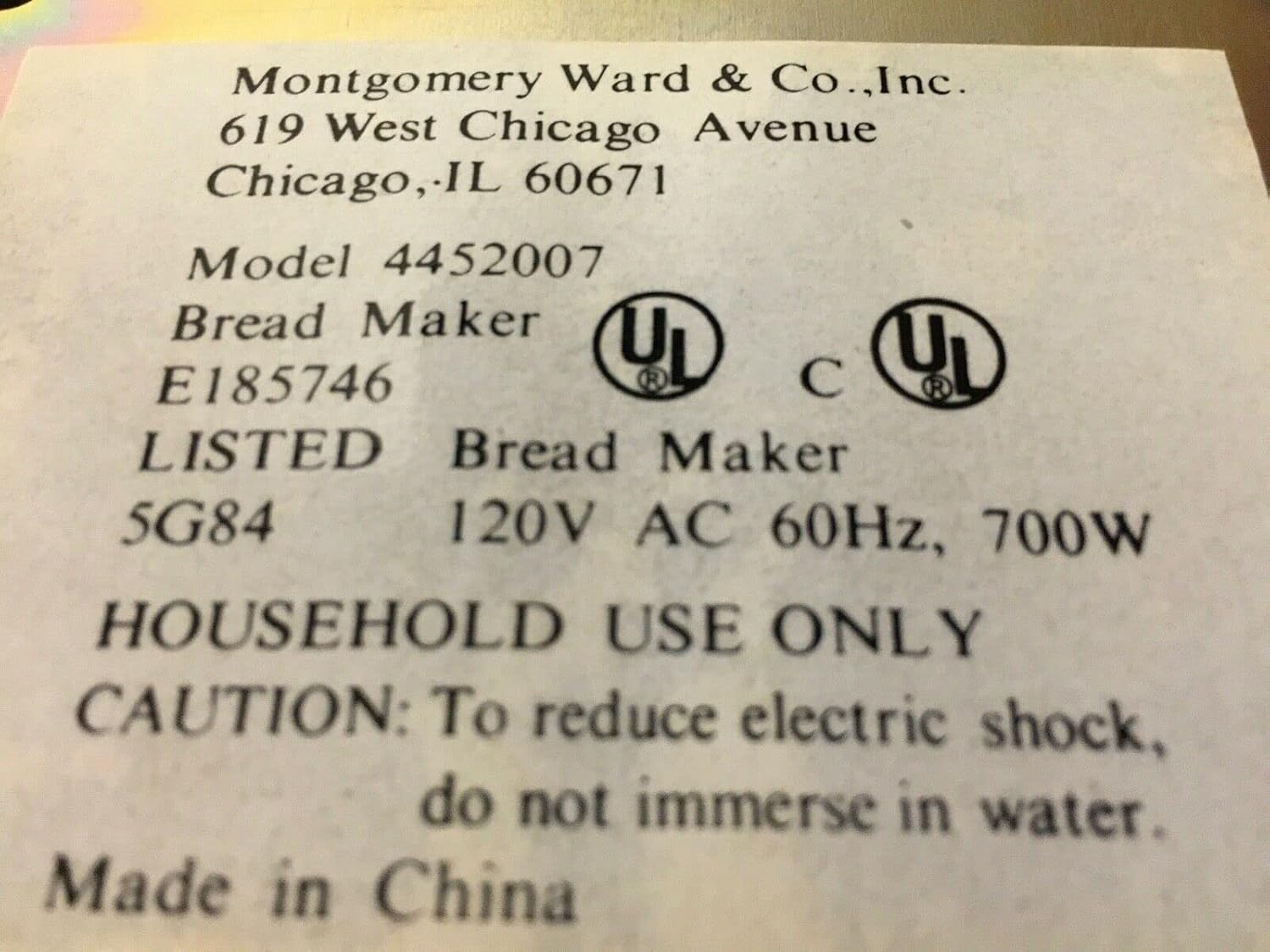
Image 2: Example of a product label indicating 'Model 4452007'. Locate a similar label on your bread maker to confirm the model number.
2. Setup and Installation
Replacing the drive belts in your bread maker requires careful attention. Always ensure the appliance is unplugged from the power outlet before beginning any maintenance or repair work.

Image 3: The replacement belt set for Admiral Bread Maker Model 4452007.
Required Tools (Not Included):
- Screwdriver set (Phillips and/or flathead, depending on your bread maker model)
- Small pliers (optional, for stubborn connections)
- Clean cloth
Installation Steps:
- Disconnect Power: Unplug the Admiral Bread Maker Model 4452007 from the electrical outlet.
- Access the Drive Mechanism: Carefully disassemble the bread maker casing to gain access to the motor and drive belt assembly. This typically involves removing screws from the bottom or sides of the unit. Refer to your original bread maker manual if specific disassembly instructions are needed.
- Remove Old Belts: Once the drive mechanism is accessible, locate the old drive belts. Gently roll or slide them off the motor pulley and the paddle shaft pulley. Note the orientation of the belts if there are two different sizes.
- Clean Pulleys: Use a clean cloth to wipe any debris or residue from the motor and paddle shaft pulleys. This ensures optimal grip for the new belts.
- Install New Belts: Carefully place the new belts onto the pulleys. Start by looping one belt over the smaller motor pulley, then stretch and roll it onto the larger paddle shaft pulley. Repeat for the second belt if applicable. Ensure the belts are seated correctly in the grooves of both pulleys.
- Verify Tension: Once installed, gently rotate the paddle shaft by hand to ensure the belts are properly tensioned and move smoothly without slipping or binding.
- Reassemble: Carefully reassemble the bread maker casing, ensuring all screws are tightened securely. Do not overtighten.
- Test Functionality: Plug the bread maker back into the electrical outlet. Perform a short test cycle (e.g., a dough cycle without ingredients) to confirm that the paddle rotates correctly and smoothly.
3. Post-Installation Operation
After successful installation of the new belt set, your Admiral Bread Maker Model 4452007 should operate as intended. For detailed instructions on specific bread-making cycles, recipes, and general operation, please refer to the original instruction manual provided with your bread maker.
It is recommended to run a few empty cycles or simple dough cycles after belt replacement to ensure everything is functioning optimally before baking a full loaf.
4. Maintenance
Proper maintenance can extend the life of your bread maker's drive belts:
- Avoid Overloading: Do not exceed the maximum ingredient capacity specified in your bread maker's original manual. Overloading can put excessive strain on the motor and belts.
- Regular Cleaning: Periodically inspect the drive area (if accessible) for any flour, dough, or other debris that might accumulate around the pulleys and belts. Clean gently with a dry cloth.
- Storage: When not in use for extended periods, store the bread maker in a cool, dry place to prevent material degradation of the belts.
5. Troubleshooting
If you encounter issues after replacing the belts, consider the following:
- Paddle Not Turning:
- Ensure belts are correctly seated on both pulleys.
- Check for any obstructions preventing paddle movement.
- Verify the motor is running; if not, the issue may be electrical, not belt-related.
- Squeaking or Grinding Noise:
- Belts may be misaligned or rubbing against the casing.
- Pulleys might be dirty or damaged.
- Inconsistent Mixing:
- Belts might be slipping due to improper tension or residue on pulleys.
- Ensure the paddle is securely attached to its shaft.
If problems persist, it is advisable to consult a qualified appliance repair technician.
6. Product Specifications
| Feature | Detail |
|---|---|
| Brand | Generic |
| Compatible Model | Admiral Bread Maker Model 4452007 |
| Item Model Number | 4452007 |
| Package Dimensions | 10 x 8 x 1 inches |
| Color | Black |
7. Warranty and Support
As a generic replacement part, the warranty for this belt set is typically provided by the seller. Please refer to your purchase documentation or contact the seller directly for specific warranty terms and conditions.
For technical support related to the installation or function of this belt set, please contact the seller or manufacturer of the replacement part. For issues concerning the overall operation of your Admiral Bread Maker Model 4452007, consult the original bread maker manufacturer's support channels.
