
1. Introduction
This manual provides detailed instructions for the XINMENG 60% Mechanical Gaming Keyboard and Mouse Combo. Please read this manual thoroughly before use to ensure proper setup and operation. This combo is designed for an enhanced gaming and typing experience with its compact design, customizable RGB lighting, and responsive mechanical switches.
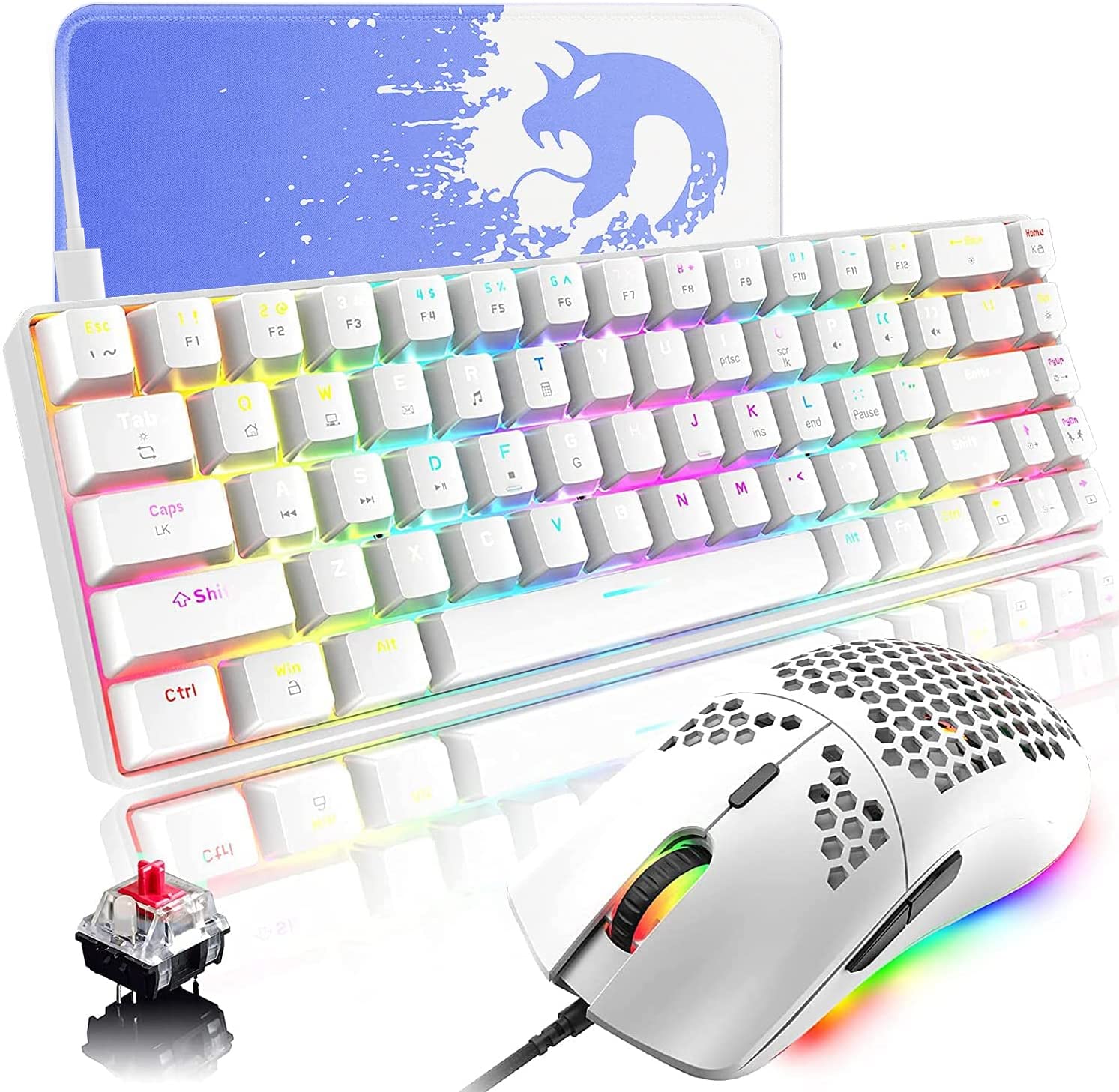
Image 1.1: XINMENG 60% Mechanical Gaming Keyboard and Mouse Combo.
2. Package Contents
Ensure all items are present in the package:
- 60% Mechanical Gaming Keyboard
- Gaming Mouse
- USB Type-C Cable (for keyboard)
- Keycap Puller
3. Setup Instructions
3.1 Connecting the Keyboard
- Locate the USB Type-C port on the keyboard, typically on the top edge.
- Connect one end of the provided USB Type-C cable to the keyboard.
- Connect the other end of the USB cable to an available USB port on your computer.
- The keyboard is plug-and-play and should be recognized automatically by your operating system.
3.2 Connecting the Mouse
- Connect the USB cable of the mouse to an available USB port on your computer.
- The mouse is plug-and-play and should be recognized automatically by your operating system.

Image 3.1: Keyboard Type-C interface and detachable cable.
4. Operating Instructions
4.1 Keyboard Functions
The keyboard features 68 keys with mechanical switches, offering a compact layout and responsive feedback.
4.1.1 RGB Backlight Modes
The keyboard supports 18 different RGB backlight modes and 9 monochromatic effects. You can adjust backlight brightness, color, and breathing speed. Press FN + G to enter game mode lighting.
4.1.2 Mechanical Switches
This keyboard is equipped with red mechanical switches. Red switches provide a linear keystroke with a smooth, quiet press, making them suitable for both gaming and typing without the audible click of blue switches. All keys feature anti-ghosting for accurate input.

Image 4.1: Illustration of Blue and Red Mechanical Switches.
4.1.3 Keycap Design
The keycaps are double injection molded, ensuring characters do not fade over time and allow for good light transmission. The ergonomic design is intended for comfortable long-term use.
4.1.4 Software Customization
The keyboard supports software for advanced customization of lighting settings, brightness, speed, and macro programming. Refer to the manufacturer's website for driver downloads.

Image 4.2: Keyboard customization software interface.
4.2 Mouse Functions
The mouse features a lightweight honeycomb design and customizable RGB lighting.
4.2.1 RGB Lighting Effects
The mouse has 6 built-in RGB lighting modes. You can adjust the lighting effect or turn it off using the RGB button located at the bottom of the mouse.
4.2.2 DPI Settings
The mouse offers 6 adjustable DPI levels: 800, 1600 (default), 2400, 3200, 4800, and 6400. Use the DPI button to cycle through these settings to match your preference and task requirements.
4.2.3 Lightweight Design
With a honeycomb hollow design, the mouse weighs only 87g, enhancing maneuverability and reducing hand fatigue during extended use. It features an ergonomic shape for a comfortable grip.

Image 4.3: RGB Honeycomb Lightweight Gaming Mouse.

Image 4.4: Gaming mouse button layout and functions.
5. Maintenance
To ensure the longevity and optimal performance of your keyboard and mouse combo, follow these maintenance guidelines:
- Cleaning: Use a soft, dry cloth to wipe down the surfaces of the keyboard and mouse. For deeper cleaning, especially between keycaps, use a can of compressed air to remove dust and debris. The keyboard is designed to be waterproof, but avoid submerging it in liquid.
- Avoid Spills: While the keyboard has some water resistance, it is best to avoid liquid spills to prevent potential damage.
- Cable Care: Handle the USB cables gently. Avoid sharp bends or excessive pulling that could damage the connectors or internal wires.
- Storage: When not in use for extended periods, store the devices in a clean, dry environment away from direct sunlight and extreme temperatures.

Image 5.1: Keyboard waterproof and ergonomic features.
6. Troubleshooting
If you encounter issues with your XINMENG keyboard and mouse combo, refer to the following common solutions:
- Device Not Responding:
- Ensure the USB cables are securely connected to both the devices and the computer.
- Try connecting the devices to a different USB port on your computer.
- Restart your computer.
- RGB Lighting Not Working:
- For the keyboard, ensure you haven't accidentally turned off the backlight using the FN key combinations. Cycle through backlight modes to check.
- For the mouse, press the RGB button on the bottom to cycle through modes or turn it on/off.
- If using customization software, ensure the settings are correctly applied.
- Keys Not Registering / Mouse Cursor Not Moving:
- Check for any physical obstructions under the keycaps or mouse sensor.
- Clean the devices as described in the Maintenance section.
- Test the devices on another computer to rule out a system-specific issue.
- DPI Not Changing:
- Ensure you are pressing the correct DPI button on the mouse.
- Cycle through all DPI settings to confirm functionality.
If problems persist after attempting these steps, please contact XINMENG customer support for further assistance.
7. Specifications
| Feature | Specification |
|---|---|
| Brand | XINMENG |
| Connectivity Technology | USB Wired (Type-C for keyboard) |
| Keyboard Type | 60% Mechanical Gaming Keyboard |
| Number of Keys | 68 Keys |
| Keyboard Switches | Red Switches |
| Keyboard Backlight | RGB (18 modes, 9 monochromatic effects) |
| Mouse Design | Honeycomb Lightweight |
| Mouse DPI | 800/1600/2400/3200/4800/6400 (Default 1600) |
| Mouse RGB Modes | 6 modes |
| Mouse Sensor | Optical (Sunplus SPCP 199) |
| Mouse Weight | 87g |
| Compatibility | Windows, Mac, Linux, Android, iOS (Multimedia functions for Windows only) |
| Power Source | Corded Electric |
8. Warranty and Support
For warranty information and customer support, please refer to the documentation provided with your purchase or visit the official XINMENG website. Keep your proof of purchase for any warranty claims.


