
1. Introduction
This manual provides essential information for the safe operation and maintenance of your BINDEN S7 Drone. Please read it thoroughly before operating the drone to ensure proper function and to prevent damage or injury. Retain this manual for future reference.
Safety Guidelines
- Always operate the drone in open areas, away from people, animals, and obstacles.
- Ensure the battery is fully charged before each flight.
- Adhere to local laws and regulations regarding drone operation.
- Do not operate the drone in strong winds or adverse weather conditions.
- Keep hands and face clear of rotating propellers.
2. Package Contents
Verify that all items are present in the package:
- BINDEN S7 Drone
- Remote Controller
- Rechargeable Battery (2200 mAh)
- USB Charging Cable
- Spare Propellers
- Screwdriver
- Instruction Manual
- Carrying Case

Image 2.1: Contents of the BINDEN S7 Drone package, including the drone, remote controller, battery, charging cable, spare propellers, screwdriver, manual, and carrying case.
3. Component Identification
Familiarize yourself with the drone's components and the remote controller.
Drone Components
- Propellers
- Motors
- 720p HD Camera (adjustable 90 degrees)
- Battery Compartment
- Optical Flow Sensor (bottom)
- LED Indicators
Remote Controller Components
- Control Sticks (Left: Throttle/Yaw, Right: Pitch/Roll)
- Power Button
- Take-off/Landing Button
- Photo/Video Button
- Speed Mode Button
- Return-to-Home (RTH) Button
- Phone Holder
4. Setup
4.1 Battery Charging and Installation
- Connect the drone battery to the USB charging cable.
- Connect the USB cable to a 5V/2A USB power adapter (not included).
- Charge the battery for approximately 4 hours until fully charged.
- Insert the charged battery into the drone's battery compartment, ensuring it clicks securely into place.
4.2 Propeller Installation
If propellers are not pre-installed, attach them according to the markings (A and B) on the propellers and motor arms. Ensure they are securely fastened.
4.3 Remote Controller Setup
- Install 3x AAA batteries (not included) into the remote controller.
- Extend the phone holder on the remote controller.
4.4 App Installation and Connection
- Download the HFunPro app from the App Store (iOS) or Google Play Store (Android).
- Power on the drone.
- Power on the remote controller.
- On your smartphone, connect to the drone's 5G WiFi network (usually named 'HFunPro-XXXXXX').
- Open the HFunPro app. The app should display the drone's camera feed, indicating a successful connection.

Image 4.1: The remote controller with a smartphone mounted, showing the real-time camera view from the drone via the HFunPro app.
4.5 Calibration
- Place the drone on a flat, horizontal surface.
- Perform horizontal calibration as instructed in the app or manual (often involves moving control sticks).
- Perform vertical calibration as instructed (often involves rotating the drone).
- Wait for GPS signal acquisition (LEDs will indicate readiness).
5. Operating Instructions
5.1 Basic Flight Controls
- Take-off/Landing: Press the dedicated button on the remote or use the app for automatic take-off and landing.
- Throttle (Left Stick Up/Down): Controls altitude.
- Yaw (Left Stick Left/Right): Rotates the drone horizontally.
- Pitch (Right Stick Up/Down): Moves the drone forward/backward.
- Roll (Right Stick Left/Right): Moves the drone left/right.

Image 5.1: A user operating the drone, highlighting key features such as up to 20 minutes of flight, Return-to-Home (RTH), 400m range, and ultrasonic altitude control.
5.2 Camera Operation
- The S7 drone features a 720p HD camera.
- Adjust the camera angle up to 90 degrees using the remote controller.
- Press the Photo button on the remote or in the app to capture images.
- Press the Video button on the remote or in the app to start/stop video recording.
5.3 Intelligent Flight Modes
The BINDEN S7 Drone includes several intelligent flight modes for enhanced control and creative capture:
- GPS Positioning: Utilizes GPS for stable hovering and precise positioning.
- Optical Flow Positioning: Assists with stable flight, especially indoors or at low altitudes.
- Follow Me Mode: The drone automatically follows the remote controller or smartphone.
- Waypoint Flight: Draw a path on the app map, and the drone will fly along the designated route.
- Gesture Control: Perform specific hand gestures to trigger photo or video capture.
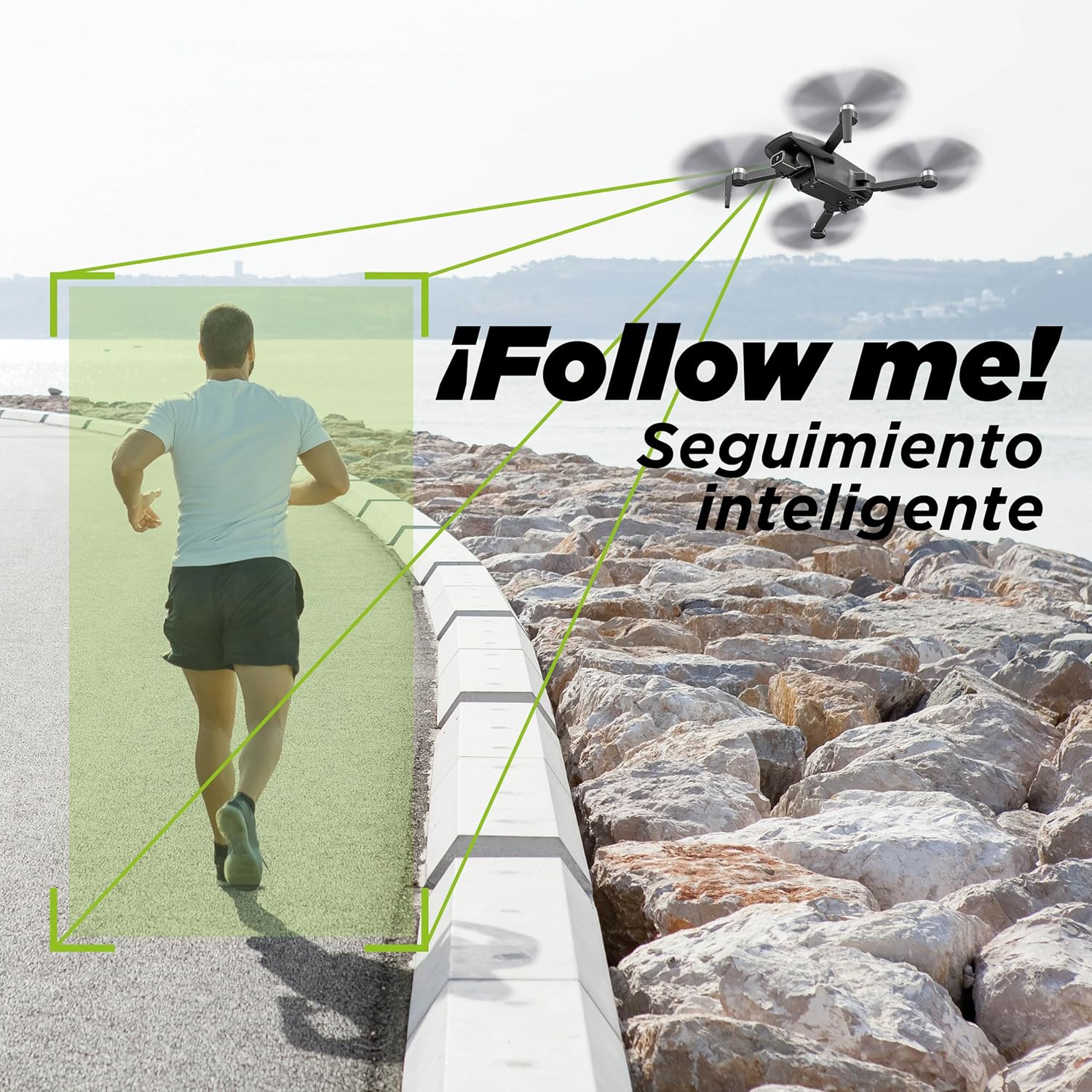
Image 5.2: The drone in 'Follow Me' mode, tracking a person's movement.
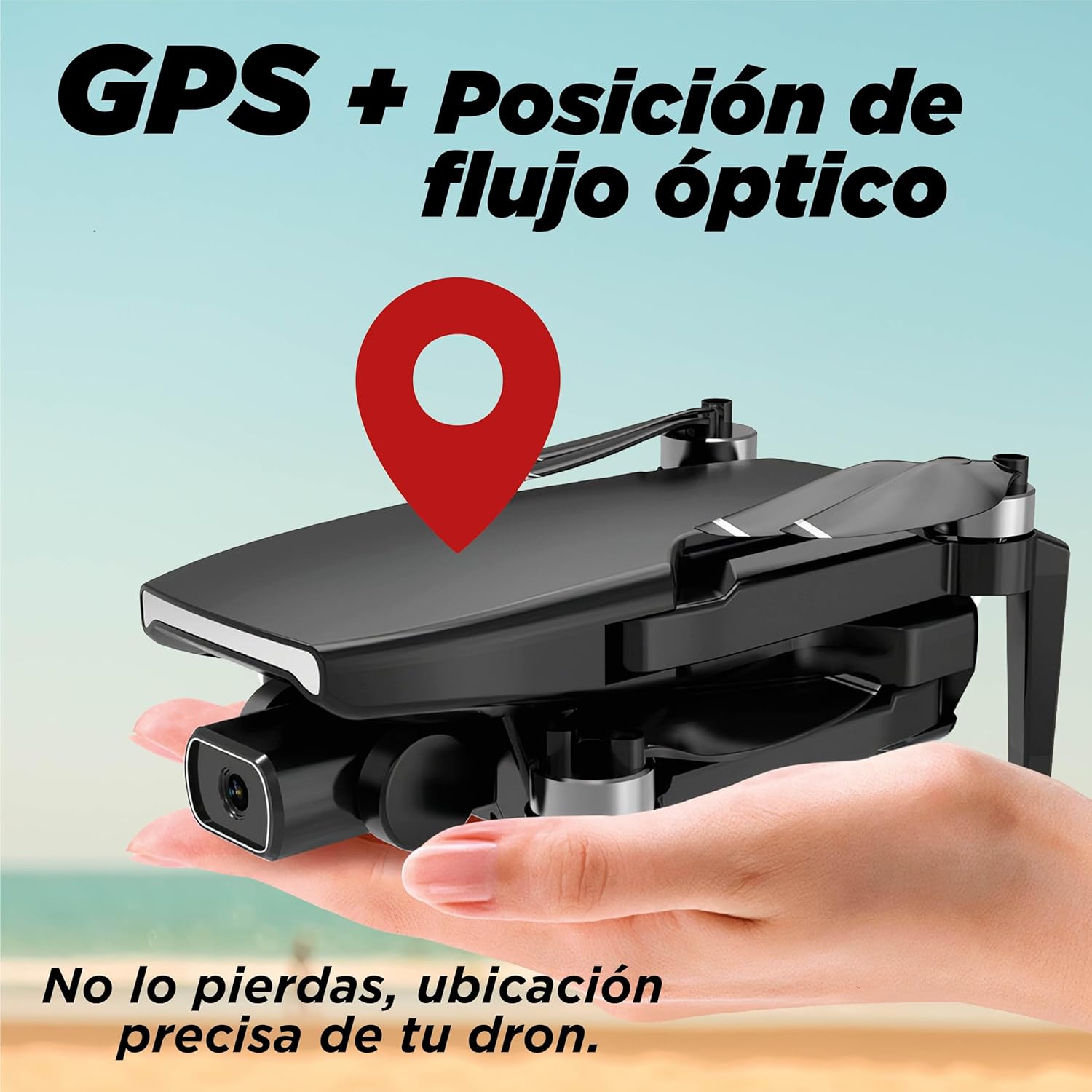
Image 5.3: Illustration of GPS and Optical Flow Positioning for precise drone location and stability.
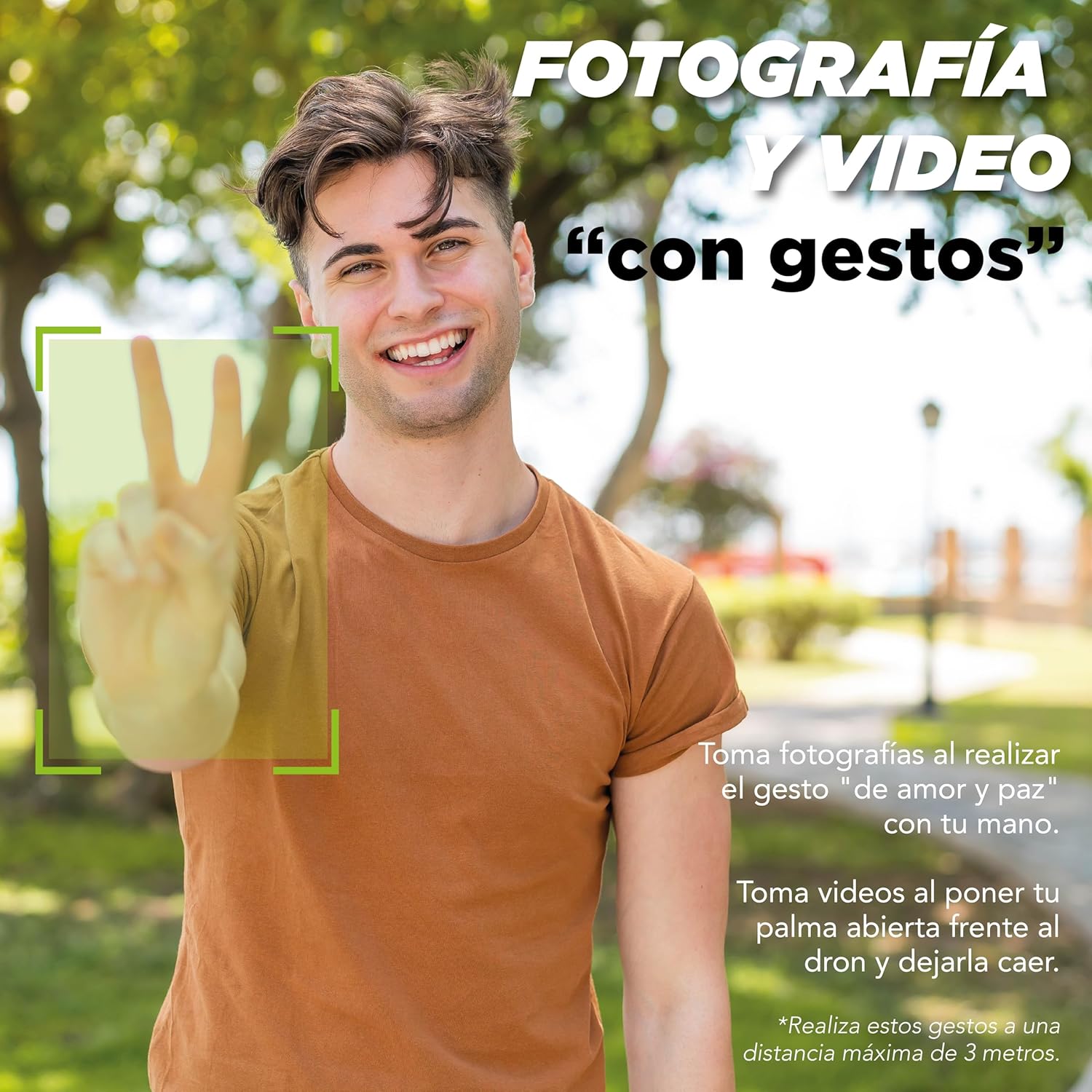
Image 5.4: Gesture control feature, allowing users to take photos with a 'peace' gesture or videos with an open palm.
5.4 Real-time Transmission
The 5G WiFi transmission system allows for real-time viewing of the drone's camera feed on your connected smartphone. The transmission range is up to 150 meters.
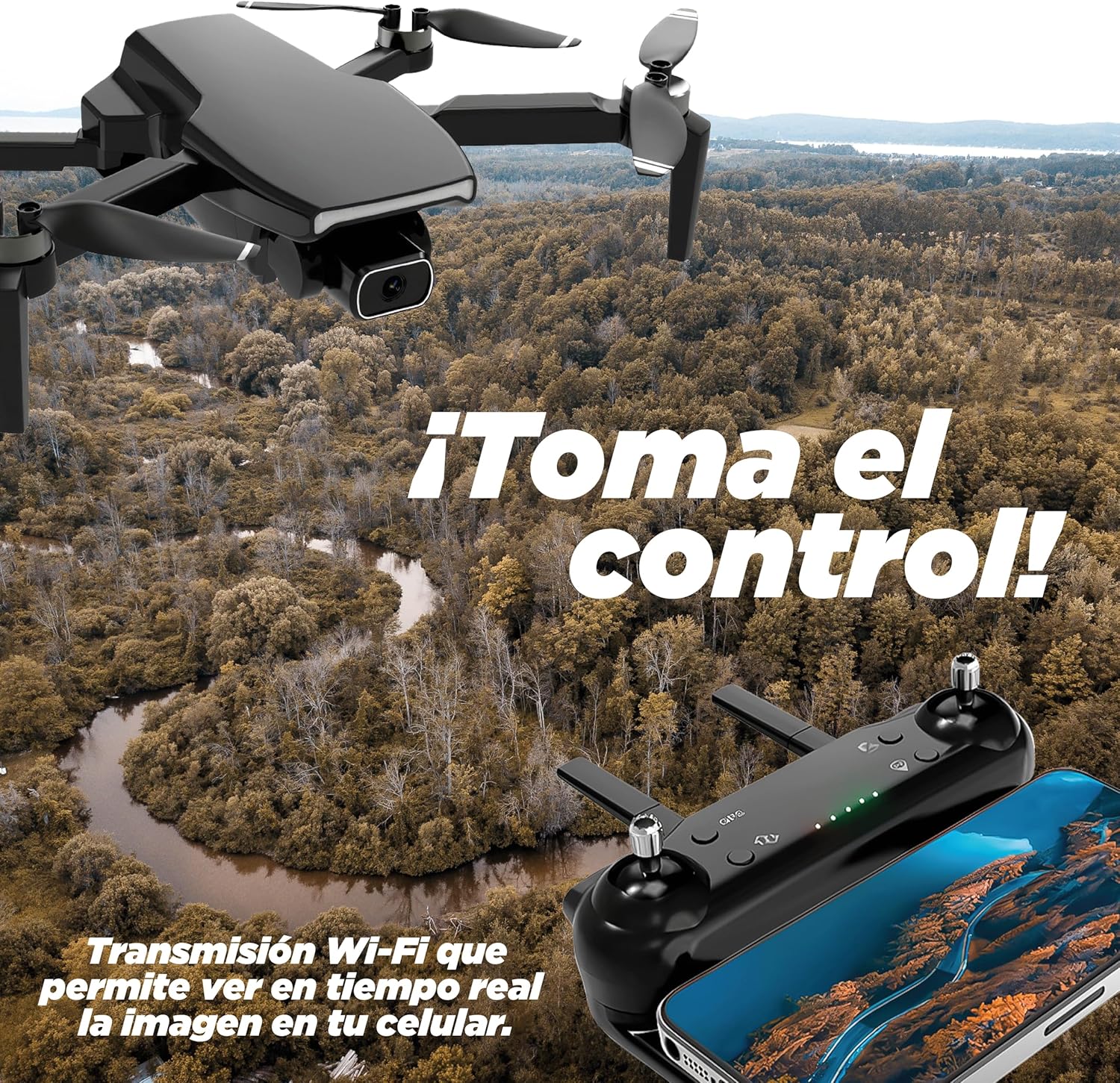
Image 5.5: Real-time Wi-Fi transmission allows viewing the drone's camera image on your mobile device.
5.5 Speed Modes
The drone offers multiple speed settings (slow or fast) to suit different flying conditions and user skill levels. Select the desired speed using the dedicated button on the remote controller.
6. Maintenance
6.1 Battery Care
- Do not overcharge or over-discharge the battery.
- Store the battery in a cool, dry place when not in use.
- If the drone will not be used for an extended period, charge the battery to approximately 50% before storage.
6.2 Propeller Replacement
If a propeller is damaged, replace it with a new one from the spare parts kit. Ensure the correct 'A' or 'B' propeller is installed on the corresponding motor arm.
6.3 Cleaning
Use a soft, dry cloth to clean the drone and remote controller. Avoid using liquids or solvents that could damage the electronics.
7. Troubleshooting
- Drone does not respond: Ensure the drone and remote controller are powered on and properly paired. Check battery levels.
- Unstable flight: Perform calibration again. Check for damaged propellers. Ensure flight is in an open area away from interference.
- No camera feed in app: Verify your smartphone is connected to the drone's 5G WiFi network. Restart the app and drone.
- Short flight time: Ensure the battery is fully charged (approx. 4 hours). Battery performance can decrease over time.
- Drone flies away uncontrollably: This may occur due to geomagnetic interference. Land the drone immediately and relocate to an area with less interference.
For further assistance, refer to the BINDEN support information.
8. Specifications

Image 8.1: Visual representation of the drone's key specifications.
| Feature | Specification |
|---|---|
| Model Name | S7 (DRN-S7-01) |
| Brand | BINDEN |
| Dimensions (Folded) | 21 x 16 x 5 cm |
| Weight | 236 g |
| Camera Resolution | 720p HD (2 Megapixels) |
| Camera Angle | Adjustable up to 90 degrees |
| Battery Capacity | 2200 mAh Lithium Ion |
| Flight Time | Up to 20 minutes |
| Charging Time | Approx. 4 hours |
| Control Range | Up to 400 meters |
| Video Transmission Range | Up to 150 meters (5G WiFi) |
| Max Elevation | 150 meters |
| Max Speed | Up to 20 km/h |
| Wind Resistance Level | 5 |
| Special Features | Integrated GPS, Optical Flow Positioning, Follow Me, Waypoint Flight, Gesture Control |
| App Compatibility | iOS and Android (HFunPro app) |
9. Warranty and Support
BINDEN offers express assistance for any questions or concerns regarding your product or order. For support, please contact BINDEN directly through their official channels or the platform where the product was purchased.
This product is from a brand that belongs to a small business. Your support is appreciated.