
1. Introduction
Thank you for choosing the Acebeam X-50 X50 Multipurpose LED Searchlight. This high-performance searchlight is designed for various applications, offering exceptional brightness and a robust build. Please read this manual thoroughly before using the product to ensure proper operation and maintenance.
Key Features:
- Utilizes 8 x CREE XHP70.2 LEDs with a max output of 40,000 lumens.
- Maximum beam intensity of 160,000cd and maximum throw of 800 meters.
- Wide beam angle up to 120 degrees for broader illumination.
- Built-in 10.8V/4250mAh Li-ion battery pack.
- Fast USB Type-C charging with power bank (discharging) function.
- Intelligent temperature control system.
- Reliable mechanical safe lock to prevent accidental activation.
- IP66 rated water resistance and 1-meter impact resistance.
2. Package Contents
Upon unpacking your Acebeam X-50 X50 Searchlight, please verify that all items listed below are present and in good condition:
- Acebeam X-50 X50 Multipurpose LED Searchlight
- Holster
- USB Type-C Charging Cable
- Power Adapter
- User Manual (this document)

Image: The Acebeam X-50 X50 Searchlight shown with its included accessories: a holster, USB Type-C charging cable, and power adapter.
3. Product Overview
Familiarize yourself with the main components of your Acebeam X-50 X50 Searchlight:
- LED Emitters: 8 x CREE XHP70.2 LEDs located at the front.
- Side Switch: A single stainless steel switch for all functions.
- Lockout Mechanism: A mechanical slide switch near the main button to prevent accidental activation.
- USB Type-C Port: Located at the base for charging and power bank functions.
- Battery Pack: Integrated 10.8V/4250mAh Li-ion battery.
- Cooling Fins: Designed for efficient heat dissipation.

Image: Close-up view of the Acebeam X-50 X50's side switch and mechanical lockout mechanism, indicating 'PUSH' for lock and 'PULL' for unlock.
4. Setup and Charging
Before first use, it is recommended to fully charge the searchlight.
4.1. Charging the Searchlight
- Connect the provided USB Type-C cable to the searchlight's charging port at the base.
- Connect the other end of the cable to the power adapter, then plug the adapter into a wall outlet.
- The indicator light will show red during charging and turn off when charging is complete.
- A full charge takes approximately 1.8 hours with the 35W fast charger.
4.2. Power Bank Function (Discharging)
The Acebeam X-50 X50 can also function as a power bank to charge other devices.
- Connect your external device to the searchlight's USB Type-C port using a compatible cable.
- The indicator light will show red during discharging and turn off when discharging is complete.
- Output protocols include 5V/3A, 9V/3A, 12V/3A, 15V/1.75A, 20V/1.75A. Ensure your device's charging protocols are compatible.

Image: Illustration showing the Acebeam X-50 X50 connected for charging (left) and acting as a power bank to charge a smartphone (right), with indicator lights for charging and discharging status.
5. Operating Instructions
The Acebeam X-50 X50 features a single side switch for all operations.
5.1. Lockout/Unlock
To prevent accidental activation, the searchlight is equipped with a mechanical lockout mechanism.
- Lock: Push the slide switch towards the front of the flashlight (labeled 'PUSH'). The main button will be physically blocked.
- Unlock: Pull the slide switch towards the rear of the flashlight (labeled 'PULL'). The main button will be accessible.
5.2. Basic Operation
- Turn On/Off: From OFF, single click the side switch to turn ON. From ON, single click the side switch to turn OFF.
- Mode Switching: When ON, press and hold the side switch to cycle through Ultra-Low, Low, Med1, Med2, High1, High2 modes. Release the switch to select the desired mode.
- Turbo Mode: From ON or OFF, double-click the side switch to activate Turbo mode. Double-click again to return to the previously used mode.
- Strobe Mode: From ON or OFF, triple-click the side switch to activate Strobe mode. Single click to turn OFF or double-click to return to the previously used mode.
- Memory Function: The searchlight will memorize the last used general mode (Ultra-Low to High2) when turned off. Turbo and Strobe modes are not memorized.
6. Maintenance
Proper maintenance ensures the longevity and optimal performance of your Acebeam X-50 X50 Searchlight.
- Cleaning: Clean the body of the flashlight with a soft, damp cloth. For the lens, use a lens cleaning cloth. Avoid abrasive materials.
- Battery Care: The integrated Li-ion battery pack should be charged regularly, even if not in frequent use, to maintain battery health. Avoid fully depleting the battery for extended periods.
- Water Resistance: The X-50 X50 is rated IP66, meaning it is protected against powerful water jets. While it can withstand heavy rain and splashes, it is not designed for prolonged submersion. Ensure the USB Type-C port cover is securely closed to maintain water resistance.
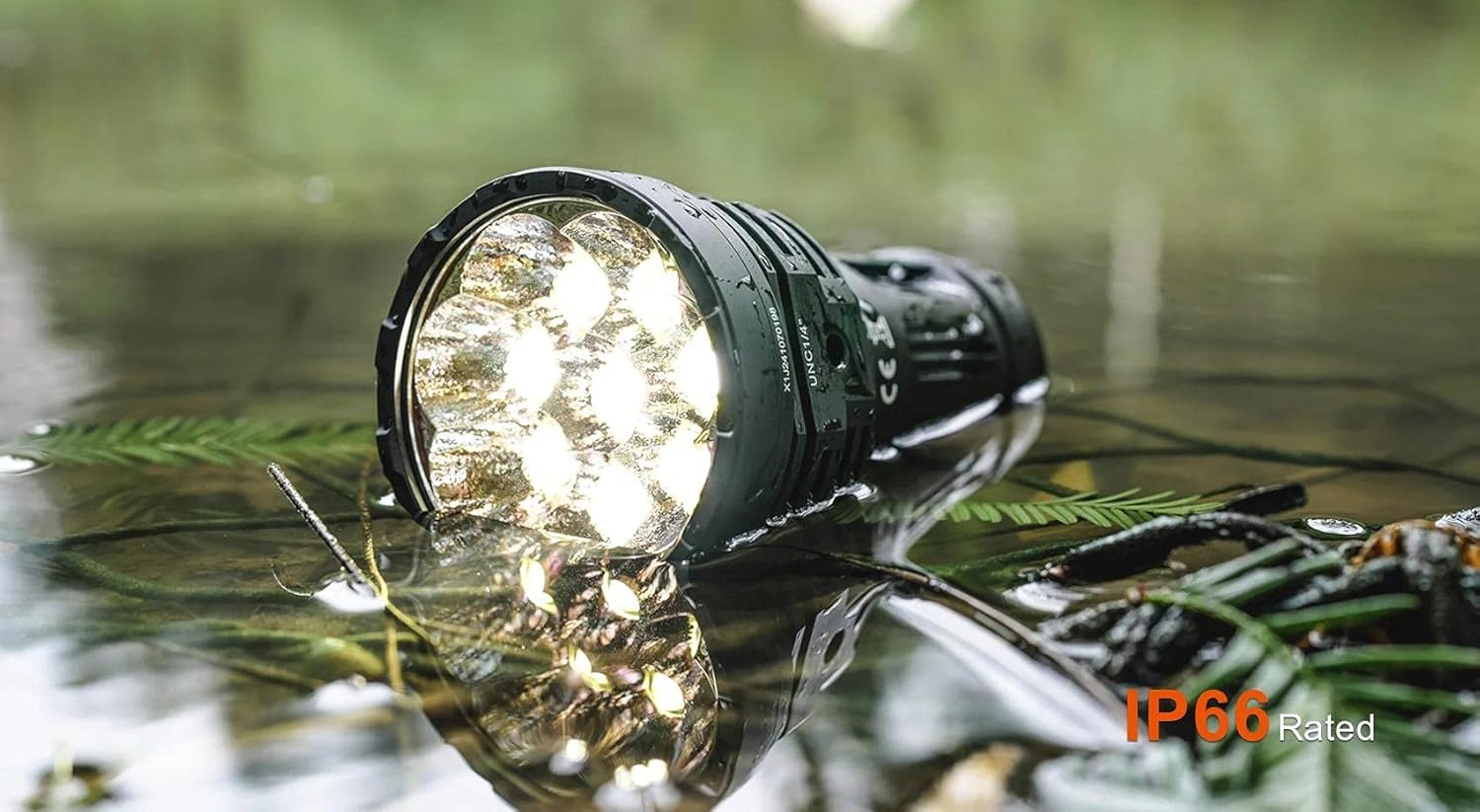
Image: The Acebeam X-50 X50 Searchlight partially submerged in shallow water, demonstrating its IP66 water resistance rating.
7. Troubleshooting
If you encounter issues with your Acebeam X-50 X50, please refer to the following common problems and solutions:
- Flashlight does not turn on:
- Ensure the mechanical lockout switch is in the 'PULL' (unlocked) position.
- Check if the battery is charged. Connect the flashlight to the charger and observe the indicator light.
- Flashlight does not charge or hold a charge:
- Verify the USB Type-C cable and power adapter are functioning correctly. Try a different cable or adapter if available.
- Ensure the charging port is clean and free of debris.
- If the issue persists, the internal battery pack may require service. Contact customer support.
- Reduced brightness or unexpected mode changes:
- This may indicate a low battery level. Recharge the flashlight.
- The intelligent temperature controller may have stepped down the brightness to prevent overheating. Allow the flashlight to cool down.
- Power bank function not working:
- Ensure the connected device's charging protocols are compatible with the X-50 X50's output (5V/3A, 9V/3A, 12V/3A, 15V/1.75A, 20V/1.75A).
- Check the charging cable for damage.
For issues not covered here, please contact Acebeam customer support.
8. Specifications
Detailed technical specifications for the Acebeam X-50 X50 Multipurpose LED Searchlight:
| Feature | Specification |
|---|---|
| LEDs | 8 x CREE XHP70.2 LEDs |
| Color Temperature | 6500K Cool White |
| Max Output | 40,000 lumens |
| Max Beam Intensity | 160,000cd |
| Max Throw Distance | 800 meters |
| Beam Angle | Up to 120 degrees |
| Battery | Built-in 10.8V/4250mAh Li-ion battery pack |
| Charging Port | USB Type-C (35W fast charging) |
| Charging Time | Approx. 1.8 hours |
| Power Bank Output | 5V/3A, 9V/3A, 12V/3A, 15V/1.75A, 20V/1.75A |
| Material | Durable A6061-T6 aluminum alloy |
| Finish | Premium type HAIII hard-anodized anti-abrasive finish |
| Water Resistance | IP66 rated |
| Impact Resistance | 1 meter |
| Dimensions | 4.5"D x 1.5"W x 4.5"H (approximate) |
Brightness Levels and Runtime (6500K)

Image: A table detailing the brightness levels, lumens, candela, throw distance, and runtime for the Acebeam X-50 X50 in 6500K color temperature, including Ultra-Low, Low, Med1, Med2, High1, High2, Turbo, and Strobe modes.
Note: According to the ANSI/PLATO FL1 standard, the above specifications are from the results produced by ACEBEAM through its laboratory testing using the 10.8V/4250mAh rechargeable battery pack. The actual performance of this model may vary according to different working environments. The Turbo output is measured in a total of runtime including output at step-down levels due to temperature regulation or protection mechanism.
9. Safety Information
- Do not shine the light directly into eyes. The intense beam can cause temporary vision impairment or permanent eye damage.
- Keep out of reach of children.
- The flashlight may become hot during prolonged use, especially in higher modes. Exercise caution when handling.
- Do not disassemble the sealed head or the main body; doing so may cause damage to the flashlight and void the warranty.
- Use only the recommended charging accessories.
10. Warranty and Support
Acebeam products are manufactured to high-quality standards. For warranty information and customer support, please refer to the official Acebeam website or contact your authorized dealer. Keep your purchase receipt for warranty claims.
For further assistance, you may visit the ACEBEAM Store on Amazon.