
1. Introduction
Thank you for choosing the VEEKTOMX 20000mAh Power Bank. This portable charger is designed to provide reliable power for your mobile devices on the go, featuring built-in charging cables for convenience and a high-capacity battery. Please read this manual carefully before use to ensure optimal performance and safety.

Image 1.1: Front view of the VEEKTOMX 20000mAh Power Bank, showcasing its compact design, integrated cables (Lightning, USB-C, Micro USB), and digital LED display.
2. Safety Information
To prevent damage, electric shock, injury, fire, or other hazards, please observe the following precautions:
- Do not disassemble, open, or attempt to repair the power bank.
- Keep the power bank away from water, moisture, and extreme temperatures.
- Avoid dropping, hitting, or subjecting the power bank to strong impacts.
- Do not expose the power bank to direct sunlight or heat sources.
- Use only compatible charging cables and adapters.
- Keep out of reach of children.
- Dispose of the power bank responsibly according to local regulations.
3. Package Contents
Please check the package for the following items:
- VEEKTOMX 20000mAh Power Bank x 1
- User Manual x 1
4. Product Overview
The VEEKTOMX Power Bank is equipped with multiple charging options and a clear LED display for battery status.

Image 4.1: Detailed view of the power bank's built-in cables and ports, including iPhone output cable, USB-A input cable, Type-C output cable, Micro output cable, Type-C input/output port, and USB-A output port.
- Built-in Cables: Includes Lightning, USB-C, and Micro USB output cables for direct device charging.
- USB-A Input Cable: An integrated USB-A cable is provided for recharging the power bank itself.
- Additional Ports: Features a dedicated USB-A output port and a Type-C port that functions as both input and output.
- LED Display: A digital LED screen accurately shows the remaining battery percentage.
- Lanyard Cable Design: The integrated USB-A input cable doubles as a convenient lanyard for easy carrying.

Image 4.2: The VEEKTOMX 20000mAh Power Bank demonstrating its slim profile when held alongside a smartphone, highlighting its portability.
5. Setup
5.1 Initial Charging of the Power Bank
Before first use, fully charge the power bank. This ensures optimal battery performance and longevity.
- Using the Built-in USB-A Cable: Connect the integrated USB-A input cable to a USB wall adapter (not included) or a computer's USB port.
- Using the Type-C Port: Alternatively, connect a USB-C cable (not included) to the power bank's Type-C input port and then to a USB wall adapter.
The LED display will show the charging progress. A full charge typically takes approximately 11 hours.

Image 5.1: Illustration of the two methods for recharging the power bank: using the built-in USB-A input cable connected to a wall adapter, and using a USB-C cable connected to the Type-C input port.
5.2 Understanding the LED Display
The digital LED display provides an accurate percentage of the remaining battery charge. When charging the power bank, the numbers will flash, indicating active charging. Once fully charged, the display will show "100" and stop flashing.
6. Operating Instructions
6.1 Charging Devices
The VEEKTOMX Power Bank offers multiple ways to charge your devices:
- Using Built-in Cables: Select the appropriate built-in cable (Lightning, USB-C, or Micro USB) and connect it directly to your device.
- Using USB-A Output Port: Connect your device's charging cable to the USB-A output port on the power bank.
- Using Type-C Output Port: Connect your device's USB-C charging cable to the Type-C port on the power bank.
6.2 Simultaneous Charging
The power bank supports charging up to 5 devices simultaneously using a combination of its built-in cables and external ports. Each port provides a maximum output of 12W (5V/2.4A).
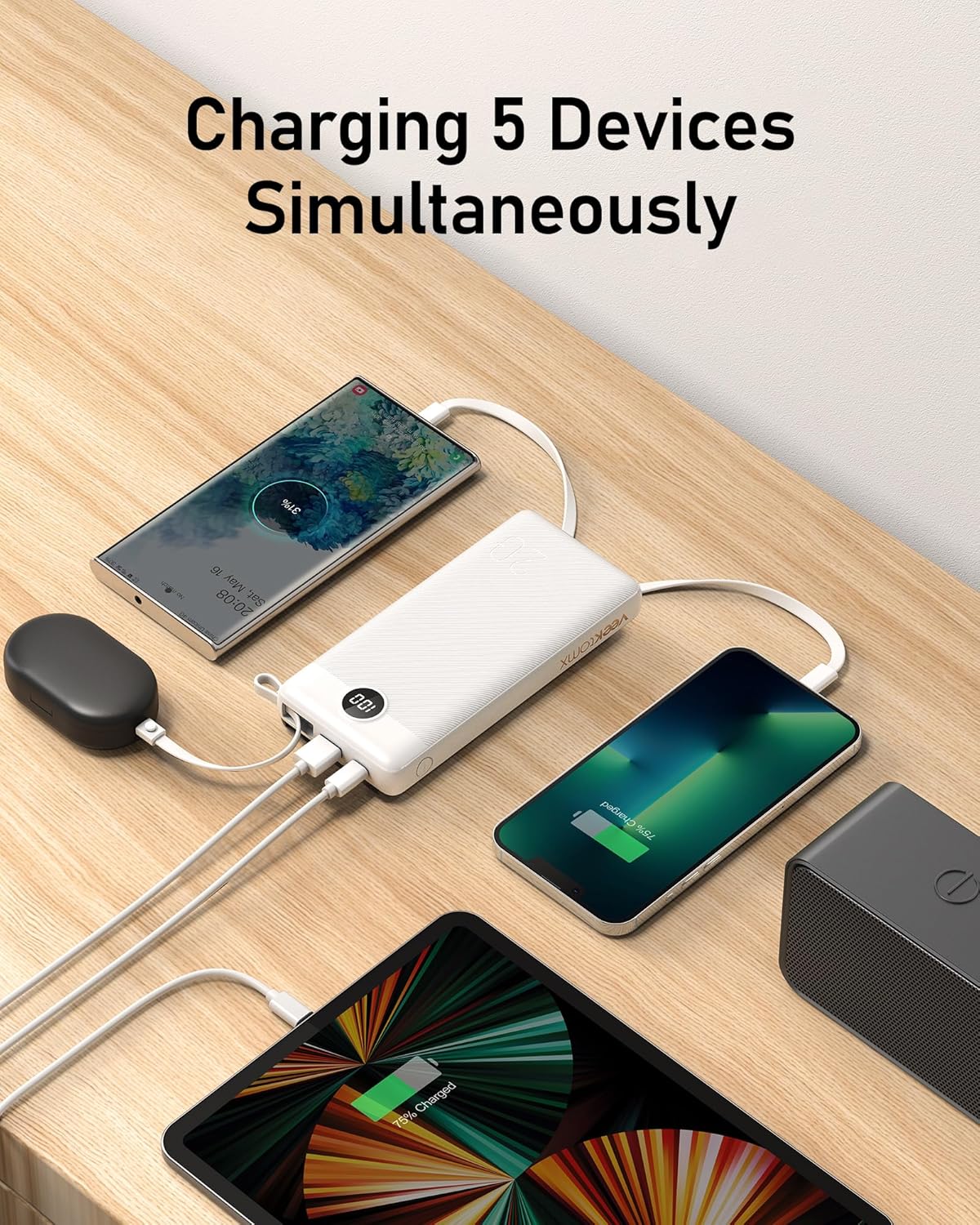
Image 6.1: The power bank actively charging five different devices, including smartphones, a tablet, and wireless earbuds, demonstrating its multi-device charging capability.
7. Maintenance
- Cleaning: Use a soft, dry cloth to clean the surface of the power bank. Do not use liquid cleaners or aerosols.
- Storage: Store the power bank in a cool, dry place away from direct sunlight and extreme temperatures. For long-term storage, it is recommended to charge the power bank to about 50-70% every three months to maintain battery health.
- Battery Care: Avoid fully discharging the power bank frequently, as this can reduce its overall lifespan.
8. Troubleshooting
| Problem | Possible Cause | Solution |
|---|---|---|
| Power bank not charging | Charging cable or adapter faulty; Power bank fully discharged; Input port issue. | Try a different charging cable and adapter. Ensure the power bank is connected securely. Allow a few minutes for the LED display to activate if fully discharged. |
| Device not charging from power bank | Device cable faulty; Power bank low on charge; Incompatible device. | Ensure the power bank is charged. Try a different cable for your device. Verify device compatibility. |
| LED display shows unusual readings (e.g., 188%) | Internal error or battery issue. | Disconnect all cables and restart the power bank (if possible, by holding the power button). If the issue persists, contact customer support. |
| Slow charging | Using a low-power adapter; Charging multiple devices simultaneously. | Use a higher-wattage wall adapter for faster power bank charging. When charging devices, note that simultaneous charging may distribute power and reduce individual charging speeds. |
9. Specifications
| Feature | Detail |
|---|---|
| Brand | VEEKTOMX |
| Model | VT201 |
| Battery Capacity | 20000 Milliamp Hours (mAh) |
| Battery Cell Composition | Lithium Polymer |
| Input (USB-A Cable) | 5V/2.4A |
| Input (Type-C Port) | 5V/2.4A |
| Output (Built-in Cables) | 5V/2.4A (Max 12W per port) |
| Output (USB-A Port) | 5V/2.4A (Max 12W) |
| Output (Type-C Port) | 5V/2.4A (Max 12W) |
| Charging Time | Approx. 11 hours |
| Product Dimensions | 15.6 x 7.6 x 2.62 cm |
| Weight | 360 g |
| Special Features | Digital Display, Built-in Cables, Fast Charging |
| Compatible Devices | Smartphones (iPhone 11-16, Samsung Galaxy S8-S25, Google Pixel), Tablets (iPad Pro/mini/air), Headphones, Smartwatches, Small Drones, etc. |

Image 9.1: Visual representation of the power bank's wide compatibility, including various models of iPhones, Samsung phones, Google Pixel phones, iPads, AirPods, and Bluetooth speakers.
10. Warranty and Support
VEEKTOMX provides a 1-Year Warranty and lifetime technical support for this product. For any inquiries or assistance, please contact our customer service team.
- Customer Service: 24-hour Hassle-free Service
- Exchange Service: 30-Day Exchange Service
For more information or to reach support, please visit the official VEEKTOMX store: VEEKTOMX Store on Amazon