
1. Product Overview
The HAIHUANG RG351MP is a portable handheld game console designed for retro gaming. It features a 3.5-inch IPS screen with OCA full lamination, an RK3326 quad-core processor, and an open-source Linux system. The console supports a wide range of classic game formats and offers Wi-Fi connectivity for online sparring.

Image 1.1: The RG351MP Handheld Game Console, showing the device itself along with a carrying case, a Wi-Fi dongle, a 64GB microSD card, and a USB charging cable.
2. Package Contents
Verify that all items are present in the package:
- RG351MP Game Console
- USB Charging Cable
- User Manual
- 64GB MicroSD Card (pre-installed or separate)
3. Setup
3.1 Initial Charging
Before first use, fully charge the console. Connect the provided USB charging cable to the console's USB port and to a compatible USB power adapter (not included) or a computer's USB port. The charging indicator will typically show the charging status.
3.2 Inserting the TF Card
The console uses a TF (MicroSD) card for storing the operating system and games. The 64GB card is usually pre-installed. If you are using a different card or need to re-insert it:
- Locate the TF card slot on the side or bottom of the console.
- Gently insert the TF card into the slot until it clicks into place. Ensure the card is oriented correctly.
- To remove, gently push the card inward until it clicks, then release to eject.

Image 3.2: The RG351MP console illustrating the TF card slot, which supports expansion up to 256GB.
3.3 Powering On/Off
- To Power On: Press and hold the Power button located on the console until the screen illuminates.
- To Power Off: Access the system menu to initiate a proper shutdown. Alternatively, press and hold the Power button for several seconds until the device powers down.
4. Operating Instructions
4.1 Basic Controls
The RG351MP features standard gaming controls:
- D-Pad: For directional movement in games and menu navigation.
- Analog Joysticks: Two 3D analog joysticks for precise control in compatible games.
- Action Buttons (A, B, X, Y): For in-game actions.
- Shoulder Buttons (L1, L2, R1, R2): Located on the top edge for additional controls.
- SELECT/START Buttons: For menu selections and starting games.
4.2 Navigating the System
The console runs on an open-source Linux system. Use the D-Pad or analog joysticks to navigate through game libraries and system settings. The A button typically confirms selections, and the B button usually cancels or goes back.
4.3 Game Play
The RG351MP supports a wide variety of game formats. To play a game:
- Navigate to the desired game system in the main menu.
- Select a game from the list using the D-Pad or joystick.
- Press the A button to launch the game.
Supported game formats include: NDS, N64, DC, PSP, PS1, CPS1, CPS2, FBA, NEOGEO, NEOGEOPOCKET, GBA, GBC, GB, SFC, FC, MD, SMS, GG, MSX, PCE, WSC, and various transplant games.

Image 4.3: The RG351MP console screen showing a list of supported game formats.
4.4 Adding Games
Users can download and add games in the relevant supported formats to the TF card. Connect the TF card to a computer using a card reader and transfer game files to the appropriate directories on the card.
4.5 Wi-Fi Connectivity
The console supports Wi-Fi for online sparring and other network features. An external Wi-Fi dongle (often included) is required. Insert the Wi-Fi dongle into one of the console's USB OTG ports. Access the system settings to configure Wi-Fi network connections.

Image 4.5: The RG351MP console demonstrating the connection of an external Wi-Fi dongle for network access.
4.6 Audio Output
The console includes a 3.5mm stereo earphone jack for private listening. Connect standard earphones to this port.
5. Maintenance
5.1 Cleaning the Device
Use a soft, dry cloth to clean the console's exterior. For the screen, use a microfiber cloth specifically designed for electronics. Avoid using harsh chemicals or abrasive materials.
5.2 Battery Care
The console is equipped with a 3500mAh Li-Polymer battery, providing approximately 6 hours of gameplay. To prolong battery life:
- Avoid fully discharging the battery frequently.
- Store the device in a cool, dry place when not in use for extended periods.
- Use only the provided USB charging cable or a compatible replacement.
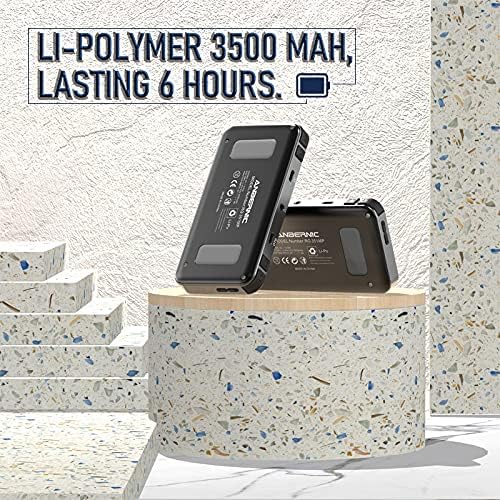
Image 5.2: The RG351MP console highlighting its 3500mAh Li-Polymer battery, capable of lasting approximately 6 hours on a single charge.
5.3 Software Updates
Periodically check the manufacturer's official website or community forums for potential firmware updates. Updates can improve performance, add features, or fix bugs. Follow official instructions carefully when performing any software updates.
6. Troubleshooting
- Device does not power on: Ensure the battery is charged. Connect the console to a power source and try again. If the issue persists, try holding the power button for a longer duration (10-15 seconds) for a hard reset.
- Games are not loading or crashing: Verify that the game files are in the correct format and placed in the appropriate directories on the TF card. Ensure the TF card is properly inserted. Corrupted game files or an improperly formatted TF card can cause issues.
- Screen issues (no display, flickering): Check for physical damage. If the screen remains blank after powering on, try a hard reset.
- Wi-Fi connection problems: Ensure the external Wi-Fi dongle is securely inserted. Check Wi-Fi settings in the system menu to confirm correct network selection and password entry.
- Buttons unresponsive: Clean around the buttons to ensure no debris is obstructing them. If specific buttons consistently fail, contact support.
For persistent issues not covered here, refer to the manufacturer's support resources or community forums.
7. Specifications
| Model | RG351MP |
| Screen | 3.5-inch IPS, OCA Full Lamination |
| Resolution | 320x480 pixels |
| CPU | RK3326 Quad-Core 1.5 GHz |
| Operating System | Open Source Linux System |
| Internal Memory | 64GB (via TF card) |
| TF Card Expansion | Up to 256GB |
| Battery | 3500mAh Li-Polymer |
| Battery Life | Approximately 6 hours |
| Dimensions | 5.98 x 2.8 x 0.71 inches (15.2 x 7.1 x 1.8 cm) |
| Weight | 14.4 ounces (0.41 kg) |
| Connectivity | USB, External Wi-Fi (via dongle) |
| Audio Output | 3.5mm Headphone Jack |
| Material | Plastic |
8. Warranty and Support
8.1 Warranty Information
Warranty terms and conditions for the HAIHUANG RG351MP Handheld Game Console are typically provided at the time of purchase or can be found on the manufacturer's official website. Please retain your proof of purchase for warranty claims.
8.2 Customer Support
For technical assistance, troubleshooting, or inquiries regarding your RG351MP console, please contact HAIHUANG customer support through their official channels. Refer to the packaging or the manufacturer's website for contact details.


