
1. Safety Information
Please read and understand all safety instructions before operating this device. Failure to follow these instructions may result in electric shock, fire, or personal injury.
- Always ensure the meter is in good working condition before use. Inspect test leads for damage.
- Do not apply voltage or current that exceeds the maximum rated values for the meter.
- Exercise extreme caution when working with live circuits. High voltages can be lethal.
- Ensure the battery compartment is securely closed before operation.
- Do not operate the meter in explosive atmospheres or in the presence of flammable gases or dust.
- Use appropriate personal protective equipment (PPE) such as insulated gloves and eye protection.
2. Product Overview
The Tidrop 328D is a versatile 600A AC Clamp Meter designed for accurate and reliable electrical measurements. It features an auto-ranging function, True RMS capability, and a 6000-count display, making it suitable for a wide range of applications including AC/DC current, AC/DC voltage, resistance, temperature, frequency, capacitance, and diode testing.
2.1 Key Features
- AC True RMS 6000 Counts Digital Display
- Auto Range Functionality
- Non-Contact Voltage (NCV) Detection
- Measures AC/DC Current, AC/DC Voltage, Resistance, Temperature, Frequency, Capacitance, Diode, and Buzzer Continuity
- Data Hold Function
- Low Battery Indication
- Auto Power-Off
2.2 Components and Display
The following image illustrates the main components of the Tidrop 328D clamp meter along with its accessories.

Figure 1: Tidrop 328D Clamp Meter, including test leads, temperature probe, and carrying case.
Refer to the diagram below for a detailed view of the meter's labeled parts.

Figure 2: Labeled components of the Tidrop 328D, including Clamp, Trigger, NCV Induction Plate, NCV Indicator, Function Switch, Zero/Hz Button, Hold/Func Button, Display Screen, COM Input Socket, and VΩHz°C Input Socket.
The 1.6-inch LCD digital display provides clear readings, even in low-light conditions, thanks to its backlight feature.
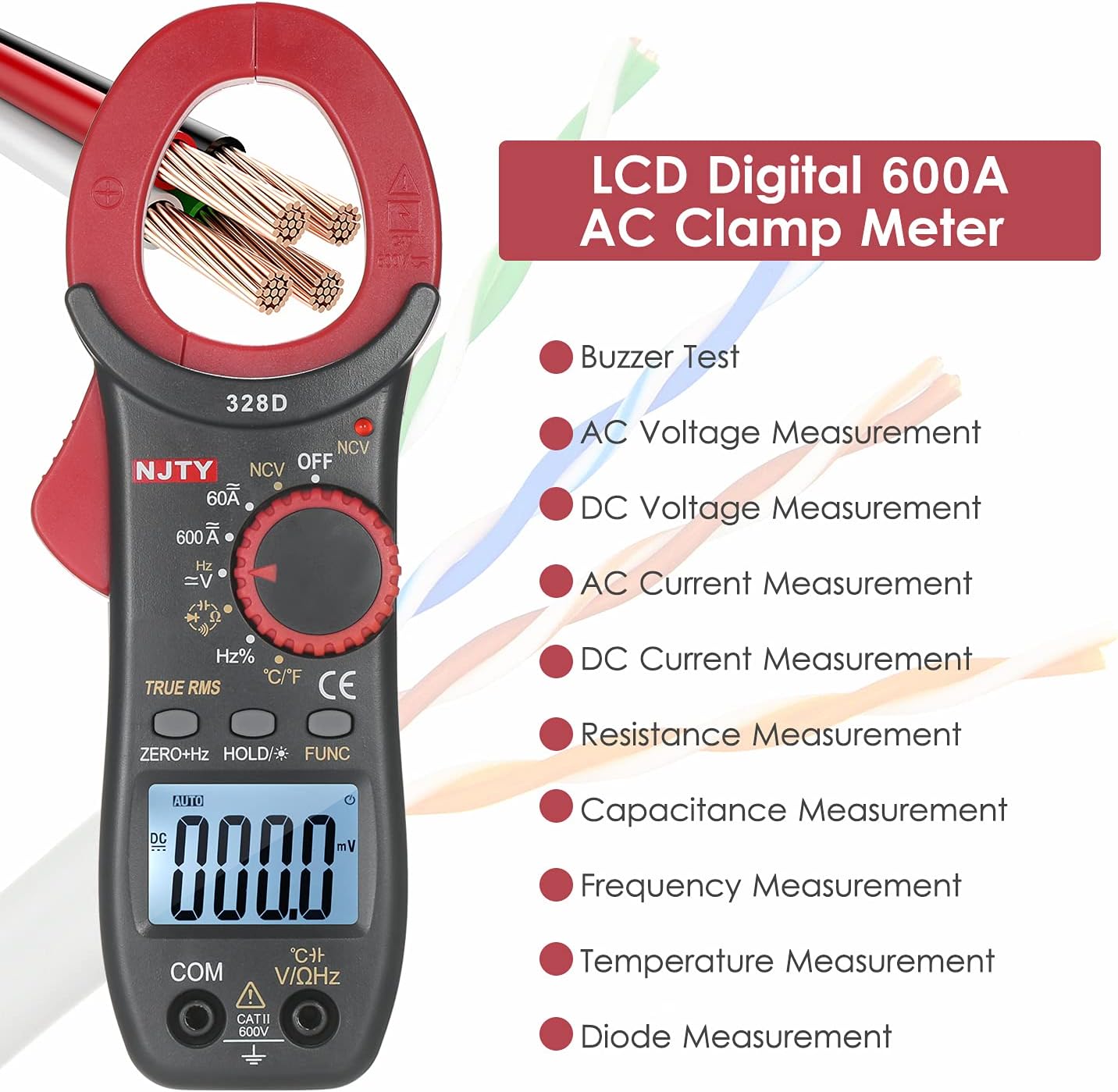
Figure 3: The 1.6-inch LCD digital display showing measurement values and function indicators.
3. Specifications
| Specification | Value |
|---|---|
| Brand | Tidrop |
| Model | 328D |
| Measurement Type | Clamp Meter |
| Display | 6000 Counts, 1.6-inch LCD Digital |
| AC Current Range | Up to 600A |
| True RMS | Yes |
| NCV (Non-Contact Voltage) | Yes |
| Power Supply | 2 * 1.5V AAA Battery (not included) |
| UPC | 738769670416 |
| Country of Origin | China |
4. Setup
4.1 Battery Installation
The Tidrop 328D clamp meter requires two 1.5V AAA batteries (not included) for operation.
- Ensure the meter is powered off.
- Locate the battery compartment cover on the back of the meter.
- Use a screwdriver to loosen the screw securing the battery cover.
- Remove the battery cover.
- Insert two AAA batteries, observing the correct polarity (+ and -) as indicated inside the compartment.
- Replace the battery cover and tighten the screw securely.

Figure 4: Open battery compartment showing slots for two AAA batteries.
5. Operation
To begin operation, turn the function switch to the desired measurement mode. The meter will automatically power off after a period of inactivity to conserve battery life.
5.1 Measurement Modes
The Tidrop 328D offers various measurement functions, indicated by icons on the meter and display.

Figure 5: Icons for Buzzer, True RMS, DC Voltage, AC Voltage, DC Current, AC Current, Resistance, Diode, Temperature, NCV, Data Hold, Auto Power-off, Capacitance, and Frequency.

Figure 6: The meter supports Buzzer Test, AC Voltage, DC Voltage, AC Current, DC Current, Resistance, Capacitance, Frequency, Temperature, and Diode measurements.
- AC/DC Current Measurement: Rotate the function switch to the 60A or 600A AC current range. Open the clamp jaws by pressing the trigger and enclose a single conductor. Ensure the conductor is centered within the clamp for accurate readings.
- AC/DC Voltage Measurement: Insert the red test lead into the VΩHz°C input socket and the black test lead into the COM input socket. Rotate the function switch to the V~ (AC Voltage) or V= (DC Voltage) range. Connect the test leads in parallel to the circuit under test.
- Resistance Measurement (Ω): Insert test leads as for voltage. Rotate the function switch to the Ω range. Connect the test leads across the component to measure resistance. Ensure the circuit is de-energized before measuring resistance.
- Temperature Measurement (°C/°F): Insert the temperature probe into the VΩHz°C and COM input sockets. Rotate the function switch to the °C/°F position. Place the probe tip on the object to be measured. Press the HOLD/FUNC button to switch between Celsius and Fahrenheit.
- Non-Contact Voltage (NCV) Detection: Rotate the function switch to the NCV position. Bring the NCV induction plate near a live conductor. The NCV indicator light will illuminate and an audible beep will sound if AC voltage is detected.
- Frequency (Hz) and Capacitance (F) Measurement: Insert test leads as for voltage. Rotate the function switch to the Hz% or Capacitance range. Connect the test leads to the circuit or component.
- Diode Test and Continuity Buzzer: Insert test leads as for voltage. Rotate the function switch to the Diode/Buzzer position. For diode test, connect leads across the diode. For continuity, connect leads across the circuit; a beep indicates continuity.
- Data Hold: Press the HOLD button to freeze the current reading on the display. Press again to release.
- Zero/Hz Button: Used for zeroing the DC current measurement or switching to frequency measurement in certain modes.
6. Maintenance
6.1 Cleaning
Wipe the meter casing with a damp cloth and mild detergent. Do not use abrasives or solvents. Ensure the meter is dry before storage or use.
6.2 Battery Replacement
When the low battery indicator appears on the display, replace the batteries promptly to ensure accurate readings. Refer to Section 4.1 for battery installation instructions.
6.3 Storage
If the meter is not used for an extended period, remove the batteries to prevent leakage. Store the meter in a cool, dry place, away from direct sunlight and extreme temperatures.
7. Troubleshooting
- No Display: Check if the batteries are correctly installed and have sufficient charge. Replace batteries if necessary.
- Inaccurate Readings: Ensure test leads are properly connected and not damaged. Verify the correct measurement mode is selected. Check for external interference.
- NCV Not Working: Ensure the NCV sensor area is clear and not obstructed. The NCV function requires AC voltage to be present.
- Auto Power-Off: This is a normal function to conserve battery. Press any button or rotate the function switch to reactivate the meter.
8. Warranty and Support
For warranty information, technical support, or service inquiries, please contact the retailer or manufacturer directly. Keep your purchase receipt as proof of purchase.