
1. Introduction
This manual provides essential information for the safe and effective use of your Marg AC Adapter. Please read these instructions carefully before using the product and retain them for future reference. This AC adapter is designed to provide reliable power to compatible Chuwi V-series phone and tablet PCs.
2. Setup
Follow these steps to set up your Marg AC Adapter:
- Inspect the Adapter: Before first use, visually inspect the adapter and its cord for any signs of damage. Do not use if damaged.
- Connect to Device: Insert the DC output plug of the adapter firmly into the power input port of your compatible Chuwi device. Ensure a secure connection.
- Connect to Power Outlet: Plug the AC input prongs of the adapter into a standard AC 100-240V wall outlet. The adapter is designed for worldwide use with an input frequency range of 50-60Hz.
- Verify Power: Once connected, your device should indicate that it is receiving power or charging.
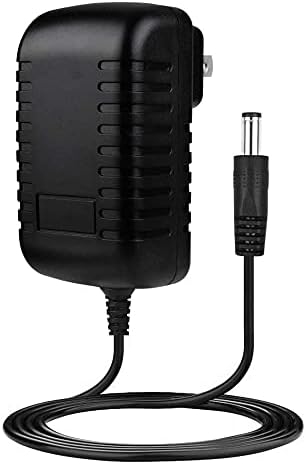
Image 2.1: The Marg AC Adapter, featuring its compact black body, integrated power cord, and DC output plug.
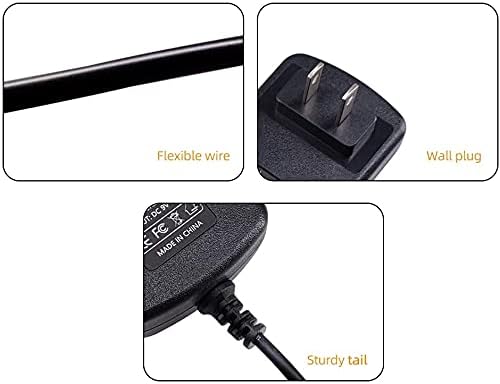
Image 2.2: Detailed views highlighting the flexible wire, the US-type wall plug, and the sturdy strain relief at the cable's connection point to the adapter body.
3. Operating Instructions
The Marg AC Adapter is designed for straightforward operation. Once properly connected, it will automatically begin supplying power or charging your device.
Safety Features
This adapter incorporates multiple safety protections to ensure safe and reliable operation:
- Over Voltage Protection (OVP): Safeguards against excessive voltage input.
- Over Current Protection (OCP): Prevents damage from excessive current flow.
- Over Temperature Protection (OTP): Protects the adapter from overheating.
- Short Circuit Protection (SCP): Automatically shuts down power in case of a short circuit.
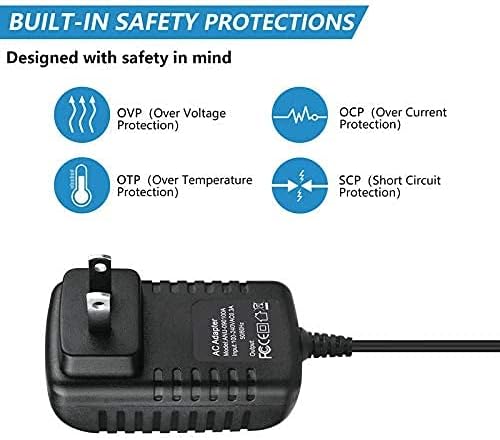
Image 3.1: Visual representation of the built-in safety protections: OVP, OCP, OTP, and SCP.
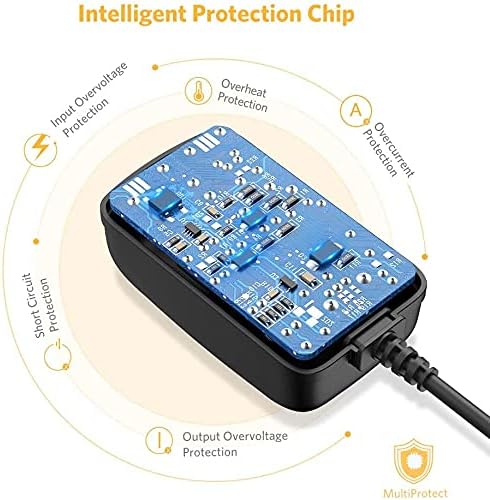
Image 3.2: An internal view diagram illustrating the intelligent protection chip and its various circuits for input overvoltage, overheat, overcurrent, output overvoltage, and short circuit protection.

Image 3.3: Icons representing the multi-protection features, including over current, over charge, short circuit, temperature, over load, and over voltage protection, ensuring safe charging.
4. Maintenance
To ensure the longevity and safe operation of your AC adapter, observe the following maintenance guidelines:
- Cleaning: Disconnect the adapter from the power outlet and your device before cleaning. Use a dry, soft cloth to wipe the exterior. Do not use liquid cleaners or solvents.
- Storage: Store the adapter in a cool, dry place away from direct sunlight and extreme temperatures when not in use.
- Cable Care: Avoid bending or kinking the power cord excessively, especially near the connectors, to prevent internal wire damage.
Warnings
- Do not open or modify the power supply/power cord/power cable. Unauthorized modifications can lead to electric shock, fire, or product damage.
- Keep children away from high voltage power sources.
- Use the adapter only as intended and under appropriate electrical safety guidelines.
- Any abuse or improper use will void the product warranty.
5. Troubleshooting
If you encounter issues with your Marg AC Adapter, consider the following common solutions:
- No Power to Device:
- Ensure the adapter is securely plugged into both the wall outlet and your device.
- Try plugging the adapter into a different wall outlet to rule out a faulty outlet.
- Verify that your device's power input port is clean and free of debris.
- Slow Charging:
- Ensure your device is not running power-intensive applications while charging.
- Check if the adapter or device is overheating. Disconnect and allow to cool if necessary.
- Adapter Overheating:
- Ensure the adapter is in a well-ventilated area and not covered.
- If overheating persists, discontinue use and contact customer support.
If these steps do not resolve the issue, please refer to the Warranty and Support section for further assistance.

Image 5.1: The Marg AC Adapter connected to a power strip, demonstrating typical usage in a workspace environment.
6. Specifications
| Brand | Marg |
| Input Voltage | AC 100-240V |
| Input Frequency Range | 50-60Hz |
| Plug Type | US prong |
| Certifications | UL, CE, FCC, RoHS |
| Special Features | Over Current Protection, Over Voltage Protection, Over Temperature Protection, Short Circuit Protection |
| Compatible Devices | Chuwi V5, V6, V99, V99X, V70, V8, V9, V17, V7, V7SIM, V88, V19 Phone Tablet PC |
7. Warranty and Support
Marg is committed to providing high-quality products and customer satisfaction.
- Money Back Guarantee: We offer a no-questions-asked full money back guarantee.
- Product Exchange: For 3 years from the date of purchase, we will exchange your product free of charge should it become defective.
- Customer Service: 24-hour customer service is available to assist you with any inquiries or issues.
For support, please refer to the contact information provided with your purchase or visit the official Marg website.