
1. Introduction
This manual provides essential information for the proper installation, operation, and maintenance of your Yuecoom LED Infrared Fill Lights. These lights are specifically designed to enhance the night vision capabilities of Raspberry Pi 3/2/B+ camera modules. Please read this manual thoroughly before use to ensure optimal performance and longevity of the product.
2. Safety Information
Observe the following safety precautions to prevent damage to the product or injury to yourself:
- Ensure proper power supply for the Raspberry Pi and connected modules. Incorrect voltage may cause damage.
- Handle electronic components with care to avoid electrostatic discharge.
- Do not look directly into the infrared LEDs when powered, as prolonged exposure may be harmful to eyes.
- Keep the product away from water and moisture.
- Do not attempt to modify or disassemble the LED fill lights beyond the intended installation.
3. Package Contents
Verify that all items are present in the package:
- 1 Pair of LED Infrared Fill Lights
- 1 Set of Screws and Nuts for installation
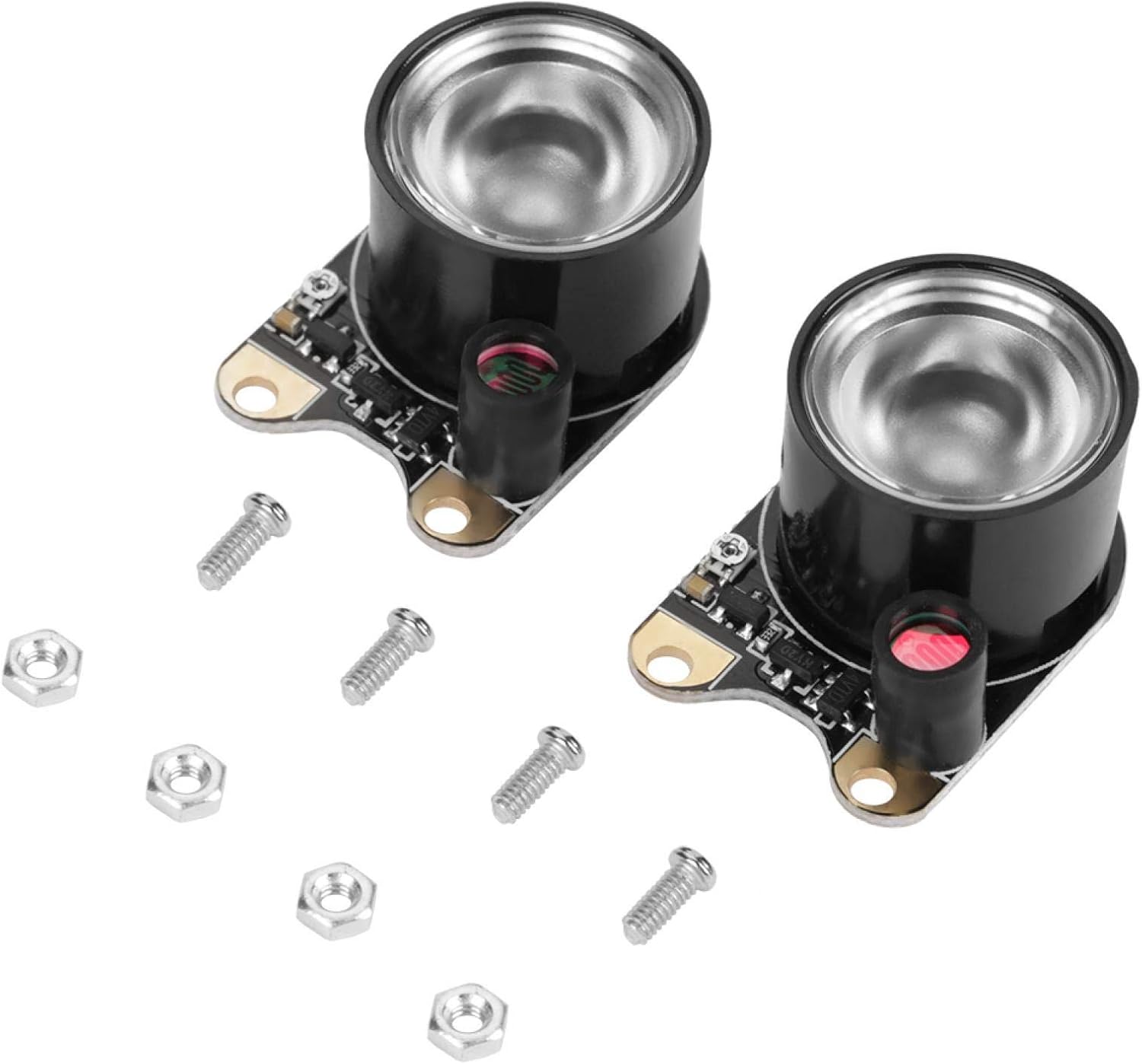
Figure 3.1: Contents of the package, showing two LED fill light modules and a set of mounting hardware.
4. Product Overview
The Yuecoom LED Infrared Fill Lights are compact modules designed to provide supplementary infrared illumination for Raspberry Pi night vision cameras. Each module features an 850IR LED and a photoresistor for automatic light sensing.

Figure 4.1: Detailed view of one LED Infrared Fill Light module, highlighting the main LED and the photoresistor.
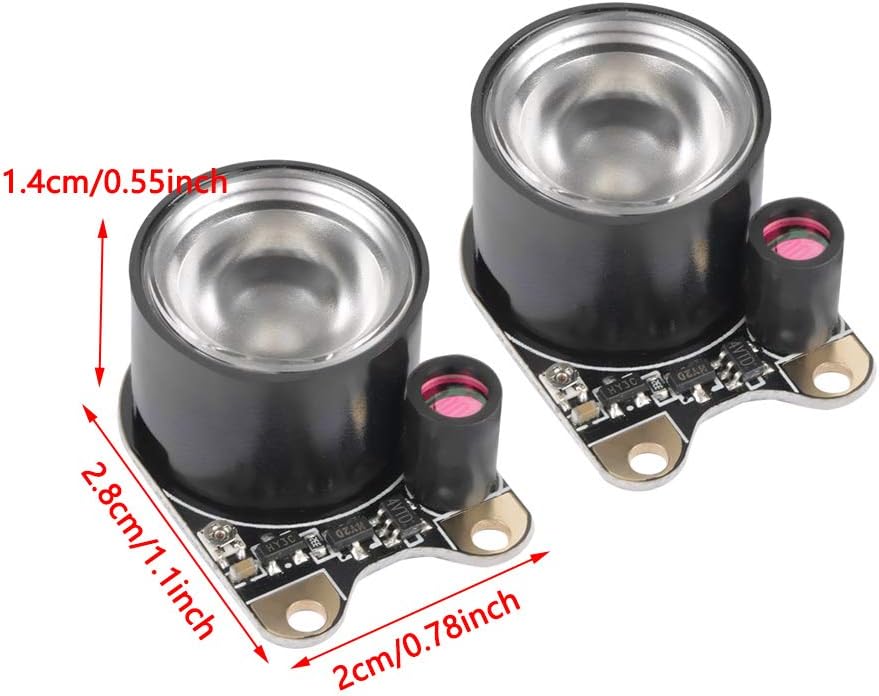
Figure 4.2: Dimensions of the LED fill light module: 2.8cm (1.1 inches) in length, 2cm (0.78 inches) in width, and 1.4cm (0.55 inches) in height.
5. Setup and Installation
These LED fill lights are designed for easy integration with compatible Raspberry Pi camera modules. Follow these steps for installation:
- Identify Mounting Points: Locate the mounting holes on your Raspberry Pi night vision camera module. The fill lights are typically mounted on either side of the camera lens.
- Align the Fill Lights: Position one LED fill light module next to a mounting hole on the camera module, aligning the screw holes.
- Secure with Screws: Insert a screw through the fill light's mounting hole and the corresponding hole on the camera module. Secure it with a nut from the other side. Repeat this for the second mounting point on the same fill light.
- Install Second Fill Light: Repeat steps 2 and 3 for the second LED fill light module on the opposite side of the camera.
- Connect Power: Ensure the camera module is correctly connected to the Raspberry Pi. The fill lights draw power through the camera module's designated power pins. Refer to your specific Raspberry Pi camera module documentation for power connection details.

Figure 5.1: The included screws and nuts used for securing the fill lights to the camera module.
6. Operating Instructions
The Yuecoom LED Infrared Fill Lights are designed for automatic operation based on ambient light conditions.
- Automatic Activation: Each fill light module includes a photoresistor. When the ambient light level drops below a certain threshold, the photoresistor triggers the infrared LEDs to turn on automatically, providing illumination for night vision.
- Automatic Deactivation: Conversely, when sufficient ambient light is detected, the photoresistor will cause the infrared LEDs to turn off, conserving power.
- Compatibility: These lights are intended for use with Raspberry Pi night vision camera modules that support external infrared illumination and have appropriate power output pins.
Note: The effectiveness of the infrared illumination depends on the camera module's sensitivity and the distance to the subject.
7. Maintenance
The LED Infrared Fill Lights require minimal maintenance to ensure proper function.
- Cleaning: Gently wipe the surface of the LED and photoresistor with a soft, dry, lint-free cloth to remove dust or smudges. Do not use liquid cleaners or abrasive materials.
- Storage: When not in use, store the modules in a dry, cool environment, away from direct sunlight and extreme temperatures.
- Inspection: Periodically check the connections and mounting screws to ensure they are secure.
8. Troubleshooting
| Problem | Possible Cause | Solution |
|---|---|---|
| Lights do not turn on in the dark. |
|
|
| Lights remain on during daylight. |
|
|
| One light works, the other does not. |
|
|
9. Specifications
| Feature | Detail |
|---|---|
| Product Type | LED Infrared Fill Light |
| Brand | Yuecoom |
| Compatibility | Raspberry Pi 3/2/B+ Night Vision Camera Modules |
| Infrared Wavelength | 850IR |
| Dimensions (each) | 2.8cm x 2cm x 1.4cm (1.1in x 0.8in x 0.6in) |
| Quantity | 1 Pair (2 modules) |
| Weight (approx.) | 14g (for the pair) |
| Connectivity Technology | Infrared |
| Hardware Interface | Infrared |
10. Warranty and Support
Yuecoom products are manufactured with quality in mind. This product comes with a standard return policy as per the retailer's terms, typically allowing for refund or replacement within 30 days of purchase for manufacturing defects.
For technical support or inquiries regarding your Yuecoom LED Infrared Fill Lights, please refer to the retailer's customer service channels or visit the official Yuecoom brand store online.
Online Store: Yuecoom Store on Amazon