
DSF KM-G17
DSF KM-G17 Mechanical Gaming Keyboard User Manual
Model: KM-G17
Product Overview
The DSF KM-G17 Mechanical Gaming Keyboard is designed for an enhanced gaming and typing experience. It features durable blue switches, customizable RGB backlighting, dedicated multimedia controls, and programmable macro keys. The keyboard is built with an ergonomic design, including a palm rest, and offers IP32 water resistance for added durability.

Figure 1: DSF KM-G17 Mechanical Gaming Keyboard with RGB lighting.
Package Contents
Before you begin, please ensure all items are present in the package:
- 1 x KM-G17 RGB Mechanical Keyboard
- 1 x Keycap Puller
- 1 x User Manual (this document)

Figure 2: Contents of the KM-G17 keyboard package, including the keyboard, keycap puller, and user manual.
Setup Guide
- Unpacking: Carefully remove the keyboard and all accessories from the packaging.
- Connection: Connect the keyboard's Micro USB cable to an available USB port on your computer (PC, Laptop, Gaming Console). The keyboard is USB powered.
- Driver Installation: The keyboard is typically plug-and-play. For advanced features like programmable macros and detailed RGB customization, download the 'KM-G17 Keyboard' gaming software from the official DSF website (Windows OS only).
- Placement: Position the keyboard comfortably on your desk. The integrated palm rest is designed to protect your wrist during extended use.
Operating Instructions
Key Features and Functions
- Blue Switches: The keyboard features professional-grade blue mechanical switches, providing tactile feedback and an audible click sound for precise key presses.
- RGB Backlight: The keyboard offers 19 preset RGB lighting effects.
- Cycle through effects using the dedicated effects button.
- Adjust lighting color, brightness, and effect speed via the gaming software.

Figure 3: The keyboard features vibrant RGB sidelighting for enhanced aesthetics.
- Macro Keys (G1-G5): The five G-keys are fully programmable. Use the gaming software to assign complex or repetitive command sequences to these keys for quick execution.
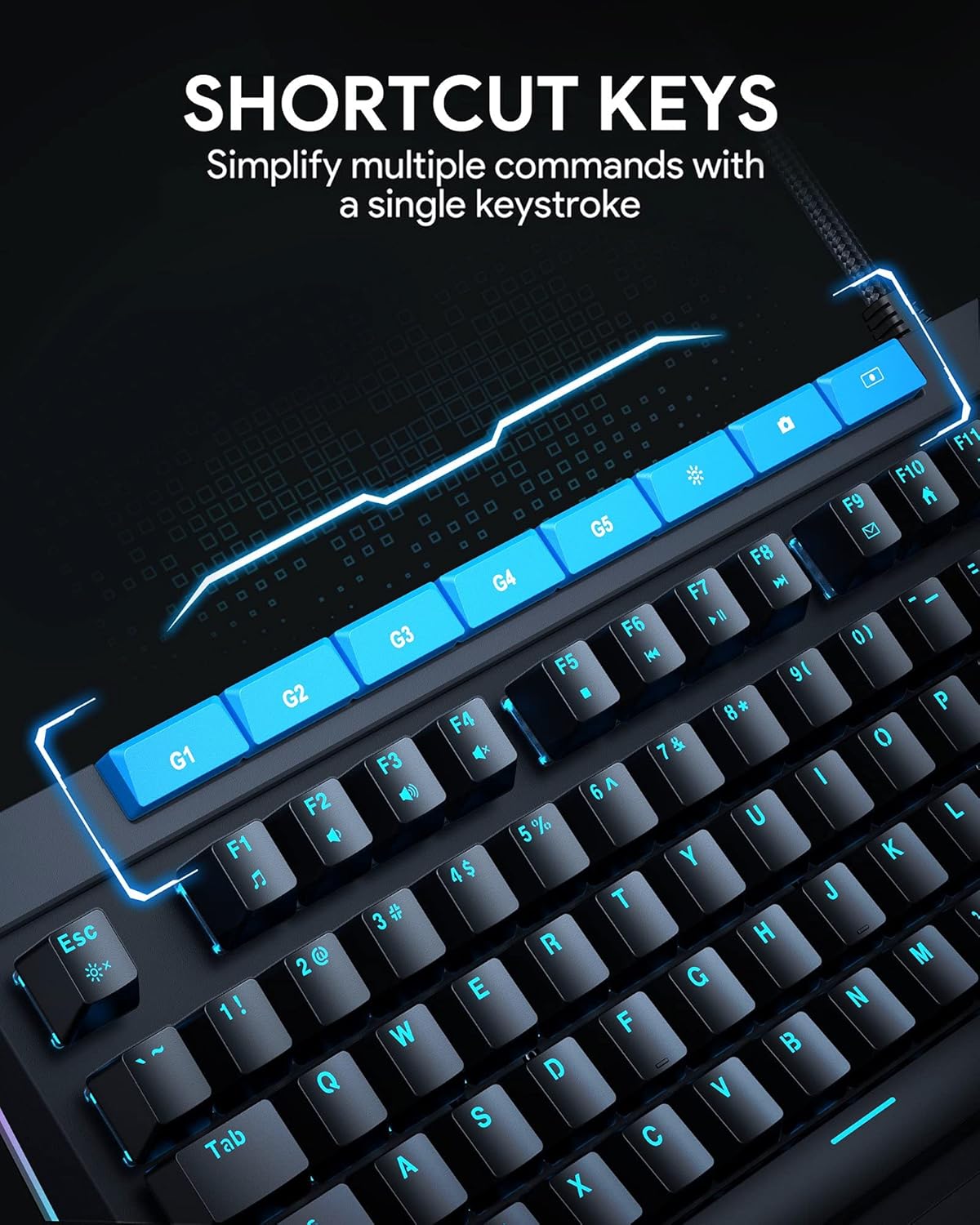
Figure 4: Dedicated G1-G5 shortcut keys for programmable macros.
- Volume Dial and Multimedia Controls: A clickable metal roller and dedicated media keys allow for on-the-fly adjustment of volume and media playback (play/pause).

Figure 5: The integrated media control knob for easy volume adjustments.
- Full N-Key Rollover & Anti-Ghosting: The 112-key rollover ensures that every key press is registered accurately, even during rapid, simultaneous key inputs, preventing missed commands.
- Gaming Software: For full customization of lighting, macros, and game modes, install the 'KM-G17 Keyboard' gaming software (Windows only).

Figure 6: Screenshot of the gaming software interface for configuring keyboard settings.
Maintenance
- Cleaning: Use a soft, dry cloth to wipe down the keyboard surface. For deeper cleaning, use a can of compressed air to remove dust and debris from between the keycaps.
- Keycap Removal: The included keycap puller can be used to carefully remove keycaps for thorough cleaning or switch replacement (if applicable). Insert the puller under the keycap and gently pull upwards.
- Spill Resistance: The keyboard features an IP32 water-resistant design, offering protection against accidental spills. In case of a spill, immediately disconnect the keyboard from your computer and allow it to dry completely before reconnecting. Do not immerse the keyboard in water.
- Storage: Store the keyboard in a cool, dry place away from direct sunlight and extreme temperatures when not in use for extended periods.
Troubleshooting
| Problem | Possible Solution |
|---|---|
| Keyboard not responding |
|
| RGB lighting not working or incorrect |
|
| Macro keys not functioning |
|
| Keys are sticky or unresponsive |
|
Specifications
| Feature | Detail |
|---|---|
| Model | KM-G17 |
| Brand | DSF |
| Key Switches | Blue Mechanical Switches |
| Number of Keys | 112 |
| Backlighting | RGB (19 preset effects) |
| Rollover | Full N-Key Rollover with Anti-Ghosting |
| Connectivity | Micro USB (Wired) |
| Compatible OS | Windows 10 (Gaming Software), PC, Laptop, Gaming Console, Tablet |
| Material | Metal |
| Dimensions (L x W x H) | 45.72 x 19.81 x 3.71 cm (17.9 x 7.8 x 1.4 inches) |
| Weight | 1.45 kg |
| Special Features | Programmable Macro Keys (G1-G5), Volume Control Button/Dial, Ergonomic Design, IP32 Water Resistant |

Figure 7: Detailed dimensions of the KM-G17 Mechanical Gaming Keyboard.
Warranty and Support
For warranty information and technical support, please refer to the official DSF website or contact their customer service directly. Details regarding warranty periods and support channels are typically provided with your purchase documentation or on the manufacturer's website.
Contact Information: Please visit the official DSF website for the most up-to-date support contact details and resources.
Ask a question about this manual
Ask about setup, troubleshooting, compatibility, parts, safety, or missing instructions. Manuals+ will review the question and use this page’s manual context to help answer it.