
SXFJF Sports Games Earbuds
TWS Wireless Bluetooth 5.0 Earbuds User Manual
Model: Sports Games Earbuds
Introduction
Thank you for choosing the SXFJF TWS Wireless Bluetooth 5.0 Earbuds. These earbuds are designed to provide a superior audio experience with advanced features such as HiFi stereo sound, noise cancellation, and IPX8 waterproofing. This manual will guide you through the setup, operation, maintenance, and troubleshooting of your new earbuds.
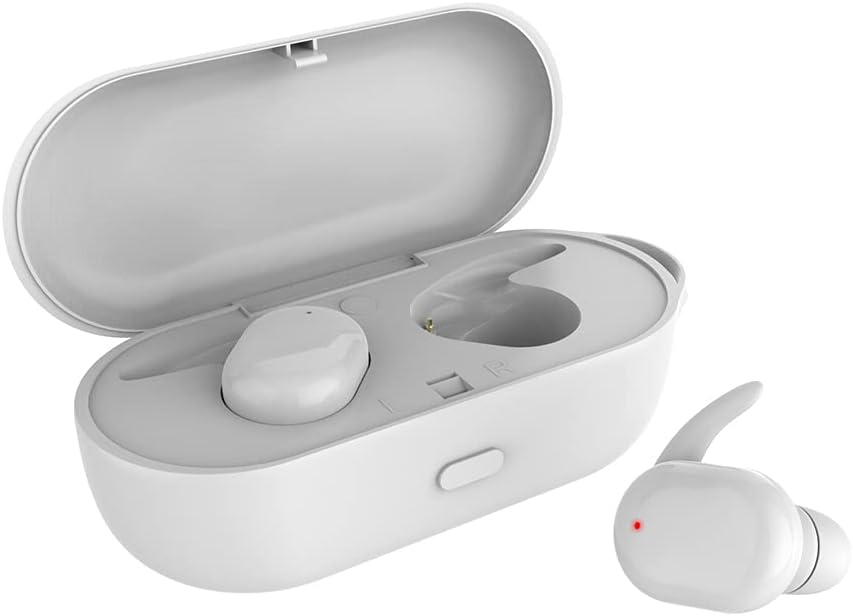
Image: The TWS Wireless Bluetooth 5.0 Earbuds and their charging case.
Package Contents
- 2 x Wireless Headphones (Earbuds)
- 1 x Type-C Charging Cable
- 1 x Charging Case
- 1 x Use Manual (This document)
Setup
1. Charging the Earbuds and Case
Before first use, ensure both the earbuds and the charging case are fully charged. Connect the Type-C charging cable to the charging port on the case and a USB power source. The indicator lights on the case will show charging status.
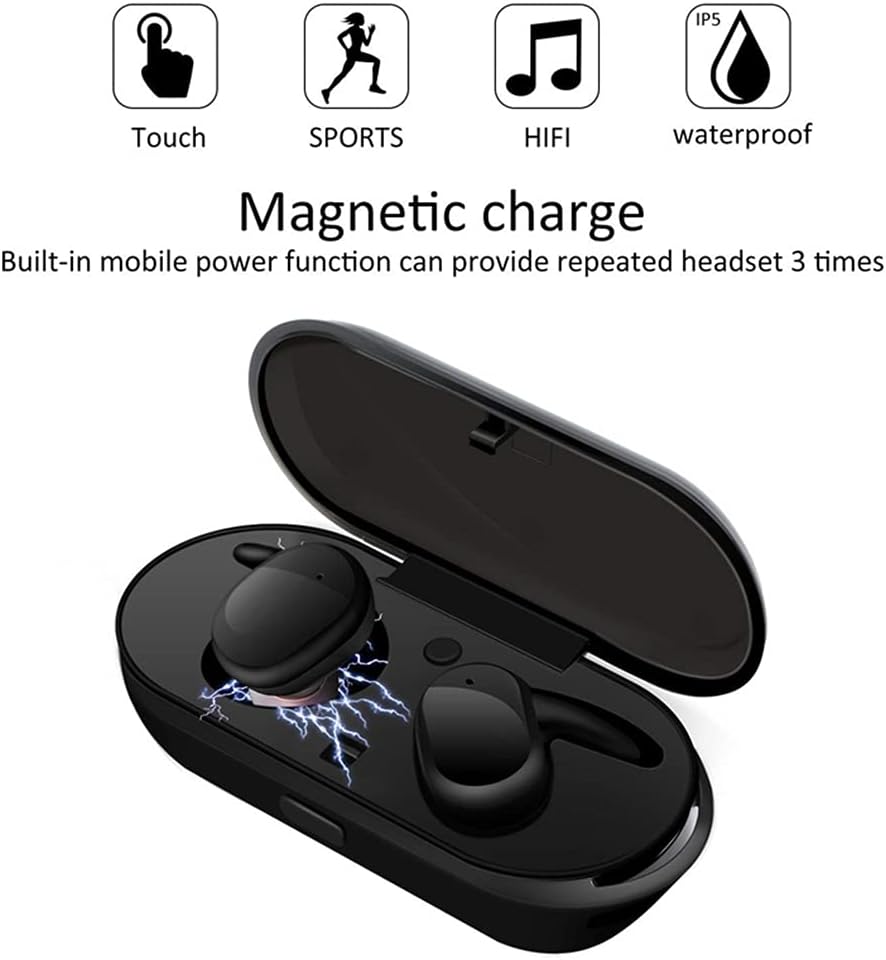
Image: Magnetic charging feature of the earbuds within the case.
2. Pairing with Your Device
- Take both earbuds out of the charging case. They will automatically power on and enter pairing mode.
- On your device (smartphone, tablet, etc.), enable Bluetooth.
- Search for available Bluetooth devices and select "Sports Games Earbuds" (or similar name) from the list.
- Once connected, you will hear a confirmation sound, and the earbuds' indicator lights will change.
After the initial pairing, the earbuds will automatically connect to your device when taken out of the charging case, provided Bluetooth is enabled on your device.

Image: Bluetooth pairing illustration and ergonomic design.
Operating Instructions
Touch Controls
The earbuds feature touch-sensitive controls for various functions:
- Power On/Off: Automatically power on when removed from case, off when placed back. Manual power on/off may involve a long press on the touch area.
- Play/Pause: Single tap on either earbud.
- Next Track: Double tap on the right earbud.
- Previous Track: Double tap on the left earbud.
- Answer/End Call: Single tap on either earbud during an incoming call.
- Reject Call: Long press on either earbud during an incoming call.
- Activate Voice Assistant (Siri/Google Assistant): Triple tap on either earbud.

Image: Earbud touch control functions and charging case components.
Usage Modes
The earbuds can be used in various configurations:
- Single Earbud Use: Either the left or right earbud can be used independently. Simply take one out of the case, and it will connect.
- Dual Earbud Use: For stereo sound, use both earbuds together. They will automatically pair with each other and then with your device.

Image: Different usage modes for the earbuds.
Maintenance
- Cleaning: Use a soft, dry cloth to clean the earbuds and charging case. Do not use harsh chemicals or abrasive materials.
- Storage: When not in use, store the earbuds in their charging case to protect them and keep them charged.
- Water Resistance: The earbuds are IPX8 waterproof, meaning they can withstand immersion in water. However, it is recommended to wipe them dry after exposure to water to prevent moisture buildup in the charging contacts. Do not expose the charging case to water.

Image: Earbuds highlighting their waterproof feature.
Troubleshooting
- Earbuds not pairing with each other: Place both earbuds back into the charging case, close the lid, wait a few seconds, then take them out again. They should automatically re-sync.
- Earbuds not connecting to device: Ensure Bluetooth is enabled on your device and the earbuds are charged. Forget the device in your phone's Bluetooth settings and try pairing again.
- No sound from one earbud: Check if both earbuds are charged. Try resetting them by placing them in the case and then taking them out.
- Charging issues: Ensure the charging cable is securely connected and the charging port is clean. Try a different USB power source.
Specifications
| Feature | Specification |
|---|---|
| Product Name | Sports Games Earbuds |
| Bluetooth Version | V5.0 |
| Bluetooth Range | 10 meters (without barriers) |
| Play Time | 5 hours |
| Talk Time | 5 hours |
| Standby Time | 50 hours |
| Charging Case Battery | 330 mAh |
| Water Resistance Rating | IPX8 |
| Frequency Response Range | 20Hz-20KHz |
| Material | ABS+PC |
| Weight | Approx. 30g |
Warranty and Support
For warranty information and customer support, please refer to the product packaging or contact the retailer where you purchased the product. Keep your purchase receipt as proof of purchase.
Ask a question about this manual
Ask about setup, troubleshooting, compatibility, parts, safety, or missing instructions. Manuals+ will review the question and use this page’s manual context to help answer it.