
Introduction
Thank you for choosing the Edesa EWF 1470 X Washing Machine. This manual provides essential information for the safe and efficient operation, installation, and maintenance of your appliance. Please read it thoroughly before using the washing machine and keep it for future reference.
Key Features:
- Capacity: 1 to 7 kg with a maximum spin speed of 1400 rpm.
- Wash Programs: 16 programs, including quick wash options (15, 30, 45 minutes), mixed, and delicate cycles.
- Delayed Start: Program your wash cycle up to 24 hours in advance.
- Display: Shows remaining wash time and current wash phase.
- Silence Inverter Motor: Reduces friction for a longer lifespan, quieter operation, and improved energy efficiency (Class B).
- Large Door: Designed for easy loading and unloading of larger items like duvets and blankets, with a diameter up to 31 cm.
Setup and Installation
1. Unpacking
Carefully remove all packaging materials. Ensure no parts are left inside the drum. Remove any transport bolts from the rear of the machine before use. Keep packaging materials out of reach of children.
2. Placement
Place the washing machine on a firm, level surface. Ensure there is adequate space around the appliance for ventilation and connections. Avoid placing it in areas exposed to direct sunlight or extreme temperatures.

Image: Dimensions of the Edesa EWF 1470 X washing machine. The appliance measures approximately 85 cm in height, 59.5 cm in width, and 49.5 cm in depth.
3. Leveling
Adjust the adjustable feet at the bottom of the washing machine to ensure it is perfectly level. A level machine reduces vibration and noise during operation, especially during the spin cycle.
4. Water Connection
Connect the water inlet hose to a cold water tap with a 3/4-inch thread. Ensure the connection is tight to prevent leaks. Position the drain hose into a standpipe or over the edge of a sink, ensuring it is securely fixed to prevent displacement during draining.
5. Electrical Connection
Plug the power cord into a grounded electrical outlet. Ensure the voltage and frequency match the specifications on the appliance's rating label. Do not use extension cords or adapters.
6. First Use
Before washing clothes for the first time, run an empty wash cycle (e.g., a quick wash program) without detergent or laundry to clean the drum and remove any manufacturing residues.
Operating Instructions
1. Control Panel Overview
The control panel features a program selector knob, function buttons, and a digital display. The display shows the remaining time and current wash phase, indicated by LED lights.
2. Loading Laundry
Open the large front door and load your laundry. Do not overload the machine; respect the maximum capacity of 7 kg. For optimal washing results, ensure items are not tightly packed. The large door facilitates loading of bulky items like duvets and blankets.
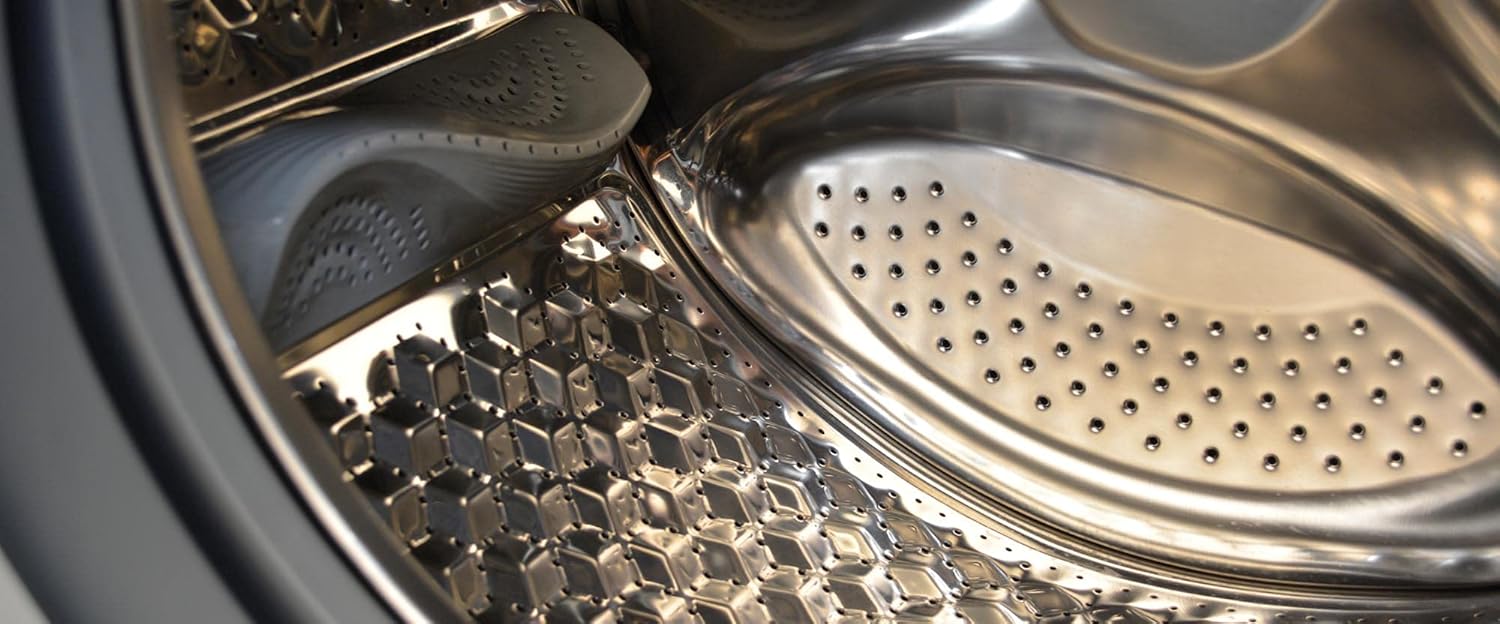
Image: Interior of the Edesa EWF 1470 X washing machine drum, showcasing its stainless steel construction and design for efficient washing.
3. Adding Detergent and Additives
Pull out the detergent dispenser drawer. Add the appropriate amount of detergent to the main wash compartment. If desired, add fabric softener to its designated compartment. Refer to detergent packaging for dosage recommendations.
4. Selecting a Wash Program
Turn the program selector knob to choose one of the 16 available wash programs. Options include:
- Quick Programs: 15, 30, or 45 minutes for lightly soiled items.
- Mixed: For a variety of fabric types.
- Delicate/Sensitive: For fragile garments.
- Eco-wash: Energy-efficient cycle.
- Pre-wash: For heavily soiled items.
- Extra Rinse: For thorough rinsing.
Additional functions like temperature and spin speed can often be adjusted using dedicated buttons.
5. Delayed Start Function
To use the delayed start function, select your desired program and then press the 'Delay Start' button repeatedly to set the desired delay time (up to 24 hours). The machine will start automatically after the set delay.
6. Starting the Wash Cycle
Press the 'Start/Pause' button to begin the selected wash cycle. The door will lock, and the machine will start filling with water.
7. Monitoring Progress
The digital display will show the remaining time until the cycle is complete. LED indicators will illuminate to show the current wash phase (e.g., wash, rinse, spin).
8. Ending a Wash Cycle
Once the cycle is complete, the machine will signal with an audible alert (if enabled) and the display will show 'End'. The door will unlock after a short delay. Remove your laundry promptly.
Maintenance and Care
Regular maintenance ensures the longevity and optimal performance of your washing machine.
1. Cleaning the Exterior
Wipe the exterior surfaces with a soft, damp cloth. Do not use abrasive cleaners or solvents.
2. Cleaning the Detergent Dispenser
Periodically remove the detergent dispenser drawer and rinse it under running water to remove any detergent residue. Clean the housing of the dispenser with a brush.
3. Cleaning the Drum
Run a maintenance wash cycle (e.g., a hot wash with no laundry and a descaling agent or washing machine cleaner) every few months to prevent odor and limescale buildup.
4. Cleaning the Drain Filter
Locate the drain filter, usually at the bottom front of the machine. Place a shallow container underneath to catch any water. Unscrew the filter slowly, clean it of lint and debris, and then screw it back in securely.
5. Door Seal Care
After each wash, wipe the door seal dry to prevent mold and mildew growth. Leave the door slightly ajar when not in use to allow air circulation.
Troubleshooting
Before contacting customer service, please check the following common issues:
- Machine does not start: Ensure the power cord is plugged in, the door is closed properly, and the 'Start/Pause' button has been pressed. Check the circuit breaker.
- No water filling: Check if the water tap is open and the water inlet hose is not kinked or blocked.
- Water not draining: Check the drain hose for kinks or blockages. Clean the drain filter.
- Excessive vibration/noise: Ensure the machine is level and all transport bolts have been removed. Distribute laundry evenly in the drum. The 'Silence Inverter' system minimizes vibration, but proper installation is crucial.
- Detergent residue in dispenser: Clean the dispenser drawer thoroughly. Ensure water pressure is adequate.
- Door not opening: Wait a few minutes after the cycle ends; the door lock needs time to release. If power was interrupted, the door may remain locked for safety.
If the problem persists after checking these points, please refer to the warranty and support section.
Specifications
| Feature | Detail |
|---|---|
| Brand | EDESA |
| Model Name | EWF-1470 X |
| Model Number Item | 925270502 |
| Capacity | 7 Kilogram |
| Product Dimensions (W x D x H) | 59.5 x 49.5 x 85 cm |
| Item Weight | 68 Kilogram |
| Access Location | Front-loader |
| Type of Finish | Stainless Steel |
| Color | Stainless Steel |
| Material | Stainless Steel |
| Special Features | Eco-wash, Extra rinse, Personalized wash, Inverter motor, Pre-wash |
| Energy Efficiency Rating | B |
Warranty and Support
For warranty information and customer support, please refer to the documentation provided with your purchase or visit the official Edesa website. Keep your proof of purchase for warranty claims.
If you require technical assistance or have questions not covered in this manual, please contact Edesa customer service through their official channels.