
1. Product Overview and Compatibility
This manual provides instructions for the POWTREE 6.0Ah Li-ion replacement battery, designed for use with Dyson V8 series cordless vacuum cleaners. This battery offers a 21.6V voltage and an upgraded 6000mAh capacity for extended operation.
Compatibility: This battery is fully compatible with Dyson V8 Animal, V8 Absolute, V8 Motorhead, V8 Fluffy, and SV10 handheld cordless vacuum cleaner models. It is not compatible with Dyson V6, V7, V10, V11, V12, or V15 batteries.

Image 1.1: POWTREE 6.0Ah V8 SV10 Replacement Battery and included filters.

Image 1.2: Visual representation of battery compatibility with Dyson V8 Animal, Absolute, Fluffy, and Motorhead models.
2. Safety Information
Adhere to the following safety guidelines to ensure proper and safe use of the battery:
- Do not disassemble, squeeze, discard, puncture, or modify the battery.
- Avoid short circuits; do not allow metal objects to contact the battery interface.
- Do not throw the battery into fire or water, or expose it to damp or corrosive environments.
- Excessive collision or physical impact can cause component failure.
- Allow the battery to cool down before charging, especially after a full discharge, to prevent charging issues.
- The battery features built-in safeguards against incorrect voltage, overload, short circuit, and internal overheating.

Image 2.1: Battery protection features including over-current, over-heat, short circuit, and over-charge protection.

Image 2.2: Battery label with safety warnings and basic specifications.
3. Setup and Installation
Replacing the battery in your Dyson V8 vacuum cleaner is a straightforward process. It typically involves removing three screws.
- Ensure the vacuum cleaner is powered off and unplugged from any charging source.
- Locate the battery pack on your Dyson V8 vacuum.
- Using an appropriate screwdriver, remove the three screws securing the existing battery. These screws are typically uniform in size.
- Carefully detach the old battery from the vacuum cleaner.
- Align the POWTREE replacement battery with the vacuum's battery slot and ensure the precise interface connects correctly.
- Secure the new battery in place using the three screws previously removed.
- Once installed, the vacuum is ready for charging or immediate use if the battery has a charge.
For visual guidance, numerous instructional videos are available online detailing Dyson V8 battery replacement procedures.

Image 3.1: The replacement battery installed in a Dyson V8 vacuum cleaner.
4. Operating Instructions
4.1 Charging the Battery
The POWTREE replacement battery is 100% compatible with your original Dyson V8 charger. Connect the charger to the charging port on the battery or the vacuum's charging dock.
- The battery features an on-board fuel gauge with three separated LED lights. Each light indicates approximately 33% of the battery's charge level.
- During charging, the LED lights will illuminate to show the current charge status.
- After a full discharge, allow the battery to cool down for a period before initiating a new charge cycle. This helps maintain battery health and prevents charging issues.
4.2 Battery Usage
Once fully charged, the battery provides power to your Dyson V8 vacuum cleaner. The upgraded 6000mAh capacity is designed to offer longer run-time compared to standard batteries.
- Monitor the LED fuel gauge to track the remaining battery life during operation.
- The control button on the battery allows for proper interaction with the vacuum's power system.

Image 4.1: Key features of the battery: fuel gauge, control button, charging port, and interface.
5. Maintenance
5.1 Battery Care
- To prolong battery life, avoid storing the battery in extreme temperatures.
- If the vacuum will not be used for an extended period, it is advisable to store the battery with a partial charge (around 50%).
- Always allow the battery to cool down after heavy use or a full discharge before recharging.
5.2 Filter Maintenance
This product includes two replacement filters compatible with Dyson V6, V7, and V8 series vacuums. Regular filter cleaning and replacement are crucial for maintaining optimal vacuum performance.
- Refer to your Dyson vacuum's original manual for specific instructions on removing and cleaning filters.
- Filters can typically be washed with cold water until the water runs clear.
- Allow filters to air dry completely for at least 24 hours before reinserting them into the vacuum.
- Replace filters periodically (e.g., every 3-6 months, depending on usage) to ensure efficient filtration and suction.
6. Troubleshooting
If you encounter issues with your POWTREE replacement battery, consider the following troubleshooting steps:
- Battery Not Charging:
- Ensure the charger is properly connected to both the battery/vacuum and a working power outlet.
- Verify that the battery has cooled down sufficiently if it was recently used or fully discharged.
- Check the charging port and battery interface for any obstructions or damage.
- Confirm that your charger is the original Dyson V8 charger or a compatible replacement.
- Short Run-time:
- Ensure the battery is fully charged before use. The three LED lights should be solid.
- Check if the vacuum's filters are clean. Clogged filters can cause the motor to work harder, draining the battery faster.
- Operating the vacuum in MAX mode will significantly reduce run-time.
- Vacuum Powers Off Intermittently:
- This could indicate a low battery charge. Recharge the battery.
- Check for blockages in the vacuum's airways or brush bar, which can cause the motor to overheat and shut down.
If issues persist after performing these steps, please refer to the Warranty and Support section for further assistance.
7. Specifications
| Battery Type | Li-ion |
| Voltage | 21.6V |
| Capacity | 6000mAh |
| Item Model Number | Dyson V8 SV10 Battery Replacement 215681 |
| Item Weight | 1.37 pounds |
| Product Dimensions | 6.1 x 3.9 x 5.5 inches |
| Manufacturer | POWTREE |
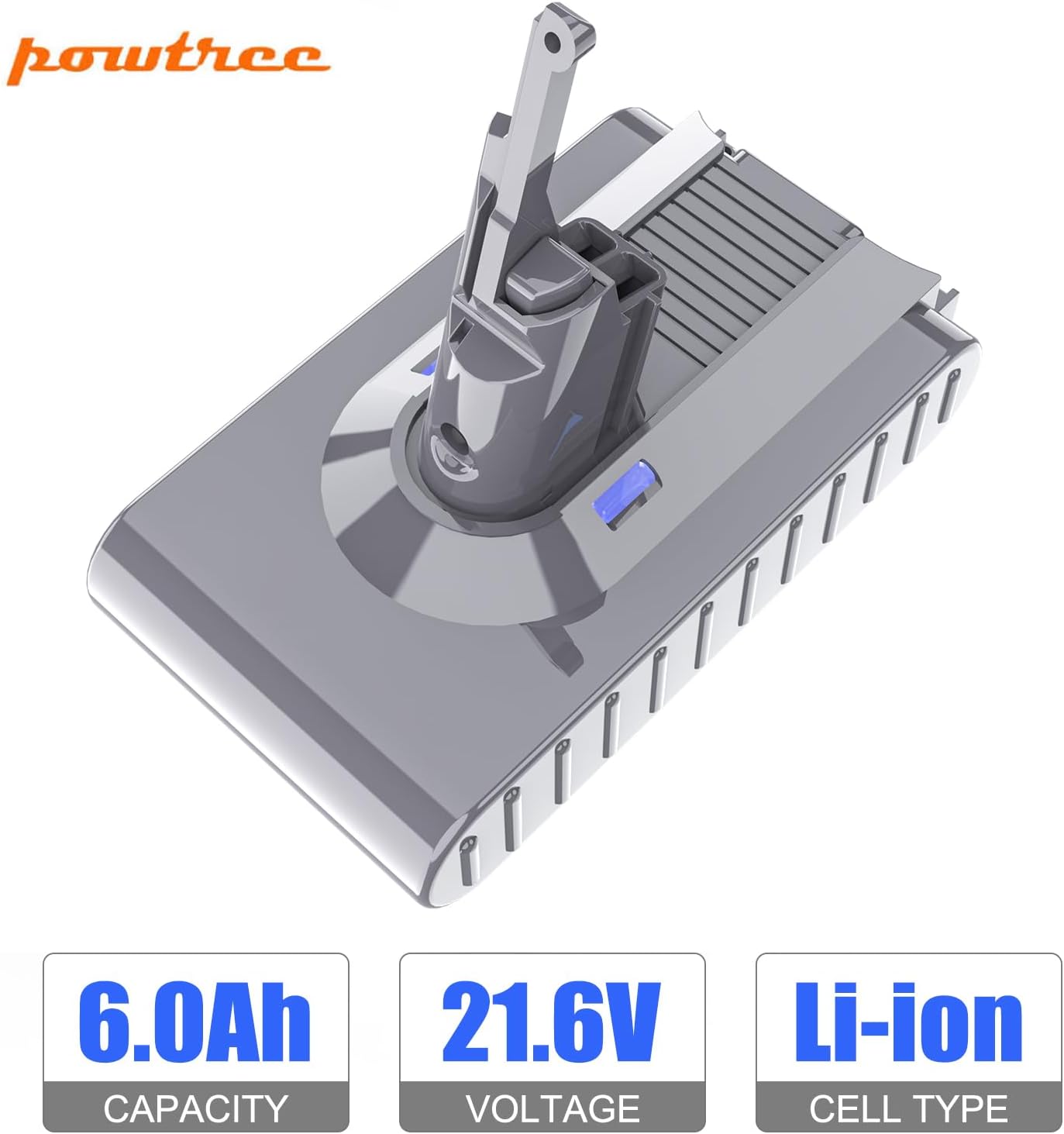
Image 7.1: Key specifications of the POWTREE V8 replacement battery.
8. Warranty and Support
POWTREE provides the following support for this product:
- Return Policy: 30 days full refund and return.
- Limited Warranty: 180 days limited warranty.
- Customer Service: 24-hour service available.
For any questions or assistance, please contact the seller directly. You can typically do this by clicking the "Ask a question" link on the product's storefront or by selecting "contact seller" within your order options.