
1. Introduction
Thank you for choosing the Pine Tree Tools Bone Conduction Headphones. These open-ear headphones are designed to deliver high-fidelity audio through your cheekbones, allowing you to remain aware of your surroundings while enjoying your music or calls. Their lightweight, sweatproof, and rainwater-proof design makes them ideal for various activities such as running, cycling, yoga, and hiking.
Key features include Bluetooth 5.2 for stable connectivity, up to 10 hours of playtime, and a comfortable open-ear fit that prevents ear pain even during extended use.
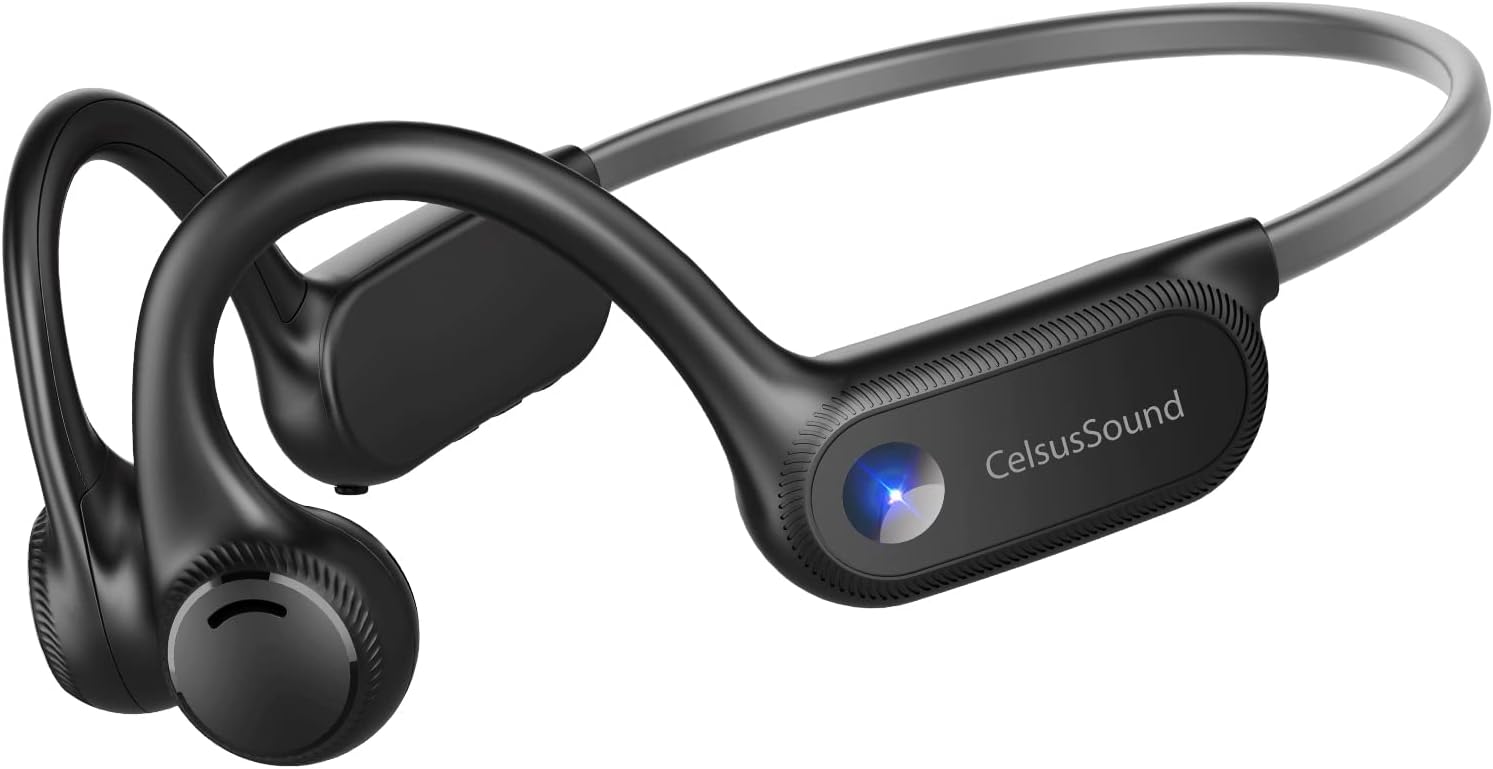
Figure 1.1: Pine Tree Tools Bone Conduction Headphones. These headphones feature an open-ear design that rests on the cheekbones, providing audio without covering the ears.
2. Package Contents
Please verify that all items are present in your package:
- 1 x Bone Conduction Headphones (Model AS1)
- 1 x Type-C Charging Cable
- 1 x User Manual
3. Product Overview
Familiarize yourself with the various components and controls of your headphones.

Figure 3.1: Headphone Controls. This image highlights the multi-function button, volume controls, and the USB-C charging port located on the right ear-hook.
- A. Multi-function Button: Power On/Off, Play/Pause, Answer/End Calls, Activate Voice Assistant.
- B. Volume Up Button: Increase volume.
- C. Volume Down Button: Decrease volume.
- D. LED Indicator: Shows power, charging, and pairing status.
- E. USB-C Charging Port: For charging the device.
- F. Microphone: For calls and voice commands.
4. Setup and Initial Use
4.1 Charging the Headphones
Before first use, fully charge your headphones. A full charge takes approximately 1.5 hours and provides 8-10 hours of playtime.
- Connect the supplied Type-C charging cable to the USB-C charging port (E) on the headphones.
- Connect the other end of the cable to a USB power adapter (not included) or a computer's USB port.
- The LED indicator (D) will show a solid red light during charging and turn blue when fully charged.

Figure 4.1: Charging the Headphones. The image illustrates the USB-C charging port and the battery indicator, showing the headphones being charged.
4.2 Bluetooth Pairing
To connect your headphones to a Bluetooth-enabled device:
- Ensure the headphones are turned off.
- Press and hold the Multi-function Button (A) for approximately 3-5 seconds until the LED indicator (D) flashes red and blue alternately. This indicates pairing mode.
- On your device (smartphone, tablet, laptop), enable Bluetooth and search for new devices.
- Select "OPENEAR Solo" from the list of available devices.
- Once connected, the LED indicator (D) will flash blue slowly, and you will hear a confirmation tone.
The headphones will automatically reconnect to the last paired device when turned on, if the device's Bluetooth is active and within range.
5. Operating Instructions
5.1 Power On/Off
- Power On: Press and hold the Multi-function Button (A) for 3 seconds. The LED indicator will flash blue.
- Power Off: Press and hold the Multi-function Button (A) for 5 seconds. The LED indicator will flash red and then turn off.
5.2 Music Playback
- Play/Pause: Press the Multi-function Button (A) once.
- Volume Up: Press the Volume Up Button (B).
- Volume Down: Press the Volume Down Button (C).
- Next Track: Double-press the Volume Up Button (B).
- Previous Track: Double-press the Volume Down Button (C).
5.3 Call Management
- Answer/End Call: Press the Multi-function Button (A) once.
- Reject Call: Press and hold the Multi-function Button (A) for 2 seconds.
5.4 Voice Assistant (Siri)
- Activate Voice Assistant: Press and hold the Multi-function Button (A) for 2 seconds.
6. Maintenance and Care
Proper care will extend the lifespan of your headphones.
- Cleaning: Wipe the headphones with a soft, damp cloth. Do not use harsh chemicals or abrasive cleaners.
- Water Resistance: The headphones are IPX4 rated, meaning they are resistant to sweat and rainwater. Do not submerge them in water or expose them to strong jets of water. Dry them thoroughly after exposure to moisture.
- Storage: Store the headphones in a cool, dry place away from direct sunlight and extreme temperatures.
- Avoid Impact: Do not drop or subject the headphones to strong impacts, as this may damage internal components.

Figure 6.1: IPX4 Water Resistance. The headphones are shown with water droplets, illustrating their resistance to sweat and light rain, making them suitable for outdoor activities.
7. Troubleshooting
If you encounter issues with your headphones, please refer to the following common solutions:
| Problem | Possible Cause | Solution |
|---|---|---|
| Headphones do not power on. | Low battery. | Charge the headphones fully using the provided Type-C cable. |
| Cannot pair with device. | Headphones not in pairing mode; Bluetooth off on device; device too far. | Ensure headphones are in pairing mode (flashing red/blue). Turn on Bluetooth on your device. Move device closer to headphones (within 15 meters). |
| No sound or low volume. | Volume too low; headphones not connected; audio source issue. | Increase volume on both headphones and connected device. Re-pair the headphones. Check audio output settings on your device. |
| Sound distortion or crackling. | Interference; device too far; low battery. | Move away from sources of interference. Ensure device is within range. Charge the headphones. |
If the problem persists after trying these solutions, please contact customer support.
8. Specifications
| Feature | Detail |
|---|---|
| Model Name | OPENEAR Solo (AS1) |
| Connectivity Technology | Wireless (Bluetooth 5.2) |
| Bluetooth Range | Up to 15 meters |
| Audio Driver Type | Bone Conduction Driver |
| Battery Life | Up to 10 Hours |
| Charging Time | Approx. 1.5 Hours (Type-C Fast Charge) |
| Item Weight | 27 Grams (0.952 ounces) |
| Water Resistance Level | IPX4 (Sweatproof & Rainwater Proof) |
| Frequency Response | 20Hz-20KHz |
| Material | Acrylonitrile Butadiene Styrene (ABS), Silica gel |
| Control Type | Volume Control, Call Control, Voice Control |
| UPC | 781509486068 |
9. Warranty and Support
Pine Tree Tools is committed to providing high-quality products and excellent customer service.
- Warranty: Your Bone Conduction Headphones are covered by a 12-month worry-free warranty from the date of purchase. This warranty covers manufacturing defects.
- Technical Support: We offer lifetime technical support for our products.
- Customer Service: Our customer service team is available 24 hours a day to assist you with any questions or concerns.
For support, please visit our official website or contact us via the details provided on your purchase receipt or product packaging. Please have your model number (AS1) and purchase date ready when contacting support.