
Introduction
Thank you for choosing the Bowost Q52 Bluetooth 5.1 Sport Wireless Earbuds. These earbuds are designed to provide a superior audio experience with advanced features such as Bluetooth 5.1 connectivity, CVC 8.0 noise cancellation, enhanced bass, dual microphones, and an IP7 waterproof rating. This manual will guide you through the setup, operation, maintenance, and troubleshooting of your new earbuds.
What's in the Box
Please check the package contents to ensure all items are present:
- 1 x Charging Case
- 1 x USB Charging Cable
- 1 x User Manual (this document)
- 2 x Bluetooth Earbuds (Left and Right)
- 3 x Pairs of Eartips (Small, Medium, Large)
Setup
1. Charging the Earbuds and Case
Before first use, fully charge the earbuds and the charging case. The charging case features an LED power display to indicate the remaining battery level.
- Place the earbuds into the charging case. Ensure they are correctly seated to initiate charging.
- Connect the USB charging cable to the charging port on the case and to a power source (e.g., USB wall adapter, computer USB port).
- The LED display on the charging case will show the charging status. Once fully charged, the display will indicate 100% or stop flashing.

Image: The Bowost Q52 charging case connected to a phone via a USB cable, illustrating the charging process for both the case and the earbuds inside.
2. Pairing with Your Device
The Bowost Q52 earbuds feature one-step auto-pairing technology for convenience.
- Open the charging case and remove both earbuds. They will automatically power on and enter pairing mode.
- On your device (smartphone, tablet, etc.), enable Bluetooth and search for available devices.
- Select "Q52" from the list of found devices to connect.
- Once paired, the earbuds will automatically connect to your device whenever you remove them from the charging case.

Image: The Bowost Q52 earbuds in their open charging case next to a smartphone screen showing the Bluetooth pairing menu, with the 'Q52' device highlighted for connection.
Operating the Earbuds
1. Wearing the Earbuds
The Q52 earbuds are designed with ergonomic ear hooks for a secure and comfortable fit, especially during physical activities.
- Choose the correct size of eartips (S/M/L) for optimal comfort and sound quality.
- Place the earbud into your ear canal and gently hook the ear hook over the top of your ear.
- Adjust the earbud and hook until it feels secure and comfortable.

Image: A diagram illustrating the correct way to wear the Bowost Q52 earbuds, highlighting the ergonomic ear hook design and the selection of different eartip sizes (S, M, L).
2. Touch Controls
Each earbud features a multifunction touch panel for easy control of audio playback and calls.
| Action | Function (Left Earbud) | Function (Right Earbud) |
|---|---|---|
| Single Tap | Play/Pause, Answer Call | Play/Pause, Answer Call |
| Double Tap | Previous Track | Next Track |
| Press and Hold (2s) | Volume Down, Reject Call | Volume Up, Reject Call |
| Triple Tap | Activate Voice Assistant (Siri/Google Assistant) | Activate Voice Assistant (Siri/Google Assistant) |

Image: A visual guide to the smart touch controls on the Bowost Q52 earbuds, detailing actions like single tap, double tap, press and hold, and triple tap for various functions including music control, call management, and activating voice assistants.
3. Mono/Stereo Modes
The earbuds support both mono (single earbud) and stereo (both earbuds) modes.
- Stereo Mode: Use both earbuds for an immersive stereo sound experience. This is the default mode when both earbuds are removed from the case.
- Mono Mode: You can use either the left or right earbud independently. Simply remove one earbud from the case, and it will connect to your device. The other earbud can remain in the case or be used by another person (if paired separately).
Maintenance
1. Cleaning
Regular cleaning helps maintain optimal performance and hygiene.
- Use a soft, dry, lint-free cloth to wipe the earbuds and charging case.
- Remove eartips and clean them with mild soap and water, then rinse thoroughly and dry completely before reattaching.
- Do not use abrasive cleaners, alcohol, or chemical solvents.
2. Water Resistance (IP7)
The Bowost Q52 earbuds are IP7 waterproof, meaning they are protected against sweat and rain. This makes them suitable for sports and outdoor activities.
- The IP7 rating protects against immersion in water up to 1 meter for 30 minutes.
- They are not designed for swimming or prolonged submersion in water.
- Ensure the earbuds are dry before placing them back into the charging case to prevent damage.
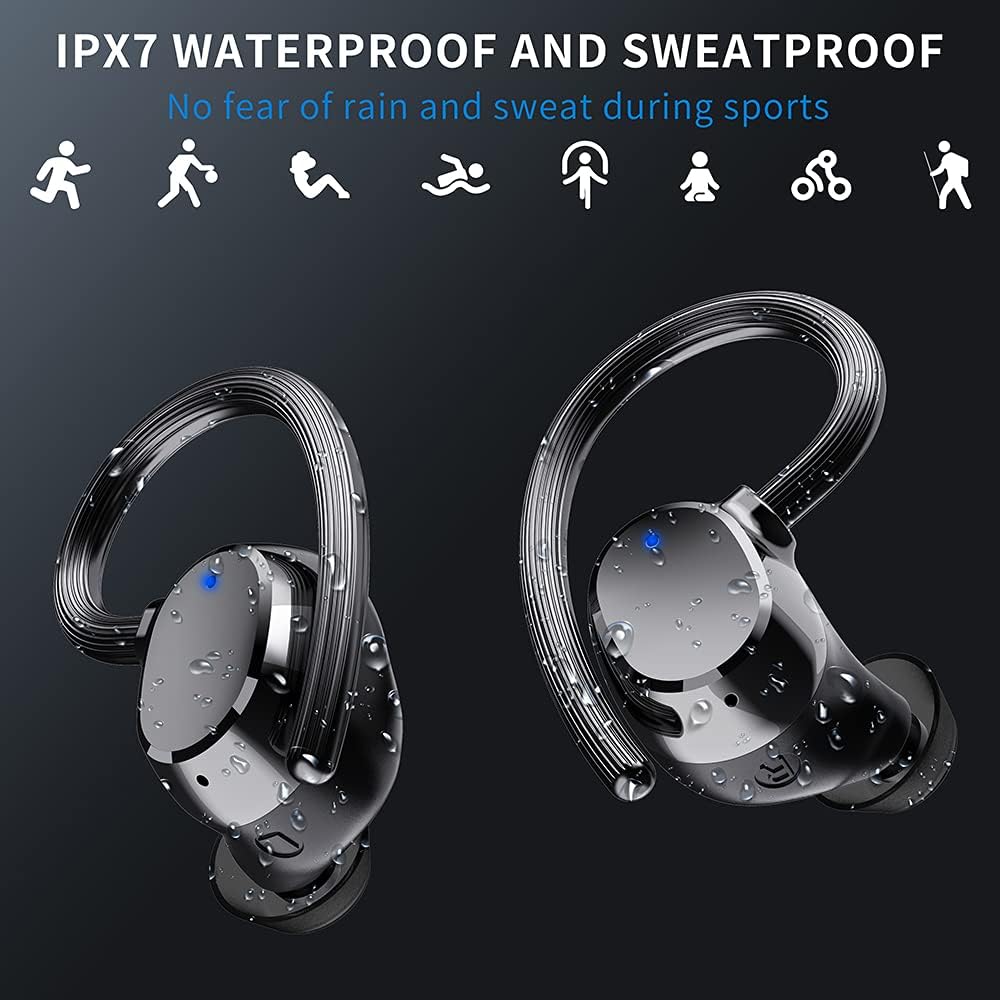
Image: The Bowost Q52 earbuds are shown with water droplets on their surface, visually representing their IPX7 waterproof and sweatproof design, suitable for use during exercise or in light rain.
3. Storage
When not in use, store the earbuds in their charging case to protect them and keep them charged.
Troubleshooting
If you encounter any issues with your Bowost Q52 earbuds, please refer to the following common solutions:
- Earbuds not pairing: Ensure both earbuds are charged. Turn off Bluetooth on your device, then turn it back on. Forget "Q52" from your device's Bluetooth list and try pairing again.
- Only one earbud working: Place both earbuds back into the charging case, close the lid, then open it and remove both earbuds simultaneously. This should force them to reconnect in stereo mode.
- No sound: Check the volume level on both your device and the earbuds. Ensure the earbuds are properly connected to your device.
- Charging issues: Ensure the charging cable is securely connected to both the case and the power source. Try a different USB cable or power adapter. Clean the charging contacts on the earbuds and inside the case.
- Poor sound quality: Ensure the eartips are correctly sized and sealed in your ear canal. Check for any debris blocking the earbud speakers.
If the problem persists, please contact customer support for further assistance.
Specifications
| Feature | Detail |
|---|---|
| Model Number | Q52 |
| Bluetooth Version | 5.1 |
| Bluetooth Range | Up to 20 meters |
| Earbud Battery Life | 5-6 hours (single charge) |
| Total Playtime | Up to 48 hours (with charging case) |
| Charging Time (Earbuds) | Approximately 1 hour |
| Waterproof Rating | IP7 |
| Driver Size | 10 mm |
| Noise Reduction | CVC 8.0 |
| Connectivity Technology | Wireless (Bluetooth) |
| Charging Port | USB |
| Compatible Devices | iOS, Android, Tablets, Bluetooth-enabled TVs, etc. |
| Material | Plastic |
| Item Weight | 4 Grams (per earbud) |
| Frequency Range | 20 Hz - 20,000 Hz |
Warranty and Support
Your Bowost Q52 earbuds come with a standard manufacturer's warranty. Please refer to the warranty card included in your original packaging for specific terms and conditions.
For technical support, troubleshooting assistance, or warranty claims, please contact Bowost customer service through the retailer where you purchased the product or visit the official Bowost website for contact information.