
OLLMART GA2190S
OLLMART EONON GA2190S Android Car Navigation System User Manual
Model: GA2190S
1. Introduction
This manual provides comprehensive instructions for the installation, operation, and maintenance of your OLLMART EONON GA2190S Android Car Navigation System. Please read this manual thoroughly before using the product to ensure proper functionality and safety. Keep this manual for future reference.
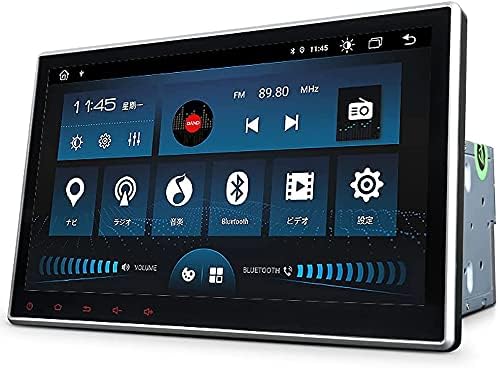
Figure 1.1: OLLMART EONON GA2190S Android Car Navigation System
2. Package Contents
Verify that all items listed below are included in your package. If any items are missing or damaged, please contact customer support.
- GPS Antenna (3m) ×1
- Power Cable ×1
- AV Cable ×2
- Microphone (3m) ×1
- USB Cable (0.8m) ×2
- 4G Antenna (2m) ×1
- Rear Camera Input Cable ×1
- 10A Fuse ×1
- Mounting Screws ×8
- Disassembly Tool ×1
- Screen Disassembly Tool ×1
- Instruction Manual ×1

Figure 2.1: Included Accessories
3. Setup
3.1. Dimensions and Installation
Before installation, confirm that the unit's dimensions are compatible with your vehicle's console panel. If the dimensions do not match, please contact customer service.
- Panel Size: 245 mm (Width) × 153 mm (Height)
- Installation Size: 170 mm (Width) × 178 mm (Length) × 100 mm (Height)

Figure 3.1: Panel and Installation Dimensions
3.2. Wiring Diagram
Refer to the diagram below for correct wiring connections. Ensure all connections are secure before powering on the unit.

Figure 3.2: Main Wiring Diagram
| No. | Connection | No. | Connection |
|---|---|---|---|
| 1 | SWC1 | 19 | FR Audio Output |
| 2 | SWC2 | 20 | FL Audio Output |
| 3 | Illumination Detection | 21 | RR Audio Output |
| 4 | GND | 22 | RL Audio Output |
| 5 | ACC Code | 23 | Video Input |
| 6 | 12V Battery Power Cable | 24 | Subwoofer Output |
| 7 | ANT | 25 | AUX Audio Input (Left) |
| 8 | Reverse Signal Cable | 26 | AUX Audio Input (Right) |
| 9 | Rear Left Speaker (Green)+ | 27 | 4G SIM Card Slot |
| 10 | Rear Left Speaker (Green)- | 28 | External Microphone |
| 11 | Rear Right Speaker (Purple)+ | 29 | AMP |
| 12 | Rear Right Speaker (Purple)- | 30 | Video Input (for TV) |
| 13 | Front Right Speaker (Gray)+ | 31 | Front Camera Input |
| 14 | Front Right Speaker (Gray)- | 32 | USB Port |
| 15 | Front Left Speaker (White)+ | 33 | USB Port |
| 16 | Front Left Speaker (White)- | 34 | V0050 TV-IR |
| 17 | 4G Antenna | 35 | Rear Camera Input |
| 18 | GPS Antenna | 36 | Brake Signal Cable |
| 37 | WIFI Antenna |
3.3. Front Panel Removal and Installation
Follow these steps to safely remove and re-install the front panel.

Figure 3.3: Front Panel Removal (Steps 1-3)
- The panel is secured by screws (A) and eye bolts (B) on both sides.
- Tilt the panel forward and manually loosen screws (A) on both sides in the direction shown in the diagram.
- Remove the eye bolts (B) on both sides using an Allen wrench.

Figure 3.4: Front Panel Removal (Steps 4-7)
- Gently remove the panel. Be careful not to tear the film cable.
- Push open the corners on both sides of the connector outwards.
- Remove the film cable.
- Note: When inserting the film cable, ensure the connector side faces outwards.
4. Operating Instructions
4.1. System Overview
The EONON GA2190S features a 10.1-inch IPS full touch screen running on Android 10, powered by an octa-core CPU with 4GB RAM and 64GB ROM. It includes a built-in 4G module and supports AHD rear cameras.

Figure 4.1: Key System Features
4.2. Android 10 Experience
The Android 10 operating system provides a fast and smooth user experience. It supports a wide range of applications, improves data transfer speeds, and allows for efficient multitasking.
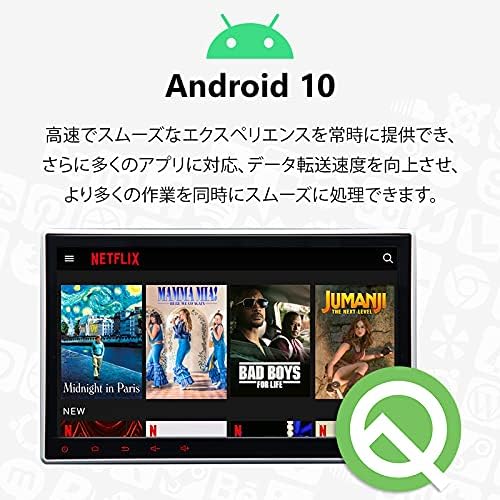
Figure 4.2: Android 10 Interface
4.3. Bluetooth 5.0 Connectivity
Equipped with Bluetooth 5.0, the unit offers faster data transfer speeds, a wider communication range, and enhanced anti-interference capabilities. Connect to music apps like Spotify and Apple Music for high-quality audio. Hands-free calling is also supported for safer driving.
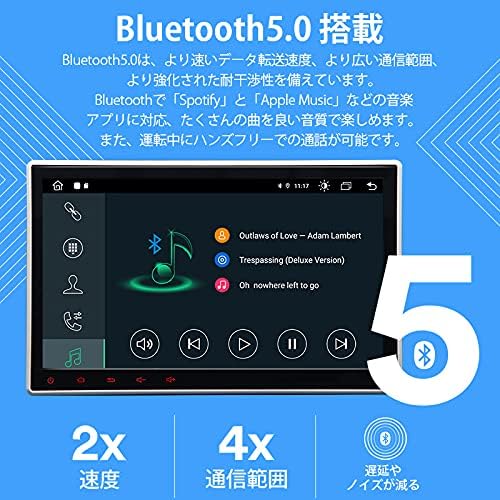
Figure 4.3: Bluetooth 5.0 Features
4.4. iPhone Connectivity (CarPlay)
This car stereo is designed with driving safety in mind. Easily connect your iPhone to use its voice assistant or touch the display to access navigation, make calls, and enjoy music through Apple CarPlay.
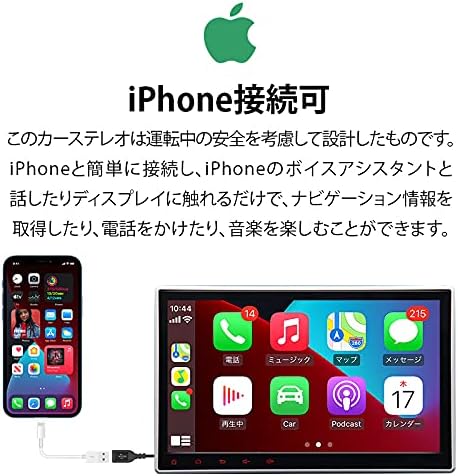
Figure 4.4: iPhone Connectivity via CarPlay
4.5. IPS Touchscreen Display
The 10.1-inch IPS touchscreen features an ultra-high definition resolution of 1024x600, providing detailed and clear visuals. The special IPS touch button design ensures natural and ideal image viewing from any angle.

Figure 4.5: IPS Touchscreen Clarity
4.6. Digital Sound Field Processing (DSP)
DSP (Digital Sound Field Processing) utilizes a full digital processing chip and a powerful 56-bit double-precision mode. This allows for precise adjustment of audio signals from all angles, delivering a wider and more realistic sound experience with a maximum output of 4 x 48W.

Figure 4.6: DSP Audio Enhancement
4.7. Navigation and Internet Connectivity
Easily use online and offline maps by installing map applications like Google Maps. The unit supports Wi-Fi and 4G connectivity. You can create a Wi-Fi hotspot with your smartphone or insert a SIM card directly into the built-in 4G module for internet access. Note: SIM card compatibility may vary by frequency band and region.

Figure 4.7: Navigation and Wi-Fi/4G
4.8. Optional Features and Accessories
- TV Viewing: An optional external terrestrial digital tuner (EONON V0035/V0050, sold separately) allows you to watch TV. Connecting the V0050 TV-IR to the unit's 3.5mm connector enables touch panel TV operation, disabling the V0050 remote control. No separate EONON dedicated cable (V0050R) is required.
- EONON Android Map Card (G3047, sold separately): Provides the latest road information and concise directions. Features include offline use (no internet required), 3D display, clear route guidance, automatic speed checker point display, speed control point display, and accident-prone area guidance. Includes Rurubu DATA (as of December 2020).
- OBD2 Compatibility: Compatible with an optional EONON V0056 OBD2 dongle (sold separately). Use the Torque app to monitor car performance information such as engine RPM, vehicle speed, voltage, and water temperature.
- Drive Recorder Mode: Supports an optional EONON R0015 Android in-car dedicated USB HD drive recorder (sold separately). View recorded video and monitor traffic conditions on the large navigation screen.
- Car Auto Play USB Dongle: Compatible with an optional EONON A0585 USB dongle (sold separately) for Car Auto Play system. Simply connect the USB dongle to your smartphone and car audio. This is only required for Android smartphone connections.
- Rear Camera Linkage: Compatible with optional EONON rear cameras (A0119N, A0125N, A0130N, sold separately). When reverse gear is engaged, the system automatically switches to the rear camera screen.
- RCA Full Screen Share: Output video and screen display from all modes to external monitors such as headrest monitors or flip-down monitors, allowing passengers in the back seat to enjoy the content.
- Adjustable Angle: The LCD panel can be adjusted in angle, with a maximum gap of approximately 35mm between the panel and the main unit.

Figure 4.8: TV Viewing (Optional)

Figure 4.9: TV-IR Connection

Figure 4.10: EONON Android Map Card Features

Figure 4.11: OBD2 and Drive Recorder

Figure 4.12: Car Auto Play and Rear Camera

Figure 4.13: RCA Full Screen Share

Figure 4.14: Adjustable Display Angle
5. Maintenance
To ensure the longevity and optimal performance of your OLLMART EONON GA2190S, follow these maintenance guidelines:
- Cleaning the Screen: Use a soft, lint-free cloth to gently wipe the touchscreen. For stubborn smudges, slightly dampen the cloth with water or a screen-safe cleaner. Avoid abrasive materials or harsh chemicals.
- General Cleaning: Keep the unit and surrounding area free from dust and debris. Use a soft brush or compressed air to clean vents and crevices.
- Software Updates: Periodically check for available software updates to ensure you have the latest features and performance improvements. Follow the on-screen instructions for any updates.
- Avoid Extreme Temperatures: Do not expose the unit to extreme heat or cold, as this can affect its electronic components and display.
- Power Management: Ensure your vehicle's electrical system is in good condition to prevent power fluctuations that could damage the unit.
6. Troubleshooting
If you encounter any issues with your OLLMART EONON GA2190S, refer to the following common troubleshooting steps. If the problem persists, contact customer support.
- No Power:
- Check all power connections (ACC, 12V Battery, GND) as per the wiring diagram.
- Verify the 10A fuse is intact. Replace if blown.
- Ensure your vehicle's battery has sufficient charge.
- No Sound:
- Check speaker wiring connections.
- Ensure the volume is not muted or set too low.
- Verify audio output settings in the system menu.
- Touchscreen Unresponsive:
- Restart the unit.
- Ensure the screen is clean and free of debris.
- Perform a system reset if necessary (refer to system settings).
- GPS Signal Lost:
- Ensure the GPS antenna is properly connected and placed in an unobstructed location (e.g., on the dashboard with a clear view of the sky).
- Check if the navigation app is updated.
- Bluetooth Connection Issues:
- Ensure Bluetooth is enabled on both the unit and your mobile device.
- Delete previous pairings and try pairing again.
- Move your mobile device closer to the unit.
7. Specifications
| Feature | Specification |
|---|---|
| Brand | OLLMART |
| Model Name | EONON GA2190S |
| Screen Size | 10.1 inches |
| Resolution | 1024 x 600 (IPS) |
| Operating System | Android 10 |
| Processor | Octa-Core |
| RAM | 4GB |
| ROM | 64GB |
| Bluetooth | Bluetooth 5.0 |
| Wi-Fi | Supported |
| 4G Module | Built-in (SIM card slot) |
| DVD Player | Built-in |
| Compatible Vehicle Type | Passenger Car |
| Connectivity Technology | RCA, Wi-Fi |
| Human Interface Input | Touchscreen, Buttons, Microphone |
| Control Method | Touch |
| Map Type | Street |
| Package Dimensions | 33.29 x 33.1 x 23.1 cm |
| Weight | 3.57 kg |
8. Warranty and Support
This product comes with a standard manufacturer's warranty. Please refer to the warranty card included in your package for specific terms and conditions, including warranty period and coverage details.
For technical assistance, troubleshooting not covered in this manual, or warranty claims, please contact OLLMART customer support through the retailer where you purchased the product or visit the official OLLMART website for contact information.
When contacting support, please have your product model (GA2190S) and purchase information readily available.
Ask a question about this manual
Ask about setup, troubleshooting, compatibility, parts, safety, or missing instructions. Manuals+ will review the question and use this page’s manual context to help answer it.