
1. Product Overview
The YIHUA 992DA+ is a versatile 4-in-1 digital rework soldering station designed for electronic component repair. It integrates a hot air gun, a soldering iron, and a smoke absorber, making it suitable for a wide range of soldering and desoldering tasks, including SOIC, CHIP, QFP, PLCC, BGA, and SMD components.
This station features an intuitive LCD display for clear function instructions and dynamic wind speed display. It incorporates advanced functions such as temperature compensation, adjustable sleep time, Fahrenheit/Celsius conversion, and manual/automatic mode switching. The unit is built with durable materials like stainless steel for the hot air gun pipe and silicone wires for handles, ensuring longevity and safety with its automatic detection, protection, and alarm functions.

Figure 1: Front view of the YIHUA 992DA+ Rework Soldering Station, showing the main unit with LCD display, hot air gun, and soldering iron with its stand.
2. Package Contents
Upon unpacking, please verify that all components listed below are present and in good condition:
- 1 x YIHUA 992DA+ 4-in-1 Soldering Station Main Unit
- 1 x Vacuum Solder Iron Pen
- 1 x Solder Iron Stand
- 1 x Hot Air Gun
- 1 x Hot Air Gun Frame
- 5 x Nozzles for Hot Air Gun
- 1 x IC Extractor
- 1 x User Manual (this document)

Figure 2: The YIHUA 992DA+ station displayed with its various accessories, including the soldering iron, hot air gun, nozzles, and stand.
3. Setup Instructions
- Placement: Place the soldering station on a stable, heat-resistant, and non-flammable surface. Ensure adequate ventilation around the unit.
- Connect Hot Air Gun: Connect the hot air gun cable to the designated port on the main unit. Securely place the hot air gun in its frame/holder when not in use.
- Connect Soldering Iron: Connect the soldering iron cable to its respective port on the main unit. Place the soldering iron in its stand.
- Power Connection: Ensure the power switch on the unit is in the "OFF" position. Connect the power cord to the station and then to a grounded 110V/220V AC power outlet (verify your model's input voltage).
- Initial Inspection: Before powering on, visually inspect all connections to ensure they are secure.

Figure 3: Close-up view illustrating the various connection points and control knobs on the YIHUA 992DA+ unit, including the power input and air flow adjustment.
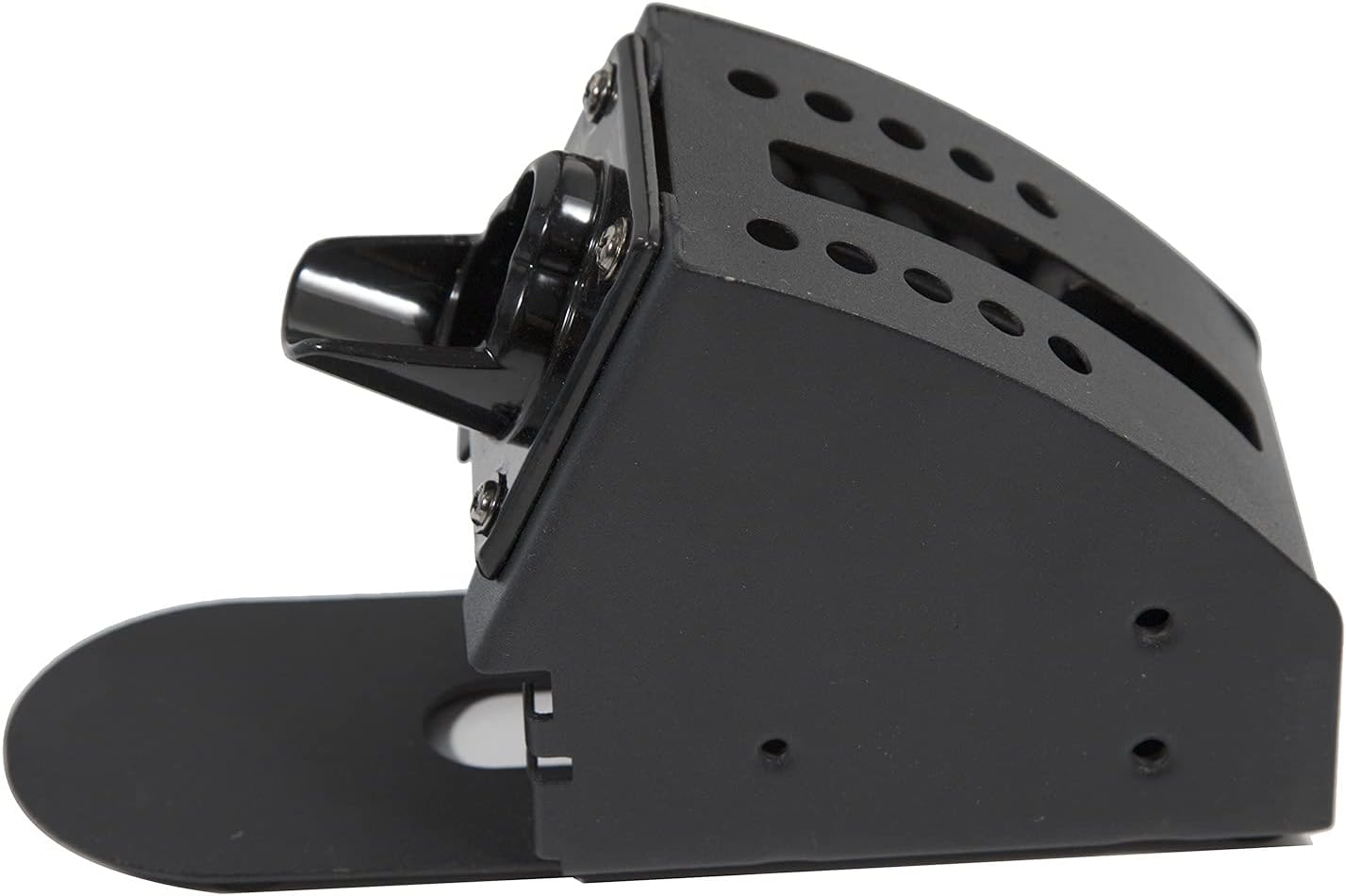
Figure 4: The hot air gun stand, designed to securely hold the hot air gun when not in active use, preventing accidental burns or damage.
4. Operating Instructions
4.1 Powering On and Basic Operation
- Power On: Flip the main power switch to the "ON" position. The LCD display will illuminate.
- LCD Display: The LCD shows real-time temperature for both the soldering iron and hot air gun, airflow settings, and other operational indicators.
- Temperature Adjustment: Use the dedicated buttons or knobs to set the desired temperature for the hot air gun and soldering iron. The PID precision temperature control algorithm ensures stable performance.
- Airflow Adjustment: The airflow adjustment knob controls the air volume for the hot air gun.
4.2 Advanced Functions
- Memory Storage (CH1/CH2/CH3): The unit allows you to store up to three sets of customized settings (CH1, CH2, CH3), including airflow, temperature, air gun mode (manual/automatic), iron sleep time, and temperature correction. Press the corresponding channel button to quickly recall saved settings.
- Cool/Hot Air Function: The airflow adjustment knob also features a cool/hot air function. By pressing the knob, you can switch to cool air mode, which is useful for cooling down components or circuit boards after soldering.
- Temperature Compensation: The station includes a temperature compensation function (ranging from -58 to 122 Fahrenheit) to fine-tune temperature accuracy.
- Sleep Time Setting: Set the soldering iron sleep time from 0 to 99 minutes to conserve energy and prolong tip life.
- Fahrenheit/Celsius Conversion: Easily switch between Fahrenheit and Celsius temperature displays.
- Manual/Automatic Mode: The hot air gun can operate in manual or automatic mode. In automatic mode, the gun will cool down and shut off when placed in its holder.
- Soldering Iron Smoking Function: The soldering iron features an integrated smoking function to absorb fumes during operation, improving air quality.
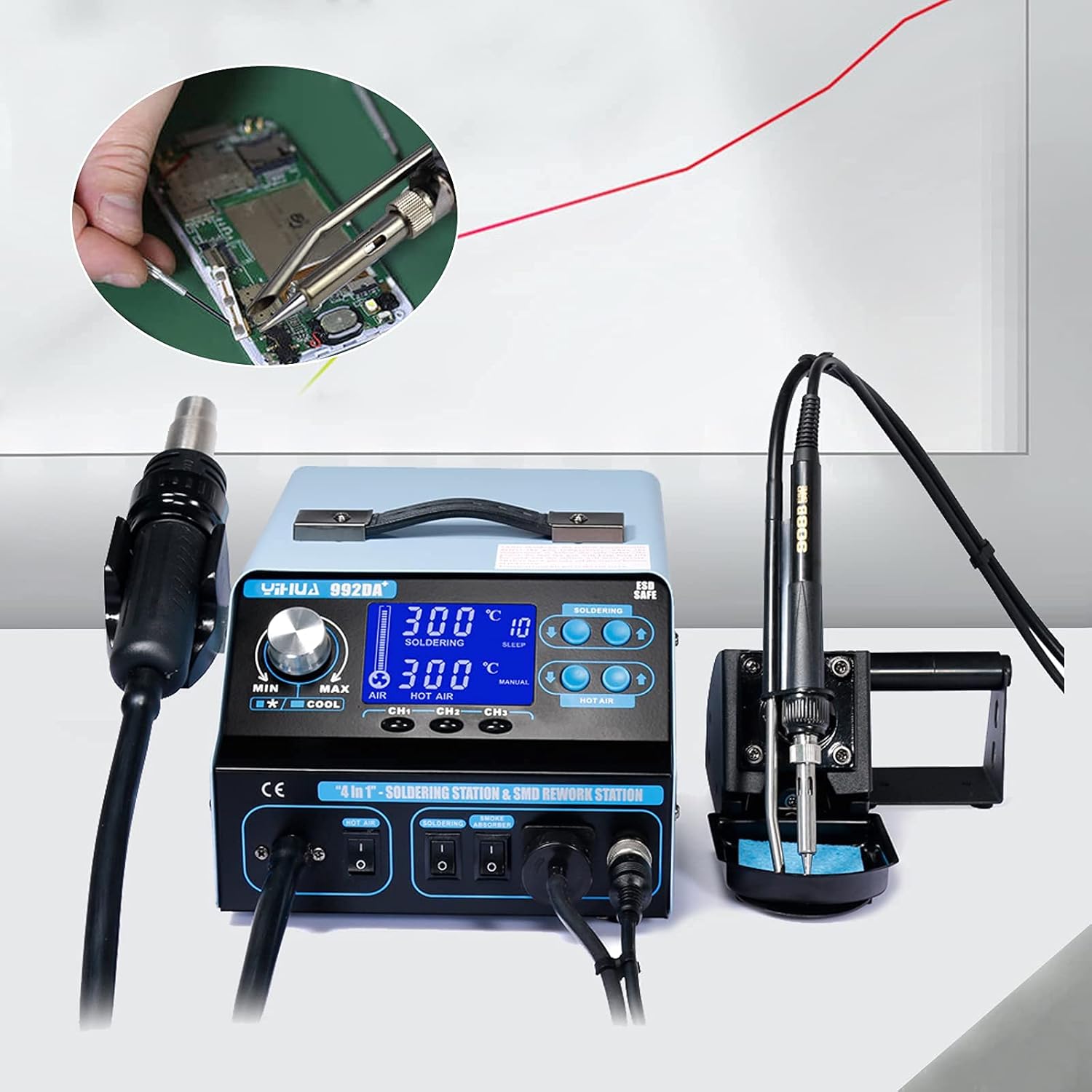
Figure 5: An individual using the soldering iron component of the YIHUA 992DA+ station to work on a circuit board, demonstrating typical application.

Figure 6: The YIHUA 992DA+ station positioned with various electronic components and tools in the background, illustrating its intended use in electronics repair.

Figure 7: Multiple close-up images demonstrating various soldering and rework applications, including work on circuit boards and wire connections.
5. Maintenance
Proper maintenance ensures the longevity and optimal performance of your soldering station.
- Soldering Iron Tip Cleaning: Regularly clean the soldering iron tip using a damp sponge or brass wool to remove solder residue. This prevents oxidation and ensures efficient heat transfer.
- Hot Air Gun Nozzle Cleaning: Ensure the hot air gun nozzles are free from debris. Clean them gently if necessary, ensuring not to damage the heating element.
- Unit Cleaning: Wipe the main unit with a soft, dry cloth. Avoid using abrasive cleaners or solvents. Ensure the unit is unplugged before cleaning.
- Storage: When not in use, store the station in a clean, dry environment, away from direct sunlight and extreme temperatures.

Figure 8: A detailed view of the hot air gun, highlighting its nozzle and handle, which should be kept clean for optimal performance.
6. Troubleshooting
If you encounter issues with your YIHUA 992DA+ station, refer to the following common problems and solutions:
| Problem | Possible Cause | Solution |
|---|---|---|
| Unit does not power on. | Power cord not connected, power switch off, or power outlet issue. | Check power cord connection, ensure power switch is ON, test power outlet. |
| Soldering iron/Hot air gun not heating. | Incorrect temperature setting, faulty connection, or heating element issue. | Verify temperature settings, check cable connections, contact support if issue persists. |
| Hot air gun has low airflow. | Airflow setting too low, or nozzle/air path obstruction. | Increase airflow setting, check and clear any obstructions in the nozzle or air path. |
| Unit displays an error or alarm. | Automatic protection triggered (e.g., overheating). | Refer to the specific error code (if displayed) in the full manual. Power off, allow to cool, then restart. If alarm persists, contact support. |
7. Specifications
| Feature | Detail |
|---|---|
| Model | YIHUA 992DA+ |
| Input Voltage | 110V/220V (model dependent) |
| Power Consumption | 780W (max) |
| Hot Air Gun Temperature Range | 212-896°F (100-480°C) |
| Soldering Iron Temperature Stability | ±33.8°F (±1°C) |
| Airflow Type | Diaphragm pump spiral wind |
| Air Flow | 7.4 gal/min |
| Working Environment | 32~104°F (0~40°C) |
| Storage Environment | -4~176°F (-20~80°C) |
| Store Humidity | 35% - 45% |
| Dimensions (L x W x H) | 12.2 x 10.24 x 7.48 inches (approx.) |
| Item Weight | 11 pounds (approx.) |
| Display Type | LCD |

Figure 9: Diagram showing the approximate dimensions of the YIHUA 992DA+ main unit in millimeters and inches.
8. Warranty and Support
For information regarding product warranty, please refer to the documentation provided with your purchase or contact the seller directly. Extended protection plans may also be available for purchase.
For technical support, troubleshooting assistance beyond this manual, or inquiries about replacement parts, please contact the manufacturer or your point of purchase. Ensure you have your model number (BI-HSYXF-3035-US-JDY) and purchase details ready when seeking support.