
Introduction
This manual provides detailed instructions for the KONVIO NEER Water Testing Kit, which includes a Pen Type Total Dissolved Solids (TDS) Meter, a Digital pH Meter, pH Strips, and Buffer Powders. This kit is designed for accurate measurement of water quality in various applications, ensuring you can monitor and maintain optimal conditions for drinking water, aquariums, hydroponics, and more.
Safety Guidelines
- Do not dip the meter above the indicated water level.
- Keep buffer powders and solutions out of reach of children.
- Avoid contact of electrodes with harsh chemicals or abrasive materials.
Package Contents
Your KONVIO NEER Water Testing Kit contains the following items:
- 1 x Pen Type Total Dissolved Solids (TDS) Meter
- 1 x Digital pH Meter
- 1 x pH Paper (pH Strips)
- 3 x Calibration Buffer Powders (pH 4.00, pH 6.86, pH 9.18)
- 1 x Carry Box
- Product Usage Manual (this document)
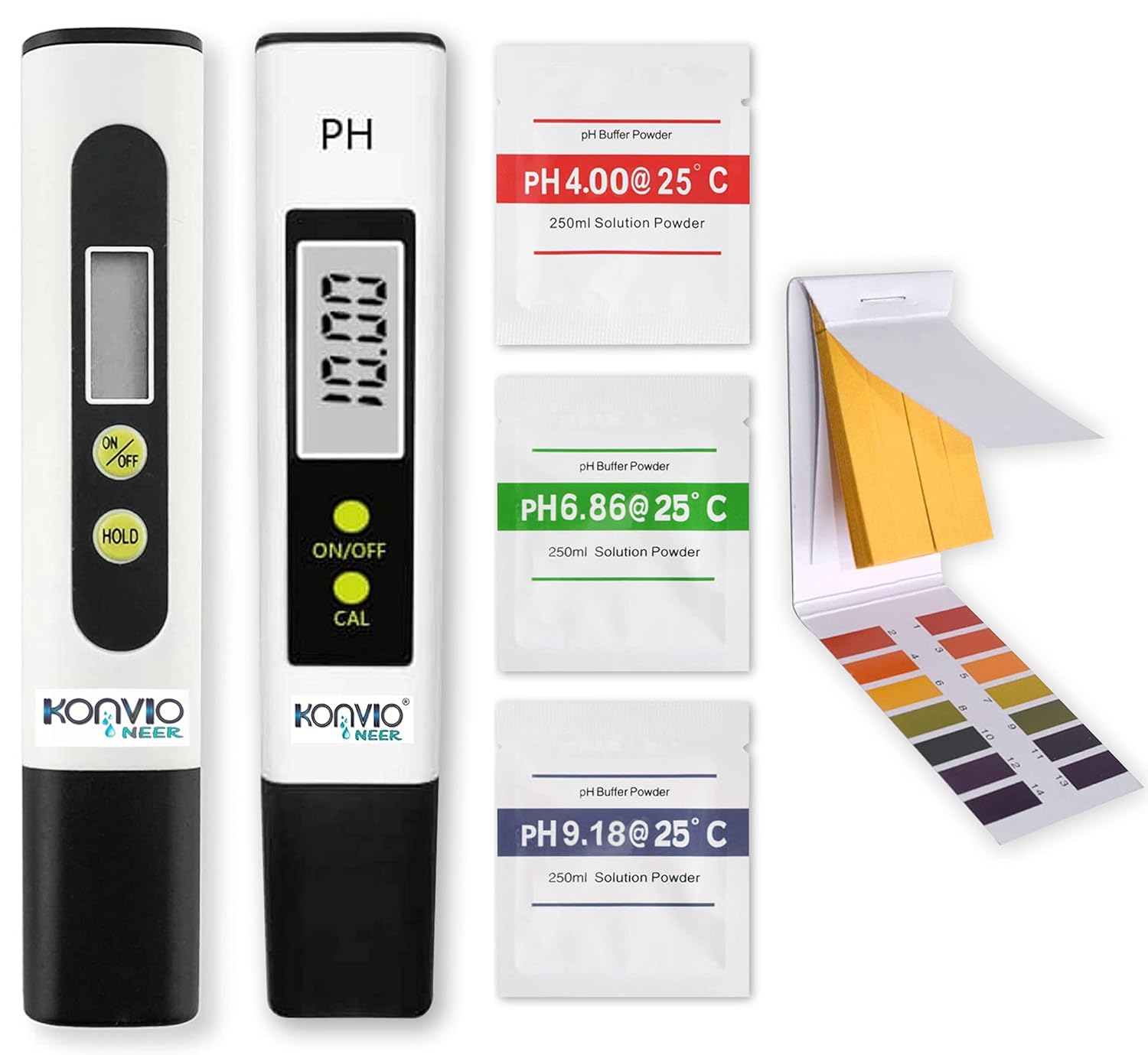
Image: Overview of the KONVIO NEER Water Testing Kit, showing the TDS meter, pH meter, three packets of pH buffer powder (4.00, 6.86, 9.18), and a booklet of pH test strips.
Initial Setup
Battery Installation (TDS Meter & pH Meter)
Both the TDS Meter and pH Meter require 2 LR44 batteries (included). Ensure correct polarity during installation.
- Open the battery compartment located at the top of the meter.
- Insert the LR44 batteries, ensuring correct polarity as indicated.
- Close the battery compartment securely.
Preparing pH Buffer Solutions for Calibration
The kit includes three packets of buffer powder (pH 4.00, pH 6.86, pH 9.18) for calibrating the pH meter. Proper preparation is crucial for accurate calibration.
- Empty one packet of buffer powder (e.g., pH 6.86) into a clean, dry 250ml beaker or container.
- Add 250ml of distilled or deionized water to the container.
- Stir gently until the powder is completely dissolved.
- Repeat for the other two buffer powders. Label each solution clearly to avoid mix-ups.
- Store solutions in airtight containers for future use.
Image: Close-up of the three pH buffer powder packets (pH 4.00, pH 6.86, pH 9.18) included in the kit, used for preparing calibration solutions.
Operating Instructions
Using the TDS Meter
The TDS meter measures the total dissolved solids in parts per million (PPM).
- Remove the protective cap from the TDS meter.
- Press the ON/OFF button to turn on the meter.
- Immerse the meter's electrode into the water sample, ensuring the water level is below the cap. Do not dip above the water level.
- Stir gently and wait for the reading to stabilize (approximately 30 seconds).
- Press the HOLD button to lock the reading on the display for easier recording.
- Record the reading.
- After use, shake off excess water, clean the electrode with distilled water, and replace the protective cap.
- The meter features an automatic shut-off after 10 minutes of inactivity to conserve battery power.

Image: A KONVIO NEER TDS meter showing a digital reading of "020 PPM" on its display, with a close-up of the electrode at the bottom.

Image: A KONVIO NEER TDS meter submerged in a glass of water, displaying a reading, with a faucet filling another glass in the background, illustrating its use for drinking water testing.
Using the Digital pH Meter
The pH meter measures the acidity or alkalinity of a solution.
- Remove the protective cap.
- Press the ON/OFF button.
- Calibration:
- Immerse the electrode in the pH 6.86 buffer solution.
- Press the CAL button and hold until the display shows "CAL" and then "6.86". Release the button. The meter will automatically calibrate.
- Rinse the electrode with distilled water.
- Repeat the process with pH 4.00 buffer solution (if pH is expected to be acidic) or pH 9.18 buffer solution (if pH is expected to be alkaline).
- Immerse the electrode into the water sample. Do not dip above the water level.
- Stir gently and wait for the reading to stabilize.
- Record the reading.
- After use, rinse the electrode with distilled water and replace the protective cap.
- The meter features an automatic shut-off after 10 minutes of inactivity.
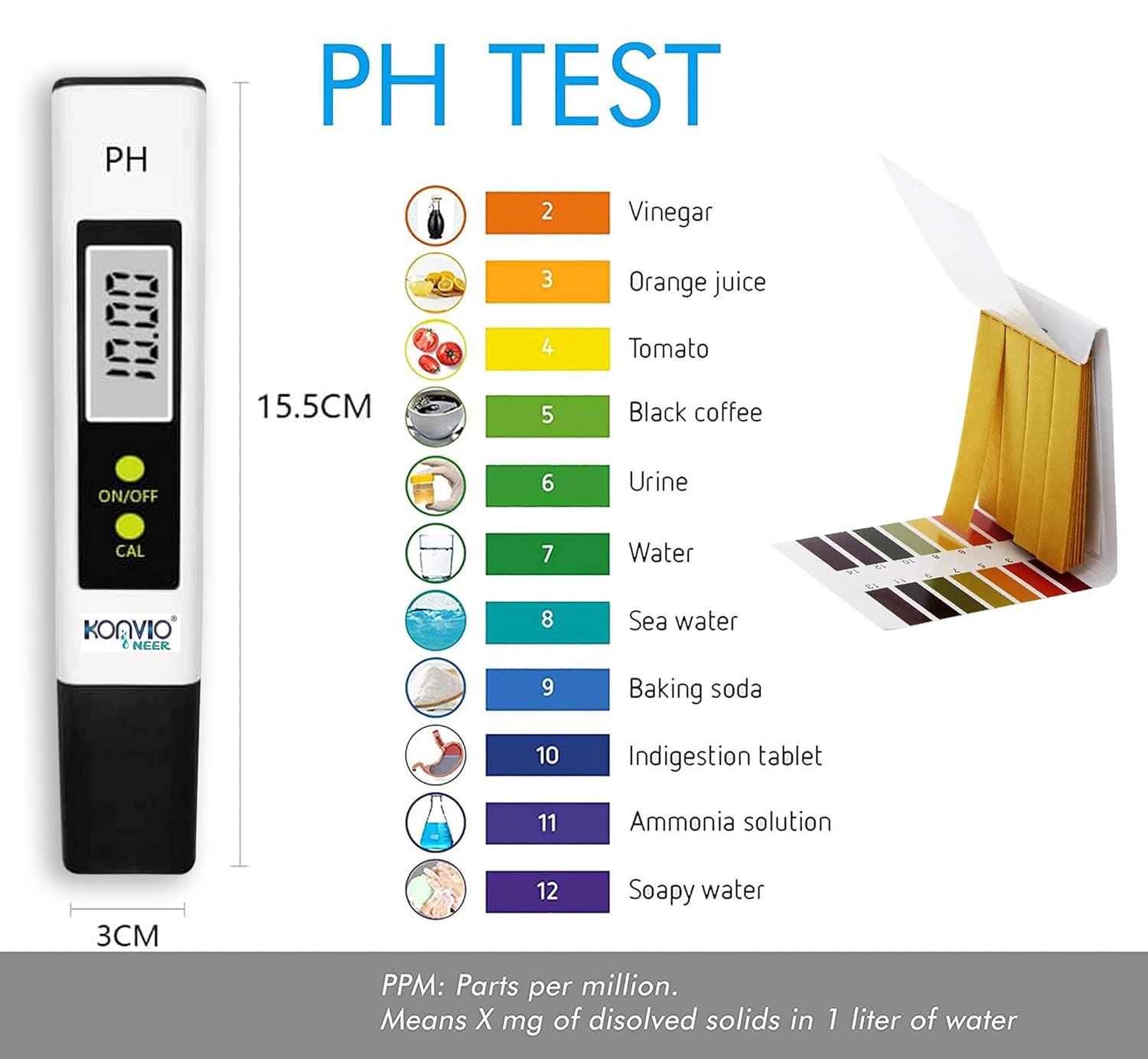
Image: A KONVIO NEER pH meter showing a digital reading of "10.00" on its display, with the ON/OFF and CAL buttons visible.
Using pH Strips
pH strips provide a quick, visual indication of pH levels.
- Dip a pH strip into the water sample for 1-2 seconds.
- Remove the strip and shake off any excess liquid.
- Compare the color of the strip to the color chart provided on the packaging within 15 seconds.
- Match the color to the corresponding pH value.

Image: A pH test strip booklet open to a color chart, showing different pH values (from 2 to 12) and their associated colors, with a pH meter next to it.
Care and Maintenance
- Cleaning Electrodes: Always rinse the meter electrodes with distilled or deionized water after each use to prevent contamination and ensure accurate readings.
- Storage: Replace the protective caps on both meters after use. Store the meters in their carry box in a cool, dry place. Do not store the pH meter electrode dry; keep it moist with a few drops of storage solution or pH 4.00 buffer solution in the cap.
- Battery Replacement: If the display becomes dim or the meter does not turn on, replace the LR44 batteries.
- Buffer Solutions: Prepare fresh buffer solutions for calibration periodically, especially if stored for a long time or if accuracy is critical.
Common Issues and Solutions
| Problem | Possible Cause | Solution |
|---|---|---|
| Inaccurate pH/TDS reading | Meter not calibrated (pH), dirty electrode, low battery, incorrect usage. | Calibrate pH meter, clean electrode with distilled water, replace batteries, ensure proper immersion. |
| Meter does not turn on | Dead or incorrectly installed batteries. | Replace batteries, check polarity. |
| Slow reading stabilization | Low battery, cold sample, dirty electrode. | Replace batteries, allow sample to reach room temperature, clean electrode. |
| "Err" message on pH meter | Calibration error, faulty electrode. | Re-calibrate carefully. If error persists, contact customer support. |
Product Specifications
- Brand: KONVIO NEER
- Model Number: 1008202101
- Item Weight: 220 g
- Product Dimensions: 1.5 x 3 x 15 cm (15 x 30 x 150 Millimeters)
- Batteries: 2 x LR44 batteries (included)
- Power Source: Battery powered
- TDS Meter Range: 0-999 ppm
- pH Meter Range: 0.00-14.00 pH
- Automatic Shut-off: 10 minutes of inactivity
- Country of Origin: India
Wide Range of Applications
The KONVIO NEER Water Testing Kit is suitable for various water quality testing needs, including:
- Drinking Water
- Aquariums and Fish Tanks
- Hydroponics
- Swimming Pools and Spas
- RO/DI Systems
- Food & Beverage
- Laboratories
- Aquaculture
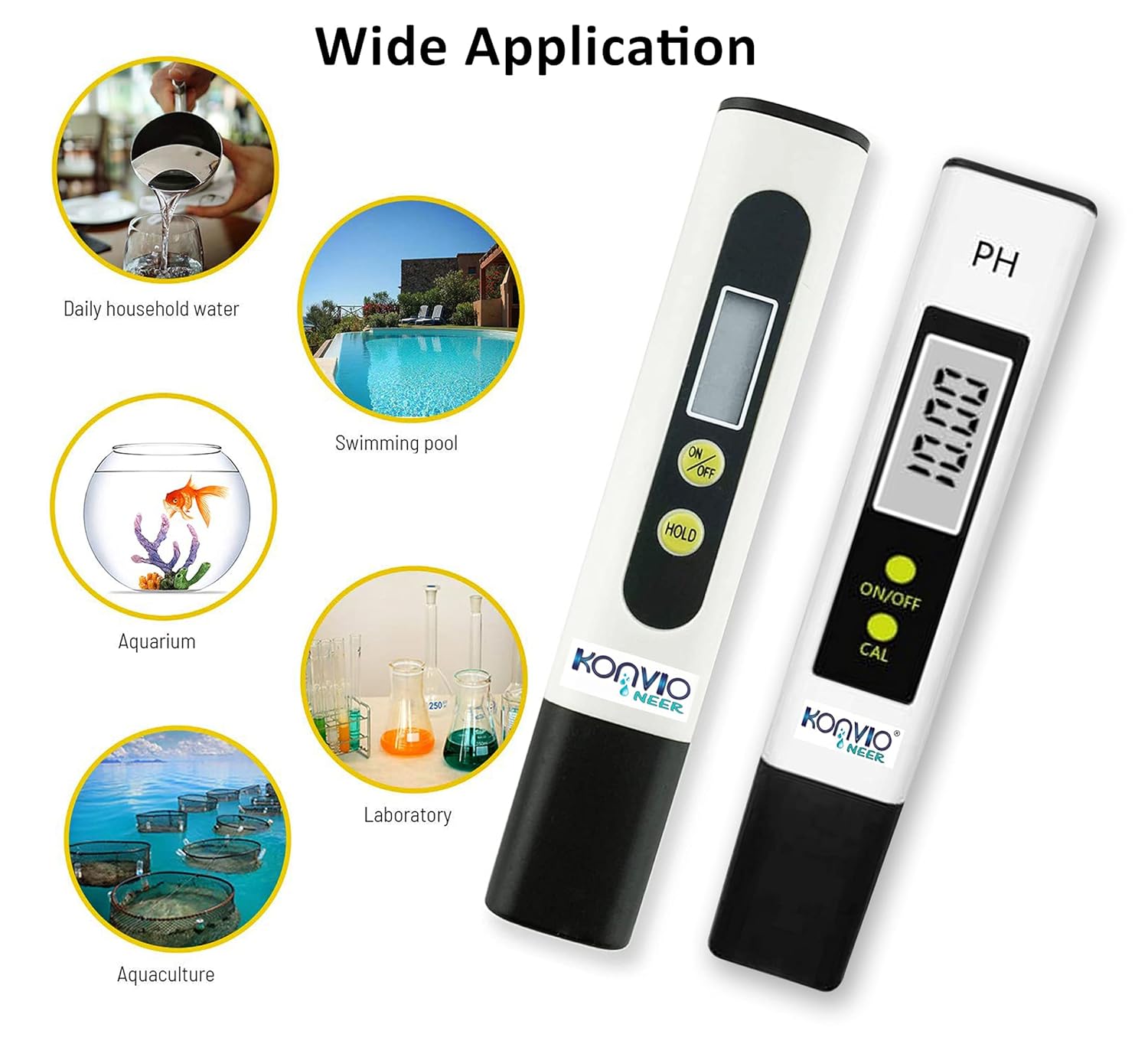
Image: A KONVIO NEER TDS meter with icons indicating its wide range of applications, including drinking water, food & beverage, aquarium, hydroponics, pool & spa, and RO/DI systems.

Image: A collage showing multiple uses of the water testing kit, including testing tap water, aquarium water, hydroponics solutions, water for washing fruits and vegetables, swimming pool water, and water for outdoor activities.
Customer Support
For any questions, technical assistance, or support regarding your KONVIO NEER Water Testing Kit, please contact us:
- Email: ro.konvio@gmail.com
- Phone/WhatsApp: +919205352917
- Support Hours: 10:00 A.M. to 5:30 P.M. (IST)

Image: Graphic displaying KONVIO NEER customer care support contact details, including email address and phone number, with operating hours.