1. Introduction
The Honeywell Air Touch V3 Air Purifier is designed to improve indoor air quality by removing various airborne pollutants. This manual provides essential information for the safe and efficient operation, maintenance, and troubleshooting of your device.

Figure 1: Front view of the Honeywell Air Touch V3 Air Purifier.
2. Product Features
The Air Touch V3 Air Purifier incorporates several features to ensure effective air purification and user convenience:
- Covers an area of up to 465 sq.ft. (43 sq. meters) with a Clean Air Delivery Rate (CADR) of up to 300 m³/h.
- Removes 99.99% of micro allergens and airborne pollutants, including PM10 and PM2.5 particles.
- Advanced 5-stage filtration process: Pre-filter, H11 HEPA Filter, High Grade H13 HEPA Filter, Anti-bacterial Filter, and Activated Carbon Filter.
- Real-time PM2.5 level indicator for monitoring air quality.
- Child lock button to prevent unintended operation.
- Sleep mode with automatic shut-off timer options (1, 2, 4, or 8 hours).
- Filter reset indicator to signal filter replacement.
- Low noise level of 30 dB/A for quiet operation.

Figure 2: The Air Touch V3 provides an air purification cycle every 12 minutes, covering up to 465 sq.ft.
3. Setup and Installation
Follow these steps to set up your Honeywell Air Touch V3 Air Purifier:
- Unpack the Unit: Carefully remove the air purifier from its packaging. Retain packaging for future transport or storage.
- Choose a Location: Place the air purifier on a flat, stable surface. Ensure there is adequate space around the unit (at least 20 cm or 8 inches) for proper air circulation. Avoid placing it directly against walls or furniture.
- Remove Filter Packaging: Open the filter compartment (typically located on the side or back of the unit). Remove all filters and unwrap them from their protective plastic packaging.
- Install Filters: Insert the filters back into the unit in the correct order as indicated by labels or the user manual. Ensure they are securely seated. Close the filter compartment cover.
- Connect Power: Plug the power cord into a suitable electrical outlet.
- Initial Power On: Press the power button to turn on the unit. The air purifier will begin its operation.

Figure 3: Product dimensions: 338 mm (width) x 186 mm (depth) x 480 mm (height).
4. Operating Instructions
Understand how to use the various functions of your air purifier:
4.1 Power On/Off
Press the power button on the control panel to turn the unit on or off.
4.2 Fan Speed Adjustment
Use the fan speed button to cycle through different fan speeds (e.g., Low, Medium, High, Auto). In Auto mode, the purifier adjusts fan speed based on detected air quality.
4.3 Sleep Mode
Activate Sleep Mode for quiet operation during rest periods. In this mode, the fan speed is reduced, and display lights are dimmed or turned off.

Figure 4: The air purifier operates with a low noise level of 30 dB/A, suitable for quiet environments like bedrooms.
4.4 Timer Function
Set the auto shut-off timer for 1, 2, 4, or 8 hours. The unit will automatically turn off after the selected duration.
4.5 Child Lock
Press and hold the Child Lock button for a few seconds to activate or deactivate. This prevents accidental changes to settings by children or pets.

Figure 5: The child lock button ensures settings remain unchanged.
4.6 PM2.5 Indicator
The real-time PM2.5 indicator displays the current air quality level. Different colors or numerical values indicate good, moderate, or poor air quality.

Figure 6: The PM2.5 indicator shows air quality: Green for Good, Yellow for Moderate, Red for Poor.
5. Maintenance
Regular maintenance ensures optimal performance and extends the life of your air purifier.
5.1 Filter System Overview
The Air Touch V3 uses a 5-stage filtration system:
- Pre-filter: Captures large particles like dust, lint, fibers, hair, and pet fur. This filter is washable and helps extend the life of subsequent filters.
- H11 HEPA Filter: Removes allergens, molds, and microscopic pollutants (PM2.5 & PM10 particles).
- H13 HEPA Filter: High-efficiency filter that removes 99.99% of allergens and microscopic pollutants above 0.1 microns, including PM2.5 and pollens.
- Anti-bacterial Filter: Captures harmful viruses and bacteria.
- Activated Carbon Filter: Absorbs formaldehyde, volatile organic compounds (VOCs), unwanted odors, toxic gases, fumes, smoke, cooking smells, and pet odors.

Figure 7: Illustration of the 5-stage advanced filtration process.
5.2 Filter Replacement
The filter life is up to 9000 hours or approximately 1 year, depending on usage and air quality. The Filter Reset Indicator will illuminate when it's time to replace the filters.
- Power Off: Turn off and unplug the air purifier before performing any maintenance.
- Open Filter Cover: Open the front or side cover to access the filters.
- Remove Old Filters: Carefully remove the used filters. Dispose of them according to local regulations.
- Clean Pre-filter: The pre-filter can be gently cleaned with a soft brush or vacuum cleaner. If washable, rinse with water and ensure it is completely dry before reinstallation.
- Install New Filters: Insert new filters into their respective slots. Ensure they are correctly oriented and seated.
- Close Cover: Close the filter cover securely.
- Reset Filter Indicator: Plug in and power on the unit. Press and hold the "Filter Reset" button for several seconds until the light turns off.
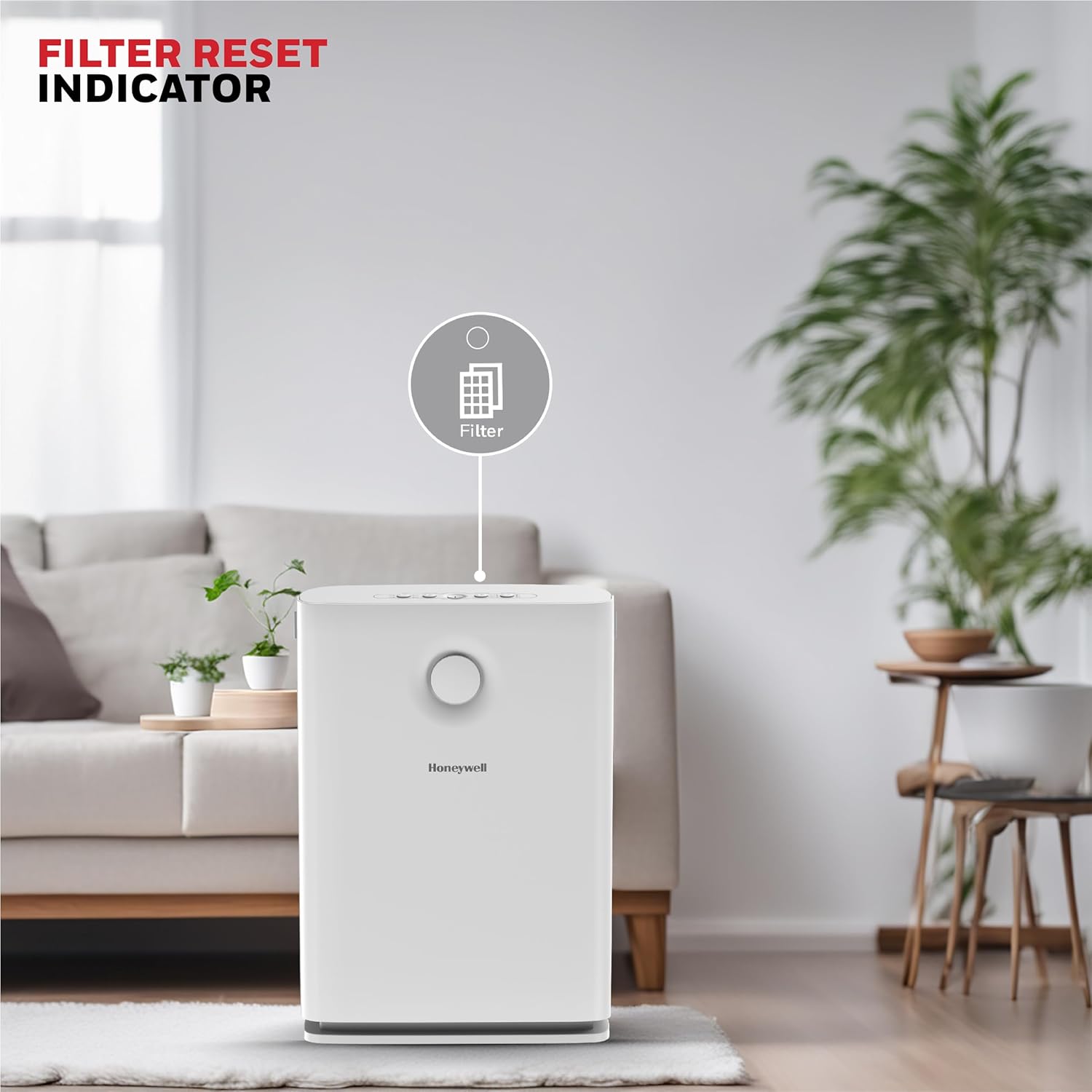
Figure 8: The filter reset indicator signals when filter maintenance or replacement is needed.
6. Troubleshooting
Refer to this section for common issues and their solutions.
| Problem | Possible Cause | Solution |
|---|---|---|
| Unit does not turn on | Power cord not properly connected; No power from outlet. | Ensure power cord is securely plugged in. Check if the outlet is functional. |
| Air quality reading remains high or inaccurate | Sensor blocked or dirty; Filters are old or clogged; Room is not sealed. | Clean the PM2.5 sensor. Replace filters if indicator is on. Ensure windows and doors are closed for effective purification. |
| Unusual noise during operation | Filters not installed correctly; Foreign object inside unit; Unit not on a stable surface. | Check filter installation. Inspect for any foreign objects. Place the unit on a flat, stable surface. |
| Filter Reset Indicator remains on after filter change | Filter reset button not pressed or held long enough. | Press and hold the "Filter Reset" button for several seconds until the light turns off. |
If the problem persists, contact customer support for assistance.
7. Specifications
| Feature | Detail |
|---|---|
| Brand | Honeywell |
| Model Number | HC000018/AP/V3 |
| Color | White |
| Product Dimensions (D x W x H) | 18.6D x 33.8W x 48H Centimeters |
| Floor Area Coverage | 43 Square Meters (approx. 465 sq.ft.) |
| Noise Level | 30 Decibels (at low speed) |
| Particle Retention Size | 0.3 Micron |
| Controller Type | Button Control |
| Wattage | 65 Watts |
| Filtration System | Advanced 5-stage Filtration (Pre-filter, H11 HEPA, H13 HEPA, Anti-bacterial, Activated Carbon) |
| Power Source | Corded Electric |
| Item Weight | 4.8 Kilograms |
| Included Components | 1 Air Touch V3 Air Purifier, User Manual |
8. Warranty and Support
Your Honeywell Air Touch V3 Air Purifier comes with a 2-year manufacturer warranty.
For any assistance, technical support, or warranty claims, please contact Honeywell customer support.
Figure 9: Contact information for Honeywell customer support. Phone: 022-238 535 35 (Monday to Friday, 10 AM to 7 PM). Email: Support@honeywellconnection.com.