
1. Introduction
This manual provides detailed instructions for the safe and effective use of your DR.PREPARE Heated Vest. Please read this manual thoroughly before operating the device and retain it for future reference.
What's Included:
- 1 x DR.PREPARE Heated Vest
- 1 x Removable Hood
- 1 x Laundry Bag
- 1 x User Manual

Figure 1: Front and back view of the DR.PREPARE Heated Vest, showing integrated heating elements.
2. Safety Information
- Do not use the vest if it is wet.
- Do not use the vest if the heating elements or wiring are damaged.
- Do not use the vest while sleeping.
- Keep out of reach of children and individuals with reduced physical, sensory, or mental capabilities.
- Always disconnect the power bank before cleaning or storing the vest.
- Use only power banks with 2A or 2.4A output. Power bank is not included.
- Avoid folding the vest tightly when in use to prevent damage to heating elements.
3. Setup
3.1 Connecting the Power Bank
- Locate the USB cable inside the vest's pocket.
- Connect the USB cable to your fully charged power bank (not included).
- Place the power bank securely into the designated pocket and zip it closed.
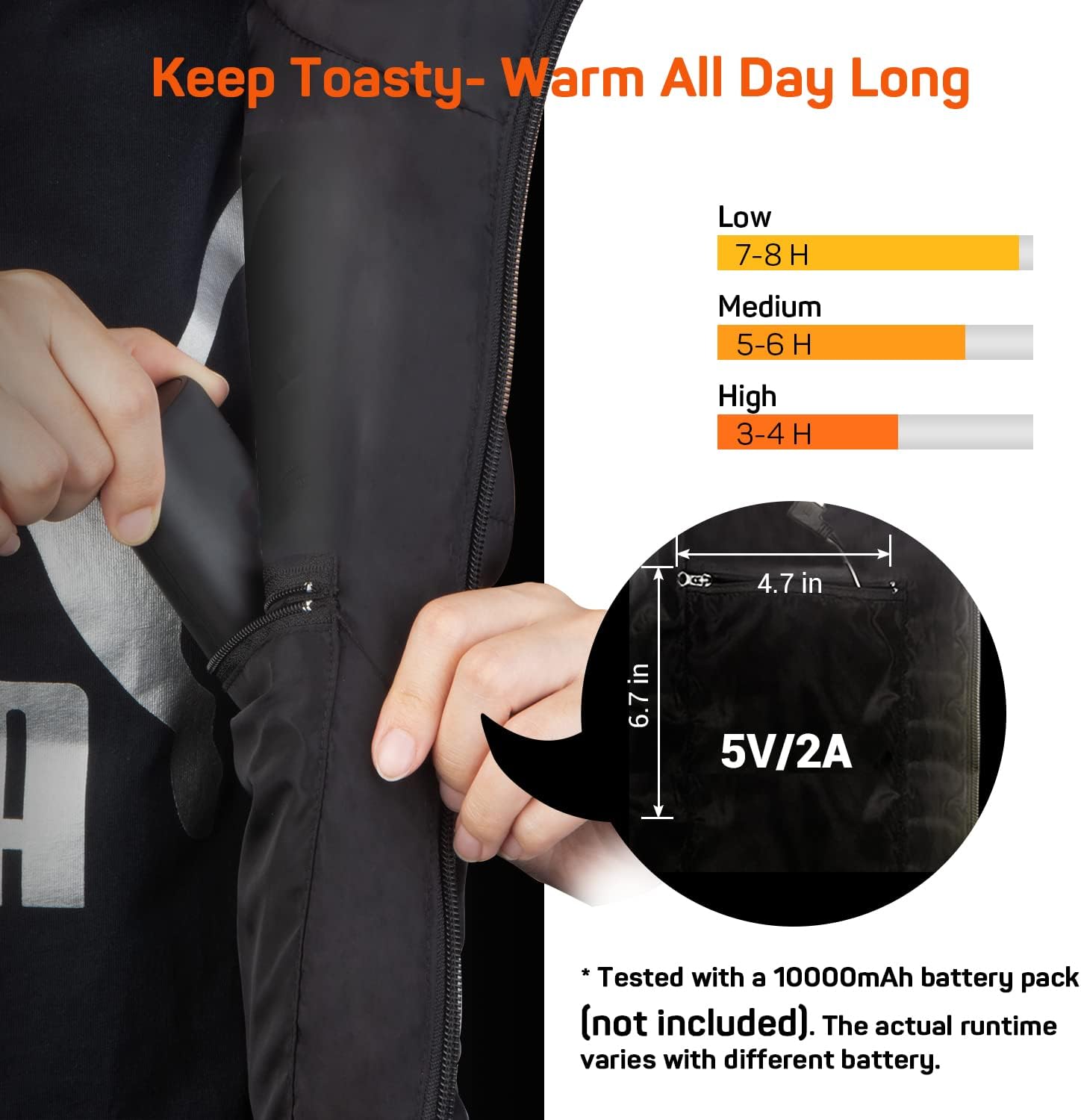
Figure 2: Connecting a power bank to the vest's internal USB cable.
Video 1: Demonstrates connecting the power bank and initial setup of the heated vest.
4. Operating Instructions
4.1 Powering On/Off and Adjusting Heat Levels
- To Power On: Press and hold the power button on the chest for 3 seconds. The button will light up, indicating the vest is pre-heating.
- To Adjust Heat Level: Short press the power button to cycle through the 3 heat settings:
- High (Red Light): Approximately 131℉ (55℃), lasts 3-4 hours with a 10000mAh power bank.
- Medium (Blue Light): Approximately 122℉ (50℃), lasts 5-6 hours with a 10000mAh power bank.
- Low (Green Light): Approximately 113℉ (45℃), lasts 7-8 hours with a 10000mAh power bank.
- Auto Heating Mode: The vest features a 150-minute auto-off function when operating at the medium heat level.
- To Power Off: Press and hold the power button for 3 seconds until the light turns off.

Figure 3: Power button with indicators for High (Red), Medium (Blue), and Low (Green) heat settings.
4.2 Heating Zones
The vest is equipped with 6 carbon fiber heating elements strategically placed to provide warmth to core body zones: neck, back, abdomen, and waist.

Figure 4: Illustration of the 6 heating zones within the vest.
Video 2: Highlights the heating zones and temperature levels of the vest.
5. Adjusting Fit
The vest features 4 zippers on each side, allowing you to adjust the overall size for a comfortable and snug fit. Experiment with different zipper combinations to achieve your desired fit.

Figure 5: Demonstrates the adjustable side zippers for customizing the vest's fit.
6. Maintenance
6.1 Washing Instructions
- Before Washing: Ensure the power bank is disconnected and removed from the vest.
- Hand Wash: Gently hand wash the vest with mild detergent.
- Machine Wash: Place the vest in the included laundry bag before machine washing on a gentle cycle.
- Do NOT: Dry-clean, wring, or iron the heated vest.
- Drying: Hang dry the vest in a well-ventilated outdoor area. Ensure it is completely dry before storage or next use.

Figure 6: Visual guide for maintenance, including machine washing with a laundry bag.
7. Troubleshooting
- Vest not heating:
- Ensure the power bank is fully charged and properly connected to the USB cable.
- Verify the power bank has a 2A or 2.4A output.
- Press and hold the power button for 3 seconds to activate the heating function.
- Power button light is off:
- The vest may have entered auto-off mode after 150 minutes on medium heat. Restart the vest.
- The power bank may be depleted. Recharge or replace the power bank.
- Uneven heating:
- Ensure the vest is worn snugly and the heating elements are in direct contact with your body. Adjust the side zippers for a better fit.
8. Specifications
| Feature | Detail |
|---|---|
| Model Number | B09C86GMHK |
| Heating Elements | 6 Carbon Fiber (Neck, Back, Abdomen, Waist) |
| Temperature Levels | High (131℉/55℃), Medium (122℉/50℃), Low (113℉/45℃) |
| Power Source | USB-Powered (Requires 2A or 2.4A output power bank, not included) |
| Estimated Battery Life (10000mAh) | Low: 7-8 hours, Medium: 5-6 hours, High: 3-4 hours |
| Auto-Off Feature | 150 minutes on Medium heat setting |
| Material | 100% Polyester |
| Adjustable Size | 4 side zippers for waist adjustment (40.2 in - 52 in) |
| Care Instructions | Hand wash or machine wash (with laundry bag). Do not dry-clean, wring, iron. Hang dry. |
9. Warranty and Support
For warranty information, product support, or to contact customer service, please visit the official DR.PREPARE store or refer to the contact details provided with your purchase documentation.
You can find more information and support at the DR.PREPARE Brand Store.