
Introduction
This manual provides essential information for the safe and effective use of your BestCH AC/DC Adapter, designed specifically for the Motorola Motorokr EQ7 Wireless Speaker. Please read these instructions carefully before use to ensure optimal performance and longevity of your device.
Safety Information
Warnings
- Do not open or modify the power supply, power cord, or power cable.
- Keep children away from high voltage power sources.
- Use this product under professional electrician's guidance if unsure about electrical connections.
- Any abuse or improper use will void the warranty.
- The total wattage of the connected device should not exceed the maximum wattage shown on the adapter's label.
- It is recommended to de-rate the adapter by 10%-20% when using to prevent overheating.
Safety Features
This adapter is designed with multiple safety protections to ensure reliable operation:
- Over Voltage Protection (OVP): Safeguards against excessive voltage input.
- Over Current Protection (OCP): Prevents damage from excessive current draw.
- Over Temperature Protection (OTP): Protects against overheating.
- Short Circuit Protection (SCP): Automatically cuts off power in case of a short circuit.
- Stable Output: Ensures consistent voltage without fluctuations during power on, transmit, receive, or power off.
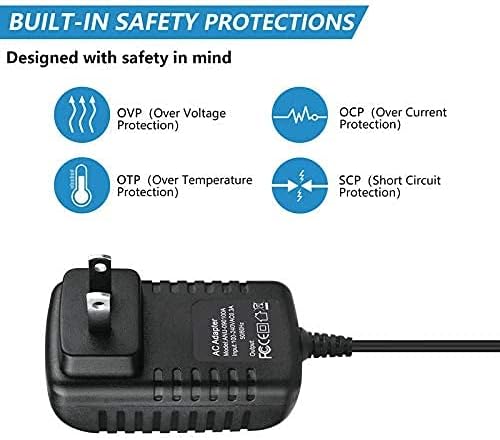
Image: Built-in safety protections are designed to protect your devices.
Setup
Initial Connection
- Ensure the Motorola Motorokr EQ7 Wireless Speaker is powered off.
- Connect the adapter's output cable to the power input port of your Motorola Motorokr EQ7 Wireless Speaker.
- Plug the adapter's US prong into a standard AC wall outlet (100-240VAC, 50/60Hz).
- Power on your Motorola Motorokr EQ7 Wireless Speaker.
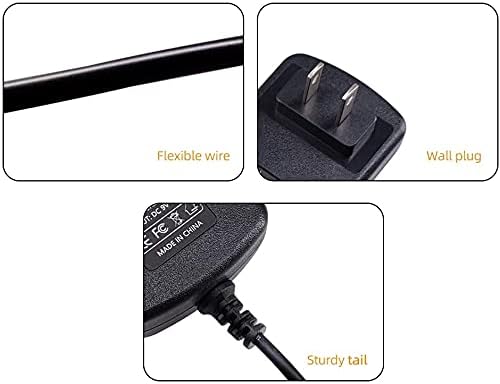
Image: Components of the BestCH AC/DC Adapter, including the wall plug.
Operating Instructions
Once connected, the BestCH AC/DC Adapter provides continuous power to your Motorola Motorokr EQ7 Wireless Speaker. The adapter is designed for worldwide use with an input voltage range of 100-240VAC. No specific operational steps are required for the adapter itself beyond proper connection to a power source and the compatible device.

Image: The adapter in use, plugged into a power strip.
Maintenance
- Keep the adapter clean and free from dust. Use a dry, soft cloth for cleaning.
- Avoid exposing the adapter to moisture or extreme temperatures.
- Do not place heavy objects on the power cord.
- Regularly inspect the cord and plug for any signs of damage. Discontinue use if damage is found.
Troubleshooting
No Power Output
- Ensure the adapter is securely plugged into a working wall outlet.
- Verify that the power cable is firmly connected to your Motorola Motorokr EQ7 Wireless Speaker.
- Check if the wall outlet is functional by plugging in another device.
- Confirm that the speaker's power input requirements match the adapter's output specifications.
Overheating
- Ensure the adapter is used in a well-ventilated area.
- Verify that the total wattage of the connected device does not exceed the adapter's maximum capacity.
- If overheating persists, discontinue use and contact support.
Specifications
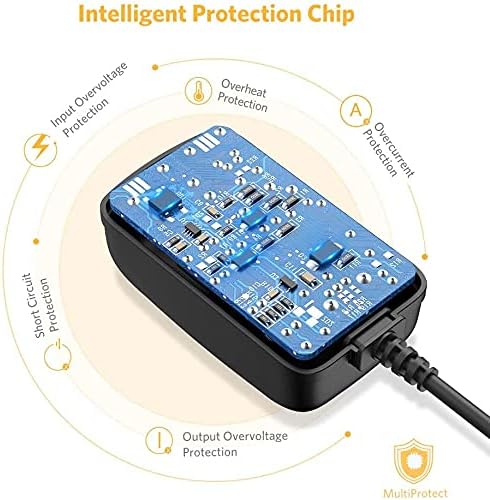
Image: Internal view of the intelligent protection chip.
| Feature | Description |
|---|---|
| Brand | BestCH |
| Compatible Devices | Motorola Motorokr EQ7 Wireless Speaker |
| Input Voltage | AC 100-240V |
| Input Frequency Range | 50-60Hz |
| Power Source | Corded Electric |
| Main Power Connector Type | US 2-Pin Plug |
| Color | Black |
| Special Features | Short Circuit Protection, Over Voltage Protection, Over Current Protection, Over Temperature Protection |
| Mounting Type | Wall Mount (plugs directly into wall outlet) |

Image: Multi-protection features for safe charging.
Warranty and Support
Warranty Information
This BestCH AC/DC Adapter comes with a 2-year manufacturer warranty. Additionally, a 30-day return policy is available for this product.
Customer Support
For any questions, technical assistance, or warranty claims, please contact BestCH customer support through your retailer or the official BestCH website.