
Mecurate MSF60A
Mecurate Stud Finder Wall Scanner Sensor
Model: MSF60A
Product Overview
The Mecurate Stud Finder Wall Scanner Sensor is a versatile 5-in-1 electronic tool designed for accurate detection of wood studs, AC live wires, and metal studs, joists, and pipes. It features an LCD display with intuitive graphics and audio alarms for easy operation. Advanced sensor and smart chip technology ensure precision, while built-in AC detection provides safety alerts. This multi-mode scanner offers Standard (3/4"), Deep (1-1/2"), Metal (2-3/8"), and AC (2") detection capabilities. It is an essential tool for various home improvement projects, performing best on single-layer drywall.

Image: The Mecurate Stud Finder, a 9V battery, and a gray carrying pouch.
Setup and Initial Use
Battery Installation
The Mecurate Stud Finder requires one 9V battery (included). To install, open the battery compartment cover on the back of the device, connect the 9V battery to the terminal, and place it inside. Close the cover securely.
Video: Official product video demonstrating the unboxing, battery installation, and basic operation of the Mecurate Stud Finder.
Calibration
- Power On: Press the MODE button to turn on the device. The LCD screen will illuminate.
- Select Mode: Press the MODE button repeatedly to cycle through the available detection modes (Stud, Deep, Metal, AC) until your desired mode is selected.
- Calibrate: Place the tool flat against the wall surface where you intend to scan. Press and hold the SCAN button (located on the side of the device). The decreasing bars on the LCD will disappear, and a buzzer will beep once, indicating successful calibration. Important: Calibrate the device against the wall surface before each scan, ensuring no studs or wires are present at the calibration point.

Image: A hand pressing the side scan button to calibrate the device against a wall.
Operating Modes
The Mecurate Stud Finder offers four distinct modes for various detection needs:
1. Stud Scan Mode
Detects and locates the edges and center of wood studs. Ideal for hanging pictures, shelves, or mounting TVs.
- Standard Scan: Detects wood studs up to 3/4 inch (19mm) deep.
- Deep Scan: Detects wood studs up to 1-1/2 inches (38mm) deep, useful for thicker walls.
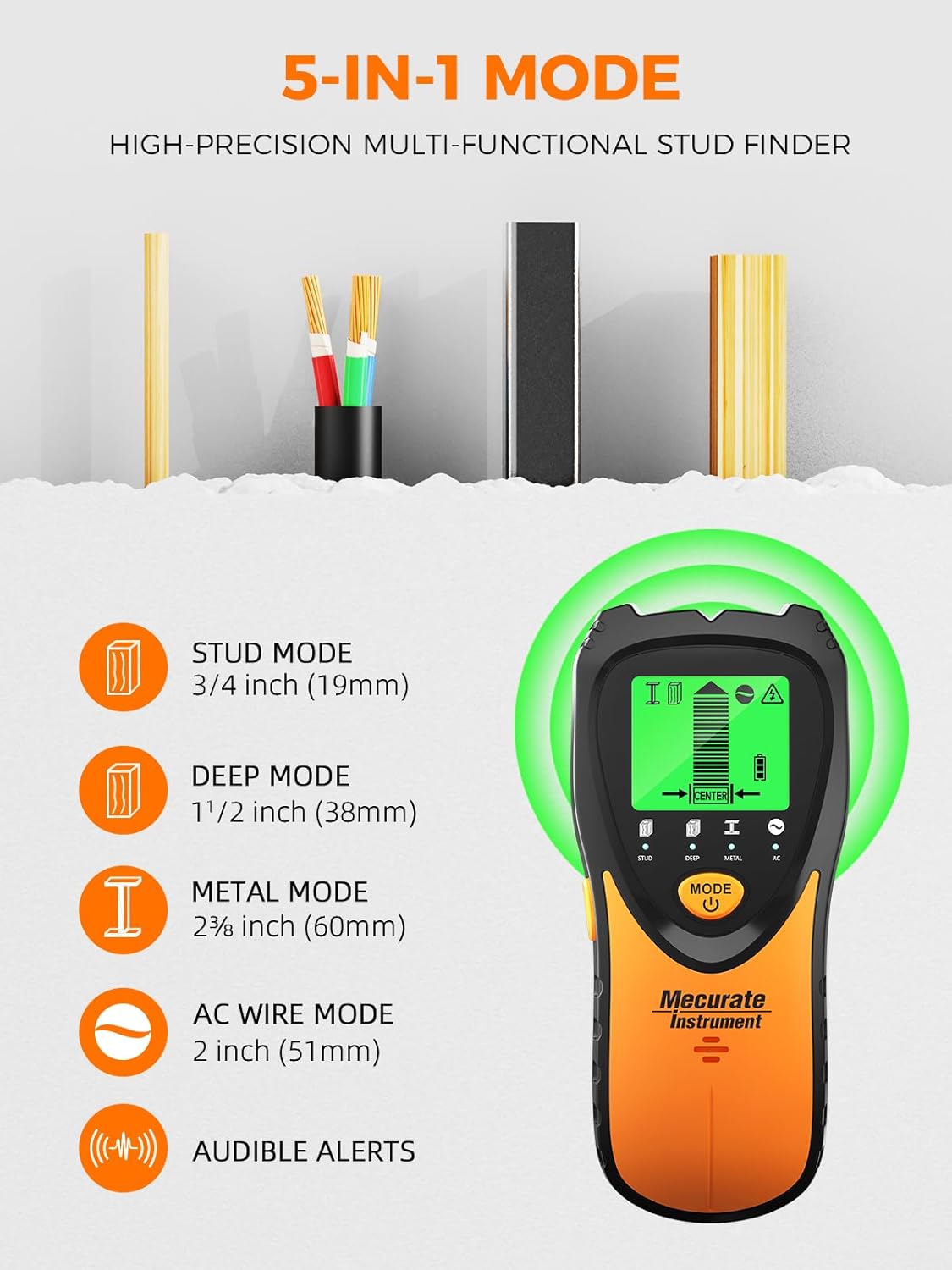
Image: Visual representation of the 5-in-1 detection modes and their respective depths.
2. Metal Scan Mode
Detects and locates non-ferrous metal (like copper pipes) up to 2-3/8 inches (60mm) deep and ferrous metal (like rebar) up to 2-3/8 inches (60mm) deep. Useful for finding pipes or metal conduits.
3. AC Wire Scan Mode
Detects live unshielded AC wires up to 2 inches (51mm) deep. This mode is crucial for safety, alerting you to live electrical wires before drilling.
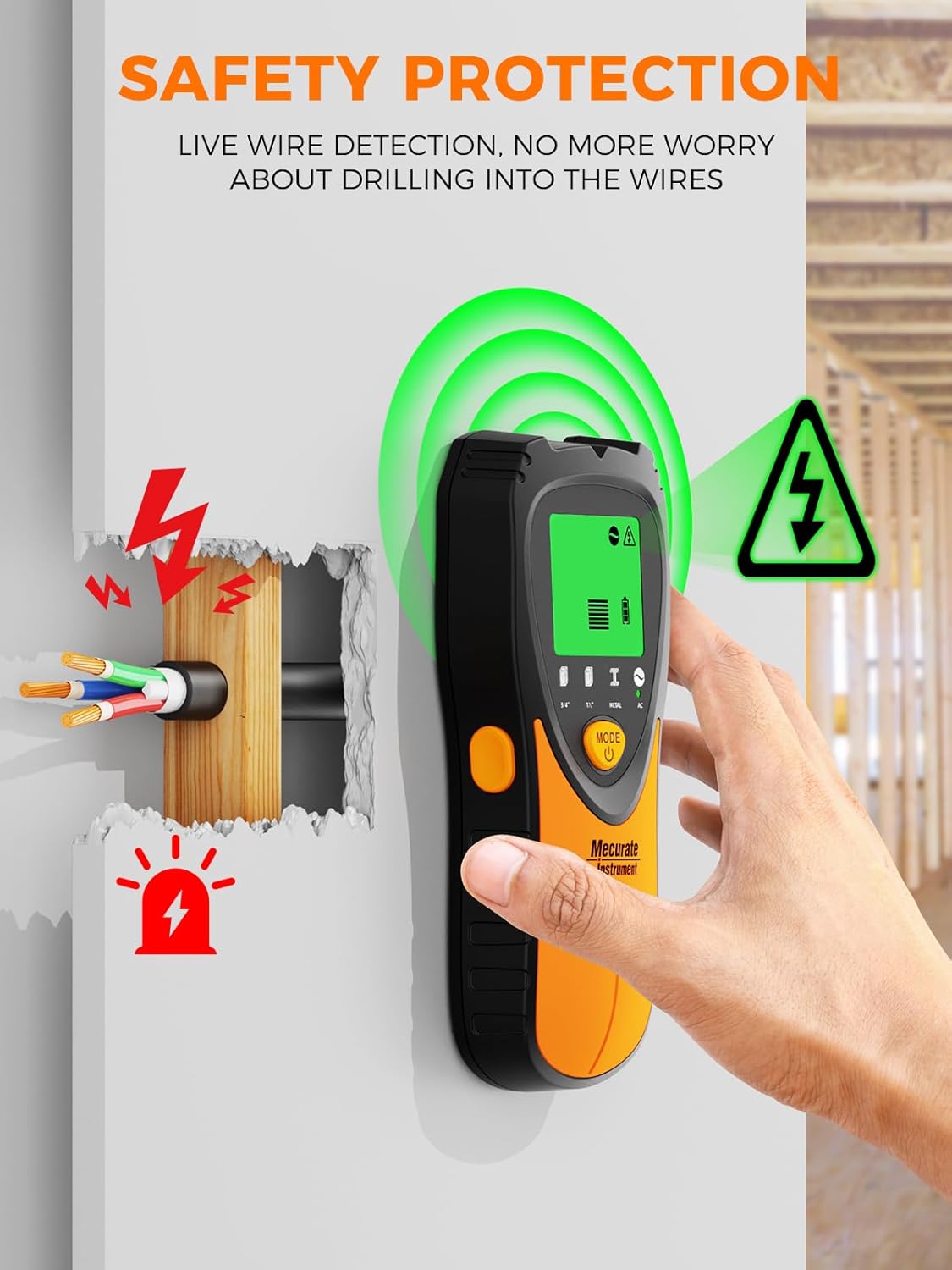
Image: The stud finder indicating the presence of a live wire, emphasizing safety.
Scanning Technique
- Slide Slowly: After calibration, slowly slide the tool horizontally across the surface. Keep the device flat against the wall.
- Edge Indication: The LCD screen will display a signal strength indicator. As you approach a stud or object, the bars will increase. A pointed arrow will indicate the direction to move. The 'EDGE' indication shows when you reach the edge of the stud.
- Center Indication: Continue sliding. When the center of a wood stud or metal object is located, the signal strength indicator will show full bars, the 'CENTER' indication will appear, and the buzzer will sound. Mark this point for accurate drilling.

Image: The device showing the 'CENTER' indication, signifying the precise middle of a detected object.
Maintenance
To ensure the longevity and accuracy of your Mecurate Stud Finder, follow these simple maintenance guidelines:
- Cleaning: Wipe the device with a dry, soft cloth after each use. Do not use abrasive cleaners or solvents.
- Storage: Store the stud finder in its included carrying pouch in a cool, dry place, away from direct sunlight and extreme temperatures. Remove the battery if the device will not be used for an extended period to prevent leakage.
- Battery Replacement: Replace the 9V battery when the low battery indicator appears on the LCD screen to maintain optimal performance.
Troubleshooting
If you encounter issues with your Mecurate Stud Finder, consider the following common solutions:
- Inaccurate Readings: Ensure the device is properly calibrated before each scan. Calibrate on a section of the wall free from known studs or wires.
- No Detection: Check the battery level and replace if low. Ensure the device is held flat against the wall and moved slowly. Performance may vary on certain wall types (e.g., stucco, tile, flooring, carpet, roofing) or in humid environments.
- AC Wire Detection Issues: Ensure you are in AC Scan Mode. Unshielded live wires are detected; shielded wires may not be.
- Deep Scan Not Working: If the stud is deeper than the standard mode can detect, switch to Deep Scan mode, re-calibrate, and run another scan.
Specifications
| Feature | Detail |
|---|---|
| Brand | Mecurate |
| Model Number | MSF60A |
| Power Source | DC (9V battery) |
| Batteries Required | Yes (1 x 9V included) |
| Display Type | LCD |
| Material | Metal |
| Item Weight | 10.6 ounces |
| Package Dimensions | 13.62 x 9.72 x 1.34 inches |
| Country of Origin | China |
| Recommended Uses | Construction Site Scanning |
What's in the Box
Your Mecurate Stud Finder package includes:
- 1 x Mecurate 5-in-1 Electronic Stud Finder
- 1 x 9V Battery (pre-installed or separate)
- 1 x Carrying Pouch
- 1 x User Manual

Image: All items included in the product package.
Related Documents - MSF60A
 |
Mecurate Moisture Meter Instruction Manual - Features, Operation, and Calibration Detailed guide for the Mecurate Moisture Meter, covering its features, how to use it for wood and building materials, temperature measurement, calibration tables for various wood species, maintenance tips, and support contact information. |
 |
Mecurate Pinless Moisture Meter User Manual - Measure Wood & Wall Moisture Comprehensive guide to the Mecurate Pinless Moisture Meter. Learn how to measure moisture content in wood, walls, and masonry non-invasively, set alerts, and understand density grades. Includes technical specifications and FAQs. |