
Introduction
Thank you for purchasing the KOOC 2-Quart Small Slow Cooker. This manual provides important information regarding the safe operation, maintenance, and care of your appliance. Please read these instructions thoroughly before first use and retain them for future reference.
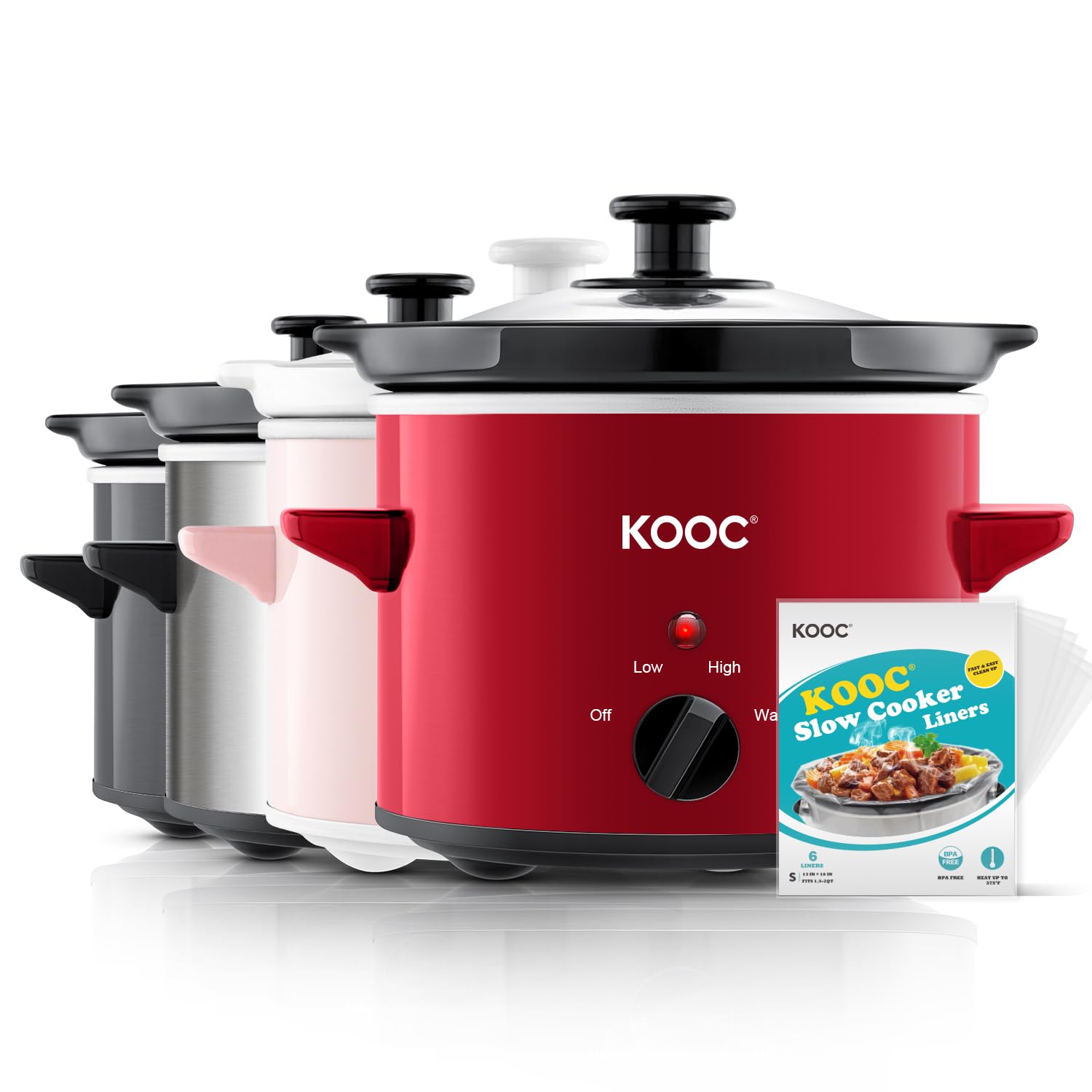
Image: The KOOC 2-Quart Small Slow Cooker in red, with its ceramic pot and glass lid.
Important Safety Instructions
When using electrical appliances, basic safety precautions should always be followed to reduce the risk of fire, electric shock, and injury to persons, including the following:
- Read all instructions before operating the slow cooker.
- Do not touch hot surfaces. Use handles or knobs.
- To protect against electrical shock, do not immerse the base unit, cord, or plug in water or other liquid.
- Close supervision is necessary when any appliance is used by or near children.
- Unplug from outlet when not in use and before cleaning. Allow to cool before putting on or taking off parts.
- Do not operate any appliance with a damaged cord or plug, or after the appliance malfunctions or has been damaged in any manner.
- The use of accessory attachments not recommended by the appliance manufacturer may cause injuries.
- Do not use outdoors.
- Do not let cord hang over edge of table or counter, or touch hot surfaces.
- Do not place on or near a hot gas or electric burner, or in a heated oven.
- Extreme caution must be used when moving an appliance containing hot oil or other hot liquids.
- Always attach plug to appliance first, then plug cord into the wall outlet. To disconnect, turn any control to 'OFF', then remove plug from wall outlet.
- Do not use appliance for other than intended use.
- Avoid sudden temperature changes, such as adding refrigerated foods into a heated pot.
- The ceramic pot and glass lid are designed for use in this slow cooker only. They must not be used on a stovetop or in a microwave oven.
Product Components
Your KOOC 2-Quart Small Slow Cooker consists of the following main parts:
- Base Unit: The outer housing containing the heating element and control knob.
- Removable Ceramic Pot: The inner cooking vessel where food is placed.
- Glass Lid: Transparent lid to cover the ceramic pot during cooking.
- Control Knob: Used to select temperature settings (OFF, LOW, HIGH, WARM).
- Indicator Light: Illuminates when the slow cooker is operating.
- Slow Cooker Liners: Disposable liners for easier cleanup.

Image: An exploded diagram showing the transparent glass lid, removable ceramic inner pot, stainless steel exterior, heat-resistant handle, cooking indicator, and 3 temperature settings.
Setup
- Unpack: Carefully remove all packaging materials and any promotional labels from the slow cooker.
- Clean: Wash the removable ceramic pot and glass lid in warm, soapy water. Rinse thoroughly and dry. The base unit can be wiped clean with a damp cloth. Do not immerse the base unit in water.
- Placement: Place the base unit on a flat, dry, heat-resistant surface, away from the edge of the counter. Ensure there is adequate ventilation around the appliance.
- Assemble: Place the clean ceramic pot into the base unit.
Operating Instructions
Follow these steps for proper operation of your slow cooker:
- Prepare Food: Prepare your ingredients as per your recipe.
- Insert Liner (Optional): If using a slow cooker liner, place it inside the ceramic pot before adding ingredients. Ensure the liner is properly seated. Avoid using sharp utensils that could puncture the liner.
- Add Ingredients: Place all ingredients into the ceramic pot. Do not overfill; leave at least one inch of space from the top rim of the pot to allow for steam and expansion.
- Cover: Place the glass lid securely on the ceramic pot.
- Plug In: Plug the power cord into a standard 120V AC electrical outlet.
- Select Temperature: Turn the control knob to your desired setting:
- LOW: For slow, gentle cooking over a longer period (e.g., 6-8 hours). Ideal for tenderizing meats.
- HIGH: For faster cooking (e.g., 4-6 hours).
- WARM: To keep cooked food at a serving temperature. Do not use the WARM setting for cooking raw food.
- Cooking: Allow the slow cooker to cook for the time specified in your recipe. Avoid lifting the lid frequently, as this releases heat and extends cooking time.
- Serve: Once cooking is complete, turn the control knob to 'OFF' and unplug the appliance. Carefully remove the lid, using oven mitts if necessary, as steam will be hot.

Image: Step-by-step guide on using slow cooker liners: 1. Place liner in pot. 2. Add ingredients. 3. Remove liner for easy cleanup.

Image: A table illustrating the three temperature settings (Low Heat, High Heat, Keep Warm) with approximate cooking times and temperatures.
Cleaning and Maintenance
Proper cleaning and maintenance will ensure the longevity of your slow cooker.
- Unplug and Cool: Always unplug the slow cooker from the electrical outlet and allow it to cool completely before cleaning.
- Ceramic Pot and Lid: The removable ceramic pot and glass lid are dishwasher safe. Alternatively, they can be washed by hand with warm, soapy water. Avoid abrasive cleaners or scouring pads that may scratch the surface.
- Base Unit: Wipe the exterior of the base unit with a soft, damp cloth. Do not use abrasive cleaners. Never immerse the base unit in water or any other liquid.
- Storage: Ensure all parts are clean and dry before storing. Store the slow cooker with the lid inverted on the ceramic pot inside the base unit to save space.

Image: A person placing the ceramic pot into a dishwasher, demonstrating its dishwasher-safe feature.
Troubleshooting
If you encounter issues with your slow cooker, refer to the following common problems and solutions:
| Problem | Possible Cause | Solution |
|---|---|---|
| Slow cooker does not turn on. | Not plugged in; power outlet malfunction; control knob not set. | Ensure the power cord is securely plugged into a working outlet. Turn the control knob to 'LOW', 'HIGH', or 'WARM'. |
| Food is not cooking properly or takes too long. | Lid not sealed properly; frequent lid removal; too much liquid; incorrect setting. | Ensure the lid is seated correctly. Avoid lifting the lid during cooking. Reduce liquid if recipe allows. Verify the correct temperature setting is selected. |
| Food is sticking to the ceramic pot. | Lack of liquid; pot not seasoned; not using a liner. | Ensure adequate liquid is used. Consider using a slow cooker liner. For stubborn residue, soak the pot in warm, soapy water before cleaning. |
| Indicator light is off. | Control knob set to 'OFF'; power issue. | Turn the control knob to 'LOW', 'HIGH', or 'WARM'. Check power connection. |
Specifications
| Feature | Detail |
|---|---|
| Brand | KOOC |
| Model Number | KSC200RD |
| Capacity | 2 Quarts |
| Power | 50 Watts |
| Voltage | 120V |
| Product Dimensions | 8.7"D x 8.7"W x 8.7"H |
| Materials | Stainless Steel (exterior), Ceramic (pot), Glass (lid) |
| Control Type | Mechanical Knob |
| Temperature Settings | 3 (Low, High, Warm) |
| Dishwasher Safe Parts | Ceramic Pot, Glass Lid |
Warranty and Support
KOOC is committed to providing quality products and customer satisfaction.
- Return/Exchange Policy: 30 Days Return/Exchange.
- Service Response: 24 Hours Response for inquiries.
- Warranty: 1 Year Service Warranty.
For any questions, support, or warranty claims, please contact KOOC customer service through the retailer's platform or the official KOOC website.

Image: Icons representing key customer service features: BPA Free, 30 Days Return/Exchange, 24 Hours Response, and 1 Year Service.
