1. Introduction
This user manual provides comprehensive instructions for the UMINO Wireless Security Camera AE1. This 1080P HD camera is designed for both outdoor and indoor use, featuring a rechargeable battery, IP65 waterproof rating, night vision, AI human detection, two-way audio, and local storage capabilities. Please read this manual thoroughly before operating the device to ensure proper setup and optimal performance.
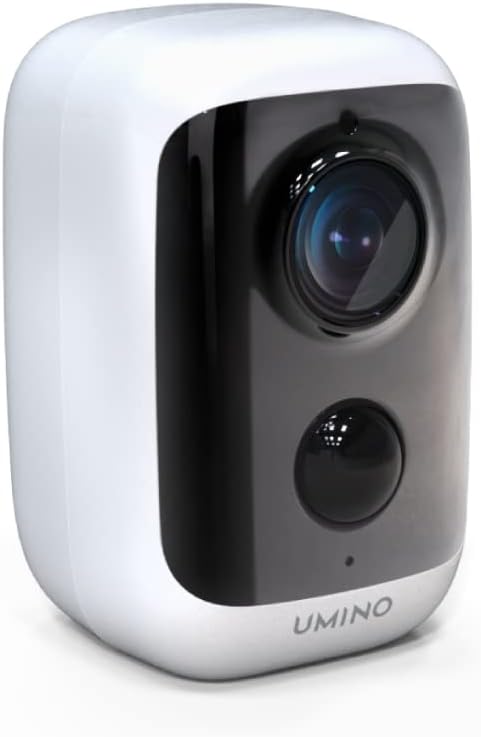
Figure 1.1: UMINO Wireless Security Camera AE1
2. What's in the Box
Verify that all items listed below are included in your package:
- UMINO AE1 Camera (1)
- Mounting Bracket with Screw Kit (1)
- Charging Cable (USB-C) (1)
- User Manual (1)
- Warranty Card (1)
- Monitoring Sticker (1)
- Reset Pin (1)
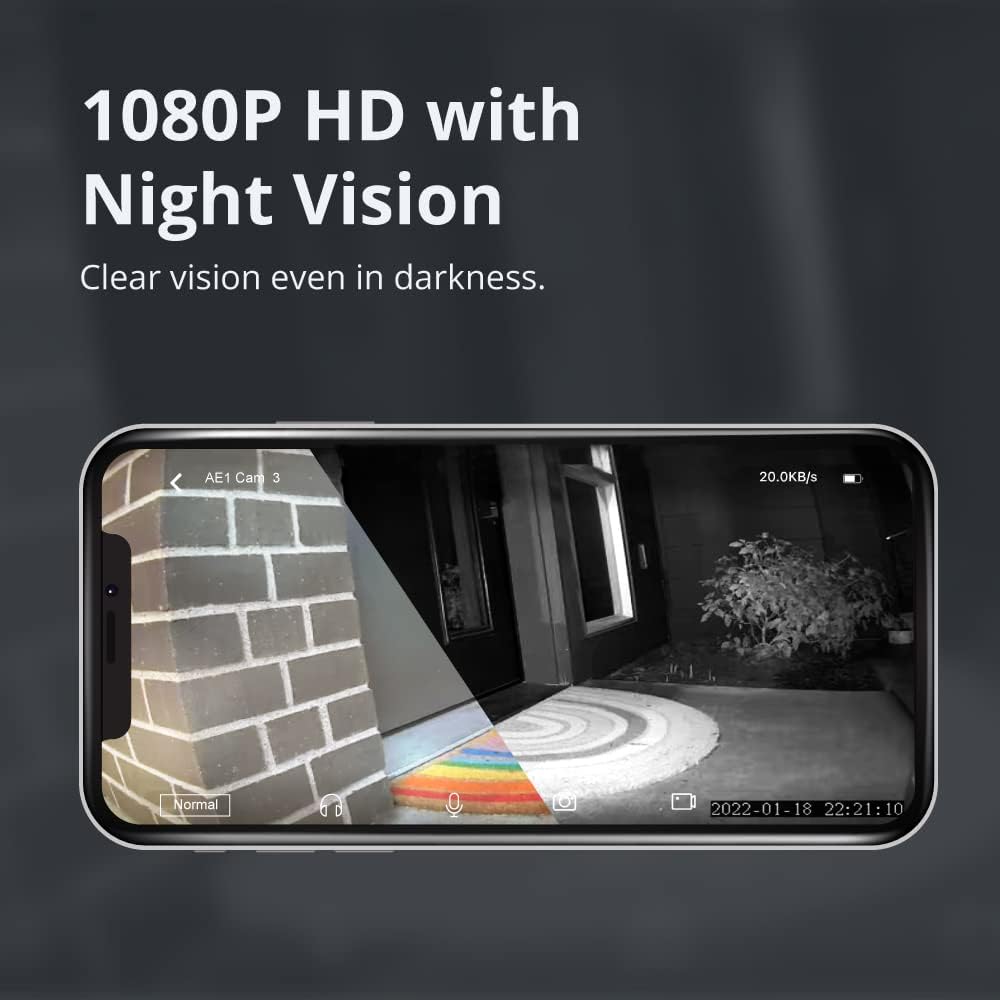
Figure 2.1: Package Contents of UMINO AE1 Camera
3. Product Overview
Familiarize yourself with the main components of the UMINO AE1 camera:
Front View
- Ambient Light Sensor: Detects ambient light levels to automatically switch between day and night vision modes.
- Lens: Captures 1080P Full HD video footage.
- PIR Lens: Passive Infrared sensor for motion detection, specifically for human detection.
- Microphone: For two-way audio communication and audio recording.
Rear View
- Speaker: For two-way audio communication and voice prompts.
- Power Button: To turn the camera on/off.
- DC 5V Type-C Port: For charging the camera's battery.
- Waterproof Cover: Protects the charging port and card slot from water.
- Reset Button: To reset the camera to factory settings.
- TF Card Slot: For inserting a Micro SD card for local storage (supports up to 256GB).
For a visual guide to the camera's components, please refer to the setup video below.
4. Setup Guide
Follow these steps to set up your UMINO Wireless Security Camera AE1:
4.1. Download the Umino App
Scan the QR code below or search for "UMINO" (for iOS) or "O-KAM" (for Android) in your device's app store to download the official application.

Figure 4.1: Scan QR Code to Download App
4.2. Register an Account
Open the Umino app and click "Register now" to create a new account. Follow the on-screen prompts to set up your username and password. You will need to bind your email address for account recovery; check your mailbox and click the verification link.
4.3. Add Devices to Umino App
- From the app's home page, click "Add devices".
- Turn on the camera. Ensure the blue indicator light is flashing slowly and you hear a voice prompt. Tick the confirmation box in the app and click "Next".
- Connect your phone to a 2.4GHz Wi-Fi network (5GHz networks are not supported). Enter your Wi-Fi password in the app and click "Next".
- The app will generate a QR code. Face this QR code to the camera lens. You should hear a beeping sound from the camera.
- After hearing the beeping sound, click "Heard the tone" in the app.
- Click "Bind now" to complete the setup. Set-up is successful if you can see the live view from your camera in the app.

Figure 4.2: Scanning QR Code for Device Pairing
4.4. Setup Video Guide
For a visual walkthrough of the unboxing and setup process, please watch the official video below:
Video 4.1: UMINO AE1 Unboxing and Setup Guide. This video demonstrates the complete setup process, including app download, account registration, and device pairing.
5. Operating Instructions
5.1. Night Vision with Full HD 1080P
The Umino camera is equipped with 6 IR LEDs and a 110° viewing angle, providing clear IR night vision up to 26ft (8m). You can monitor your home in true 1080P Full HD, day and night.

Figure 5.1: 1080P HD Night Vision Capability
5.2. IP65 Waterproof Rating
Designed for durability, this Wi-Fi outdoor camera has an IP65 waterproof rating, allowing it to withstand temperatures ranging from -20℃ to 50℃. It operates normally in rain, sleet, and snow, making it suitable for various outdoor conditions.

Figure 5.2: IP65 Waterproof Design for All Weather Conditions
5.3. AI Human Detection
The camera features advanced AI Human Detection, which is more sophisticated than traditional PIR or motion detection. This technology helps reduce false alarms caused by animals, vehicles, or other non-human movements, ensuring you only receive alerts when it truly matters.

Figure 5.3: AI Human Detection Minimizes False Alarms
5.4. Two-Way Audio
With a built-in microphone and speaker, the camera enables two-way audio communication. You can warn off intruders, communicate with visitors at your door, or listen and talk to family members in real-time through the user-friendly app.

Figure 5.4: Two-Way Audio Communication via App
5.5. Local Storage
The UMINO AE1 supports local storage via a Micro SD card, allowing you to store your videos easily and securely. It supports cards up to 256GB. Ensure the Micro SD card is formatted to FAT32 for optimal compatibility.
Figure 5.5: Local Storage via Micro SD Card
6. Maintenance
- Battery Charging: The camera is battery-powered. Recharge the battery using the provided USB-C cable when the battery level is low. A full charge can last for several days depending on usage and motion detection frequency.
- Cleaning: Regularly wipe the camera lens and body with a soft, dry cloth to remove dust and smudges. For stubborn dirt, use a slightly damp cloth and then dry thoroughly. Do not use harsh chemicals or abrasive cleaners.
- Placement: While IP65 waterproof, avoid direct exposure to extreme weather conditions or prolonged submersion. Ensure the camera is mounted securely to prevent accidental falls.
- Firmware Updates: Check the Umino app periodically for firmware updates. Keeping your camera's firmware updated ensures optimal performance, security, and access to new features.
7. Troubleshooting
If you encounter issues with your UMINO AE1 camera, refer to the following common problems and solutions:
| Problem | Possible Cause / Solution |
|---|---|
| Camera not connecting to Wi-Fi. |
|
| Poor video quality or frequent disconnections. |
|
| False alarms from motion detection. |
|
| App not functioning correctly. |
|
| Short recording length on local storage. |
|
8. Specifications
| Feature | Detail |
|---|---|
| Model | AE1 |
| Video Capture Resolution | 1080p |
| Connectivity Technology | Wireless (Wi-Fi) |
| Power Source | Battery Powered (2 Lithium Ion batteries included) |
| International Protection Rating | IP65 |
| Night Vision Range | 26 Feet |
| Special Features | Motion Sensor, Night Vision, AI Human Detection, Two-Way Audio |
| Local Storage | Supports Micro SD card up to 256GB |
| Compatible Devices | Smartphone |
| Control Method | App |
| Operating Temperature | -20℃ to 50℃ (-4°F to 122°F) |
| Color | White |
| Item Weight | 14.9 ounces |
| Package Dimensions | 5.67 x 4.41 x 3.11 inches |
9. Warranty and Support
The UMINO AE1 Camera comes with a 1-year warranty. For any technical support, warranty claims, or further inquiries, please contact UMINO customer service.
You can also refer to the official User Manual PDF for additional details: Download User Manual (PDF)
For iOS users, please download the "UMINO" app. For Android users, please download the "O-KAM" app.


