Product Overview
The D'Addario Nexxus 360 Rechargeable Guitar Tuner provides fast and accurate tuning for various stringed instruments. Its compact, clip-on design features a bright, full-color LED display that rotates 360 degrees for optimal viewing from any angle. This tuner is designed for convenience, offering extended tuning time on a single charge, eliminating the need for frequent battery replacements.
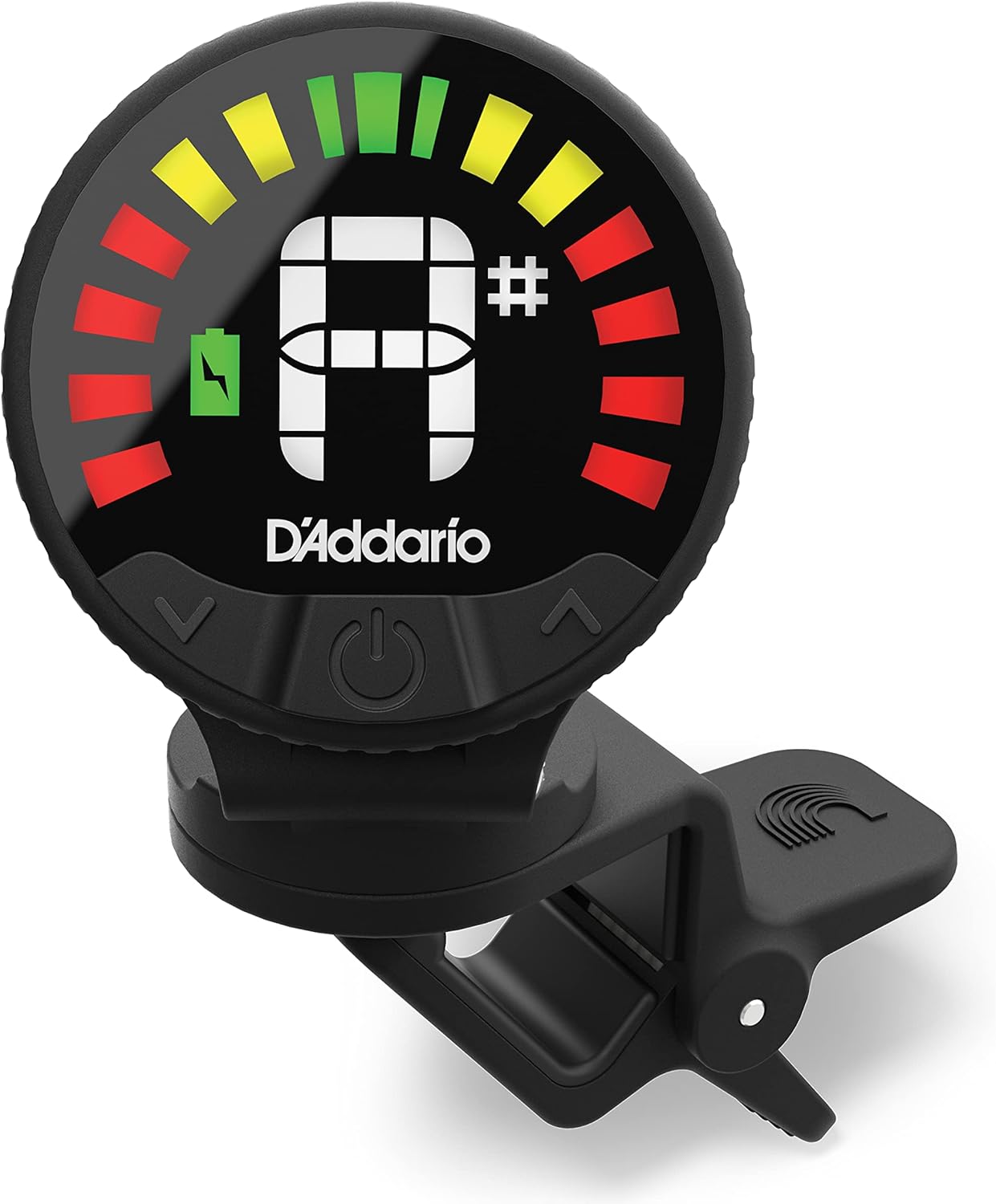
Figure 1: Front view of the D'Addario Nexxus 360 Tuner, showcasing its clear LED display and compact design.
Key features include a wide calibration range for precise performance and a robust, rubber-coated clamp that securely attaches to your instrument's headstock without causing damage.
Features
- Quick and Accurate Tuning: Designed for fast and precise tuning of guitars and basses, featuring a large screen and strong, 360-degree rotating clamp for various viewing angles.
- Rechargeable Battery: Provides approximately 24 hours of continuous tuning time per charge. Recharging is simple using the supplied USB cable with any compatible USB power device.
- Extreme Accuracy: Offers precise performance with a wide calibration range of 415-465Hz. Calibration is also adjustable to suit specific needs.
- Bright LED Display: Features an extra bright LED display for clear visibility in diverse lighting conditions. The display rotates 360 degrees to accommodate your preferred viewing position.
- Strong and Safe Clamp: The clip-on tuner can be securely mounted anywhere on the headstock without concerns of slipping or scratching, thanks to its robust, rubber-coated clamp.

Figure 2: The tuner highlights its USB rechargeable feature, offering 24 hours of tuning per charge.
Setup
- Initial Charge: Before first use, ensure the tuner is fully charged. The tuner comes with a USB cable. Locate the USB-C charging port on the tuner (often found by gently pulling off the back cover or a designated cap). Connect the USB cable to the tuner and to any standard USB power source (e.g., computer, wall adapter).
- Mounting: Gently open the tuner's clip. Attach the tuner securely to the headstock of your guitar or bass. The rubber-coated jaws of the clip are designed to protect your instrument's finish.
- Adjust Viewing Angle: The tuner's display and body can rotate 360 degrees. Adjust the position of the tuner and its display to ensure a clear and comfortable viewing angle while playing.

Figure 3: The D'Addario Nexxus 360 Tuner connected to a USB-C charging cable.

Figure 4: The tuner securely clipped onto a guitar headstock, demonstrating its versatile positioning.
Operating Instructions
- Power On/Off: Press and hold the power button (usually located on the side or front) for a few seconds to turn the tuner on or off. The bright LED display will illuminate upon activation.
- Tuning: Pluck a single string on your instrument. The tuner will detect the note and display it on the screen. The display will indicate whether the note is flat (too low), sharp (too high), or in tune.
- Green indication: In tune.
- Red/Yellow indication: Flat or sharp. Adjust your tuning peg until the display turns green.
- Calibration Adjustment: If needed, you can adjust the calibration (A4 frequency). Refer to the tuner's buttons (often marked with up/down arrows or +/-) to change the calibration from the default 440Hz.

Figure 5: The tuner's extra bright LED display provides clear tuning feedback.
Maintenance
- Charging: Recharge the tuner when the battery indicator shows low power. A full charge provides up to 24 hours of tuning time. Use the included USB cable for charging.
- Cleaning: Wipe the tuner with a soft, dry cloth to remove dust or fingerprints. Do not use abrasive cleaners or solvents.
- Storage: Store the tuner in a cool, dry place away from extreme temperatures and direct sunlight when not in use.
Troubleshooting
| Problem | Possible Cause | Solution |
|---|---|---|
| Tuner does not turn on. | Low battery or no charge. | Charge the tuner using the supplied USB cable. Ensure the cable is properly connected and the power source is active. |
| Inaccurate tuning readings. | Improper mounting or interference. | Ensure the tuner is securely clipped to the headstock. Avoid excessive background noise or vibrations that might interfere with detection. Check calibration settings. |
| Display is dim or flickering. | Low battery. | Recharge the tuner. |
| Tuner not detecting notes. | Weak signal or incorrect mode. | Ensure the string is plucked clearly and loudly. Verify the tuner is in the correct mode for your instrument (if applicable, though this model is universal). |
Specifications
- Model Number: PW-CT-26
- Dimensions: 3"L x 1.13"W x 5.63"H (7.62 cm x 2.87 cm x 14.30 cm)
- Weight: 1.4 ounces (39.69 grams)
- Power Source: Rechargeable Lithium Polymer Battery (included)
- Battery Type: Lithium Polymer
- Charging Port: USB-C
- Voltage: 9 Volts
- Calibration Range: 415-465Hz (Adjustable)
- Material: Plastic, Glass, Metal
- Color: Black
- First Available: October 15, 2021
Warranty and Support
D'Addario products are manufactured to high standards. For specific warranty information and customer support, please visit the official D'Addario website or contact their customer service department. Keep your proof of purchase for any warranty claims.
You can find more information and contact details on the D'Addario Store on Amazon.


