
Product Overview
The SXFJF TWS Bluetooth 5.2 Earbuds are designed to provide a high-quality audio experience with features such as HiFi stereo sound, noise canceling, and a convenient 2000mAh charging case. These in-ear headphones offer a stable Bluetooth 5.2 connection and automatic pairing for ease of use.

This image illustrates the main features of the earbuds, such as the LED digital display, comfortable design, HD call capability, Bluetooth 5.2 chips, charging compartment, automatic pairing, wide compatibility, intelligent noise reduction, and fingerprint touch control.
Key Features:
- TWS Stereo Sound: Adopting lossless HD Rendering Technology for deep bass and crystal-clear treble.
- Bluetooth 5.2: Ensures stable and fast transmission with support for HSP, HFP, A2DP, AVRCP profiles.
- Noise Canceling Microphone: Built-in microphone with noise reduction for clear calls.
- Comfortable Fit: Soft silicone eartips and ergonomic design for stability and comfort.
- Automatic Pairing: Earbuds auto-connect to your device after initial pairing when removed from the charging case.
- Long Battery Life: Over 6 hours playtime on a single charge, with a total of 30 hours using the 2000mAh charging case.
- IPX5 Water Resistance: Provides protection against sweat and light splashes.
Setup Instructions
1. Charging the Earbuds and Case
Before first use, fully charge the earbuds and the charging case. The charging case has a 2000mAh battery capacity, and each earbud has a 50mAh capacity.
- Connect the provided Type-C charging cable to the charging case and a USB power source.
- The LED digital display on the charging case will show the battery level.
- Charging time for the headset is approximately 1 hour.
- Charging time for the charging box is approximately 1.5 hours.

This image shows the earbuds inside the charging case, emphasizing the large-capacity charging warehouse and the LED digital display indicating battery status.

The charging case can also be used for mobile phone emergency charging via its Type-C interface, as depicted here.
2. Pairing with Your Device
The earbuds feature one-step automatic pairing after the initial setup.
- Ensure your device's Bluetooth is turned on.
- Open the charging case and take out both earbuds. They will automatically power on and enter pairing mode.
- On your device, search for Bluetooth devices and select "Sports Games Earbuds" (or similar name) from the list.
- Once connected, you will hear a confirmation prompt, and the earbuds will be ready for use.
- For subsequent uses, simply take the earbuds out of the charging case, and they will automatically connect to the last paired device.
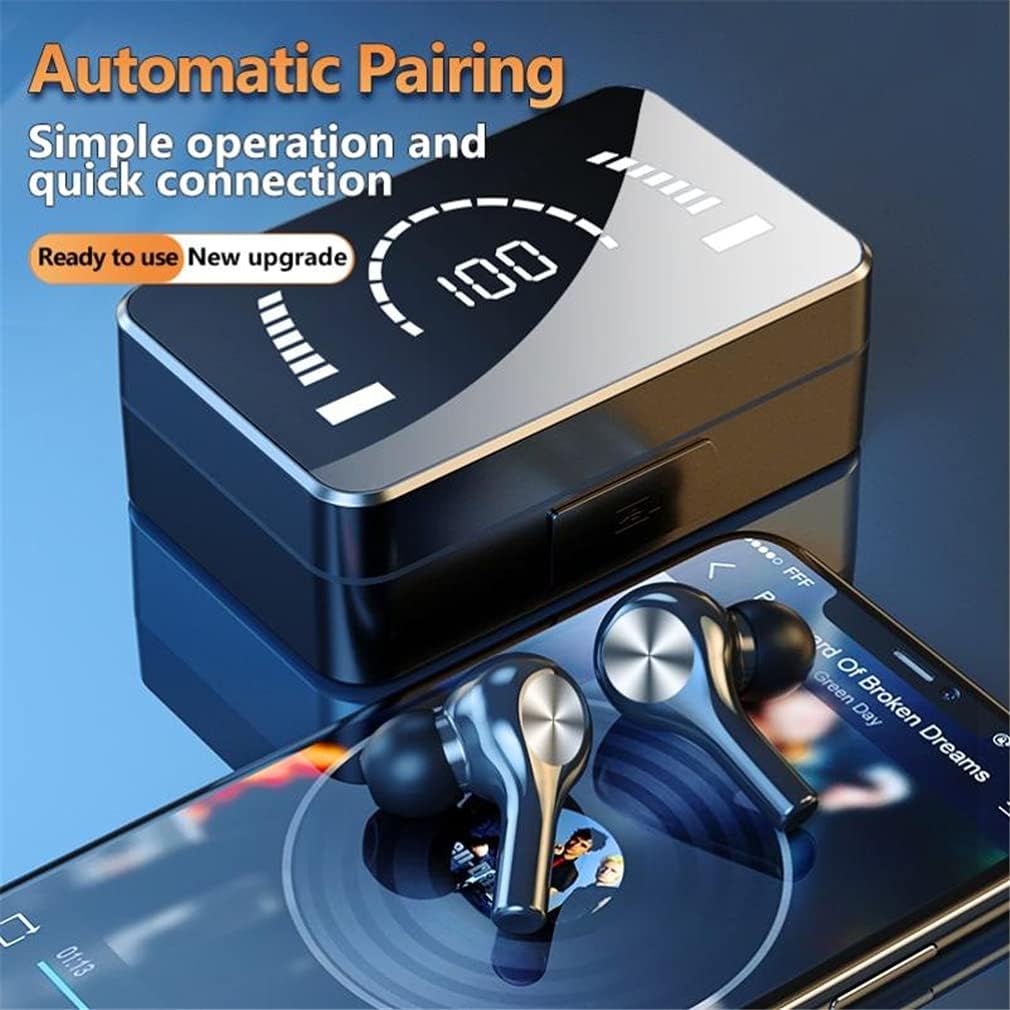
This image demonstrates the automatic pairing process, where the earbuds are ready for connection upon removal from the charging case.
Operating Instructions
1. Wearing the Earbuds
The earbuds are designed for a comfortable and secure fit. Choose the appropriate soft silicone eartips for your ear size.
- Gently insert the earbuds into your ear canal.
- Adjust them to ensure a snug fit that feels comfortable and stable.
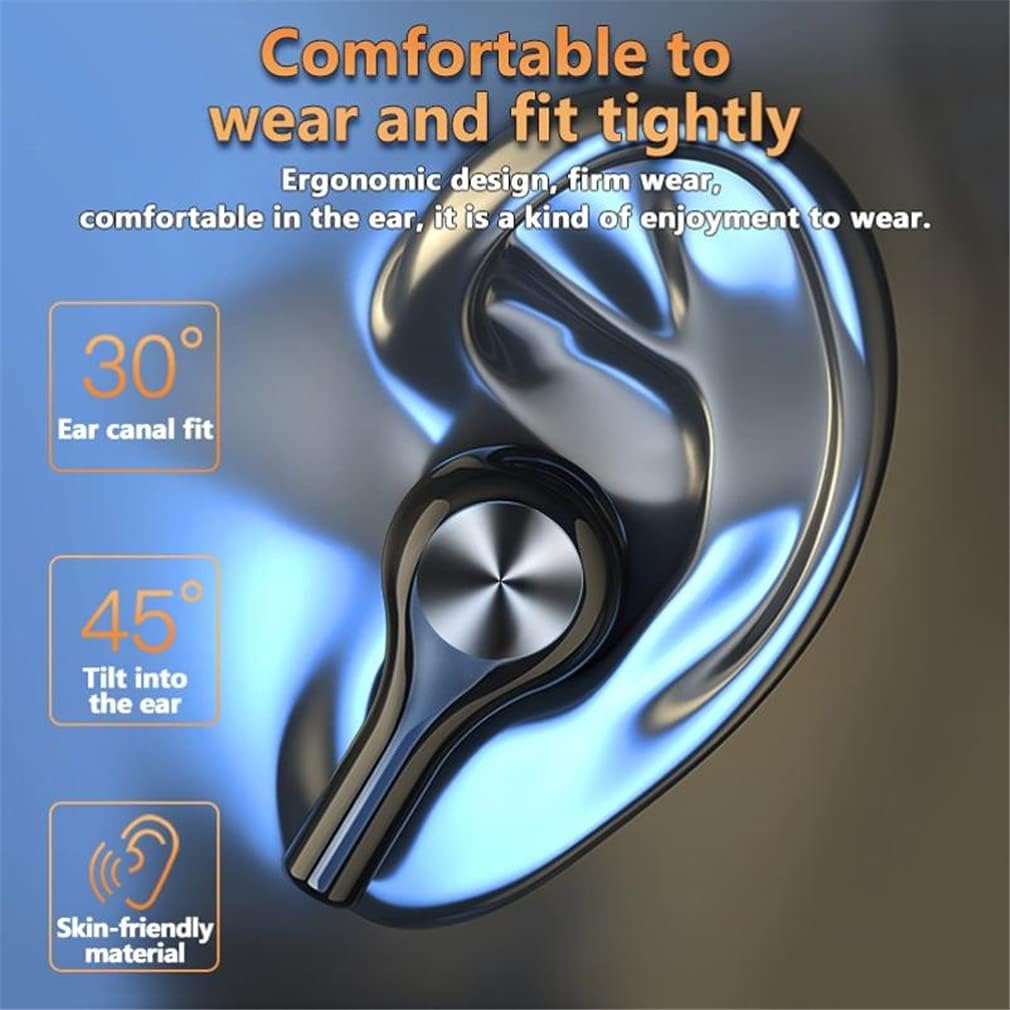
This image highlights the ergonomic design features that ensure a comfortable and secure fit for the earbuds.
2. Touch Controls
The earbuds feature intelligent touch controls for various functions. Specific touch gestures may vary slightly, but common functions include:
- Play/Pause: Single tap on either earbud.
- Next Track: Double tap on the right earbud.
- Previous Track: Double tap on the left earbud.
- Answer/End Call: Single tap on either earbud.
- Reject Call: Press and hold on either earbud.
- Activate Voice Assistant: Triple tap on either earbud (functionality depends on device).
- Volume Adjustment: The product description mentions "One-key volume adjustment" which typically implies a long press or specific tap sequence. Refer to the quick start guide included in the package for precise volume control gestures.

This image highlights the touch control area on the earbuds, designed for easy and accurate operation.
Maintenance
1. Cleaning
- Regularly clean the earbuds, especially the eartips and charging contacts, with a soft, dry, lint-free cloth.
- Do not use abrasive cleaners, alcohol, or chemical solvents.
- Ensure no moisture enters the earbud openings.
2. Storage
- When not in use, store the earbuds in their charging case to protect them and keep them charged.
- Store the device in a cool, dry place, away from extreme temperatures and direct sunlight.
3. Water Resistance (IPX5)
The earbuds are rated IPX5 water resistant, meaning they can withstand splashes of water from any direction. This makes them suitable for sports and exercise where sweat may be present.
- Do not submerge the earbuds in water.
- Do not expose them to pressurized water or high-velocity water, such as showering or swimming.
- Ensure the earbuds are dry before placing them back into the charging case to prevent damage to the charging contacts.
Troubleshooting
| Problem | Possible Solution |
|---|---|
| Earbuds not pairing/connecting. |
|
| No sound from one or both earbuds. |
|
| Charging case not charging. |
|
| Earbuds not charging in case. |
|
Specifications
| Feature | Detail |
|---|---|
| Product Name | Sports Games Earbuds |
| Bluetooth Specification | V5.2 |
| Bluetooth Profiles | HFP, A2DP, HID, AVRCP, AVCTP, AVDTP |
| Working Voltage | 3.1V~4.2V |
| Charging Voltage | 5V-1A |
| Headset Battery Capacity | 50mAh |
| Charging Box Battery Capacity | 2000mAh |
| Transmission Distance | >10M (33 feet) |
| Call Time | 4-6 hours |
| Play Time | 4-6 hours (up to 30 hours with charging case) |
| Waterproof Rating | IPX5 |
| Headset Charging Time | 1 hour |
| Charging Box Charging Time | 1.5 hours |
| Headphone Dimensions | 34mm x 20mm x 22mm |
| Charging Box Dimensions | 92mm x 53mm x 28mm |
| Connectivity Technology | Wireless |
| Material | Plastic |
| Ear Placement | In Ear |
| Form Factor | In Ear |
| Special Features | Microphone Included, Noise Cancellation, Sports-and-Exercise, Wireless |
Warranty Information
Specific warranty details for the SXFJF TWS Bluetooth 5.2 Earbuds are typically provided with the product packaging or by the retailer at the time of purchase. Please refer to the warranty card included in your package or contact your point of purchase for detailed information regarding warranty coverage and terms.
Customer Support
If you encounter any issues or have questions not covered in this manual, please contact the seller or manufacturer for assistance. Contact information can usually be found on the product packaging or the retailer's website.
For online purchases, you may be able to find support contact details through your order history page.


