
Philips S9986/58
Philips Electric Shaver Series 9000
User Manual
Introduction
Welcome to the user manual for your Philips Electric Shaver Series 9000, model S9986/58. This intelligent electric shaver is powered by AI, designed to provide superior closeness and personalized skin comfort. It features durable, self-sharpening Dual SteelPrecision blades, a Pressure Guard Sensor, and 360-degree flexing heads for an adaptive and comfortable shave. This manual provides essential information on how to set up, operate, maintain, and troubleshoot your shaver to ensure optimal performance and longevity.
Safety Information
Please read all safety instructions carefully before using the appliance to prevent injury or damage.
- Warning: For safe and optimal use, always ensure the shaver is turned off while cleaning.
- Rinse the shaver head under running water but do not submerge the entire unit.
- To clean the metal blades, use the provided brush. Do not use any sharp objects to remove hair from the blades as it may cause damage.
- Use the shaver with care around sensitive areas to minimize skin irritation.
- Do not use the shaver while charging.
- Always refer to the user manual for detailed safety instructions.
Product Overview
The Philips Electric Shaver Series 9000 (S9986/58) is designed for a precise and comfortable shaving experience. It comes with several components to enhance its functionality and ease of use.
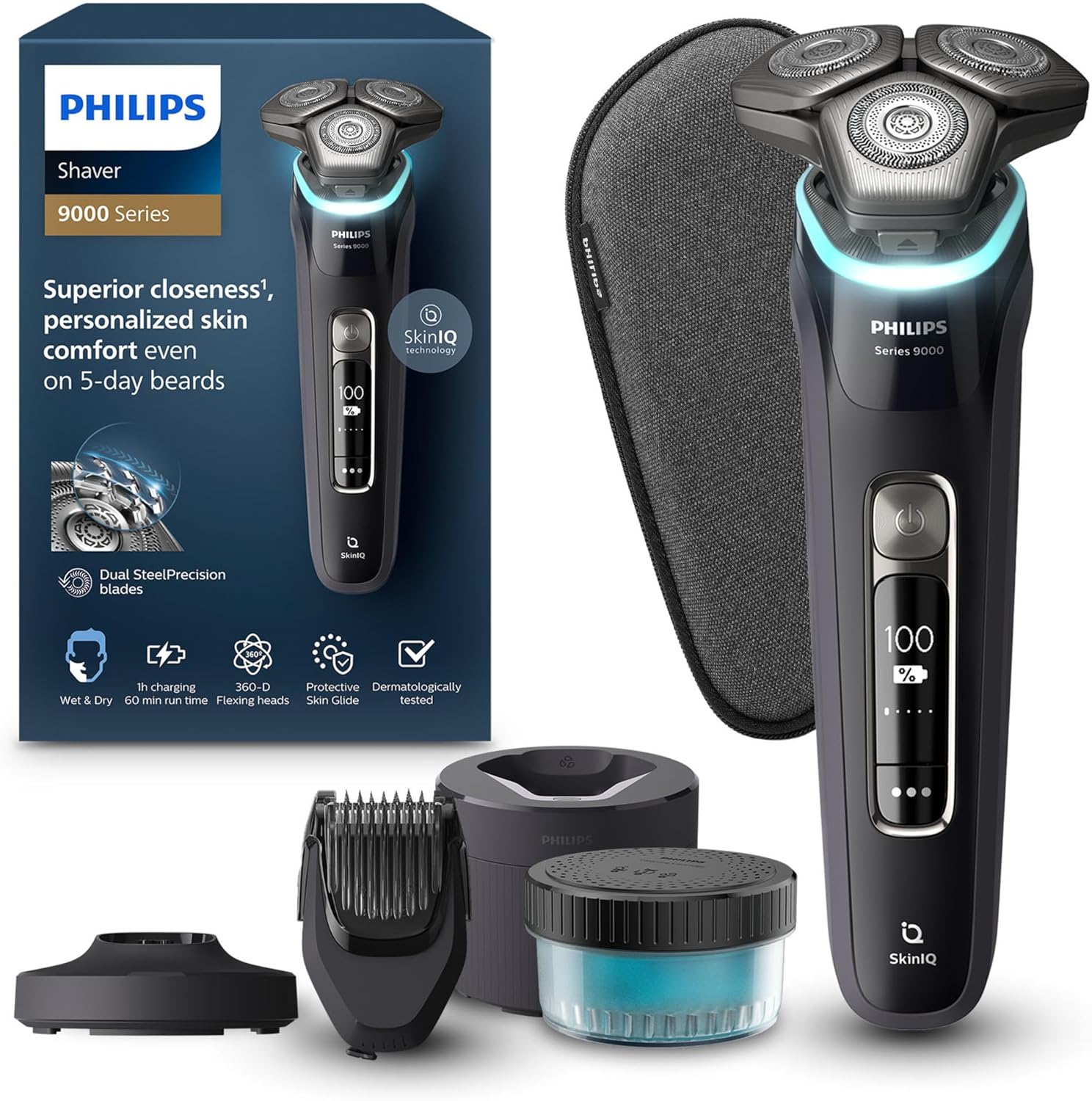
Figure 1: The Philips Shaver Series 9000, including its packaging, the shaver unit, Quick Clean Pod, pop-up trimmer, beard styler, charging stand, and travel case.
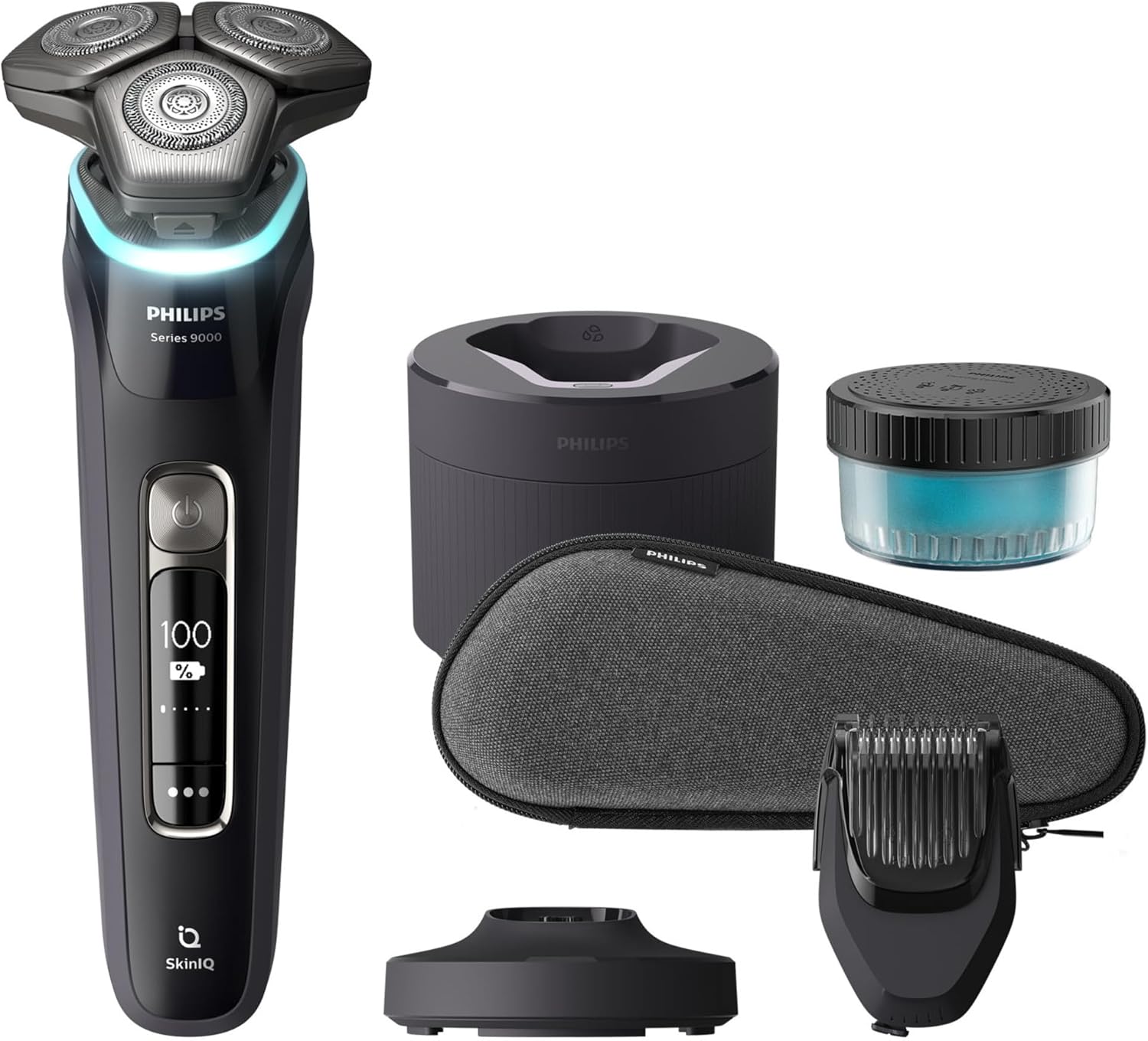
Figure 2: All components of the Philips Shaver Series 9000: the shaver, Quick Clean Pod, pop-up trimmer, beard styler, charging stand, travel case, and cleaning brush.
Key Components:
- Shaver Unit: The main body with rotary shaving heads and display.
- Quick Clean Pod: For hygienic and convenient cleaning of the shaver heads.
- Pop-up Trimmer: Integrated for precise trimming of sideburns and moustaches.
- Beard Styler: An attachment for styling and maintaining beard length.
- Charging Stand: Provides a stable base for charging the shaver.
- Travel Case: Protects the shaver and accessories during travel.
- Cleaning Brush: For manual cleaning of the shaver.
Setup
Before first use, ensure your shaver is fully charged. The shaver can be charged using the included charging stand or directly with the power cable.
Initial Charging:
- Connect the charging stand to a power outlet.
- Place the shaver onto the charging stand. The battery indicator on the shaver will illuminate to show charging progress.
- A full charge takes approximately 1 hour and provides up to 60 minutes of shaving time.

Figure 3: The shaver placed in its charging stand, indicating it is ready for charging.
Quick Clean Pod Setup:
The Quick Clean Pod provides an effortless way to clean and lubricate your shaver.
- Open the Quick Clean Pod and insert the cleaning cartridge.
- Place the shaver head-down into the pod.
- Press the power button on the shaver to start the cleaning cycle.

Figure 4: The shaver positioned within the Quick Clean Pod for deep cleaning.
Operating Instructions
Your Philips Shaver Series 9000 is designed for both wet and dry shaving, offering flexibility and comfort.
Shaving Procedure:
- Preparation: For a wet shave, wet your face and apply shaving cream or gel. For a dry shave, ensure your face is clean and dry.
- Power On: Turn on the shaver by pressing the power button.
- Shaving Technique: Move the shaver in small, circular motions over your skin. The SkinIQ technology senses, guides, and adapts to your face contours.
- Pressure Guard Sensor: The intelligent Pressure Guard Sensor protects your skin. A light ring on the shaver will guide you: green indicates optimal pressure, blue indicates too light, and orange indicates too much pressure. Adjust your pressure accordingly.
- Flexing Heads: The 360-degree flexing heads ensure maximum skin contact, adapting to the curves of your face for a thorough and comfortable shave, even in difficult areas like the neck or upper lip.
- Lift & Cut System: The patented Lift & Cut shaving system lifts the hair before cutting it at skin level, providing a close shave even on 5-day beards.
- Finishing: Once shaving is complete, turn off the shaver.

Figure 5: The shaver in use, demonstrating SkinIQ technology that senses, guides, and adapts to your shaving style.
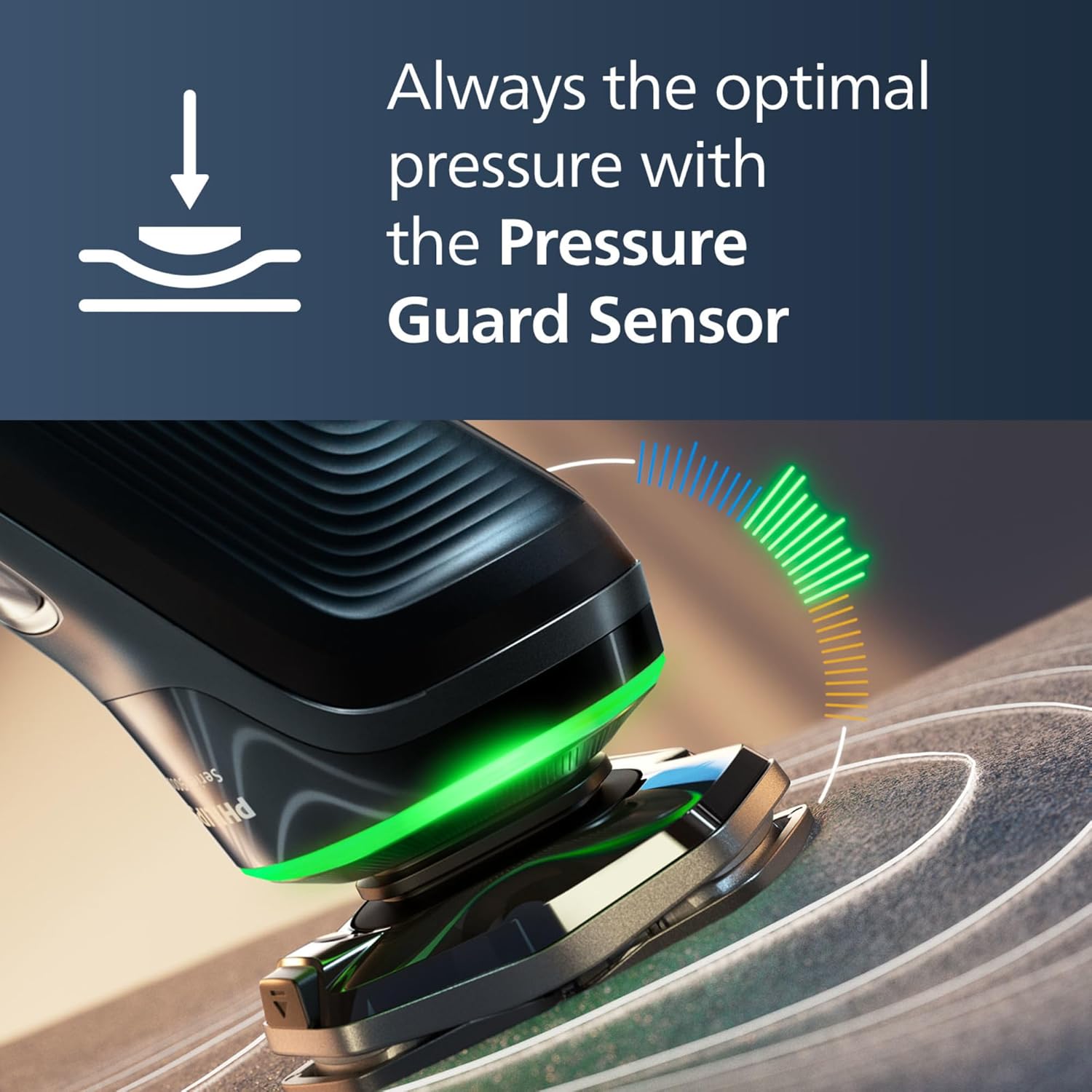
Figure 6: The Pressure Guard Sensor light ring on the shaver, guiding you to apply optimal pressure for skin protection.

Figure 7: The 360-degree flexing heads of the shaver, designed to adapt to facial contours for maximum contact and a thorough shave.

Figure 8: Illustration of the unique Lift & Cut Rotary Technology, which lifts and cuts hair at skin level for superior closeness.
Using Attachments:
- Pop-up Trimmer: To use the pop-up trimmer, simply slide the switch on the back of the shaver upwards. Use it for precise shaping of sideburns and moustaches.
- Beard Styler: Attach the beard styler head to the shaver unit. Select your desired length setting and trim your beard evenly.
Maintenance
Regular cleaning and maintenance will ensure the longevity and optimal performance of your Philips Electric Shaver Series 9000.
Daily Cleaning:
- After each shave, rinse the shaver head under running water. Ensure the shaver is turned off before rinsing.
- For a more thorough clean, use the Quick Clean Pod. Place the shaver in the pod and activate the cleaning cycle. This takes approximately 1 minute.
Periodic Maintenance:
- Blade Replacement: The display will indicate when it's time to change the blades, typically once a year. Replace the shaving heads with genuine Philips replacement heads to maintain performance.
- Deep Cleaning: Periodically disassemble the shaving heads and clean them thoroughly with the provided cleaning brush to remove any accumulated hair or debris.
Troubleshooting
If you encounter any issues with your Philips Electric Shaver Series 9000, refer to the common problems and solutions below.
| Problem | Possible Cause | Solution |
|---|---|---|
| Shaver does not turn on. | Battery is depleted. | Charge the shaver fully. Ensure the charging stand is properly connected to power. |
| Shaver does not provide a close shave. | Shaving heads are dirty or worn out. Incorrect shaving technique. | Clean the shaving heads thoroughly. If performance does not improve, replace the shaving heads. Ensure you are using small, circular motions and applying optimal pressure. |
| Skin irritation after shaving. | Too much pressure applied. Skin not accustomed to electric shaving. | Reduce pressure, guided by the Pressure Guard Sensor. Allow your skin to adapt over a few weeks. Shave wet with foam or gel for added comfort. |
| Quick Clean Pod not cleaning effectively. | Cleaning cartridge is empty or expired. | Replace the cleaning cartridge. Ensure the shaver head is properly seated in the pod. |
For further assistance, you can consult the Philips GroomTribe app (if applicable to your model) which provides personalized shaving guidance and device settings.

Figure 9: The Philips Shaver Series 9000 can be connected to a smartphone app for personalized guidance and settings.
Specifications
Detailed technical specifications for the Philips Electric Shaver Series 9000, model S9986/58.
| Feature | Detail |
|---|---|
| Brand | Philips |
| Model Name | Series 9000 |
| Item Model Number | S9986/58 |
| Product Dimensions | 16 x 16 x 24.5 cm; 1.09 kg |
| Power Source | Electric (Rechargeable Battery) |
| Special Features | Wet & Dry Shave, Pressure Guard Sensor, SkinIQ Technology, 360-D Flexing Heads |
| Blade Material | Alloy Steel (Dual SteelPrecision Blades) |
| Head Type | Rotary |
| Included Components | Shaver, Quick Clean Pod, Pop-up Trimmer, Beard Styler, Charging Stand, Travel Case, Cleaning Brush |
| Country of Origin | Netherlands |
Warranty and Support
Your Philips Electric Shaver Series 9000 is built for durability and performance.
- Warranty: Enjoy up to 5 years warranty upon registration within 90 days on Philips.com. The self-sharpening blades have a 2-year lifetime.
- Support: For product support, replacement parts, or further inquiries, please visit the official Philips website or contact Philips customer service.
Related Documents - S9986/58
 |
Philips AC20/01 Adjustable Beard Styler 1-5mm - Compatibility and Specifications Detailed information on the Philips AC20/01 adjustable beard styler attachment, including compatibility with Shaver series 5000, 7000, 8000, and 9000, features, and specifications. |
 |
Philips Shaver Series 9000 S9986/58: Wet & Dry Electric Shaver with SkinIQ Technology Discover the Philips Shaver Series 9000 S9986/58, a Wet & Dry electric shaver featuring advanced SkinIQ Technology, Dual SteelPrecision blades, and 360-D Flexing heads for superior closeness and personalized skin comfort. |
 |
Philips Shaver Series 9000 S9986/63: Advanced SkinIQ Technology for Superior Shaving Explore the Philips Shaver Series 9000 (S9986/63) featuring SkinIQ technology for a personalized, comfortable, and precise shave. Discover its advanced features, benefits, and specifications for a superior grooming experience. |
 |
Philips Shaver Series 9000 User Manual User manual for the Philips Shaver Series 9000, covering setup, operation, and maintenance for models S9000 series S9982, S9983, S9985, S9986, S9987, S9980, S9979, S9976, S9975, S9974, S9973, S9977. |
 |
Philips AC20/01 Adjustable Beard Styler 1-5 mm - Compatible with Shaver Series 5000-9000 Details on the Philips AC20/01 adjustable beard styler, a click-on accessory for Philips Shaver series 5000, 6000, 7000, 8000, and 9000. Features include 1-5 mm hair length adjustment and compatibility with hexagon-shaped shaver heads. |
 |
Philips Adjustable Beard Styler 1-5 mm (AC20/01) - Shaver Accessory Discover the Philips Adjustable Beard Styler 1-5 mm (AC20/01), a click-on accessory designed to complement Philips Electric Shavers from series 5000, 6000, 7000, 8000, and 9000. Easily achieve your desired beard style with this versatile attachment, made with guaranteed Philips quality. |
Ask a question about this manual
Ask about setup, troubleshooting, compatibility, parts, safety, or missing instructions. Manuals+ will review the question and use this page’s manual context to help answer it.