
Docooler D11
Docooler D11 8GB MP3 MP4 Player User Manual
Model: D11
1. Introduction
This manual provides detailed instructions for the operation and maintenance of your Docooler D11 8GB MP3 MP4 Player. Please read this manual thoroughly before using the device to ensure proper functionality and to maximize your user experience.
The Docooler D11 is a versatile portable media player offering a range of features including music and video playback, FM radio, voice recording, e-book reading, picture viewing, and additional utilities like a pedometer, stopwatch, alarm clock, and calendar. It also supports Bluetooth 4.0 for wireless audio connectivity.

Image 1.1: Front view of the Docooler D11 MP3 MP4 Player, displaying its screen and control buttons.
2. Package Contents
Verify that all items listed below are included in your package:
- Docooler D11 MP3 MP4 Player
- Earphone
- Charging Cable
- English User Manual (this document)
3. Product Overview
The D11 player features a compact design with a 2.4-inch TFT screen and intuitive controls. Below is an illustration of the device's physical layout and key components.

Image 3.1: Diagram illustrating the dimensions (109mm height, 49mm width, 10mm thickness) and button functions of the Docooler D11 player, including the Return Key, Menu Key, Play/Pause/Enter Function Button, Volume+ and Volume- buttons.
3.1 Key Features
- 2.4-inch TFT Screen: For clear display of menus, videos, and images.
- Bluetooth 4.0: For wireless connection to compatible headphones or speakers.
- Built-in Speaker: For audio playback without earphones.
- 8GB Internal Memory: Stores approximately 2000 songs.
- Expandable Storage: Supports up to 64GB TF (Micro SD) card.
- Multi-functional: MP3/MP4 player, FM radio, voice recorder, e-book reader, picture viewer, pedometer, stopwatch, alarm clock, calendar.

Image 3.2: Visual representation of the D11's multifunctional capabilities, including Bluetooth 4.0, Video Playing, HiFi Sound Quality, Built-in Speaker, 2.4-inch Screen, Time Display, E-book Reading, OTG Connection, High-quality Recording, and FM Radio.
4. Setup
4.1 Initial Charging
Before first use, fully charge the device. Connect the provided charging cable to the player's charging port and the other end to a USB power adapter (not included) or a computer's USB port. The charging indicator will show progress, and the device will indicate a full charge when complete. A full charge takes approximately 2 hours.
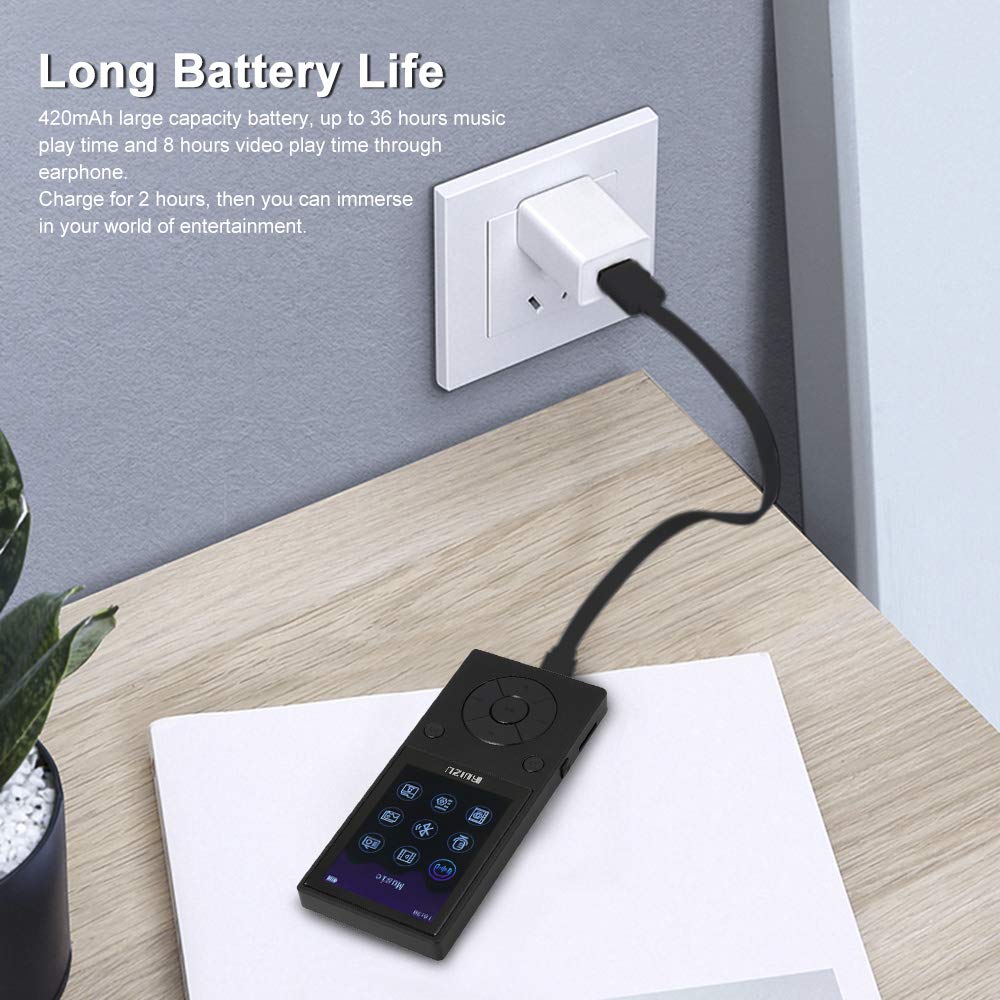
Image 4.1: The D11 player connected to a wall charger, illustrating the charging process. The device has a 420mAh battery, providing up to 36 hours of music playback or 8 hours of video playback through earphones on a full charge.
4.2 Inserting a TF Card (Optional)
The D11 player has 8GB of built-in memory. To expand storage, you can insert a TF (Micro SD) card up to 64GB. Locate the TF card slot on the side of the device. Gently insert the TF card into the slot until it clicks into place.

Image 4.2: The D11 player with a 64GB TF card, demonstrating the expandable memory feature. The device has 8GB built-in memory and supports up to 64GB external TF card storage.
4.3 Powering On/Off
- To Power On: Press and hold the power button (usually located on the side or top) until the screen lights up.
- To Power Off: Press and hold the power button until the power-off prompt appears, then confirm.
5. Operating Instructions
5.1 Basic Navigation
Use the directional buttons on the front panel to navigate through menus. The central button typically acts as 'Enter' or 'Play/Pause'. The 'Return' button (often labeled with a curved arrow) takes you back to the previous screen or menu.

Image 5.1: The main menu screen of the D11 player, showing icons for various functions like Music, Video, E-book, FM Radio, Voice Recorder, Bluetooth, Pictures, Settings, and Tools.
5.2 Music Playback
- From the main menu, select 'Music'.
- Browse your music library by artist, album, genre, or all songs.
- Select a song and press the central button to play.
- Use the directional buttons for next/previous track and the central button for play/pause.
- Adjust volume using the dedicated volume buttons on the side.

Image 5.2: The D11 player connected to wired earphones, demonstrating music playback. The screen shows a music interface with track information.
5.3 Video Playback
- From the main menu, select 'Video'.
- Browse your video files (supported formats: AMV, AVI).
- Select a video and press the central button to play.
5.4 FM Radio
- Connect wired earphones; they act as the antenna for FM reception.
- From the main menu, select 'FM Radio'.
- Use the navigation buttons to scan for stations or manually tune.
5.5 Voice Recorder
- From the main menu, select 'Voice Recorder'.
- Press the central button to start recording. Press again to pause/stop.
- Recordings are saved in WAV or MP3 format.
5.6 Bluetooth Connection
- From the main menu, select 'Bluetooth'.
- Turn Bluetooth 'On'.
- The player will scan for available Bluetooth devices.
- Select your desired Bluetooth headphones or speaker from the list to pair.
5.7 E-book Reader
- From the main menu, select 'E-book'.
- Browse and select TXT format files to read.
5.8 Picture Viewer
- From the main menu, select 'Pictures'.
- Browse and view JPEG/BMP format images.
5.9 Other Functions (Pedometer, Stopwatch, Alarm, Calendar)
Access these utility functions from the 'Tools' or 'Settings' menu on the device. Follow on-screen prompts to configure and use each feature.
6. Maintenance
- Cleaning: Use a soft, dry cloth to clean the device. Avoid liquid cleaners or abrasive materials.
- Storage: Store the player in a cool, dry place away from direct sunlight and extreme temperatures.
- Battery Care: To prolong battery life, avoid fully discharging the battery frequently. Charge the device regularly, even if not in use for extended periods.
- Avoid Impacts: Protect the device from drops and impacts, which can damage internal components or the screen.
7. Troubleshooting
7.1 Device Does Not Power On
- Ensure the battery is charged. Connect the player to a power source and allow it to charge for at least 15 minutes before attempting to power on again.
- If the device is unresponsive, try performing a reset (refer to the device's specific reset procedure, often a small pinhole button or holding the power button for an extended period).
7.2 No Sound
- Check the volume level.
- Ensure earphones are properly connected or that the Bluetooth device is paired and connected correctly.
- Test with different earphones or Bluetooth devices to rule out accessory issues.
7.3 Cannot Transfer Files
- Ensure the player is correctly connected to your computer via the USB cable.
- Check if the player is recognized as a removable disk on your computer.
- Verify that the file formats are supported by the player.
7.4 Screen is Unresponsive or Frozen
- Press and hold the power button for about 10-15 seconds to force a restart.
- If the issue persists, ensure the device is fully charged.
8. Specifications
| Feature | Specification |
|---|---|
| Model Number | D11 |
| Built-in Memory | 8GB |
| Expandable Memory | Supports up to 64GB TF Card |
| Bluetooth Version | V4.0 |
| Transmission Distance | 10m / 33ft |
| Screen Type | 2.4-inch TFT Screen (240*320p) |
| Supported Music Formats | WMA, MP3, APE, FLAC, WAV, DRM, ACELP |
| Supported Video Formats | AMV, AVI |
| Supported Voice Record Formats | WAV, MP3 |
| Supported Picture Formats | JPEG, BMP |
| Supported E-book Format | TXT |
| Battery Type | 420mAh 3.7V Poly-lithium Battery |
| Music Play Time (Earphone) | Approx. 36 hours |
| Music Play Time (Speaker) | Approx. 8 hours |
| Video Play Time (Earphone) | Approx. 8 hours |
| Video Play Time (Speaker) | Approx. 4.5 hours |
| Charging Time | Approx. 2 hours |
| Material | Zinc Alloy + Plastic |
| Dimensions | 109 x 49 x 10 mm (4.29 x 1.92 x 0.39 in) |
| Weight | 101g (3.56oz) |
9. Warranty and Support
For warranty information and customer support, please refer to the warranty card included with your product or visit the official Docooler website. Keep your purchase receipt as proof of purchase for warranty claims.
Ask a question about this manual
Ask about setup, troubleshooting, compatibility, parts, safety, or missing instructions. Manuals+ will review the question and use this page’s manual context to help answer it.