
Radiolink T8S DB
Radiolink T8S 8 Channels RC Transmitter User Manual
Model: T8S DB
Brand: Radiolink
Introduction
This manual provides detailed instructions for the Radiolink T8S 8 Channels 2.4GHz RC Pocket Size Portable Transmitter and its accompanying R8EF Receiver. The T8S is designed for precise control across a variety of RC models, including quadcopters, airplanes, cars, and boats. It features advanced FHSS communication technology for stable signal transmission and a built-in rechargeable battery for extended use. Please read this manual thoroughly to ensure proper setup, operation, and maintenance of your device.
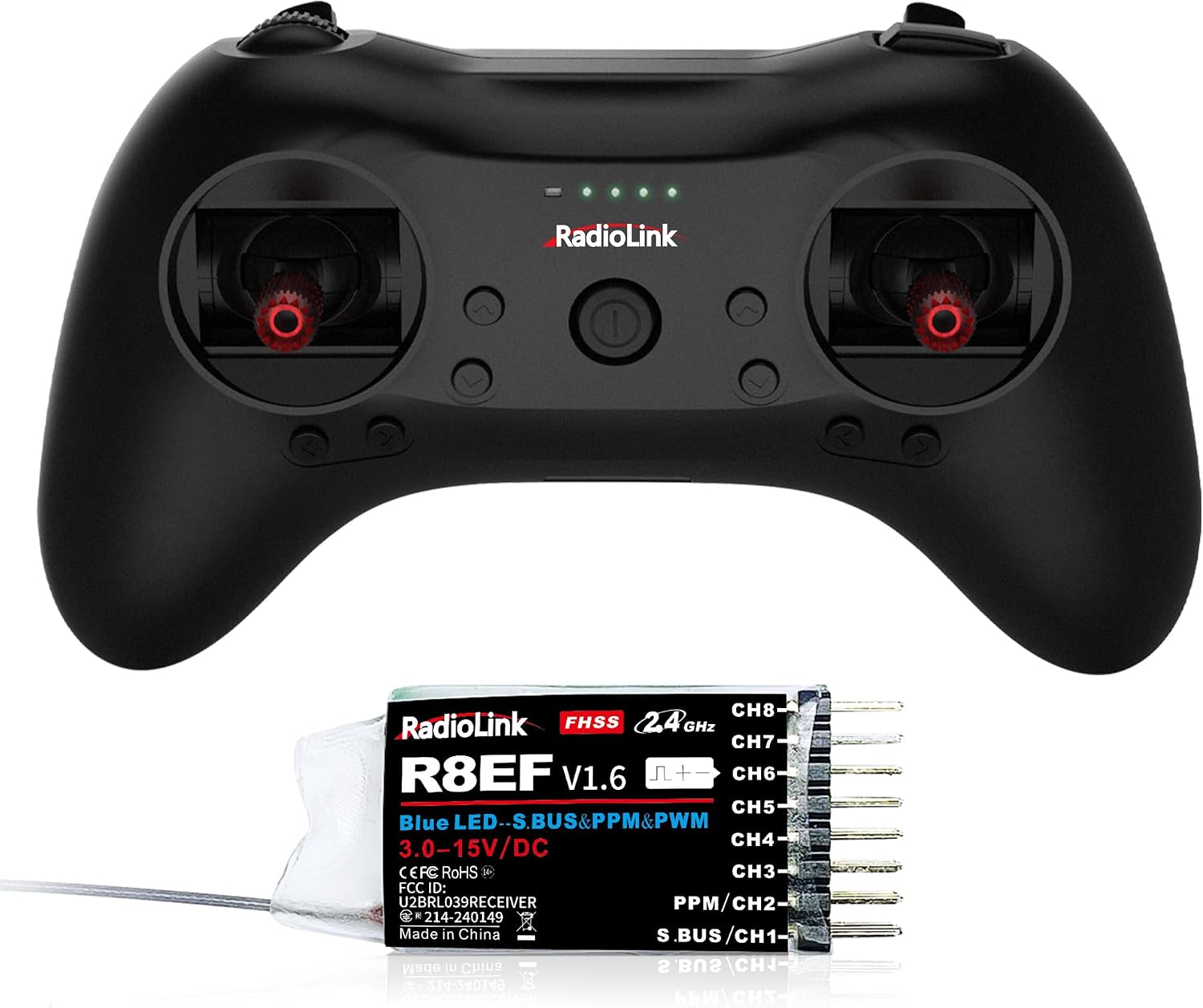
Figure 1: Radiolink T8S Transmitter and R8EF Receiver.
What's in the Box
Upon unboxing, verify that all components are present:
- 1 x T8S Remote Controller
- 1 x R8EF Receiver
- 1 x USB Cable (for Upgrade/Charge)
- 1 x Hook and Spring
- 1 x Instruction Manual (this document)

Figure 2: Package contents including the T8S remote controller, R8EF receiver, USB cable, hook, and spring.
Key Features
The Radiolink T8S offers a range of features designed for enhanced control and user convenience:
- Excellent Anti-interference: Utilizes real pseudo-random algorithm FHSS communication technology for stable signal and long-range control up to 1.3 miles (2000m) in the air.
- 8 Channels: Provides ample control options for complex RC models.
- Low Latency: Ensures responsive control.
- One Button Switch Dual Rate: Allows for quick adjustment of control sensitivity.
- Low Voltage Alarm & Signal Alarm (RSSI): Provides critical feedback on battery status and signal strength.
- Fail-safe & EPA: Enhances safety and control precision.
- 4 Programmable Mixing Control & Throttle Exponent: Offers advanced customization for various flight/driving characteristics.
- Wireless Training Function: Facilitates learning and practice.
- Built-in Rechargeable Battery: Provides approximately 5 hours of standby time.
- Unlimited Model Storage: Allows for saving configurations for numerous models.
- Dual Sticks Self-return to Center: Ideal for RC cars, boats, robots, and educational applications.
- Ergonomic Design: Comfortable grip suitable for both teenagers and adults.
- Versatile Compatibility: Compatible with various Radiolink receivers (R8EF, R8XM, R8SM, R8FM, R8FG, R7FG, R6FG, R6F, R4FGM, R12F, R16F) and flight simulators (AeroFly, Uncrashed, Liftoff, Tryp FPV, FPV LogicV, Velocidrone). Also compatible with autopilots (ArduPilot, PX4), MCUs (Arduino, STM32), and SBCs (Raspberry Pi, BeagleBone, Nvidia Jetson, Asus Tinker Board, Le Potato, Odroid, LattePanda).

Figure 3: Overview of T8S versatile capabilities.
Setup
Initial Connection and App Setup
The T8S can be configured using a mobile application (iOS/Android) via Bluetooth or a PC application via USB cable. Ensure your device is fully charged before beginning the setup process.
- Download the App:
- For iOS: Search "Radiolink" in the Apple App Store.
- For Android: Search "Radiolink" in the Google Play Store.
- For PC: Download the application from the official Radiolink website.
- Connect the T8S:
- Bluetooth (Mobile App): Turn on the T8S. Open the Radiolink app on your smartphone or tablet. Follow the in-app instructions to connect via Bluetooth.
- USB (PC App): Connect the T8S to your computer using the included USB cable. Open the Radiolink PC application.
- Basic Configuration: Once connected, the app will display various settings. You can adjust parameters such as channel assignments, dual rates, and fail-safe settings.

Figure 4: Radiolink App Download and T8S Setting Interface.

Figure 5: Detailed APP Setup options for the T8S.
Firmware Updates
Regularly check for and install firmware updates to access the latest features and improvements. Firmware updates are typically performed via the PC application using the USB cable.
Operating
Basic Controls
The T8S features dual sticks for precise control. The layout includes various switches and buttons for different functions, such as gyro sensitivity modification, light control, and camera shutter activation.

Figure 6: T8S Switches and Usage Scenes.
Throttle Exponential Setup
Setting throttle exponent allows for more precise aircraft control based on your needs. This video tutorial demonstrates how to set up throttle exponent for precise aircraft control using the T8S.
Video 1: How to Set Throttle Exponential Using T8S. This video guides users through the process of adjusting throttle exponent settings for finer control of RC aircraft.
Application with Various Models
The T8S is highly versatile and can be used with a wide range of RC models, including:
- RC Cars
- RC Boats
- RC Robots (e.g., boxing bots, Arduino robots)
- Multirotors (drones)
- Airplanes
- Semi-trucks
- STEM RC Projects

Figure 7: The T8S is suitable for multiple RC models.
Wireless Flight Simulator
The T8S supports wireless flight simulators, allowing users to practice and refine their control skills without risking their physical models. This requires a simulator dongle (sold separately) and a compatible Radiolink PPM receiver (R8EF, R8SM, R8FM, or R8XM).

Figure 8: Enjoying the wireless flight simulator with T8S.
Maintenance
Proper maintenance ensures the longevity and optimal performance of your Radiolink T8S transmitter and R8EF receiver.
- Cleaning: Use a soft, dry cloth to clean the transmitter and receiver. Avoid using solvents or abrasive cleaners.
- Storage: Store the device in a cool, dry place away from direct sunlight and extreme temperatures. When storing for extended periods, ensure the battery is charged to approximately 50% to prevent degradation.
- Battery Care: Recharge the built-in battery regularly, even if not in frequent use, to maintain battery health. Avoid overcharging or completely draining the battery.
- Physical Inspection: Periodically check for any loose connections, damaged wires, or physical wear and tear on the sticks, switches, and casing.
Troubleshooting
If you encounter issues with your Radiolink T8S, consider the following common troubleshooting steps:
- No Power: Ensure the battery is fully charged. Check the USB cable connection if charging via PC.
- Connection Issues (Transmitter & Receiver): Re-bind the transmitter and receiver according to the pairing instructions in the full user manual. Ensure no other strong 2.4GHz signals are interfering.
- App Connection Problems: Verify Bluetooth is enabled on your mobile device. Ensure the T8S is powered on and within range. Try restarting both the app and the transmitter.
- Unresponsive Controls: Check the receiver's connection to your RC model. Verify that the correct model profile is selected in the T8S settings. Calibrate the sticks if necessary via the app.
- Short Range: Ensure the receiver antenna is properly positioned and not obstructed. Check for local interference sources.
For more detailed troubleshooting or specific issues, refer to the comprehensive user manual available online or contact Radiolink customer support.
Specifications
| Specification | Value |
|---|---|
| Product Dimensions | 6.4 x 3.76 x 3 inches |
| Item Weight | 4.9 ounces |
| Item Model Number | T8S DB |
| Manufacturer Recommended Age | 14 years and up |
| Batteries | 1 Lithium Metal battery required (included) |
| Channels | 8 Channels |
| Communication Technology | FHSS (Frequency Hopping Spread Spectrum) |
| Control Distance | Up to 1.3 miles (2000m) in the air |
| Standby Time | 5 Hours |
Warranty and Support
Radiolink is committed to providing high-quality products and excellent customer service. While specific warranty details are not provided in this document, Radiolink offers friendly after-sales service and support.
For assistance, please:
- Contact Radiolink Direct store.
- Refer to the online User Instruction.
- Check the FAQ and troubleshooting files on the product's Amazon sales page.