
1. Introduction
Thank you for choosing the MOMAX PS6D Cell Phone and Tablet Stand. This manual provides essential information for the proper setup, operation, and maintenance of your device stand. Please read this manual thoroughly before use to ensure optimal performance and longevity of the product.
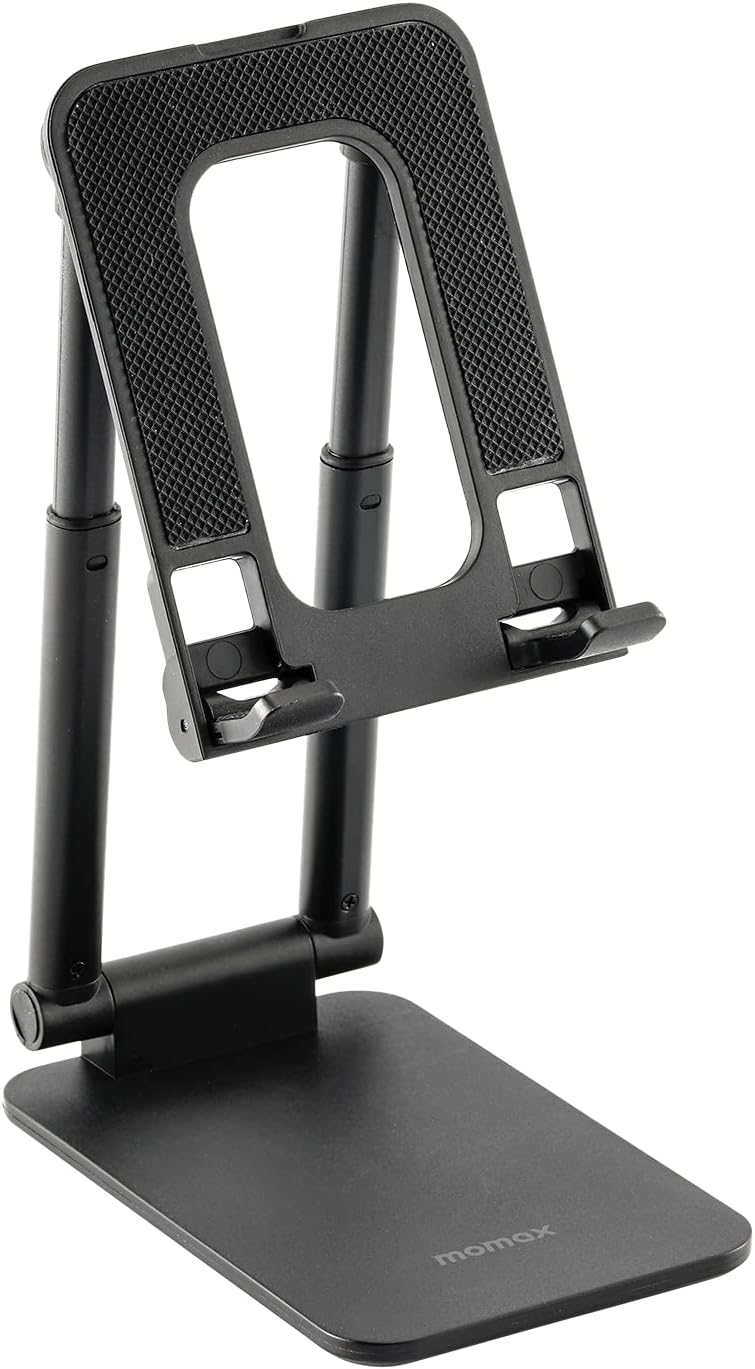
Figure 1: MOMAX PS6D Cell Phone and Tablet Stand.
2. Product Overview
2.1 Key Features
- Fully Foldable Design: The stand can be compactly folded for easy storage and portability.
- Height & Angle Adjustable: Features dual-axis adjustment for customizable viewing angles and heights.
- Enhanced Stability: Equipped with anti-slip silicone pads and a counterweight block in the base to prevent slipping and ensure device security.
- Universal Compatibility: Supports a wide range of devices from 4 to 10 inches, including smartphones, tablets, and e-readers.
- Hollow Heat Dissipation: The design allows for improved airflow, preventing devices from overheating during use or charging.
- Charging Port Access: Designed to allow easy access to charging ports while a device is mounted.
2.2 Components
The MOMAX PS6D stand consists of a base, two adjustable support arms, and a device cradle with silicone padding. The base also contains a hidden counterweight for stability.

Figure 2: The MOMAX PS6D stand in various configurations, demonstrating its compact folded state, and its use with both a smartphone and a tablet.

Figure 3: Detailed view of the stand's construction, highlighting the anti-slip silicone pads on the device cradle and base, and the internal counterweight block for enhanced stability.
3. Setup
- Unfold the Stand: Gently pull the top and bottom sections of the stand apart. The two support arms will extend.
- Adjust the Base: Rotate the base to your desired angle. The hinges are designed to hold their position firmly.
- Adjust the Device Cradle: Tilt the device cradle to achieve the preferred viewing angle.
- Extend Height (Optional): If additional height is needed, pull the upper section of the support arms upwards. The stand will extend vertically.
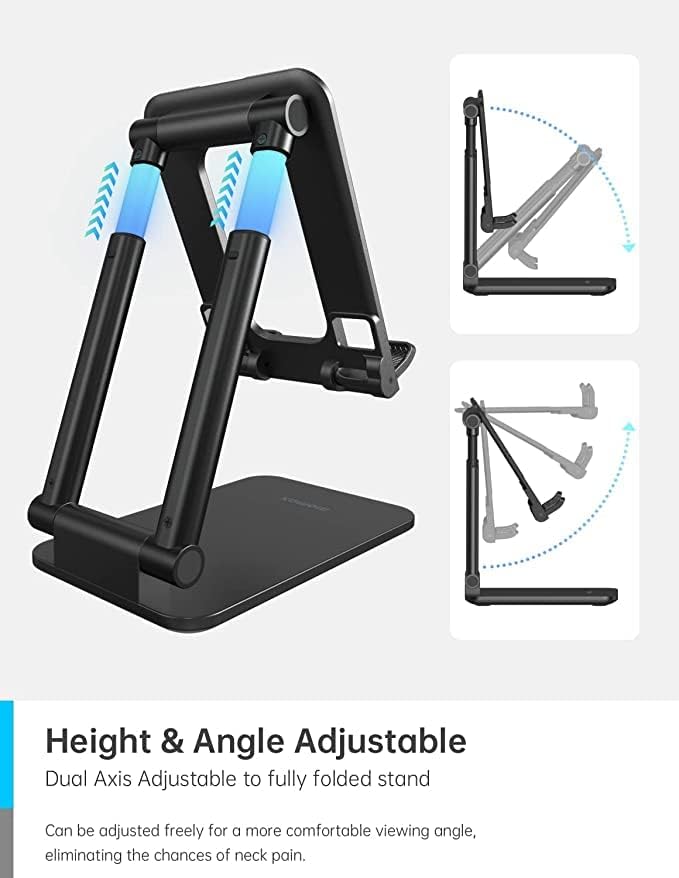
Figure 4: Visual representation of the stand's adjustable height and angle capabilities, showing how the dual axes can be manipulated for optimal viewing.
4. Operating Instructions
- Place Your Device: Carefully place your smartphone or tablet onto the silicone-padded device cradle. Ensure it rests securely.
- Adjust Viewing Angle: Adjust the tilt of the device cradle and the height of the support arms to find your most comfortable viewing position.
- Charging: The stand's design allows for a charging cable to be connected to your device while it is on the stand.

Figure 5: The stand demonstrating universal compatibility by holding a smartphone, with illustrations of various compatible devices (phones, tablets, e-readers) in the background.
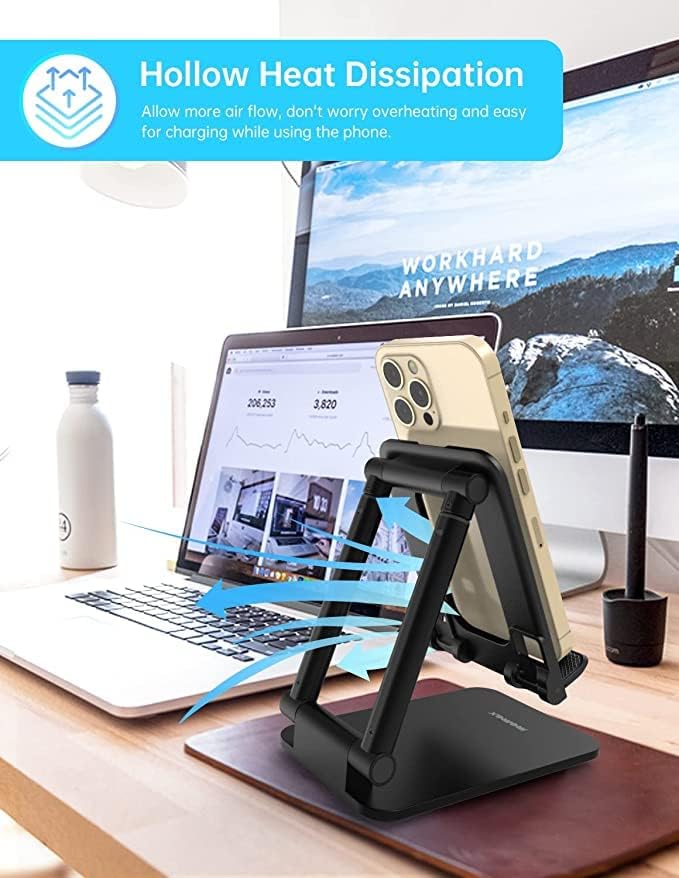
Figure 6: The hollow design of the stand, allowing for air circulation to dissipate heat from the device, shown with a smartphone on the stand in a desk environment.
Video 1: Official MOMAX video demonstrating the stand's fully foldable and height-adjustable features, showcasing its versatility with both cell phones and tablets.
5. Maintenance
- Cleaning: Wipe the stand with a soft, damp cloth. Avoid using abrasive cleaners or solvents that may damage the finish.
- Storage: When not in use, fold the stand into its compact form and store it in a dry place away from direct sunlight.
6. Troubleshooting
6.1 Stability Issues
If the stand feels unstable or your device wobbles:
- Ensure the stand is placed on a flat, stable surface.
- Verify that the support arms and device cradle are fully extended and locked into their desired positions.
- Check that the silicone pads on the base and cradle are clean and free from debris, as this can affect grip.
6.2 Difficulty Adjusting
If the hinges are stiff or difficult to adjust:
- Apply gentle, even pressure when adjusting. The hinges are designed to be firm to maintain position.
- Avoid forcing the hinges beyond their intended range of motion.
7. Specifications
| Feature | Detail |
|---|---|
| Product Dimensions | 4.92 x 3.15 x 1.02 inches |
| Item Weight | 8.6 ounces |
| Item Model Number | PS6D |
| Compatible Devices | All Phone/Tablet/Other devices Up to 10" (e.g., iPhone, Samsung Galaxy, Pixel, LG, One Plus, Kindle, Huawei, Sony, Moto, Asus, iPad, Switch) |
| Color | Black gray |
| Manufacturer | Momax Technology (HongKong) Ltd. |
8. Warranty and Support
For warranty information and customer support, please refer to the documentation included with your purchase or visit the official MOMAX website. Keep your proof of purchase for any warranty claims.