
Introduction
Thank you for purchasing the SXFJF TWS Bluetooth 5.0 Wireless Earbuds. This manual provides detailed instructions on how to set up, operate, maintain, and troubleshoot your new earbuds. Please read this manual carefully before use to ensure optimal performance and longevity of your device.
Package Contents
- 2 x Wireless Earbuds
- 1 x Charging Case
- 1 x Type-C Charging Cable
- 1 x User Manual
Product Overview
The SXFJF TWS Bluetooth 5.0 Wireless Earbuds offer a high-fidelity audio experience with advanced features like noise cancellation and low latency, suitable for both music and gaming. The ergonomic design ensures a comfortable fit for extended use.

Image: The SXFJF TWS Bluetooth 5.0 Wireless Earbuds shown with their charging case.

Image: Visual representation of key product features including game mode, long battery life, multiple color options, and Bluetooth 5.0 connectivity.
Setup
1. Charging the Earbuds and Case
Before first use, fully charge the earbuds and the charging case. Place the earbuds into the charging case. Connect the Type-C charging cable to the charging case and a USB power adapter (not included).
- Charging Case Capacity: 300mAh
- Earbud Battery Capacity: 25mAh per earbud
- Charging Time: Approximately 1 hour
- Use Time (Single Charge): Approximately 4-5 hours
- Total Playtime with Charging Case: Up to 30 hours

Image: Earbuds inside the charging case, illustrating individual earbud capacity (25mAh), Bluetooth distance (10m), and headphone battery life (4-5 hours).
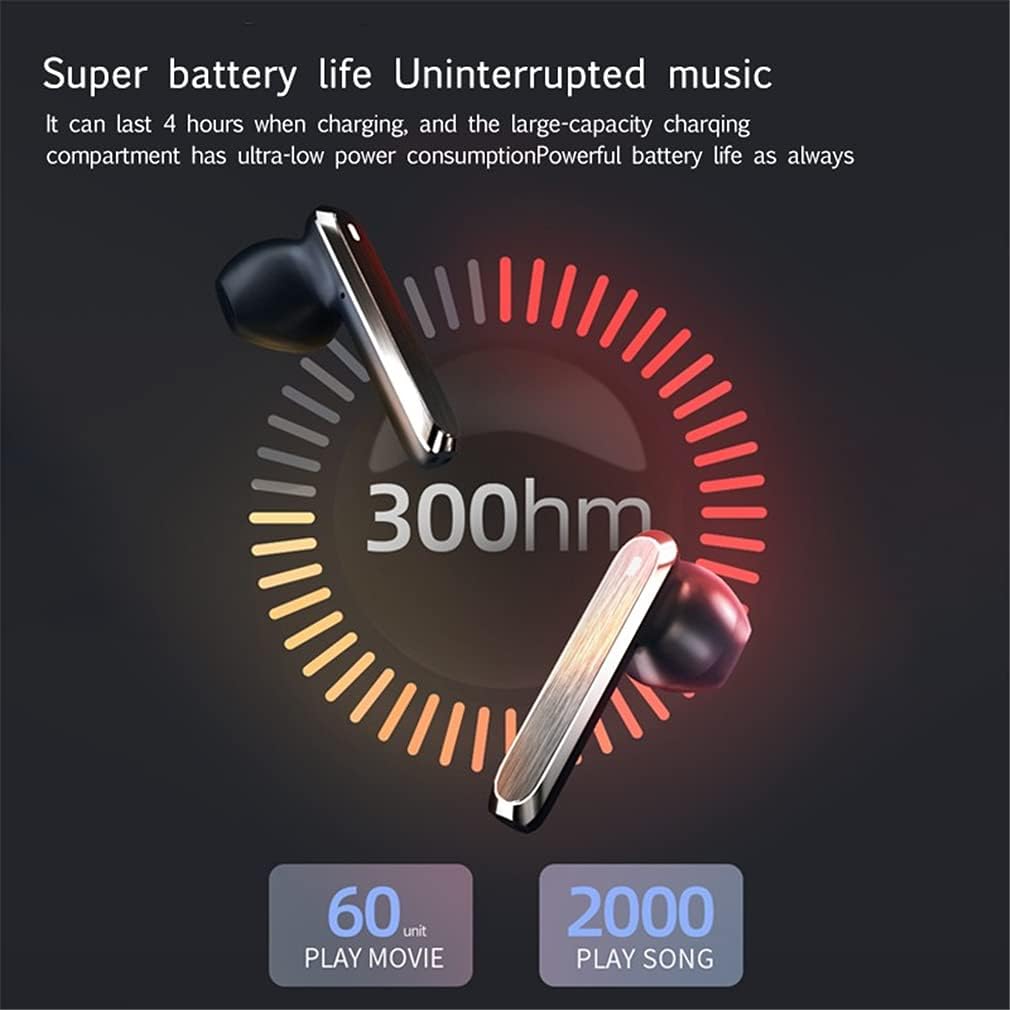
Image: Graphic depicting the 300mAh capacity of the charging case and estimated usage for movies (60 units) and songs (2000 units).
2. Pairing with a Bluetooth Device
- Ensure the earbuds are charged.
- Open the charging case. The earbuds will automatically power on and enter pairing mode.
- On your device (smartphone, tablet, etc.), enable Bluetooth.
- Search for available Bluetooth devices and select "SXFJF Earbuds" (or similar name) from the list.
- Once connected, you will hear a confirmation tone, and the earbuds will be ready for use.
- After the initial pairing, the earbuds will automatically connect to your last paired device when taken out of the charging case.

Image: Close-up view of the internal Bluetooth 5.0 chip, illustrating its role in fast and stable signal transmission with reduced delay.
Operating Instructions
The earbuds feature touch controls for various functions.

Image: Diagram illustrating the touch control areas on the earbud for functions such as play/pause, skipping tracks, volume adjustment, call management, and activating voice assistant.
Touch Control Functions:
- Play/Pause: Single tap on either earbud.
- Next Track: Double tap on the right earbud.
- Previous Track: Double tap on the left earbud.
- Volume Up: Triple tap on the right earbud.
- Volume Down: Triple tap on the left earbud.
- Answer/End Call: Single tap on either earbud during an incoming call.
- Reject Call: Press and hold either earbud for 2 seconds during an incoming call.
- Activate Voice Assistant (Siri/Google Assistant): Press and hold either earbud for 3 seconds.
- Power On: Take earbuds out of the charging case.
- Power Off: Place earbuds back into the charging case.
Maintenance
Proper maintenance ensures the longevity and performance of your earbuds.
- Clean the earbuds and charging case regularly with a soft, dry cloth.
- Do not use abrasive cleaners or solvents.
- Keep the charging contacts on both the earbuds and the case clean and free of debris.
- Avoid exposing the earbuds to extreme temperatures, humidity, or liquids.
- Store the earbuds in their charging case when not in use to protect them and keep them charged.

Image: Detailed views highlighting the earbud's charging port, earplugs, and the touch-sensitive area for controls.
Troubleshooting
- Earbuds not pairing:
Ensure both earbuds are charged. Place them back in the case, close it, then open it again to re-initiate pairing mode. Delete the previous pairing record from your device's Bluetooth list and try pairing again. - Only one earbud working:
Ensure both earbuds are charged. Try resetting the earbuds by placing them in the charging case, closing the lid for 5 seconds, then opening it. If the issue persists, try re-pairing. - No sound:
Check the volume level on your connected device. Ensure the earbuds are properly paired and connected. Try playing audio from a different application or device. - Charging issue:
Verify the charging cable is securely connected to both the case and the power source. Ensure the charging contacts on the earbuds and inside the case are clean. - Poor sound quality/disconnections:
Ensure there are no obstructions between the earbuds and your device. Move closer to your device to reduce interference. Avoid using the earbuds in environments with strong electromagnetic interference.
Specifications
| Feature | Specification |
|---|---|
| Product Name | Sports Games Earbuds |
| Bluetooth Version | V5.0 |
| Bluetooth Distance | Up to 10 Meters (33 feet) |
| Headphone Battery Capacity | 25mAh (per earbud) |
| Charging Compartment Battery Capacity | 300mAh |
| Use Time | Approximately 4-5 hours |
| Charging Time | Approximately 1 hour |
| Standby Time | 120 hours |
| Frequency Response Range | 20Hz-20KHz |
| Charging Voltage/Current | 5V/1A |
| Weight | 0.13kg (bare metal) |
| Earbud Dimensions | 39mm*20mm*6.7mm |
| Special Features | Wind Noise Reduction, Noise Cancellation, Microphone Included |
| Control Method | Touch |
| Form Factor | In Ear |
Warranty and Support
This product comes with a standard manufacturer's warranty. For specific warranty details and duration, please refer to the product packaging or contact the retailer where the product was purchased.
For technical support or inquiries, please contact the manufacturer or your retailer. Keep your purchase receipt as proof of purchase for warranty claims.