
1. Introduction
Thank you for purchasing the Suright YD820-WH Rechargeable LED Night Light. This versatile night light offers warm white dimmable illumination and a vibrant 7-color RGB mode, controlled by intuitive touch functions and equipped with a convenient timer. Designed with safety and comfort in mind, it is ideal for children's rooms, bedside use, and various indoor settings. Please read this manual carefully before use to ensure proper operation and maintenance.
2. Important Safety Instructions
- Do not disassemble, repair, or modify the product.
- Keep the device away from water and high humidity environments. This product is not waterproof.
- Avoid exposing the device to direct sunlight or extreme temperatures.
- Use only the provided USB cable or a compatible Type-C charger for charging.
- Keep out of reach of small children when not in use to prevent choking hazards from small parts.
- If the product is damaged, discontinue use immediately.
3. Package Contents
- Suright YD820-WH LED Night Light (1)
- USB Type-C Charging Cable (1)
- User Manual (1)
4. Product Overview
Familiarize yourself with the components of your Suright Night Light:

Image: Bottom view of the night light, highlighting the RGB/OFF/Warm switch, 30min/KEEP/60min timer switch, USB charging port, and LED indicator.
- Top Surface: Touch-sensitive area for brightness adjustment and color selection.
- RGB/OFF/Warm Switch: Located at the bottom, this switch selects between RGB color mode, Off, or Warm white light mode.
- 30min/KEEP/60min Switch: Located at the bottom, this switch sets the timer for 30 minutes, 60 minutes, or keeps the light on continuously.
- USB Charging Port: Type-C port for recharging the internal battery.
- LED Indicator: Shows charging status (Red for charging, Blue for fully charged).
- Bottom Hook: Integrated hook for hanging the night light.
5. Setup
5.1 Initial Charge
Before first use, fully charge the night light. Connect the provided USB Type-C cable to the charging port on the bottom of the lamp and plug the other end into a compatible USB power source (e.g., computer, power bank, phone charger).
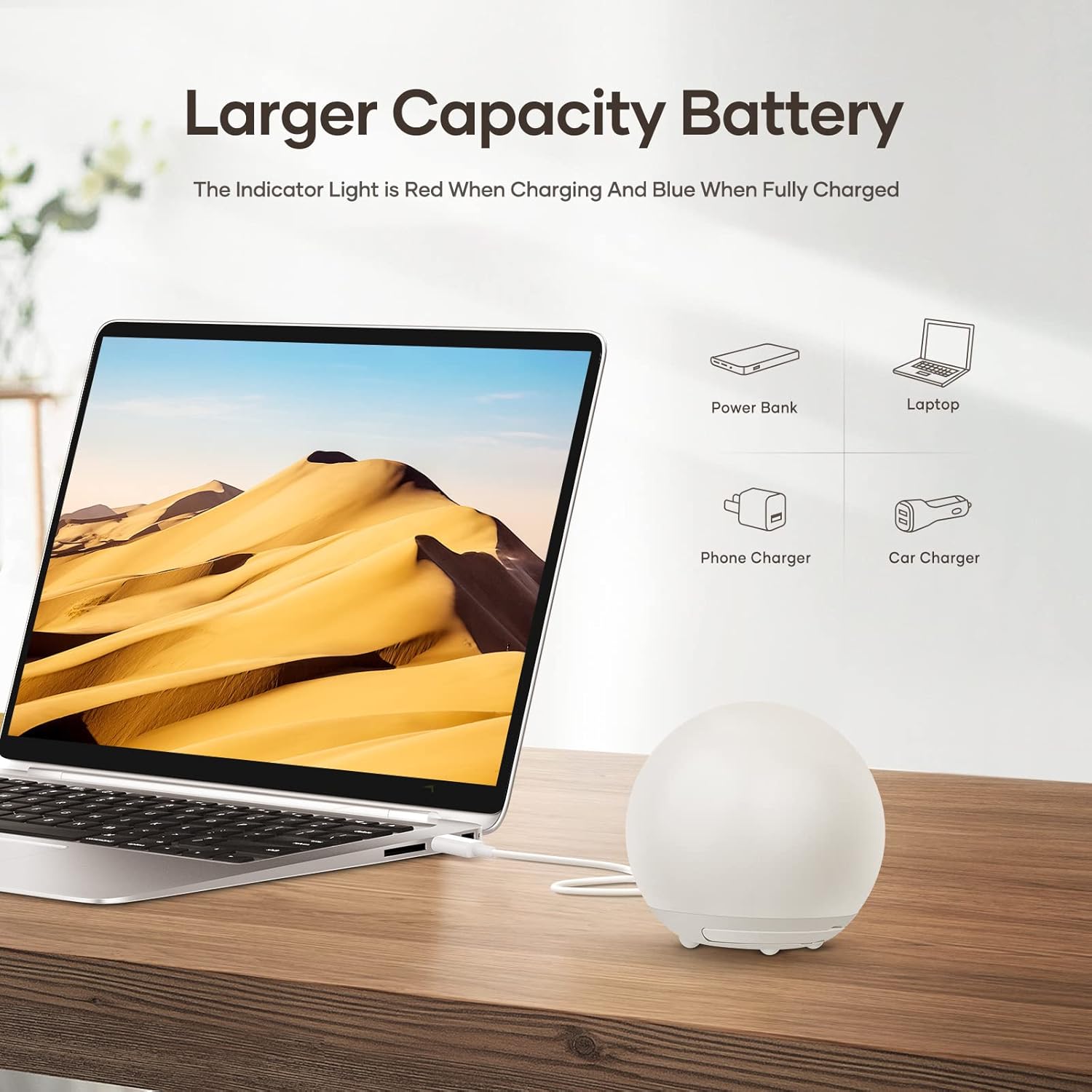
Image: The night light charging via a USB-C cable connected to a laptop. The indicator light is red during charging and blue when fully charged.
- The LED indicator will glow red while charging.
- The LED indicator will turn blue when fully charged.
- A full charge takes approximately 2.5 hours.
6. Operating Instructions
6.1 Power On/Off and Mode Selection
Use the RGB/OFF/Warm switch on the bottom of the lamp to select the desired light mode:
- Slide to 'Warm' for warm white light mode.
- Slide to 'RGB' for 7-color cycling mode.
- Slide to 'OFF' to turn off the light.

Image: Visual guide for touch control. Shows the bottom switch for mode selection and double-tap action for power on/off.
6.2 Warm White Light Mode (Dimmable)
When the switch is set to 'Warm':
- Turn On/Off: Double-tap the top center of the light.
- Adjust Brightness: Touch and hold the top center to continuously adjust the brightness from 10% to 100%. Release when the desired brightness is reached.

Image: The night light showing its dimensions and illustrating how to adjust brightness by long-pressing the top surface.
6.3 RGB 7-Color Mode
When the switch is set to 'RGB':
- The light will automatically cycle through 7 colors.
- Pause Color Cycle: Short-tap the top center to pause on the current color.
- Resume Color Cycle: Short-tap the top center again to resume the automatic color cycle.

Image: A display of seven night lights, each glowing in a different color, demonstrating the 7-color RGB feature.
6.4 Timer Function
Use the 30min/KEEP/60min switch on the bottom of the lamp to set the timer:
- Slide to '30min': The light will automatically turn off after 30 minutes.
- Slide to '60min': The light will automatically turn off after 60 minutes.
- Slide to 'KEEP': The light will remain on until manually turned off or the battery runs out.

Image: A child sleeping with the night light, illustrating the timer function for 30 or 60 minutes, designed for soft light eye protection.
6.5 Memory Function
The night light remembers your last brightness setting in warm white mode and the last selected color in RGB mode. When you turn the light back on, it will resume with your previous settings.

Image: A night light on a bedside table, representing the memory function that automatically recalls the last brightness and color settings.
7. Charging the Night Light
When the battery is low, the light may dim or turn off. Recharge the device using the provided USB Type-C cable.
- Connect the USB cable to the charging port on the bottom of the night light.
- Connect the other end to a USB power adapter (5V/1A recommended), computer, or power bank.
- The LED indicator will be red during charging and turn blue when fully charged.
- A full charge provides 9 to 100 hours of use, depending on brightness and color mode.
8. Maintenance and Care
- Clean the night light with a soft, dry cloth. Do not use abrasive cleaners or solvents.
- Do not immerse the product in water or expose it to excessive moisture.
- The silicone shell is designed to be fall-resistant and durable, but avoid intentional drops from significant heights.

Image: The night light on a table and floor, highlighting its durable construction from ABS and soft silicone, making it fall-resistant.
9. Troubleshooting
| Problem | Possible Cause | Solution |
|---|---|---|
| Light does not turn on. | Battery is depleted. Switch is in 'OFF' position. | Charge the night light. Slide the switch to 'Warm' or 'RGB'. |
| Touch control is unresponsive. | Switch is in 'OFF' position. | Ensure the switch is in 'Warm' or 'RGB' mode. Touch control is inactive in 'OFF' mode. |
| Light turns off unexpectedly. | Timer is activated. Battery is low. | Check the timer switch setting. Recharge the night light. |
| RGB colors do not change. | Color cycle is paused. | Short-tap the top center to resume the color cycle. |
10. Specifications
| Feature | Detail |
|---|---|
| Model Number | YD820-WH |
| Material | Silicone, ABS |
| Product Dimensions | 9.5D x 9.3W x 9.3H cm |
| Lamp Type | Night Light |
| Bulb Type | LED |
| Power Source | Battery Powered (2600 mAh Lithium Battery) |
| Charging Time | Approx. 2.5 hours |
| Usage Time | 9-100 hours (depending on brightness/mode) |
| Control Method | Touch, Physical Switches |
| Light Modes | Dimmable Warm White, 7-Color RGB Cycle |
| Timer Function | 30 min, 60 min, or Continuous |
| Connectivity | USB Type-C |
| Water Resistance | Not Water Resistant |
11. Product Video
Video: A demonstration of the Suright night light's features, including brightness adjustment, RGB color cycling, and touch controls. It also highlights the timer function and durable design.
12. Warranty and Support
For warranty information or technical support, please refer to the contact details provided with your purchase or visit the official Suright website. Keep your purchase receipt as proof of purchase.