
Introduction
Thank you for choosing the GIZMORE GIZ ME343 Type C Earphones. These earphones are designed to provide a high-quality audio experience with enhanced bass and clear stereo sound. Featuring a durable design and convenient in-line controls, they are suitable for various activities. This manual provides essential information for setup, operation, maintenance, and troubleshooting to ensure optimal performance and longevity of your earphones.
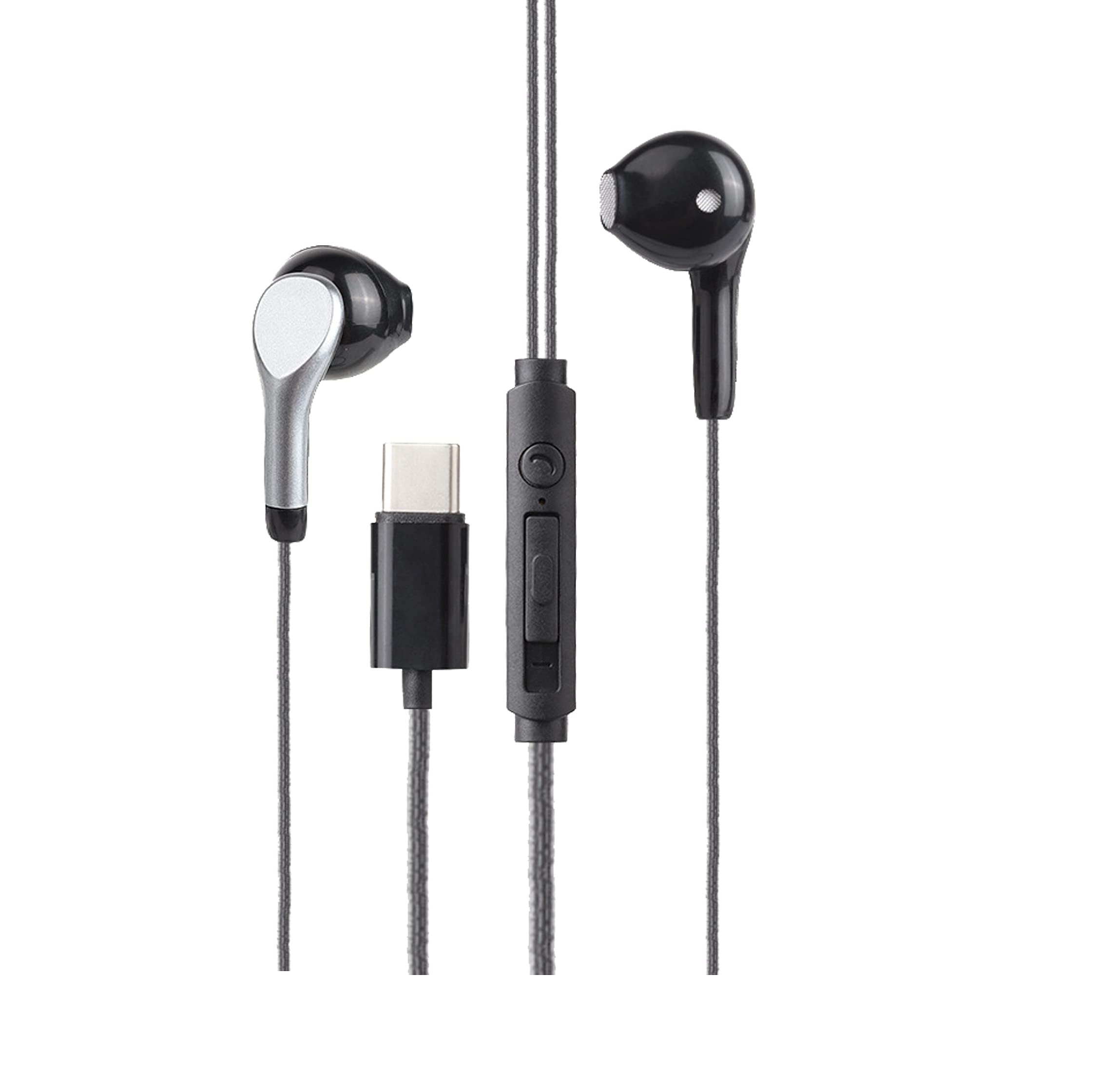
Image: GIZMORE GIZ ME343 Type C Earphones
Setup and Compatibility
The GIZ ME343 earphones feature a USB Type-C connector for direct digital audio output. Follow these steps to connect your earphones:
- Identify the Type-C Port: Locate the USB Type-C port on your compatible device (smartphone, tablet, laptop).
- Connect Earphones: Insert the Type-C connector of the GIZ ME343 earphones firmly into your device's Type-C port.
- Audio Output Selection: Your device should automatically detect the earphones and route audio through them. If not, navigate to your device's audio settings and select the connected earphones as the output device.
Compatibility Note: These earphones are designed for devices with a USB Type-C port that supports audio output. They are compatible with many leading brands, including OnePlus (7, 7 PRO, 6T), Mi A2, and Huawei P30 Pro. They are not compatible with devices that only have a 3.5mm audio jack and lack a Type-C audio output.

Image: Type-C Connector
Operating Instructions
Audio Playback
The GIZ ME343 earphones are equipped with 10mm dynamic drivers, delivering stereo sound with enhanced bass. For optimal audio quality, ensure the ear tips fit snugly in your ears to minimize external noise interference.

Image: 10mm Dynamic Drivers for Hi-Fi audio performance
In-line Controls
The earphones feature an integrated in-line remote and microphone for convenient control of your audio and calls:
- Play/Pause Music: Press the multi-function button once.
- Change Tracks: Press the multi-function button twice for the next track, or three times for the previous track.
- Answer/End Calls: Press the multi-function button once to answer an incoming call or end an active call.
- Reject Calls: Press and hold the multi-function button for a few seconds to reject an incoming call.
- Adjust Volume: Use the dedicated volume up (+) and volume down (-) buttons on the in-line remote.

Image: Integrated Microphone and In-line Controls
Care and Maintenance
Proper care ensures the longevity and performance of your GIZ ME343 earphones:
- Cleaning: Gently wipe the earbuds and cable with a soft, dry cloth. Avoid using harsh chemicals or abrasive materials.
- Storage: When not in use, store the earphones in a clean, dry place. Avoid tangling the cable. The rugged wire design helps prevent damage.
- Water Exposure: These earphones are not water resistant. Avoid exposure to water, sweat, or high humidity to prevent damage.
- Handling: Do not pull the cable forcefully when disconnecting from your device. Always grasp the Type-C connector.

Image: Tangle-Free Cord Design
Troubleshooting
If you encounter issues with your GIZ ME343 earphones, refer to the following common problems and solutions:
| Problem | Solution |
|---|---|
| No sound or intermittent audio. |
|
| Microphone not working or poor call quality. |
|
| In-line controls (play/pause, volume) are unresponsive. |
|
| Earphones do not fit securely or fall out. |
|
Technical Specifications
| Feature | Detail |
|---|---|
| Brand | GIZMORE |
| Model Number | GIZ ME343 |
| Color | Black |
| Ear Placement | In Ear |
| Form Factor | In Ear |
| Headphones Jack | USB Type-C |
| Driver Size | 10mm |
| Cable Length | 1.2 meters |
| Microphone | Integrated In-line Mic |
| Controls | Call Control, Volume Control |
| Water Resistance | Not Water Resistant |
| Item Weight | 14 Grams |
| Material | Plastic (Enclosure) |

Image: 1.2 Meter Cable Length
Warranty Information
The GIZMORE GIZ ME343 earphones come with a 180-day limited manufacturer's warranty from the date of purchase. This warranty covers manufacturing defects under normal use.
Important:
- This warranty is valid only for original GIZMORE products with a valid invoice.
- It does not cover normal wear and tear.
- It does not cover any effects or damages caused by misuse, accident, unauthorized repair, or modification of the product.
- For warranty claims, please retain your purchase invoice.
Customer Support
For any queries, support, or warranty claims regarding your GIZMORE GIZ ME343 earphones, please contact our customer service team:
- Phone: +91 9654034400 (Working hours: Monday to Saturday, 10:00 AM to 7:00 PM IST)
- Email: customercare@gizmore.in
- Manufacturer/Importer: ZAZZ Technology Connect Pvt. Ltd.
- Address: A30, First Floor, (F.I.E.E Complex) Okhla Industrial Area, Phase-2, New Delhi-110020, India