
1. Introduction
Thank you for choosing the Einfeben 16L Dehumidifier. This appliance is designed to efficiently remove excess moisture from the air, creating a more comfortable and healthier indoor environment. By reducing humidity, it helps prevent issues such as mold, mildew, dust mites, and musty odors. This manual provides essential information for the safe and effective operation, maintenance, and troubleshooting of your dehumidifier.
2. Safety Instructions
- Always ensure the dehumidifier is placed on a stable, level surface to prevent tipping and water spillage.
- Do not operate the unit with a damaged power cord or plug. If the cord is damaged, it must be replaced by the manufacturer or a qualified service agent.
- Keep the appliance away from heat sources, direct sunlight, and flammable materials.
- Ensure adequate clearance around the air inlet and outlet to allow for proper airflow. Do not block these openings.
- Do not immerse the unit, power cord, or plug in water or other liquids.
- Unplug the dehumidifier before cleaning, performing maintenance, or when not in use for extended periods.
- This appliance uses R290 refrigerant, which is environmentally friendly. Do not attempt to service the refrigerant system yourself.
- Keep children and pets away from the unit during operation. The unit features a child lock function for added safety.
3. Product Overview
The Einfeben 16L Dehumidifier is designed for high efficiency and quiet operation. It can remove up to 16 liters of moisture per day, making it suitable for various indoor spaces.
Key Features:
- High Dehumidification Capacity: Up to 16 liters per day.
- Energy Efficient: Class A energy efficiency.
- Quiet Operation: Noise level ≤ 36 dB(A), ideal for bedrooms and offices.
- Automatic Shut-off: Unit automatically turns off when the water tank is full.
- LED Display & Control Panel: Intuitive touch controls with digital display for easy operation.
- Timer Function: Program the unit to turn on or off automatically.
- Laundry Drying Function: Helps dry clothes faster indoors.
- Automatic Defrost Function: Ensures efficient operation even in cooler temperatures.
- Tri-color Humidity Indicator: Visual indication of current humidity levels.

Figure 3.1: Front view of the Einfeben 16L Dehumidifier, illustrating its sleek design and air circulation.

Figure 3.2: Detailed view of the intuitive touch control panel and digital display.

Figure 3.3: The control panel showing the tri-color humidity indicator and a full water tank warning.
4. Setup
4.1 Unpacking
Carefully remove the dehumidifier from its packaging. Retain the packaging materials for future storage or transport. Inspect the unit for any signs of damage. If damaged, do not operate and contact customer support.
4.2 Placement
For optimal performance, place the dehumidifier in a central location within the room where dehumidification is needed. Ensure there is at least 20 cm (8 inches) of space around all sides of the unit to allow for proper air circulation. Avoid placing it directly against walls or furniture.
The recommended room size for effective operation is approximately 20-25 square meters (215-270 sq ft).
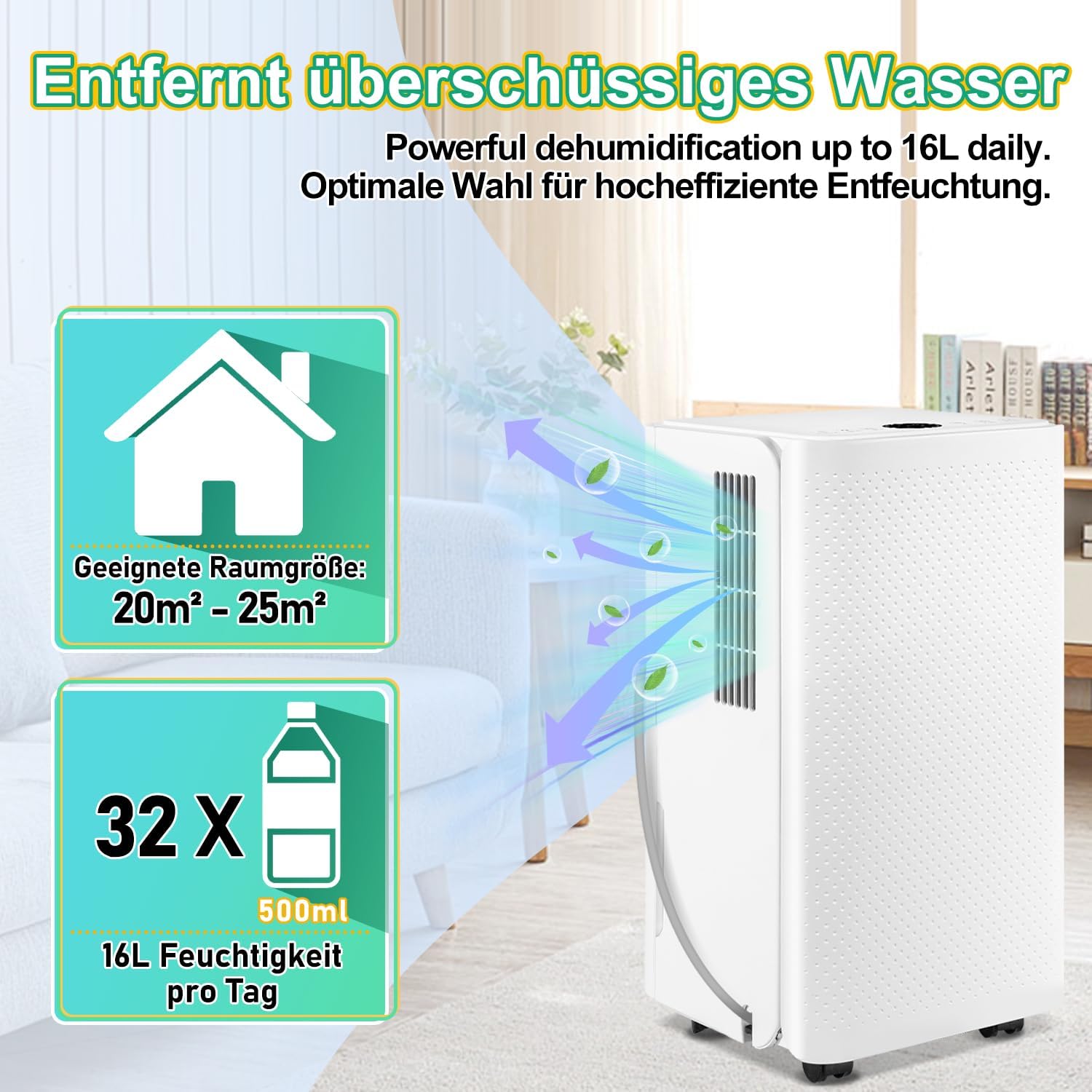
Figure 4.1: Dehumidifier dimensions and recommended room size for optimal placement.
4.3 Power Connection
Plug the power cord into a grounded electrical outlet. Ensure the voltage matches the specifications of the unit (refer to the Specifications section).
5. Operating Instructions
5.1 Control Panel Functions
The control panel features touch-sensitive buttons and an LED display:
- POWER: Turns the unit on or off.
- MODE: Cycles through different operating modes (e.g., Auto, Continuous, Sleep, Drying).
- ADJ (Adjust): Used to set desired humidity levels or timer settings.
- TIMER: Activates the timer function for delayed start or stop.
- FAN: Adjusts fan speed (if applicable).
- LOCK: Activates/deactivates the child lock function.
5.2 Power On/Off
Press the POWER button to turn the dehumidifier on. Press it again to turn the unit off.
5.3 Mode Selection
Press the MODE button to cycle through the available operating modes. The selected mode will be indicated on the LED display.
- Auto Mode: The unit automatically adjusts dehumidification based on the ambient humidity.
- Continuous Mode: The unit operates continuously regardless of humidity levels.
- Sleep Mode: Operates at a lower fan speed and reduced noise for quiet environments.
- Drying Mode (Laundry): Optimized for drying clothes, providing continuous powerful dehumidification.
5.4 Humidity Setting
In Auto Mode, you can set your desired humidity level using the ADJ buttons. The unit will operate until the set humidity is reached, then cycle on and off to maintain it.
5.5 Timer Function
Press the TIMER button to set a delay for the unit to turn on or off. Use the ADJ buttons to adjust the desired time in hours. The timer can be set for up to 24 hours.
5.6 Drainage Options
Your dehumidifier offers two drainage methods:
- Removable Water Tank: The unit has a 2000 ml (2 liter) water tank. When the tank is full, the unit will automatically shut off, and a warning indicator will light up (as shown in Figure 3.3). Carefully remove the tank, empty the collected water, and reinsert it firmly until it clicks into place.
- Continuous Drainage: For continuous operation without needing to empty the tank, connect the included drainage hose to the continuous drainage port on the back of the unit. Ensure the hose is routed downwards to a floor drain or a larger container, allowing gravity to drain the water.

Figure 5.1: Illustration of the two available drainage methods.
5.7 Automatic Defrost Function
The dehumidifier is equipped with an automatic defrost function. If frost builds up on the evaporator coils in low temperatures, the unit will automatically enter defrost mode to melt the ice, ensuring continued efficient operation.
6. Maintenance
Regular maintenance ensures the longevity and efficiency of your dehumidifier.
6.1 Cleaning the Water Tank
Empty and clean the water tank regularly, especially if using the removable tank option. Rinse it with clean water and a mild detergent if necessary. Dry thoroughly before reinserting.
6.2 Cleaning the Air Filter
The air filter should be cleaned every two weeks or more frequently depending on usage and air quality. A dirty filter can reduce efficiency and airflow.
- Unplug the dehumidifier.
- Locate and remove the air filter (usually at the back or side).
- Clean the filter with a vacuum cleaner or wash it with warm, soapy water.
- Rinse thoroughly and allow it to air dry completely before reinserting.
6.3 Exterior Cleaning
Wipe the exterior of the unit with a soft, damp cloth. Do not use harsh chemicals, abrasives, or solvents, as these can damage the surface.
6.4 Storage
If storing the dehumidifier for an extended period, ensure the water tank is empty and clean. Clean the air filter and allow the unit to dry completely. Store it in a cool, dry place, preferably in its original packaging.
7. Troubleshooting
Before contacting customer support, please refer to the following common issues and solutions:
| Problem | Possible Cause | Solution |
|---|---|---|
| Unit does not turn on. | No power; power cord not plugged in; water tank full or not properly inserted. | Check power connection; empty and reinsert water tank correctly. |
| Dehumidifier not collecting water. | Room temperature too low (below 5°C); air filter clogged; humidity level already low; unit in defrost mode. | Ensure room temperature is within operating range (5-35°C); clean air filter; check current humidity setting. Note: The defrost feature may prevent operation in very cold rooms if the temperature sensor is too sensitive. |
| Water tank full indicator is on, but tank is not full. | Water tank not properly seated; float switch malfunction. | Remove and reinsert the water tank firmly. If issue persists, contact support. |
| Unit is noisy. | Air filter clogged; unit not on a level surface; internal component issue. | Clean air filter; ensure unit is on a flat, stable surface. If noise is excessive or unusual, contact support. |
| Musty odor from unit. | Water tank or filter needs cleaning. | Clean the water tank and air filter thoroughly. |

Figure 7.1: Common humidity-related problems solved by the dehumidifier.
8. Specifications
| Feature | Specification |
|---|---|
| Manufacturer | Einfeben |
| Model Number | 16L |
| Product Dimensions (L x W x H) | 25 cm x 30.5 cm x 52 cm (approx. 10 kg) |
| Color | White |
| Wattage | 185 watts |
| Dehumidification Capacity | 16 Liters per day |
| Tank Volume | 2000 Milliliters (2 Liters) |
| Noise Level | ≤ 36 dB(A) |
| Recommended Floor Area | 20-25 m² |
| Number of Speeds | 2 |
| Special Features | Automatic shut-off, Automatic defrost |
| Included Components | Water reservoir, Drainage hose |
9. Warranty and Support
For warranty information or technical support, please refer to the documentation provided with your purchase or contact the manufacturer directly through their official website or customer service channels. Please have your model number (16L) and purchase details ready when contacting support.