
Acvoce 377LM, 940D, 139.53754
Acvoce Garage Door Opener Keypad Instruction Manual
Model: 377LM, 940D, 139.53754
Introduction
This manual provides detailed instructions for the installation, programming, and maintenance of your Acvoce Wireless Garage Door Opener Keypad. This keypad offers convenient keyless access to your garage, allowing you to operate up to three different 315MHz garage door openers with a 4-digit PIN.
Please read these instructions carefully before proceeding with installation and programming to ensure proper functionality and safety.
Compatibility
Important: This keypad is specifically designed to work only with Liftmaster, Chamberlain, and Sears Craftsman garage door openers that feature a Purple Learn Button and operate on a 315MHz frequency.
Before purchasing or installing, verify that your garage door opener has a purple learn button. This button is typically located on the motor unit of your garage door opener.

Figure 1: Identification of the Purple Learn Button. Ensure your garage door opener has this specific button for compatibility.
The keypad is not compatible with garage door openers that have red, orange, yellow, or green learn buttons.
Package Contents
Upon opening the package, please ensure all the following items are present:
- Acvoce Wireless Keypad
- 9V Battery (pre-installed in the keypad)
- Mounting Screws (2)
- User Manual (this document)

Figure 2: Contents included in the Acvoce Keypad package.
Installation
The Acvoce keypad is designed for easy installation and can be mounted outdoors due to its weatherproof protective cover.
- Choose a Location: Select a convenient location outside your garage, within easy reach, but out of the path of the garage door. Ensure the surface is flat and stable.
- Prepare for Mounting: Open the keypad cover. The keypad comes with a pre-installed 9V battery.
- Mark Drill Holes: Use the keypad as a template to mark the positions for the two mounting screws.
- Drill Pilot Holes: Drill small pilot holes at the marked locations.
- Mount the Keypad: Secure the keypad to the surface using the provided mounting screws. Do not overtighten.
- Close Cover: Close the protective flip-up cover.
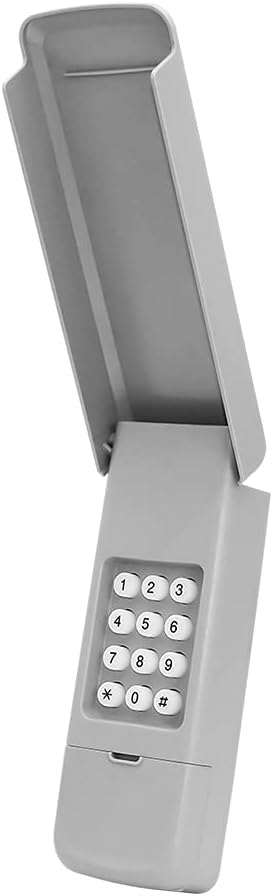
Figure 3: The Acvoce Wireless Keypad with its protective cover open, ready for installation.
Programming and Operation
This keypad can control up to three different garage door openers. Follow these steps to program your keypad:
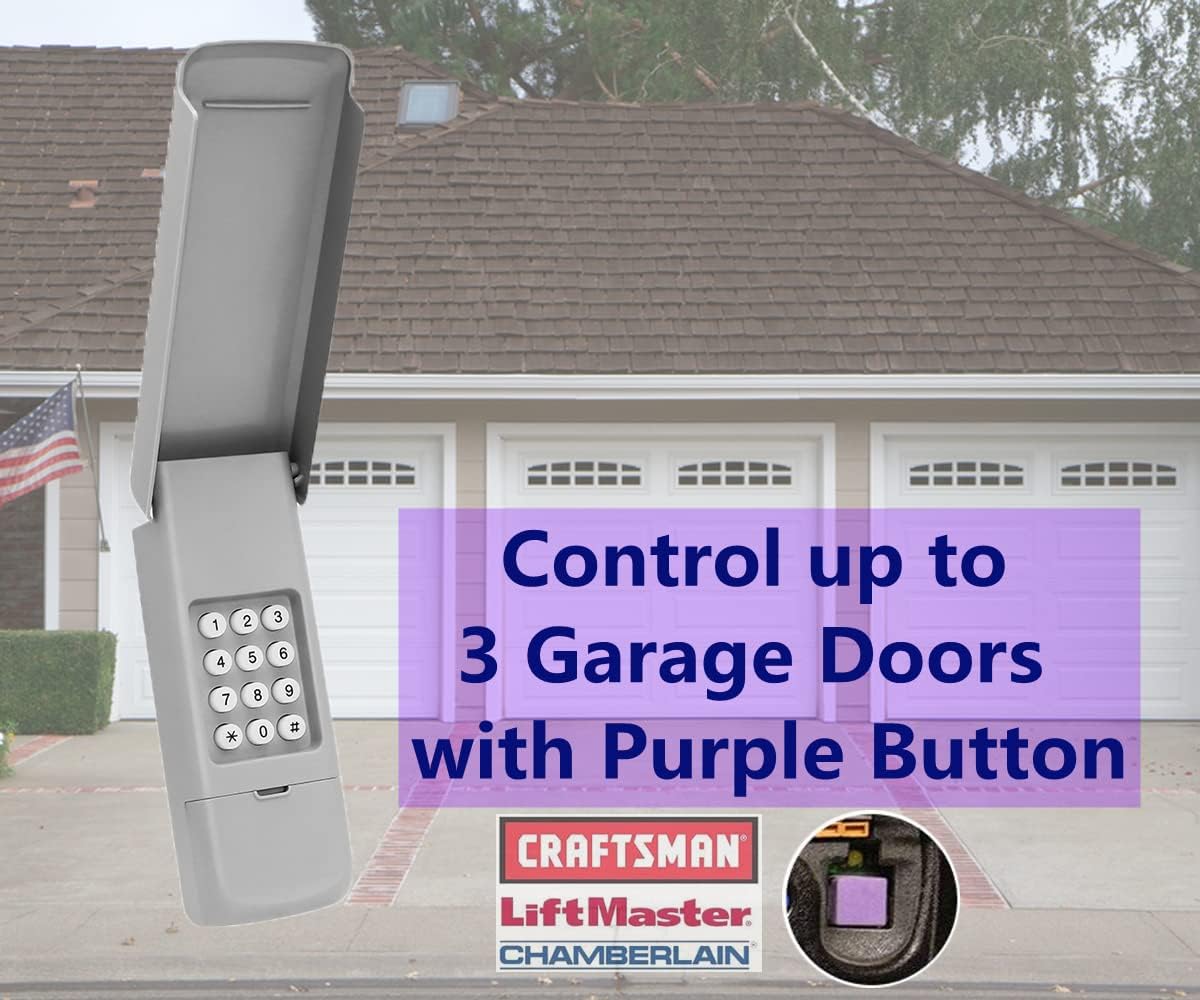
Figure 4: The keypad's capability to control multiple garage doors.
- Set Your Personal PIN:
- Press and hold the * and # buttons simultaneously until you hear a single beep. Release the buttons immediately after the beep. (Do not hold until the lights flash, as this indicates an error or different mode).
- Enter your desired 4-digit Personal Identification Number (PIN).
- Press the # button to confirm your PIN.
- Program to Garage Door Opener:
- On your garage door opener motor unit, locate and press the Purple Learn Button. The LED indicator on the opener will light up. You have approximately 30 seconds to complete the next step.
- On the keypad, enter the 4-digit PIN you just set.
- Press the # button.
- Press the # button again. The garage door opener light should flash, indicating successful programming.
- Test the keypad by entering your PIN and pressing #. The garage door should activate.
- Programming Additional Garage Doors (Channels 2 & 3):
- Repeat step 1 to set a new 4-digit PIN for the next channel.
- Repeat step 2, but after entering your PIN and pressing #, press the # button a third time for the second door, or a fourth time for the third door.
- Ensure the garage door opener light flashes to confirm successful programming for each additional door.
The keypad features an illuminated backlight for visibility in low-light conditions, ensuring easy access day or night.

Figure 5: The illuminated keypad for easy night-time use.
The keypad utilizes Security+ 2.0 Rolling Code Technology for enhanced security, providing a unique code with each use to prevent unauthorized access.

Figure 6: Security features of the Acvoce keypad, including Security+ 2.0 Rolling Code Technology.
Maintenance
The Acvoce keypad requires minimal maintenance. The primary maintenance task is battery replacement.
Battery Replacement
The keypad is powered by a 9V battery. When the keypad's backlight dims or the keypad becomes unresponsive, it is time to replace the battery.
- Open the protective flip-up cover of the keypad.
- Carefully remove the keypad from its mounting screws.
- Locate the battery compartment on the back of the keypad.
- Remove the old 9V battery and insert a new 9V battery, ensuring correct polarity.
- Re-mount the keypad and close the cover.
- Test the keypad to ensure it functions correctly.
Note: Frequent battery drainage (e.g., monthly) may indicate an issue with the keypad or battery quality. Ensure you are using a fresh, high-quality 9V battery.
Troubleshooting
If you encounter issues with your Acvoce keypad, refer to the following troubleshooting guide:
| Problem | Possible Cause | Solution |
|---|---|---|
| Keypad not pairing with opener |
|
|
| Keypad unresponsive or dim backlight | Low or dead battery | Replace the 9V battery (refer to Maintenance section). |
| Certain buttons not working | Internal keypad issue or specific button malfunction | Try programming using other remote buttons if possible. If issue persists, contact customer support. |
| Cannot reset passcode without original paperwork | Specific reset procedure requires original installation instructions/codes. | If you have lost your original paperwork and cannot reset, you may need to erase the opener's memory and reprogram all remotes/keypads. Always keep your manual. |
Specifications
| Feature | Detail |
|---|---|
| Brand | Acvoce |
| Model Numbers | 377LM, 940D, 139.53754 |
| Compatibility | Liftmaster/Chamberlain/Sears Craftsman with Purple Learn Button (315MHz) |
| Number of Channels | 3 (operates up to 3 different openers) |
| Power Source | 1 x 9V Battery (included) |
| Special Features | Backlit Keypad, Weatherproof Cover, Security+ 2.0 Rolling Code Technology |
| Item Weight | 5.6 ounces |
| Package Dimensions | 6.97 x 2.8 x 1.54 inches |
| Material | Plastic |
Warranty and Support
Acvoce products are built for ease of use and cost-effectiveness. We stand by the quality of our products.
Warranty Information
This Acvoce Garage Door Opener Keypad comes with an industry-leading 1-Year Warranty from the date of purchase. This warranty covers defects in materials and workmanship under normal use.
Customer Support
For any questions, technical assistance, or warranty claims, please contact Acvoce customer support. Refer to the contact information provided on the product packaging or the official Acvoce website for the most current support details.
When contacting support, please have your product model number (377LM, 940D, 139.53754) and purchase date available.