
COSTWAY B09BJCWHRD
COSTWAY Sit Up Bench User Manual
Model: B09BJCWHRD
Brand: COSTWAY
1. Introduction
Thank you for choosing the COSTWAY Sit Up Bench. This manual provides important information regarding the assembly, operation, maintenance, and safety of your new fitness equipment. Please read this manual thoroughly before use and retain it for future reference.

Image: The COSTWAY Sit Up Bench, illustrating its versatile design and foldable nature.
The COSTWAY Sit Up Bench is designed to provide a comprehensive abdominal and full-body workout. Its adjustable positions and integrated LCD monitor allow for customized and tracked exercise routines, making it suitable for various fitness levels. The foldable design ensures convenient storage, ideal for home or office environments.
2. Safety Information
To ensure safe operation and prevent injury, please adhere to the following safety guidelines:
- Consult a physician before starting any new exercise program.
- Always inspect the bench for loose parts or damage before each use. Do not use if damaged.
- Ensure all bolts and nuts are securely tightened before and during use.
- Place the bench on a flat, stable surface. Do not use on uneven ground.
- Keep children and pets away from the equipment during use.
- Do not exceed the maximum weight capacity of 130 kg.
- Wear appropriate exercise attire and footwear.
- Stop exercising immediately if you feel pain, dizziness, or nausea.
- Keep hands and feet clear of moving parts during adjustment and folding.
3. Package Contents
Please verify that all components are present and undamaged before assembly:
- Main Frame Assembly
- Bench Pad
- Leg Support Foam Rollers (various sizes)
- LCD Monitor
- Hardware Kit (bolts, nuts, washers, tools)
- User Manual
4. Setup and Assembly
Follow these steps to assemble and prepare your COSTWAY Sit Up Bench for use:
- Unfold the Bench: Carefully unfold the main frame of the bench until it is in its fully extended position. Ensure all locking mechanisms engage securely.
- Fix the Foam Rollers: Insert and fix the foam rollers into their designated positions using the provided steel pins or screws. Ensure they are firmly attached.
- Attach the LCD Monitor: Secure the LCD monitor to its mounting point on the bench. Connect the sensor cable from the monitor to the corresponding port on the bench to enable data display.
- Final Check: Before first use, double-check all connections, bolts, and pins to ensure they are tight and secure.

Image: Folding steps for the COSTWAY Sit Up Bench, illustrating how to prepare it for storage.
Folding Steps for Storage:
- Remove any screw knobs or pins that secure the bottom board.
- Fold the bottom board upwards.
- Fold the support rod inwards.
- Collapse the main frame until the bench is in its compact, folded position.
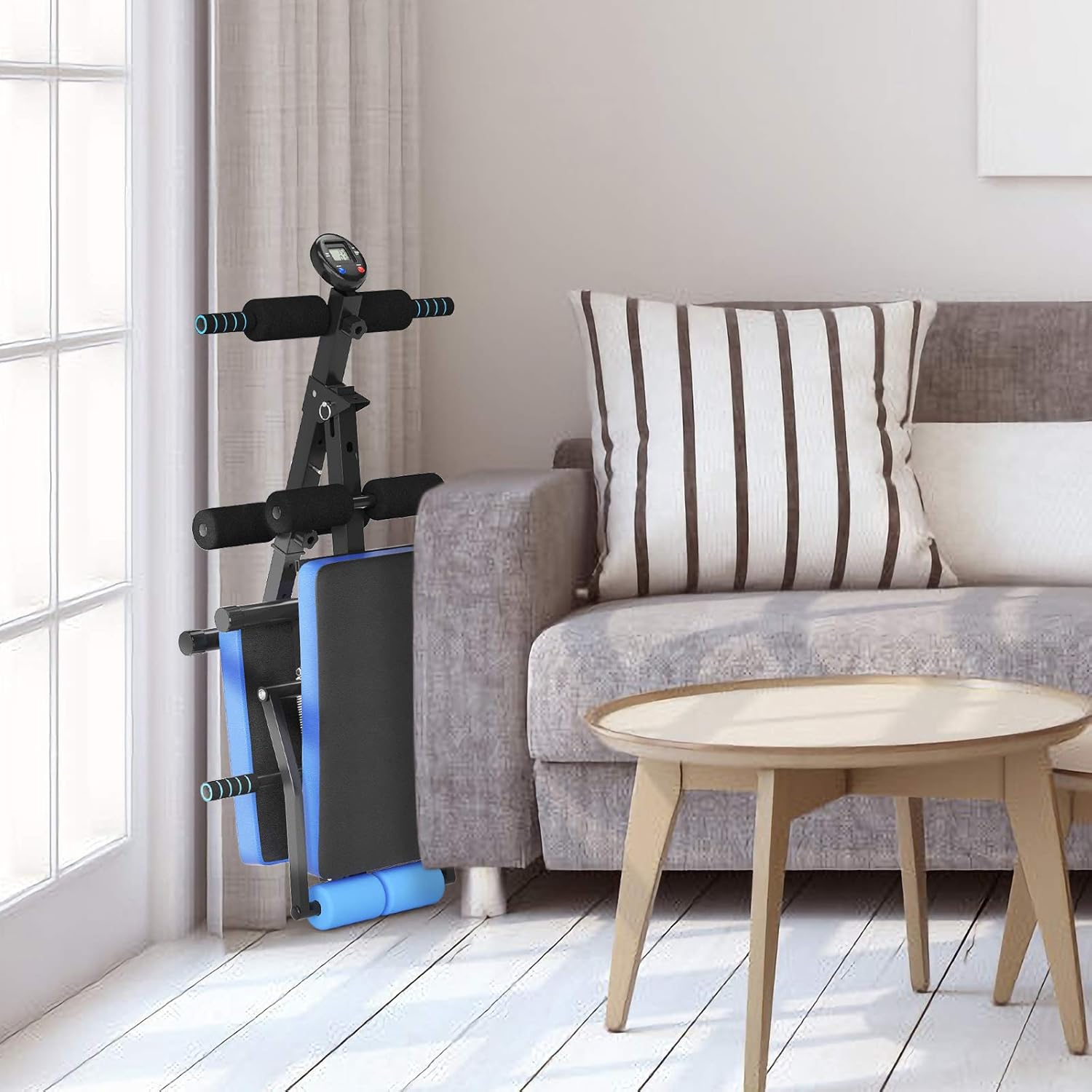
Image: The COSTWAY Sit Up Bench in its folded, upright storage position, showcasing its compact footprint.
5. Operating Instructions
5.1 Adjustable Positions
The COSTWAY Sit Up Bench features 5 adjustable positions to vary the intensity of your workouts. To adjust the incline/decline, locate the adjustment pin or lever on the main frame. Pull the pin out, adjust the bench to your desired angle, and release the pin, ensuring it locks securely into place. Always ensure the bench is stable before beginning your exercise.

Image: The 5 adjustable positions of the bench, allowing for varied workout intensity.
5.2 Multifunctional LCD Monitor
The integrated LCD monitor provides real-time feedback on your workout. Ensure the sensor cable is properly connected for accurate readings.
- Time: Displays the duration of your current workout.
- Count: Shows the number of repetitions performed.
- Total Count: Accumulates the total repetitions over multiple sessions.
- Calories: Estimates the calories burned during your workout.
- Scan: Cycles through all display functions automatically.
Use the 'MODE' button to switch between display functions and the 'RESET' button to clear current workout data.

Image: Detailed view of the LCD monitor and its functions.
5.3 Dumbbell Bench Conversion
The bottom board of the bench can be adjusted to convert it into a dumbbell bench, allowing for a wider range of strength training exercises. Adjust the board by manipulating the securing pin or lever at its base, ensuring it locks into the flat position suitable for dumbbell exercises.

Image: The bench converted for dumbbell exercises, demonstrating its versatility.
5.4 Workout Examples
The COSTWAY Sit Up Bench supports a variety of exercises for a full-body workout:
- Sit-ups: Target abdominal muscles.
- Arm Exercises: Utilize the bench for bicep curls or tricep extensions.
- Leg Exercises: Perform leg raises or leg curls.
- Hyperextension Rise: Strengthen lower back and glutes.
- Lift Dumbbell: Use as a flat or incline bench for various dumbbell movements.
- Push-ups: Utilize the bench for elevated push-ups or decline push-ups.

Image: Examples of exercises that can be performed using the COSTWAY Sit Up Bench.
6. Maintenance
Regular maintenance will prolong the life of your COSTWAY Sit Up Bench:
- Cleaning: Wipe down the bench pad and frame with a damp cloth after each use to remove sweat and dirt. Use mild soap if necessary, then wipe dry. Do not use abrasive cleaners.
- Inspection: Periodically check all bolts, nuts, and moving parts for tightness. Tighten any loose fasteners.
- Storage: Store the bench in a dry, cool place away from direct sunlight and extreme temperatures. Utilize its foldable design for compact storage.
- Lubrication: No regular lubrication is required for this product.
7. Troubleshooting
If you encounter issues with your COSTWAY Sit Up Bench, refer to the following common problems and solutions:
| Problem | Possible Cause | Solution |
|---|---|---|
| Bench feels unstable or wobbly. | Loose bolts or uneven surface. | Ensure all assembly bolts are tightened. Move the bench to a flat, level surface. |
| LCD monitor not displaying data. | Sensor cable disconnected or battery issue. | Check if the sensor cable is securely connected to both the monitor and the bench. Replace monitor batteries if necessary. |
| Difficulty adjusting bench positions. | Adjustment pin/lever not fully disengaged or mechanism obstructed. | Ensure the adjustment pin/lever is fully pulled out. Check for any obstructions or debris in the adjustment holes. |
If the problem persists after attempting these solutions, please contact COSTWAY customer support.
8. Specifications
| Feature | Detail |
|---|---|
| Model | B09BJCWHRD |
| Color | Blue |
| Frame Material | Alloy Steel |
| Upholstery Material | Pearl Cotton, PU Leather, Foam |
| Maximum Weight Capacity | 130 Kilograms |
| Product Dimensions (Unfolded) | 57.5D x 135W x 59.5H cm |
| Item Weight | 10 Kilograms |
| Adjustable Positions | 5 |
| Monitor Functions | Time, Count, Total Count, Calories, Scan |

Image: Detailed dimensions of the bench in both operational and folded configurations.

Image: Close-up details of the materials and construction, including breathable PU leather, high-density foam, anti-scratch foot pads, and non-deformable inner foam.
9. Warranty and Support
COSTWAY products are manufactured to high-quality standards. For warranty information, please refer to the terms and conditions provided at the time of purchase or visit the official COSTWAY website. If you require technical assistance, have questions about assembly, or need replacement parts, please contact COSTWAY customer support through their official channels. Please have your model number (B09BJCWHRD) and purchase details ready when contacting support.