
1. Introduction
Thank you for choosing the RECCI Wireless Headphone REP-W09. This manual provides essential information for setting up, operating, and maintaining your new wireless earphones. Please read it carefully before use to ensure proper functionality and longevity of your device.
Package Contents:
- RECCI Wireless Headphone REP-W09
- Charging Cable (Micro-USB)
- User Manual
2. Product Overview
The RECCI REP-W09 are wireless in-ear headphones designed for mobile phone compatibility, featuring a built-in microphone and active noise cancellation. They offer a comfortable semi-in-ear fit and wireless connectivity for audio playback and calls.
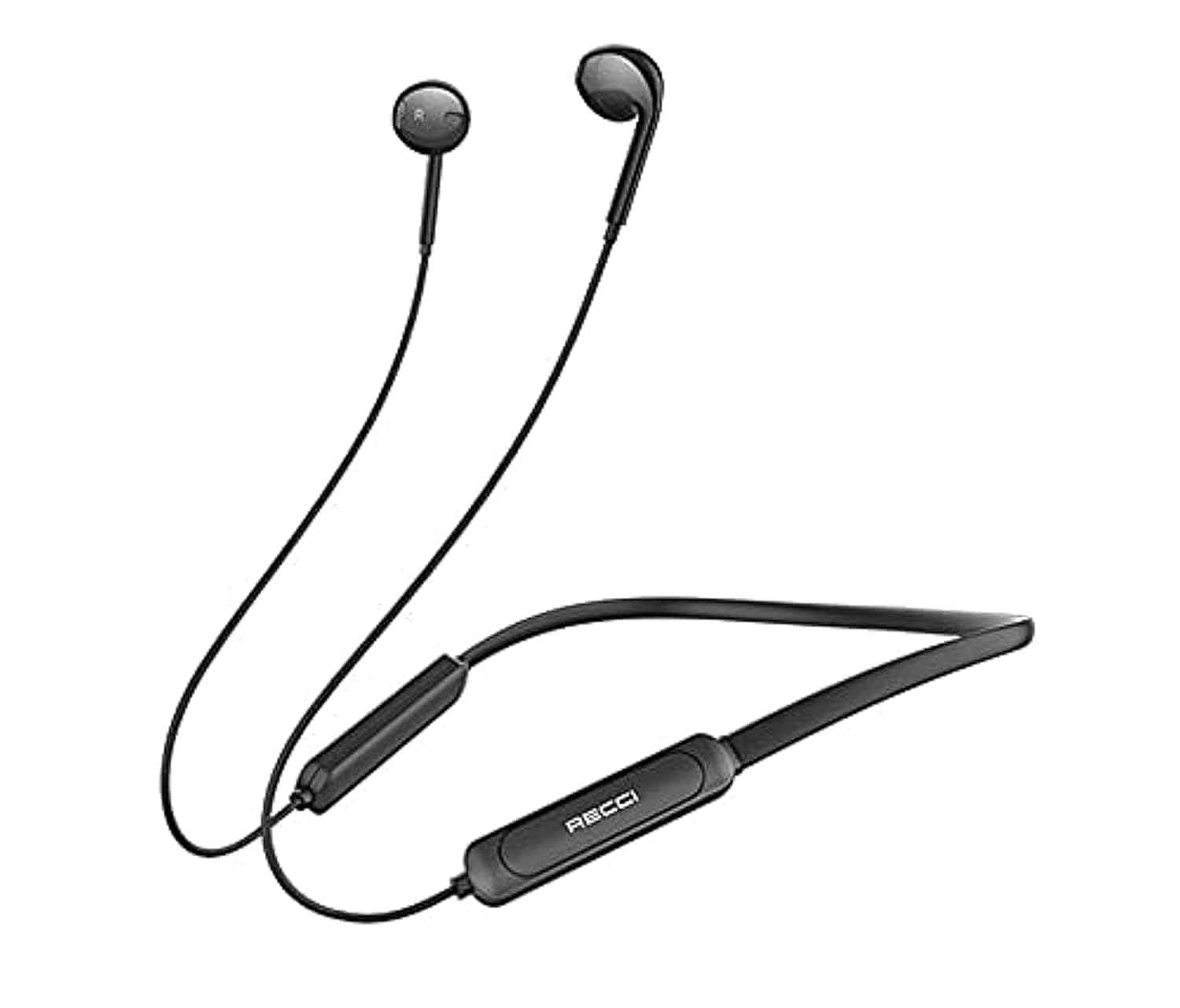
Image 1: RECCI Wireless Headphone REP-W09 and its packaging. This image illustrates the product's design, including the earbuds, neckband, and inline controls, along with key specifications printed on the packaging.
3. Specifications
| Feature | Detail |
|---|---|
| Product Model | REP-W09 |
| Color | Black |
| Connectivity | Wireless (Bluetooth V5.0) |
| Bluetooth Pairing Name | REP-W09 |
| Transmission Distance | 10 meters (Semi-in-ear) |
| Earphone Battery | 90mAh |
| Charging Port | Micro-USB |
| Horn Specifications | 14.2mm * 2PCS |
| Net Weight | 8 ±2g |
| Microphone | Included |
| Noise Control | Active Noise Cancellation |
| Compatible Devices | Cellphones |
| Headphones Ear Placement | In Ear |
| Sensitivity | 102 dB |
| Control Type | Volume Control, App |
| Material | Plastic |
4. Setup
4.1 Charging the Earphones
- Connect the Micro-USB charging cable to the charging port on the earphones.
- Connect the other end of the cable to a USB power source (e.g., computer USB port, USB wall adapter).
- The indicator light will show the charging status. A full charge typically takes approximately 1-2 hours.
- Once fully charged, disconnect the charging cable.
4.2 Powering On/Off
- To Power On: Press and hold the multi-function button (usually on the inline control) for a few seconds until the indicator light flashes and you hear a power-on prompt.
- To Power Off: Press and hold the multi-function button again for a few seconds until the indicator light turns off and you hear a power-off prompt.
4.3 Bluetooth Pairing
- Ensure the earphones are powered off.
- Press and hold the multi-function button for approximately 5-7 seconds until the indicator light flashes red and blue alternately, indicating pairing mode.
- On your mobile phone or Bluetooth-enabled device, go to the Bluetooth settings.
- Search for available devices and select "REP-W09" from the list.
- Once connected, the indicator light will typically flash blue slowly, and you will hear a connection confirmation.
- If prompted for a password, enter "0000".
5. Operating Instructions
5.1 Music Playback
- Play/Pause: Press the multi-function button once.
- Next Track: Press and hold the Volume + button.
- Previous Track: Press and hold the Volume - button.
5.2 Call Management
- Answer Call: Press the multi-function button once when a call comes in.
- End Call: Press the multi-function button once during a call.
- Reject Call: Press and hold the multi-function button for 2 seconds when a call comes in.
- Redial Last Number: Double-press the multi-function button.
5.3 Volume Control
- Increase Volume: Press the Volume + button.
- Decrease Volume: Press the Volume - button.
6. Maintenance
6.1 Cleaning
- Wipe the earphones with a soft, dry, lint-free cloth.
- Do not use harsh chemicals, cleaning solvents, or strong detergents.
- Keep the charging port free from dust and debris.
6.2 Storage
- Store the earphones in a cool, dry place away from direct sunlight and extreme temperatures.
- Avoid storing with heavy objects that could damage the cable or earbuds.
7. Troubleshooting
7.1 Earphones Not Powering On
- Ensure the earphones are fully charged. Connect them to a power source and check the charging indicator.
- Try pressing and holding the multi-function button for a longer duration (up to 10 seconds).
7.2 Cannot Pair with Device
- Make sure the earphones are in pairing mode (indicator flashing red and blue).
- Ensure Bluetooth is enabled on your device and it is within 10 meters of the earphones.
- Turn off and on your device's Bluetooth, then try searching again.
- If previously paired, try 'forgetting' or 'unpairing' the REP-W09 from your device's Bluetooth list and then re-pairing.
7.3 No Sound or Low Volume
- Check the volume levels on both the earphones and your connected device.
- Ensure the earphones are properly connected to your device. Reconnect if necessary.
- Test with different audio sources or applications.
7.4 Charging Issues
- Verify that the charging cable is securely connected to both the earphones and the power source.
- Try using a different Micro-USB cable or USB power adapter.
- Ensure the charging port is clean and free of debris.
8. Safety Information
- Avoid listening at high volume levels for extended periods to prevent hearing damage.
- Do not use the earphones in situations where inability to hear ambient sounds could be dangerous (e.g., driving, cycling, walking in traffic).
- Keep the earphones away from water, moisture, and extreme temperatures. The product is not water-resistant.
- Do not attempt to disassemble, repair, or modify the earphones. This may void the warranty and cause damage.
- Keep out of reach of children and pets.
9. Warranty and Support
RECCI products are designed and manufactured to the highest quality standards. This product is covered by a limited warranty against manufacturing defects. For specific warranty terms and conditions, please refer to the warranty card included with your purchase or contact your local retailer.
For technical support or customer service inquiries, please contact your point of purchase or visit the official RECCI website for contact information.