
Iris Ohyama PCF-HE10
IRIS USA WOOZOO Desk Fan Instruction Manual
Model: PCF-HE10
1. Product Overview
The IRIS USA WOOZOO Desk Fan (Model PCF-HE10) is a compact and versatile air circulator designed for personal use in various indoor environments such as offices, homes, and dorm rooms. It features powerful cooling capabilities within a space-saving design.
Key features include an adjustable fan head with vertical tilt, three-speed settings, and quiet operation, making it suitable for use in quiet settings like bedrooms or during virtual meetings.
Product Features
- Compact and Versatile: Designed to fit in small spaces, ideal for personal cooling.
- Aerodynamic Design: Features deep pitch fan blades and a spiral grid for efficient airflow and precise delivery.
- Quiet Operation: Operates at a low noise level (27.5dB on lowest setting), quieter than a whisper.
- Lightweight & Portable: Weighs 1.98 lbs with a built-in handle for easy transport.
- Adjustable Tilt: Fan head pivots vertically from -22.5 to 90 degrees for directed airflow.
- Multiple Speed Settings: Three manual speed settings to adjust airflow intensity.
- Horizontal Oscillation: Oscillates 65 degrees left and right for wider coverage.

Figure 1.1: Front view of the IRIS USA WOOZOO Desk Fan (Model PCF-HE10) in black, showcasing its compact design and control knob.
2. Setup Instructions
The IRIS USA WOOZOO Desk Fan requires minimal setup and is ready for use almost immediately after unboxing.
2.1 Unpacking
- Carefully remove the fan from its packaging.
- Inspect the fan for any signs of damage during transit. If damaged, do not use and contact customer support.
- Ensure all components are present: the fan unit and its attached power cord. No assembly is required.
2.2 Placement
- Place the fan on a stable, flat surface.
- Ensure there is adequate space around the fan for optimal air circulation and oscillation.
- Keep the fan away from curtains, drapes, or any objects that could obstruct the air intake or output.
- Position the fan near a standard North American 2 or 3-prong AC power outlet. The power cord is 55 inches long.
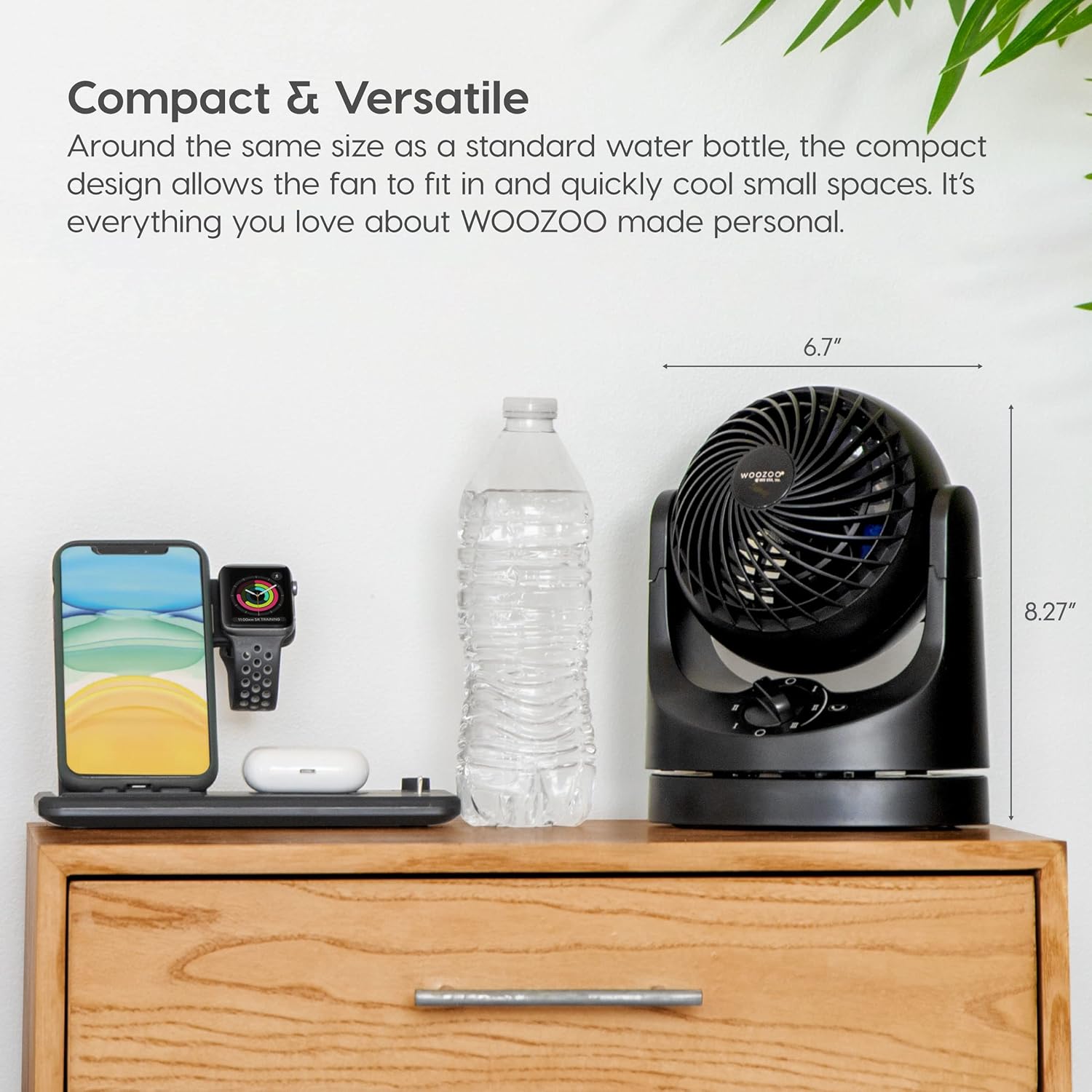
Figure 2.1: The compact size of the WOOZOO Desk Fan, demonstrating its suitability for placement on a desk or small surface.
3. Operating Instructions
Operating your WOOZOO Desk Fan is straightforward with its intuitive controls.
3.1 Powering On/Off and Speed Control
- Plug the fan's power cord into a suitable electrical outlet.
- Locate the control knob on the front base of the fan.
- To turn the fan ON and select a speed, rotate the knob clockwise:
- "O" (Off)
- "I" (Low Speed) - For quiet, gentle air circulation.
- "II" (Medium Speed) - For moderate airflow.
- "III" (High Speed) - For maximum air circulation.
- To turn the fan OFF, rotate the knob counter-clockwise back to the "O" position.

Figure 3.1: Detail of the fan's control knob, used for power and speed selection.
3.2 Adjusting Oscillation
- The fan features a horizontal oscillation function to distribute air across a wider area.
- To activate oscillation, press the oscillation button located next to the speed control knob. The fan head will begin to move from side to side (65 degrees left and right).
- To deactivate oscillation, press the oscillation button again. The fan will stop oscillating and remain in its current direction.

Figure 3.2: The fan demonstrating its 65-degree horizontal oscillation feature.
3.3 Adjusting Vertical Tilt
- Gently grasp the fan head and tilt it up or down to your desired angle. The fan supports 6 vertical tilt positions, ranging from -22.5 to 90 degrees.
- Ensure the fan is stable after adjusting the tilt.

Figure 3.3: Illustration of the fan's adjustable vertical tilt positions.
3.4 Product Demonstration Video
Video 3.1: An official product video demonstrating the features and ease of use of the IRIS USA WOOZOO Desk Fan (HE10 mini woozoo).
4. Maintenance and Care
Regular cleaning and proper care will ensure the longevity and optimal performance of your WOOZOO Desk Fan.
4.1 Cleaning Instructions
- Always unplug the fan from the power outlet before cleaning.
- Use a soft, damp cloth to wipe down the exterior surfaces of the fan.
- For dust accumulation on the fan blades or inside the grille, use a vacuum cleaner with a brush attachment or compressed air.
- Do not use abrasive cleaners, solvents, or harsh chemicals, as these may damage the fan's finish.
- Do not immerse the fan in water or allow water to drip into the motor housing.
- The manufacturer specifies "Hand Wash" for care instructions, which refers to cleaning the exterior surfaces as described.
4.2 Storage
- If storing the fan for an extended period, clean it thoroughly before storage.
- Store the fan in a cool, dry place, away from direct sunlight and extreme temperatures.
- It is recommended to store the fan in its original packaging to protect it from dust and damage.
5. Troubleshooting Guide
This section addresses common issues you might encounter with your WOOZOO Desk Fan. If the problem persists after following these steps, please contact customer support.
| Problem | Possible Cause | Solution |
|---|---|---|
| Fan does not turn on. |
|
|
| Weak airflow. |
|
|
| Fan is noisy. |
|
|
| Oscillation not working. |
|
|
6. Product Specifications
| Attribute | Detail |
|---|---|
| Brand | Iris Ohyama |
| Model Name | PCF-HE10 |
| Item Model Number | 594042 |
| Color | Black |
| Electric Fan Design | Table Fan |
| Power Source | Corded Electric |
| Style | 90° Tilt Oscillating |
| Product Dimensions (L x W x H) | 6.70" x 4.94" x 8.27" |
| Item Weight | 1.98 Pounds |
| Room Type | Office, Bathroom, Kitchen, Bedroom |
| Special Features | Oscillating, Lightweight, Portable |
| Recommended Uses | Cooling, Air Circulation |
| Wattage | 13 watts |
| Finish Type | Matte |
| Number of Blades | 3 |
| Blade Length | 3 Inches |
| Voltage | 120V |
| Switch Type | Push Button |
| Indoor/Outdoor Usage | Indoor |
| Connector Type | Standard North American 2 or 3-prong AC power plug |
| Blade Material | Plastic |
| Number of Power Levels | 3 |
| UPC | 762016489193 |
| Country of Origin | China |
7. Warranty and Support
For warranty information, product support, or to purchase replacement parts, please contact IRIS USA, Inc. customer service.
- Manufacturer: IRIS USA, Inc.
- Official Website: Visit the Iris Ohyama Store on Amazon
- User Guide (PDF): Download PDF
- Please retain your proof of purchase for warranty claims.
Ask a question about this manual
Ask about setup, troubleshooting, compatibility, parts, safety, or missing instructions. Manuals+ will review the question and use this page’s manual context to help answer it.