
1. Product Overview
The EnergyCell Pilot 4GS is a 12000mAh portable power bank designed for fast and efficient charging of your mobile devices. Featuring dual 3A high-speed output ports and a slim, durable aluminum body, it provides reliable power on the go. This power bank is compatible with a wide range of devices, particularly optimized for iOS devices, and includes multiple safety protections.

Image 1.1: The EnergyCell Pilot 4GS Portable Charger in Rose Gold, showcasing its sleek design and dual output ports.
Key Features:
- 12000mAh Capacity: Sufficient power to charge most smartphones 2-3 times.
- Dual 3A High-Speed Output: Charge two devices simultaneously at up to 5V/3A per port.
- Designed for iOS Devices: Features a Lightning input port for convenient recharging with a single cable (cable included).
- Universal Compatibility: Supports a wide range of smartphones, tablets, and other USB-powered devices.
- Slim & Compact Design: Matte metal shell with an arc anti-fingerprint design, making it easy to carry.
- MultiProtect Safety System: Built-in protections against overload, overcurrent, overcharging, overpressure, and short circuits.
- Airline-Approved: Suitable for travel.

Image 1.2: The durable aluminum body design of the power bank, highlighting its anti-scratch and anti-fingerprint properties.

Image 1.3: The slim and lightweight profile of the Pilot 4GS power bank, emphasizing its portability.
2. Safety Information
Please read and follow all safety instructions to prevent injury or damage to the device.
- Do not expose the power bank to extreme temperatures (hot or cold), direct sunlight, or fire.
- Avoid dropping, puncturing, or disassembling the device.
- Keep away from water and high humidity.
- Do not use if the power bank is damaged or swollen.
- Keep out of reach of children.
- Dispose of the power bank according to local regulations. Do not dispose of it with household waste.
The Pilot 4GS features a MultiProtect safety system, including overload, overcurrent, overcharging, overpressure, and short circuit protection functions to ensure the safety of both the power bank and your connected devices.
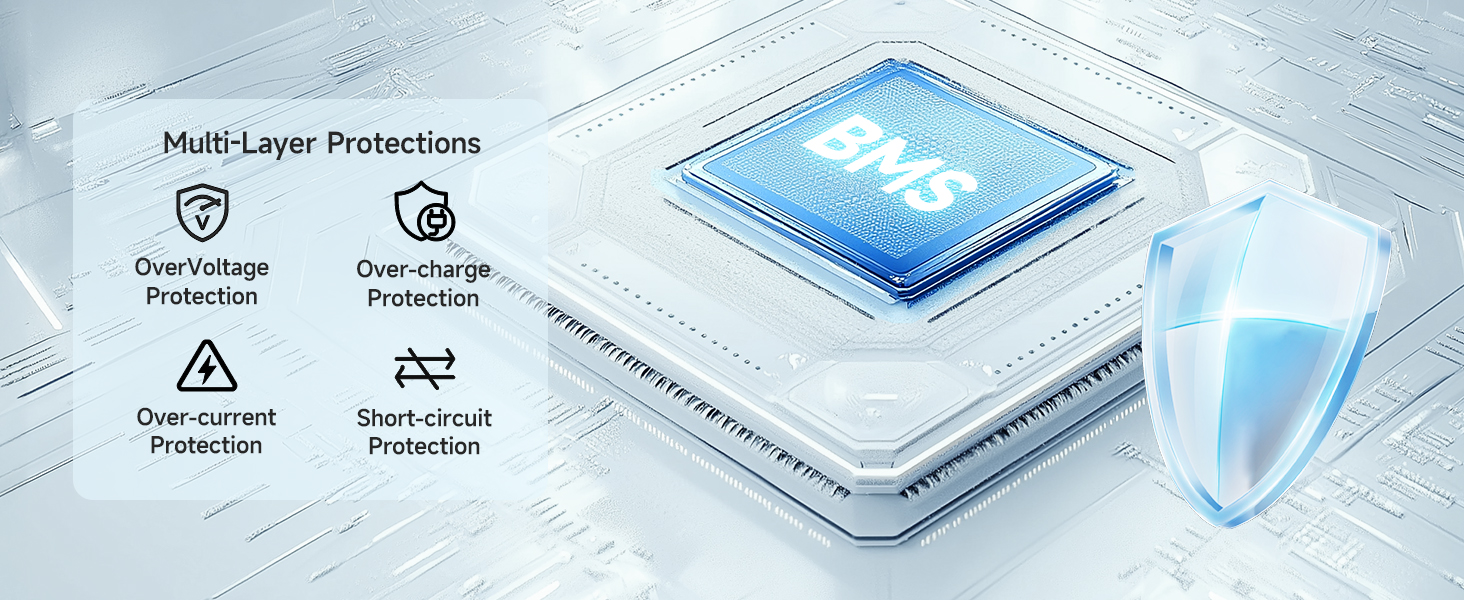
Image 2.1: Visual representation of the multi-layer protection system integrated into the power bank for enhanced safety.
3. Setup and Initial Use
3.1 Charging the Power Bank
- Connect the included Lightning cable to the input port of the Pilot 4GS power bank.
- Connect the other end of the cable to a 5V/2A (or higher) USB wall adapter (not included).
- The LED indicators on the power bank will illuminate to show the charging status. A full charge is indicated when all LEDs are solid.
For faster recharging, use a 5V/2A adapter, which can reduce recharging time by up to 50% compared to a 5V/1A adapter.
3.2 Checking Battery Level
Press the power button once to view the current battery level indicated by the LED lights.
4. Operating Instructions
4.1 Charging Your Devices
- Connect your device's charging cable to one of the USB-A output ports on the Pilot 4GS power bank.
- Connect the other end of the cable to your device.
- The power bank will automatically begin charging your device. If not, press the power button once to initiate charging.
- You can charge two devices simultaneously using both USB-A output ports.
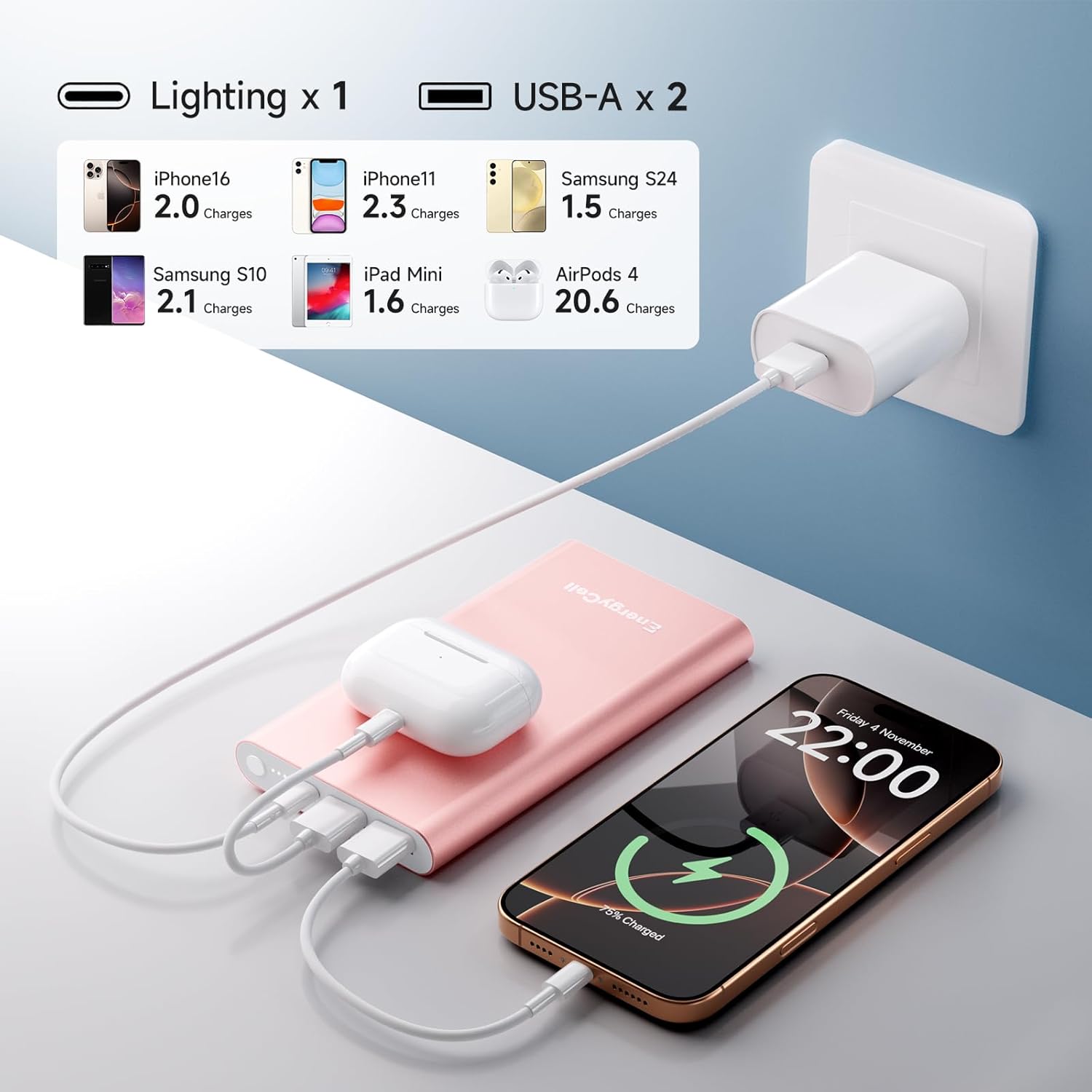
Image 4.1: The power bank simultaneously charging an iPhone, iPad Mini, and AirPods, illustrating its multi-device charging capability and estimated charge counts.

Image 4.2: The Pilot 4GS power bank in various colors, demonstrating its use in charging a smartphone.
4.2 Compatibility Notes
- The included Lightning cable can be used to charge the power bank itself and is compatible with iPhone 11, 12, 13, and 14 series devices.
- For iPhone 15 and iPhone 16 series, a USB-C cable (not included) must be used to charge your phone, as these models utilize USB-C ports.
- The power bank is broadly compatible with Apple iPhone XS, XR, 7 Plus, SE, 8 Plus, 6s, and Samsung Galaxy S9, among other devices.

Image 4.3: A compatibility chart illustrating the wide range of devices, including various iPhone, iPad, Samsung, and AirPods models, that can be charged with the Pilot 4GS.
5. Maintenance
Proper maintenance ensures the longevity and optimal performance of your power bank.
- Cleaning: Use a soft, dry cloth to clean the exterior of the power bank. Avoid using harsh chemicals or abrasive materials.
- Storage: Store the power bank in a cool, dry place away from direct sunlight and extreme temperatures.
- Battery Health: To maintain battery health, fully charge the power bank at least once every three months if not in regular use.
- Avoid Over-Discharge: Do not allow the power bank to completely drain for extended periods.
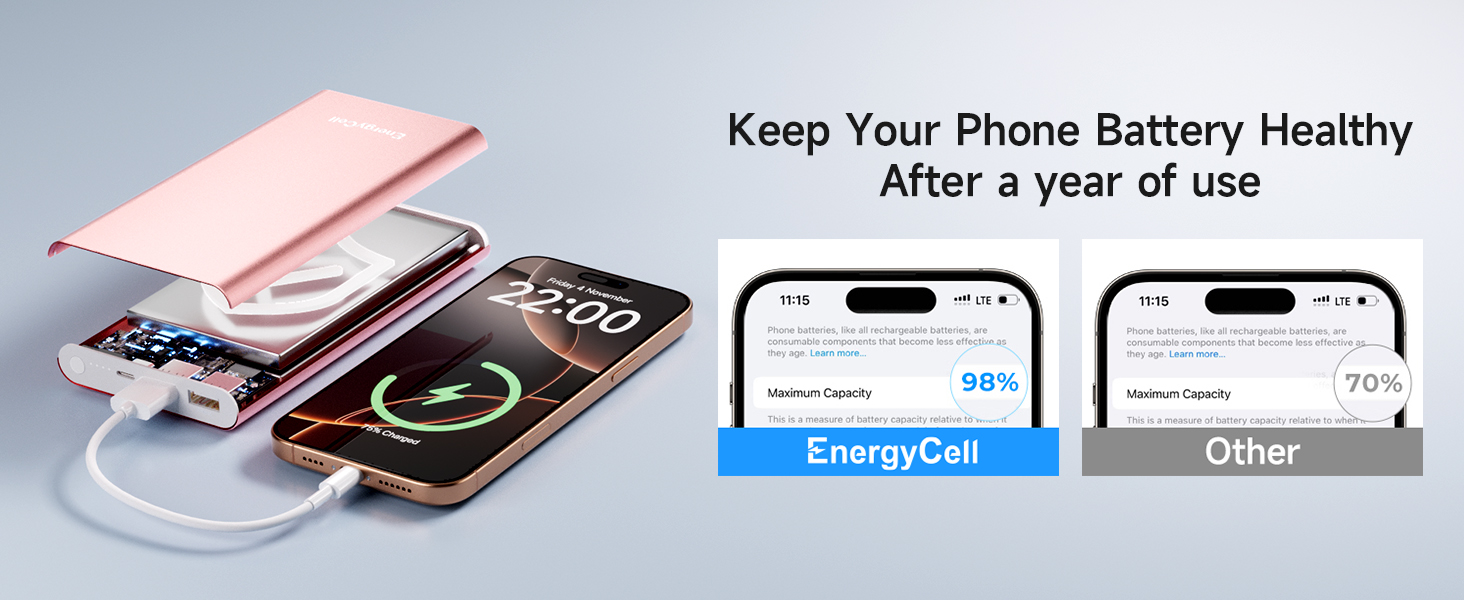
Image 5.1: An illustration highlighting how proper care and the power bank's technology can help maintain phone battery health over time.
6. Troubleshooting
If you encounter issues with your Pilot 4GS power bank, refer to the following common problems and solutions:
| Problem | Possible Cause | Solution |
|---|---|---|
| Power bank not charging | Cable not connected properly; faulty cable/adapter; power bank fully charged. | Ensure cable is securely connected. Try a different cable or wall adapter. Check LED indicators; if all are solid, it's fully charged. |
| Device not charging from power bank | Power bank battery low; cable not connected properly; device not compatible; power bank in standby. | Recharge the power bank. Ensure cable is securely connected. Press the power button to activate charging. Verify device compatibility. |
| Slow charging | Using a low-power adapter for power bank; device's charging input limit; cable quality. | Use a 5V/2A or higher adapter to charge the power bank. Ensure your device supports fast charging. Use a high-quality charging cable. |
| Power bank gets warm during use | Normal operation during charging/discharging. | A slight increase in temperature is normal. If it becomes excessively hot, discontinue use and contact support. |
7. Specifications
| Feature | Detail |
|---|---|
| Model Number | Pilot 4GS |
| Battery Capacity | 12000 Milliamp Hours |
| Input | Lightning (5V/2A recommended for fast recharge) |
| Output | 2 x USB-A (5V/3A Max per port) |
| Product Dimensions | 5.6 x 2.9 x 0.58 inches |
| Item Weight | 10.2 ounces |
| Color | Rose Gold (variant) |
| Special Feature | Slim design, MultiProtect Safety System |
| Manufacturer | Shenzhen Wang Xiong Digital Technology Co., Ltd. |
8. Warranty and Support
EnergyCell products are designed for reliability and performance. For specific warranty information, please refer to the warranty card included with your product or visit the official EnergyCell website.
Customer Support:
If you have any questions, concerns, or require technical assistance, please contact EnergyCell customer support through the following channels:
- Website: Visit the EnergyCell Store on Amazon for product information and support resources.
- Email: Refer to your product packaging or the official website for the customer service email address.
9. Video Resources
No official product videos from the seller were available for embedding in this manual. Please check the product page on Amazon for any available video demonstrations or guides.
