
VEEKTOMX VT201
VEEKTOMX Power Bank User Manual
Model: VT201
Introduction
This manual provides essential information for the safe and efficient operation of your VEEKTOMX 20000mAh Power Bank. This portable charger features built-in cables (USB Micro, USB C, and iPhone compatible) and an LED display, designed for convenient charging of various smart devices including iPhones, iPads, Samsung, and Android devices. Please read this manual thoroughly before use.

Image: The VEEKTOMX 20000mAh Power Bank, showcasing its compact design and integrated charging cables.
Setup
What's Included
Upon unboxing, verify that the following items are present:
- 1 x VEEKTOMX 20000mAh Power Bank
- 1 x User Manual
Initial Charging of the Power Bank
Before first use, it is recommended to fully charge your power bank. The power bank can be recharged using two methods:
- Using the Built-in USB-A Input Cable: Connect the integrated USB-A cable from the power bank to a USB wall adapter or a computer's USB port.
- Using the USB-C Input Port: Connect a USB-C cable (not included) to the power bank's USB-C port and then to a compatible USB-C wall adapter.
The LED display will show the charging progress, indicating the battery percentage as it charges.

Image: The power bank being recharged using its built-in USB-A input cable connected to a wall adapter.

Image: The power bank being recharged through its dedicated USB-C input port.
Operating Instructions
Charging Your Devices
The VEEKTOMX Power Bank is equipped with multiple output options to charge up to five devices simultaneously:
- Built-in Cables:
- iPhone compatible cable
- USB-C output cable
- Micro USB output cable
- Additional Ports:
- One USB-A output port
- One USB-C output port (shared with input)
Each output port and cable provides a maximum of 12W (5V/2.4A) for efficient charging. Simply connect your device to the appropriate cable or port on the power bank. The power bank will automatically begin charging your device.

Image: The power bank actively charging a smartphone, a tablet, and other small electronic devices concurrently.
LED Display Indicator
The integrated LED display provides an accurate real-time indication of the remaining battery level as a percentage, eliminating guesswork and ensuring you are always aware of the power bank's charge status.
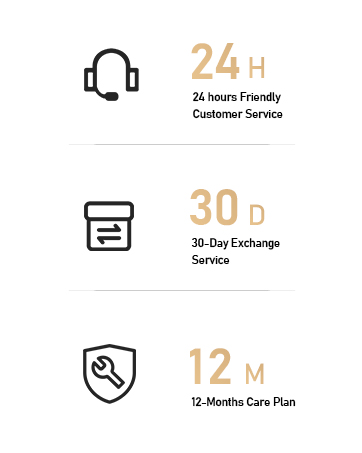
Image: A detailed view of the power bank's LED display, clearly showing the battery percentage.
Wide Compatibility
The VEEKTOMX Power Bank is designed for broad compatibility with a variety of electronic devices, including but not limited to:
- iPhone models (14/13/12/11/XR/8/7 and newer)
- iPad models
- Samsung Galaxy S series (S20/S21/S22 and newer)
- Other Android smartphones and tablets
- AirPods and other wireless earbuds
- Bluetooth speakers and other small USB-powered devices

Image: An illustration demonstrating the power bank's compatibility with a range of devices, including iPhones, Samsung phones, Google Pixel phones, iPads, AirPods, and Bluetooth speakers.
Maintenance
Proper maintenance ensures the longevity and optimal performance of your power bank.
- Cleaning: Use a soft, dry cloth to clean the surface of the power bank. Avoid using liquid cleaners or abrasive materials.
- Storage: Store the power bank in a cool, dry place away from direct sunlight and extreme temperatures.
- Handling: Avoid dropping the power bank or subjecting it to strong impacts.
- Moisture: Keep the power bank away from water and high humidity.
Troubleshooting
If you encounter issues with your VEEKTOMX Power Bank, refer to the following common problems and solutions:
| Problem | Possible Cause | Solution |
|---|---|---|
| Power bank not charging devices. | Low battery on power bank; incorrect cable connection; device not compatible. | Recharge the power bank fully. Ensure cables are securely connected. Verify device compatibility. |
| Power bank not recharging itself. | Faulty charging cable/adapter; loose connection. | Try a different charging cable and/or wall adapter. Ensure connections are firm. |
| LED display is not working. | Power bank is completely drained; internal malfunction. | Attempt to recharge the power bank. If issue persists, contact customer support. |
| Slow charging. | Using a low-power adapter; multiple devices charging simultaneously. | Use a higher-wattage wall adapter for recharging the power bank. Disconnect some devices if charging multiple. |
The VEEKTOMX Power Bank includes a Multi-Protect safety system with built-in safeguards to protect your devices against excessive current, overheating, and overcharging. If problems persist, please refer to the Warranty and Support section.
Specifications
| Feature | Detail |
|---|---|
| Model Number | VT201 |
| Battery Capacity | 20000 Milliamp Hours (mAh) |
| Product Dimensions | 6.14 x 2.75 x 1.03 inches |
| Item Weight | 14 ounces |
| Connector Types | iOS (Lightning), USB Type A, USB Type C, Micro USB |
| Special Features | Fast Charging, Built-in Cables, LED Display |
| Batteries Required | 1 Lithium Polymer battery (included) |
| Manufacturer | VEEKTOMX |
| Country of Origin | China |
Warranty and Support
VEEKTOMX is committed to providing high-quality products and customer satisfaction. Your power bank comes with the following support:
- 24-Hour Friendly Customer Service: Assistance is available around the clock for any inquiries or issues.
- 30-Day Exchange Service: If you are not satisfied with your product, an exchange can be arranged within 30 days of purchase.
- 12-Month Care Plan: Enjoy peace of mind with a 12-month warranty covering manufacturing defects.
For further assistance or to claim warranty services, please contact VEEKTOMX customer support through the retailer where the product was purchased or visit the official VEEKTOMX website.
Certifications
The VEEKTOMX Power Bank adheres to various international quality and safety standards, ensuring reliable and safe operation.


Image: Logos of various certifications including CNAS, ANAB, IAF, BSI, and QI, indicating compliance with quality and safety standards.
Related Documents - VT201
 |
Veektomx VT201 20000mAh Power Bank User Guide Comprehensive user guide for the Veektomx VT201 20000mAh portable power bank, detailing specifications, charging instructions, and safety information. |
 |
Veektomx VT101 10000mAh Power Bank User Manual User manual for the Veektomx VT101 10000mAh power bank, detailing specifications, usage instructions, safety precautions, and warranty information. |
 |
VEEKTOMX VT501 56000mAh Portable Power Bank with 100W PD - User Guide & Specs Detailed information on the VEEKTOMX VT501 56000mAh portable power bank, featuring 100W Power Delivery, multiple USB-C and USB-A outputs, LED display, and LED flashlight. Includes specifications, port details, and usage instructions. |
 |
Veektomx VT106C 10000mAh Power Bank with Apple Watch Wireless Charging | User Manual User manual for the Veektomx VT106C 10000mAh portable power bank, detailing specifications, charging instructions for devices and the power bank itself, and compliance information. Features USB-C and Apple Watch wireless charging. |
 |
Veektomx VT301 Power Bank 30000mAh User Manual User manual for the Veektomx VT301 30000mAh power bank, detailing specifications, usage instructions, and safety precautions in multiple languages. |