
1. Introduction
This manual provides essential information for the safe and effective use of your Kids Licensing Paw Patrol Smartwatch, model PW19836. Please read this manual thoroughly before using the device and retain it for future reference.
The Paw Patrol Smartwatch is a multi-functional toy designed for children, featuring various interactive activities and time-telling capabilities.
2. Safety Information
Always supervise children during use. This product contains small parts that could be a choking hazard. Do not expose the device to extreme temperatures, water, or direct sunlight for extended periods. Use only the provided charging cable. Do not attempt to open or repair the device yourself.
3. Package Contents
- Paw Patrol Smartwatch (Model PW19836)
- USB Charging Cable
- Instruction Manual (this document)

Image: The Paw Patrol Smartwatch displayed within its blue retail packaging, featuring Chase from Paw Patrol.
4. Setup
4.1 Initial Charging
- Locate the USB charging port on the side of the smartwatch.
- Connect the provided USB charging cable to the smartwatch.
- Plug the other end of the USB cable into a compatible USB power adapter (not included) or a computer's USB port.
- Allow the smartwatch to charge fully before first use. A full charge typically takes approximately 2-3 hours. The battery indicator on the screen will show charging status.

Image: A side view of the Paw Patrol Smartwatch, highlighting the yellow casing and the USB charging port located on the right side.
4.2 Powering On/Off
- To Power On: Press and hold the power button (usually located on the side) until the screen illuminates.
- To Power Off: Press and hold the power button until a power-off option appears on the screen, then confirm.
5. Operating Instructions
5.1 Basic Navigation
The smartwatch features a 1.54-inch IPS touch screen. Swipe left or right to navigate through different applications and functions. Tap an icon to select it.
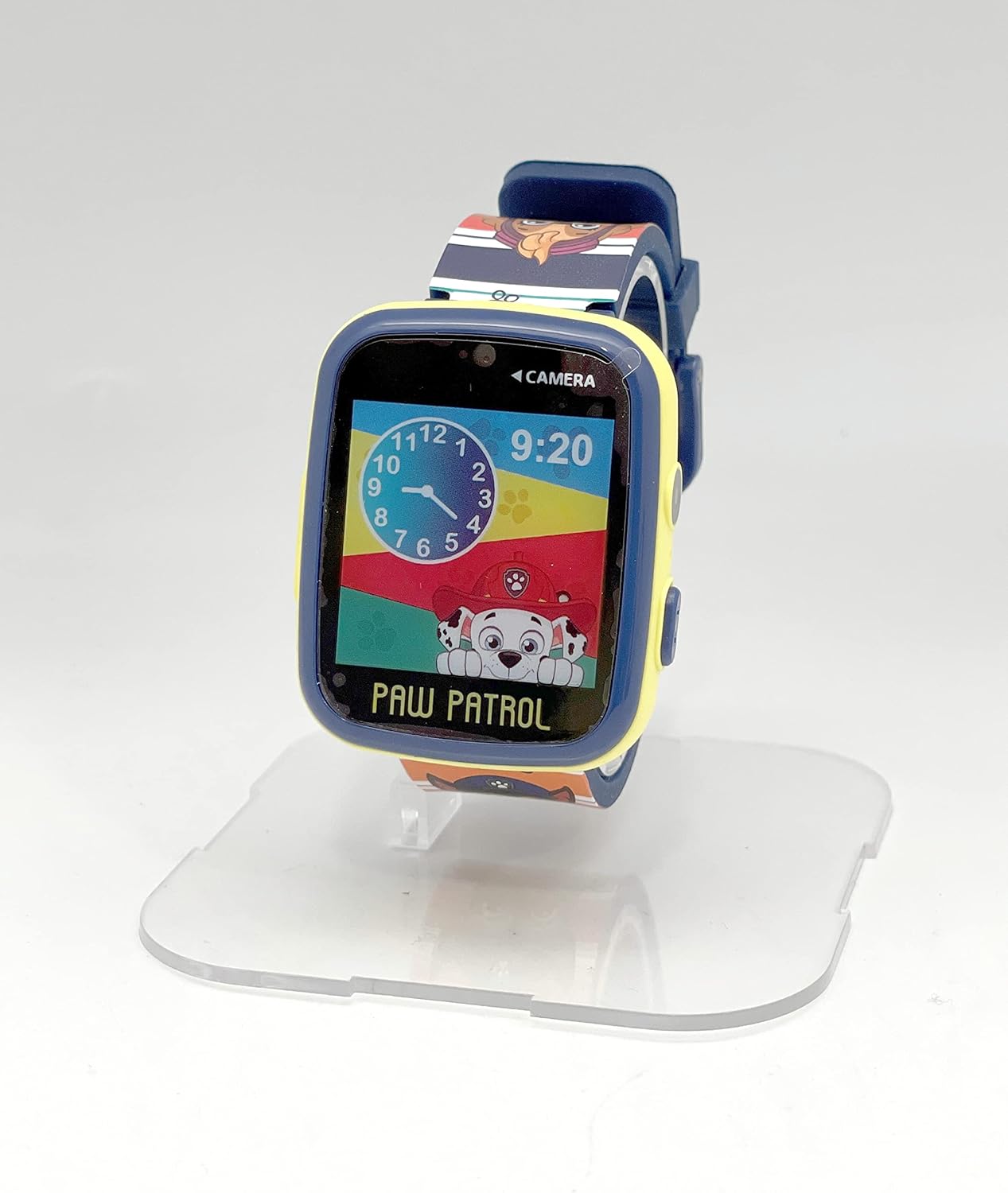
Image: A front view of the Paw Patrol Smartwatch, showing the digital time '9:20' and an analog clock face, with Marshall from Paw Patrol on the display.
5.2 Key Functions
The smartwatch offers multiple functions designed for entertainment and learning:
- Time Teacher: Helps children learn to tell time.
- Album Viewer: Browse photos taken with the built-in camera.
- Calculator: Basic arithmetic functions.
- Stickers: Apply digital stickers to photos.
- Video: Record and play short video clips.
- Pedometer: Tracks steps taken.
- Voice Recorder: Record short audio messages.
- Games: Pre-loaded interactive games.
- Music: Play music files (requires transfer via USB).
- Camera: Take photos and videos.
- Flashlight: A simple LED light function.

Image: The Paw Patrol Smartwatch box, with a graphic displaying icons representing the various functions of the watch, such as Time Teacher, Camera, Games, and Music.
5.3 Camera Usage
- From the main menu, tap the 'Camera' icon.
- Point the camera lens (located above the screen) towards your subject.
- Tap the screen to take a photo or start/stop video recording.
- Photos and videos are saved to the device's internal memory and can be viewed in the 'Album Viewer'.
5.4 Music Playback
To play music, connect the smartwatch to a computer using the USB cable. The device will appear as a removable storage drive. Transfer compatible audio files (e.g., MP3) to the designated music folder on the smartwatch. Disconnect safely, then access the 'Music' application on the watch to play your tracks.
5.5 Parental Control Features
The smartwatch includes parental control features. Refer to the on-screen settings or the device's internal menu for options to manage usage, time limits, or content access.
6. Maintenance
6.1 Cleaning
Wipe the smartwatch with a soft, dry cloth. Do not use abrasive cleaners or immerse the device in water.
6.2 Battery Care
- Avoid fully discharging the battery frequently.
- Charge the device regularly, even if not in use, to maintain battery health.
- Do not expose the device to extreme heat or cold.
6.3 Storage
When not in use for extended periods, store the smartwatch in a cool, dry place away from direct sunlight.
7. Troubleshooting
- Device not turning on: Ensure the battery is charged. Connect to a charger for at least 30 minutes.
- Screen unresponsive: Try restarting the device by holding the power button. If unresponsive, allow the battery to fully drain and then recharge.
- Charging issues: Check the USB cable and charger for damage. Ensure the cable is securely connected to both the watch and the power source.
- Poor performance/freezing: Close any open applications. If the issue persists, a factory reset might be necessary (consult manufacturer support for instructions).
8. Specifications
| Feature | Detail |
|---|---|
| Model Number | PW19836 |
| Manufacturer | Kids Euroswan |
| Item Weight | 1.55 ounces |
| Recommended Age | 24 months and up |
| Battery Type | 1 A battery required (internal, rechargeable) |
| Display | 1.54-inch IPS Touch Screen |
9. Warranty and Support
For warranty information or technical support, please refer to the contact details provided on the product packaging or visit the official Kids Licensing website. Keep your proof of purchase for warranty claims.


