
1. Product Overview
The Sun YOBA Professional Pet Clipper is designed for efficient and quiet grooming of dogs and cats. This wireless, USB rechargeable device features a safe R-shaped blade and a washable, waterproof design for easy maintenance. It is suitable for trimming hair on various body parts, including feet, stomach, face, legs, and around the ears.
Package Contents:
- 1 x Hair Clipper
- 1 x Guide Comb (3-6mm)
- 1 x Guide Comb (9-12mm)
- 1 x USB Cable
- 1 x Cleaning Brush

Image 1.1: Contents of the Sun YOBA Professional Pet Clipper package, showing the clipper, guide combs, USB cable, and cleaning brush, along with examples of pets it can be used on.
2. Setup and Charging
Initial Charging:
Before first use, fully charge the clipper. Connect the provided USB cable to the clipper's charging port and plug the other end into a compatible USB power source (e.g., computer, wall adapter). A full charge takes approximately 3 hours and provides about 90 minutes of operating time.
Attaching Guide Combs:
To achieve desired hair lengths, select one of the two guide combs (3-6mm or 9-12mm). Align the comb with the clipper blade and gently slide it on until it clicks into place. Ensure it is securely attached before use.

Image 2.1: The pet clipper and its accompanying accessories, including the charging cable and guide combs, ready for setup.
3. Operating Instructions
Turning On/Off:
Press the power button located on the front of the clipper to turn it on. Press it again to turn it off.
Grooming Your Pet:
- Prepare Your Pet: Ensure your pet's fur is clean, dry, and free of tangles. Brushing before clipping can help achieve a smoother cut.
- Select Comb: Choose the appropriate guide comb for the desired hair length. For sensitive areas or very short cuts, the clipper can be used without a comb, but exercise extreme caution.
- Start Clipping: Hold the clipper firmly and move it gently against the direction of hair growth. Use smooth, even strokes. The R-shaped blade is designed for safety and to prevent skin irritation.
- Quiet Operation: The clipper features advanced noise cancellation technology, operating at less than 48 dB, which helps reduce stress for pets sensitive to noise.
- Target Areas: This clipper is effective for various body parts, including paws, stomach, face, legs, and around the ears.

Image 3.1: Detail of the clipper's rounded blade teeth, designed to prevent harm to the pet's skin during grooming.
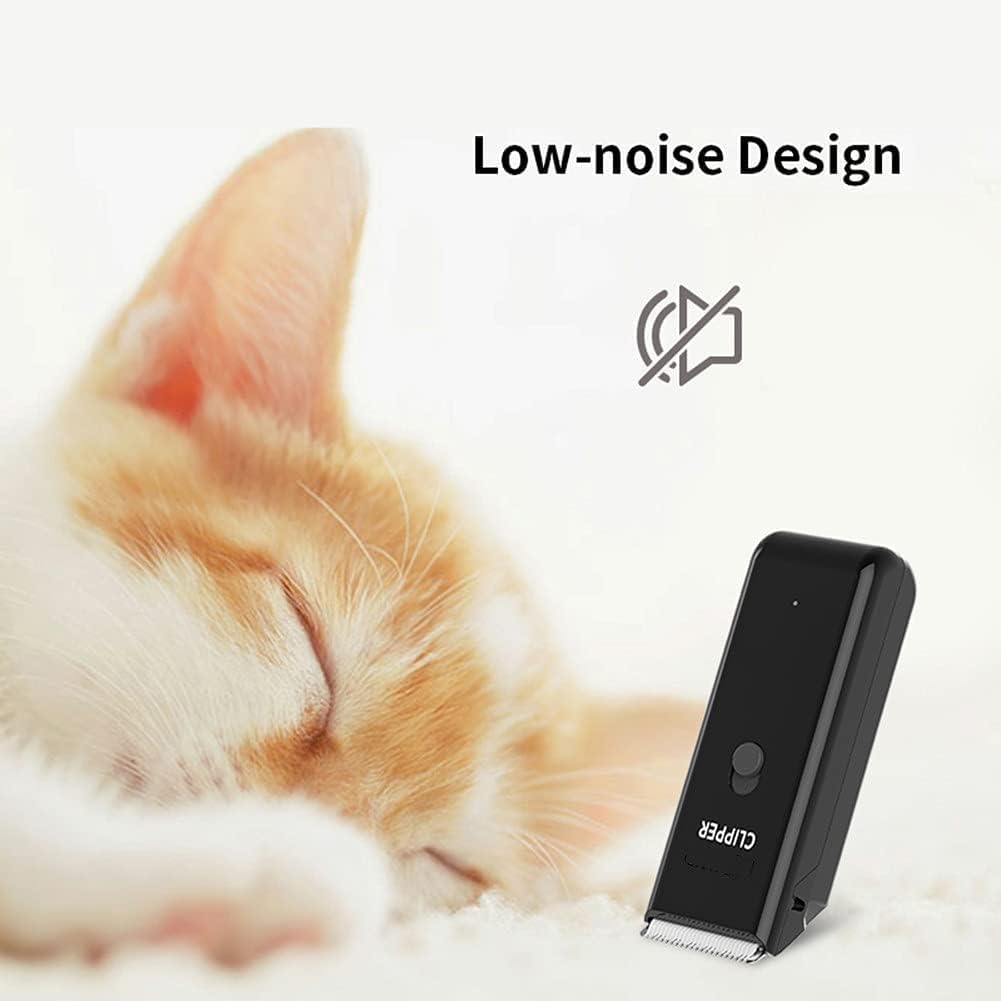
Image 3.2: The clipper's low-noise design, which helps keep pets calm during grooming sessions.
4. Maintenance and Cleaning
Regular cleaning and maintenance will ensure the longevity and optimal performance of your Sun YOBA Pet Clipper.
Cleaning the Clipper:
- Turn Off: Always turn off the clipper before cleaning.
- Remove Blade: The cutting head is removable for easy cleaning. Gently detach it from the clipper body.
- Brush Hair: Use the provided cleaning brush to remove any trapped hair from the blade and the clipper body.
- Washable Design: The clipper has an IPX-7 waterproof rating. After brushing, you can rinse the blade and the clipper body under running water. Ensure the charging port cover is securely closed before washing.
- Dry Thoroughly: After washing, allow all parts to air dry completely before reassembling or storing.
- Lubrication (Optional): For best performance and blade longevity, apply a small amount of clipper oil (not included) to the blade teeth after every few uses, especially after washing.
Storage:
Store the clipper and its accessories in a cool, dry place, away from direct sunlight and moisture, when not in use.
5. Troubleshooting
If you encounter issues with your Sun YOBA Pet Clipper, refer to the following common problems and solutions:
| Problem | Possible Cause | Solution |
|---|---|---|
| Clipper does not turn on. | Battery is depleted. | Charge the clipper fully (approx. 3 hours). |
| Clipper not cutting effectively. | Blade is clogged with hair or dull. | Clean the blade thoroughly with the brush. If dull, consider professional sharpening or blade replacement (if available). |
| Clipper makes unusual noise. | Blade needs lubrication or is misaligned. | Apply clipper oil to the blade. Ensure the blade is correctly reattached after cleaning. |
| Clipper gets hot during use. | Prolonged use or clogged blade. | Allow the clipper to cool down. Clean the blade to ensure smooth operation. |
If the problem persists after trying these solutions, please contact customer support.
6. Specifications
Detailed technical specifications for the Sun YOBA Professional Pet Clipper:

Image 6.1: Dimensions of the Sun YOBA Professional Pet Clipper.
| Feature | Detail |
|---|---|
| Brand | Sun YOBA |
| Model Number | LGL005 |
| Product Dimensions | 4.5 x 3.02 x 12.19 cm (1.77 x 1.19 x 4.80 inches) |
| Item Weight | 180 g (0.18 Kilograms) |
| Colour | Black |
| Power Source | Battery Powered (USB Rechargeable) |
| Battery Life | Approx. 90 minutes operating time after 3 hours charge |
| Material | Acrylonitrile Butadiene Styrene Polyoxymethylene |
| Blade Material | Stainless Steel (R-shaped) |
| Special Features | Washable, Low-noise (less than 48 dB), Waterproof (IPX-7) |
| Specific Uses | Multiple body parts for pet grooming |
7. Warranty and Support
Specific warranty information for the Sun YOBA Professional Pet Clipper is not provided in this manual. For details regarding warranty coverage, claims, or technical support, please refer to the product packaging or contact Sun YOBA customer service directly through their official website or the retailer where the product was purchased.
Always ensure to provide your product model number (LGL005) and purchase details when seeking support.