
Introduction
The LUXSURE Key Finder KF04D is a wireless item locator system designed to help you quickly find misplaced items such as keys, wallets, TV remotes, and more. Utilizing radiofrequency (RF) technology, this device allows you to locate tagged items within a specified range by simply pressing a corresponding button on the transmitter.

Figure 1: LUXSURE Key Finder system, showing the main transmitter and four numbered receiver tags.
Package Contents
Please verify that all items listed below are included in your package:
- 1 x Transmitter
- 4 x Receivers (numbered 1-4)
- 4 x Button Cells (CR2032, pre-installed in receivers)
- 1 x Receiver Opener Key
- 4 x Keyrings
- 4 x Double-sided Stickers
- Instruction Manual

Figure 2: Visual representation of the package contents.
Setup
1. Transmitter Battery Installation
The transmitter requires 2 AAA batteries (not included in some packages, please check your specific product details). Follow these steps to install them:
- Slide open the battery compartment cover on the back of the transmitter.
- Insert 2 AAA batteries, ensuring correct polarity (+/-).
- Close the battery compartment cover securely.

Figure 3: Transmitter battery installation steps.
2. Receiver Battery Activation/Installation
The receivers come with CR2032 button cell batteries pre-installed. A small plastic tab may need to be removed to activate them. If replacement is needed, follow these steps:
- Use the included opener key to gently pry open the receiver casing. Insert the key into the small slot on the side and twist.
- Remove the old CR2032 battery.
- Insert a new CR2032 battery with the positive (+) side facing outwards.
- Carefully close the receiver casing until it clicks securely.

Figure 4: Receiver battery replacement steps.
3. Attaching Receivers to Items
The receivers can be attached to various items using the provided keyrings or double-sided stickers:
- Keyrings: Attach receivers to keychains, bags, pet collars, or other items with loops.
- Double-sided Stickers: Adhere receivers to flat surfaces like TV remotes, mobile phones, glasses cases, or wallets. Ensure the surface is clean and dry before applying.
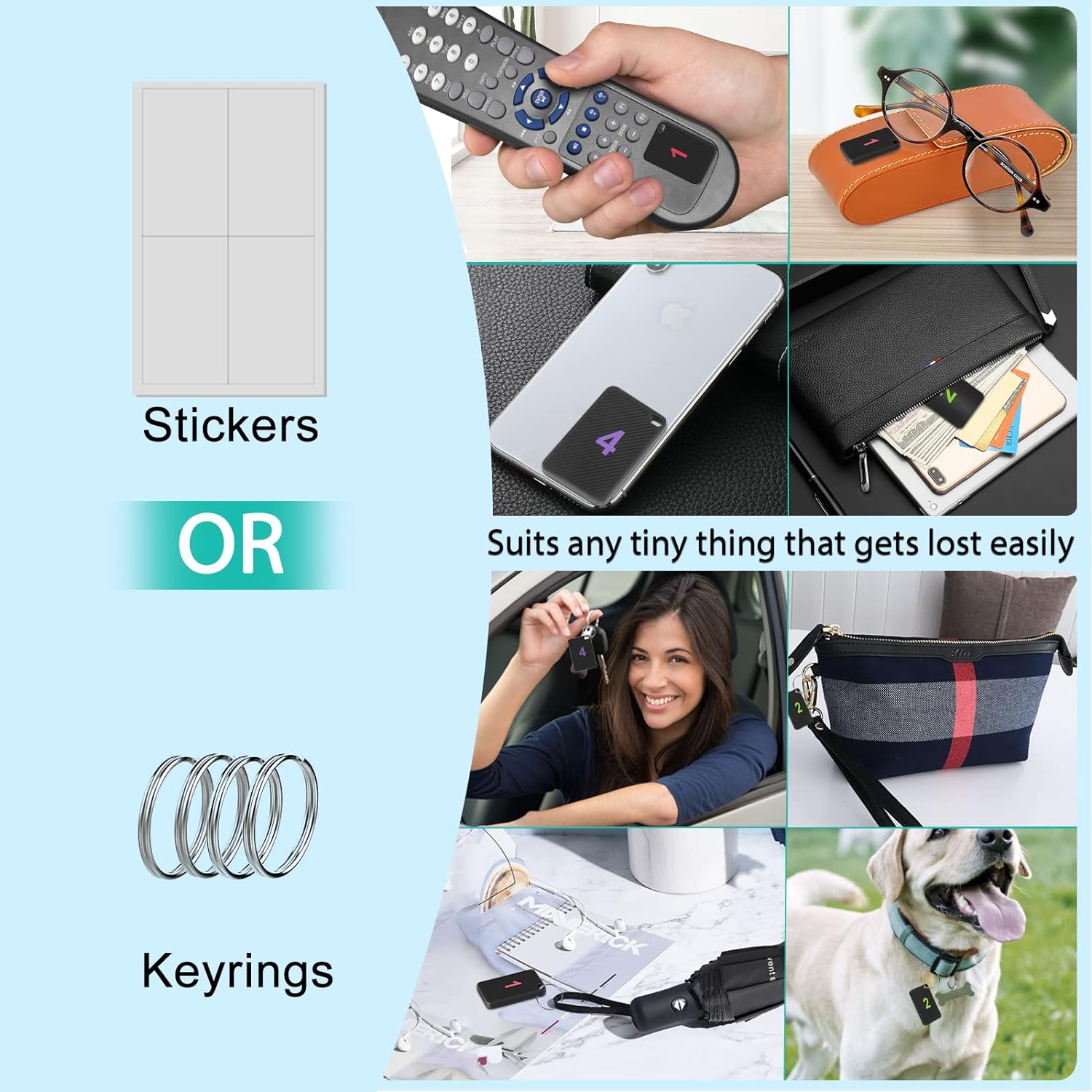
Figure 5: Various methods for attaching receiver tags to personal items.
Important: Ensure the beeping hole on the receiver is not covered by the sticker or the item it's attached to, as this will muffle the sound. Refer to Figure 6 for clarification.
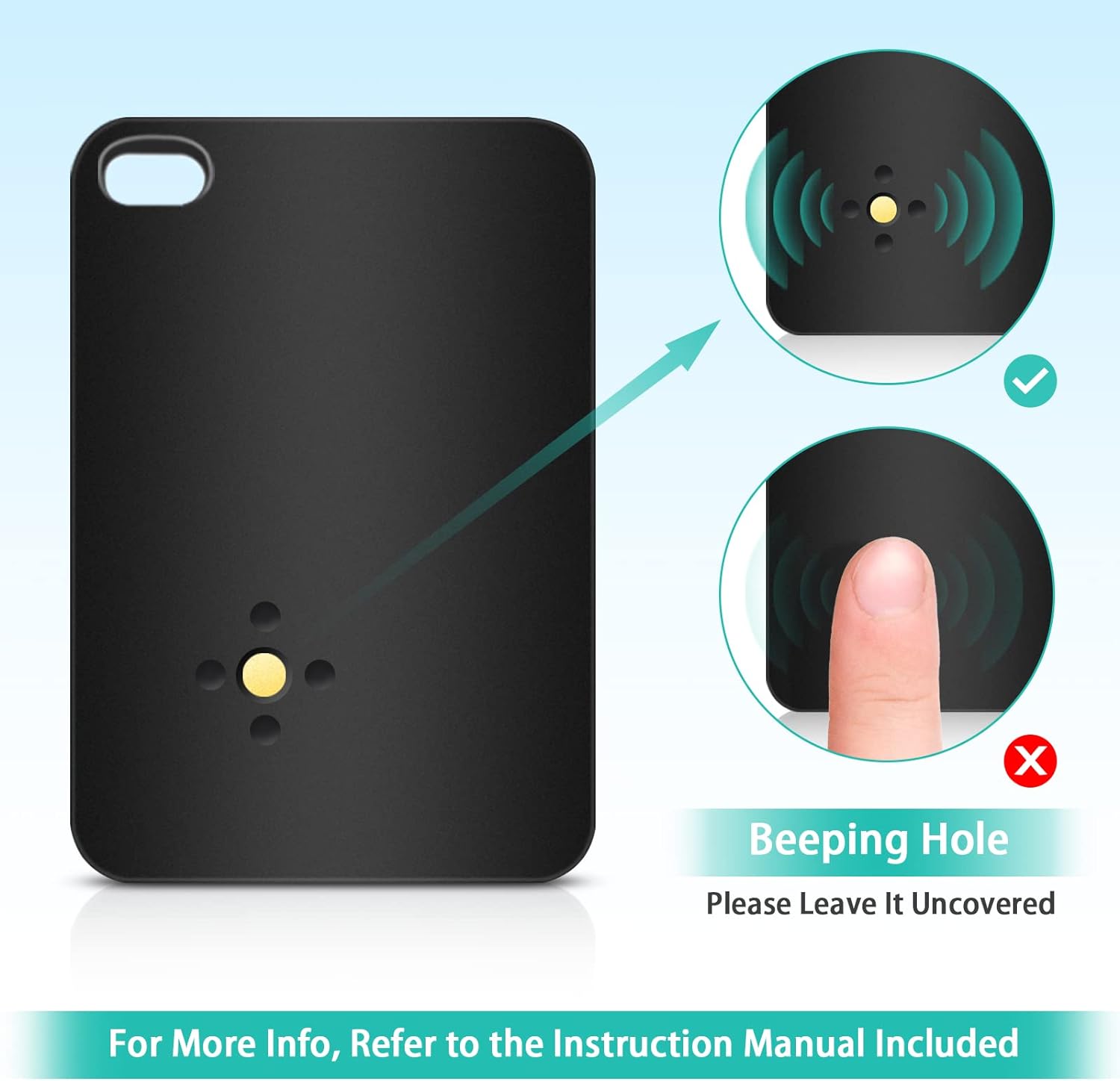
Figure 6: Keep the beeping hole uncovered.
Operating Instructions
To locate a misplaced item:
- Identify the number on the receiver attached to the item you wish to find.
- Press the corresponding numbered button on the transmitter.
- The receiver will emit a loud 85dB beep and flash a red LED light, guiding you to its location.
The system operates using radiofrequency signals, which can penetrate through walls, cushions, and other obstacles, providing a locating range of up to 115 feet in open air. This allows for effective tracking within indoor environments, gardens, and yards.
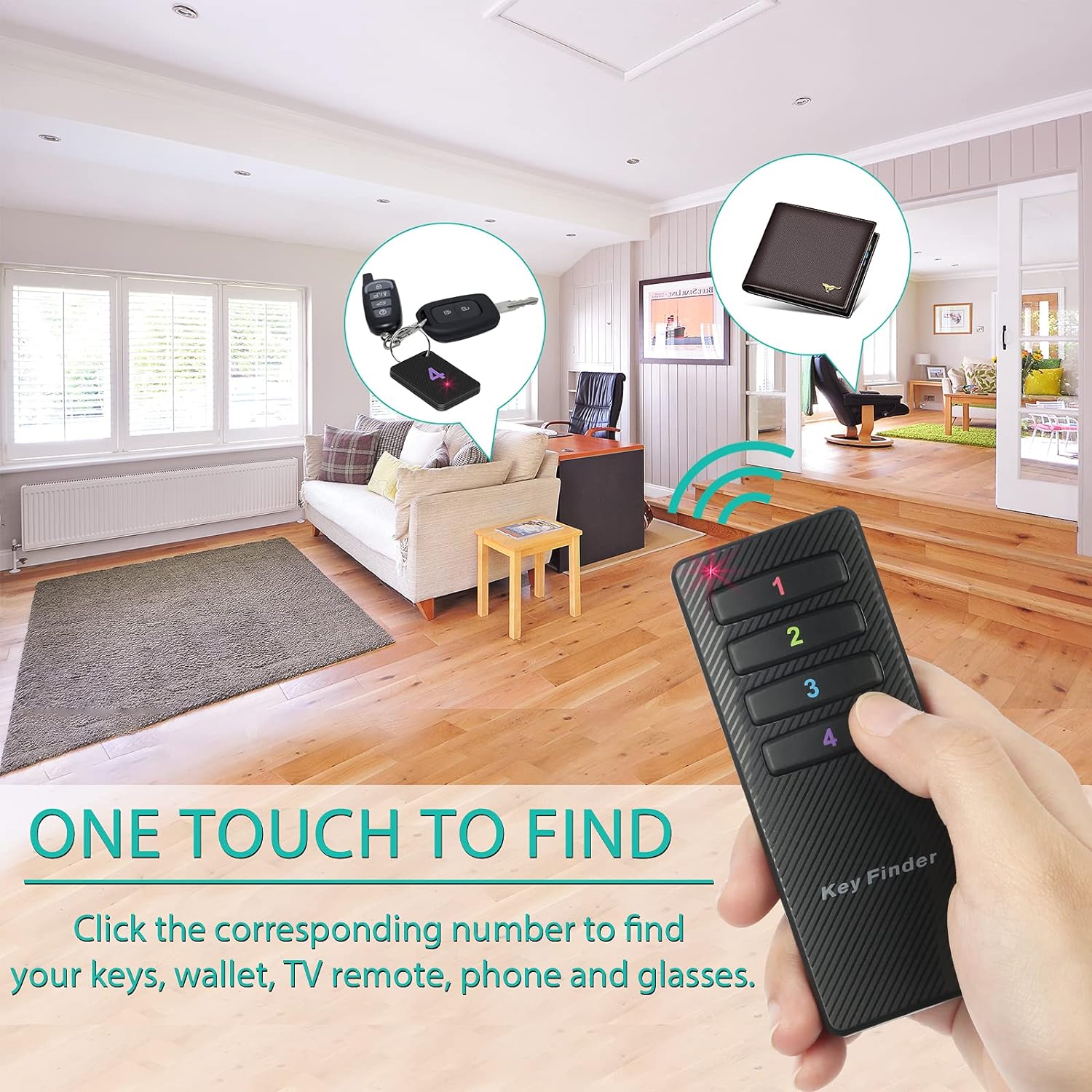
Figure 7: One-touch operation to find your items.

Figure 8: The 115ft working range and 85dB sound alert.
Maintenance
Battery Replacement
Regular battery replacement ensures optimal performance of your Key Finder. Refer to the "Setup" section for detailed instructions on replacing batteries for both the transmitter and receivers.
- Transmitter: Requires 2 AAA batteries. Replace when the signal strength or button indicator light weakens.
- Receivers: Each receiver uses one CR2032 button cell battery. Replace when the beep becomes faint or the LED light does not flash.
Always dispose of used batteries responsibly according to local regulations.
Troubleshooting
| Problem | Possible Cause | Solution |
|---|---|---|
| Receiver does not beep or flash. |
|
|
| Adhesive sticker does not hold. |
|
|
| Reduced locating range. |
|
|
Specifications
- Transmitter RF Range: 115 ft (in open air)
- Beeping Volume: 85dB
- Receiver Dimensions (H x W x D): 1.85" x 1.25" x 0.2"
- Receiver Weight: 0.15oz / 4g (without battery)
- Transmitter Dimensions: 4.0" x 1.6" (approximate, based on image)
- Transmitter Battery: 2 x AAA batteries (not included)
- Receiver Battery: 1 x CR2032 button cell battery (included)
- Connectivity Technology: RF (Radio Frequency)
- Material: Acrylonitrile Butadiene Styrene (ABS)
- Model Number: KF04D
Safety Information
- Keep batteries out of reach of children. Swallowing button cell batteries can be dangerous.
- Do not mix old and new batteries, or different types of batteries.
- Dispose of batteries properly according to local regulations.
- Do not expose the device to extreme temperatures, direct sunlight, or moisture.
- Do not attempt to disassemble or modify the device, as this will void the warranty and may cause damage.
- This device is not a toy.
Warranty and Support
LUXSURE products are designed for reliability and performance. For any questions, technical support, or warranty inquiries, please contact LUXSURE customer service through the retailer where the product was purchased or visit the official LUXSURE website for contact information.
Please retain your proof of purchase for warranty claims.