
1. Introduction
This manual provides instructions for the proper installation and use of the SJFEHLLD Dual PSU 24-Pin ATX Motherboard Adapter Cable. This cable allows two power supply units (PSUs) to be connected to a single ATX motherboard, enabling synchronized power delivery. It is commonly used in systems requiring additional power, such as cryptocurrency mining rigs or high-performance workstations.
2. Product Overview
The Dual PSU 24-Pin ATX Motherboard Adapter Cable is designed to provide a reliable connection for operating two power supplies simultaneously. It features a 24-pin (20+4) connector for the motherboard and two 24-pin connectors for the primary and secondary power supply units.
- Cable Length: 30 cm (approximately 12 inches)
- Wire Model: 1007 18AWG
- Insulation Material: PVC
- Conductor Type: 34x0.12TS
- Wire Outer Diameter: OD2.1mm
- Color: Black
- Interface: One 5557 24pin (20+4) connector for motherboard, two 5559 24Pin connectors for PSUs.

3. Setup Instructions
Follow these steps to correctly install the Dual PSU Adapter Cable:
- Prepare Your System: Ensure your computer system is completely powered off and unplugged from the wall outlet before beginning installation.
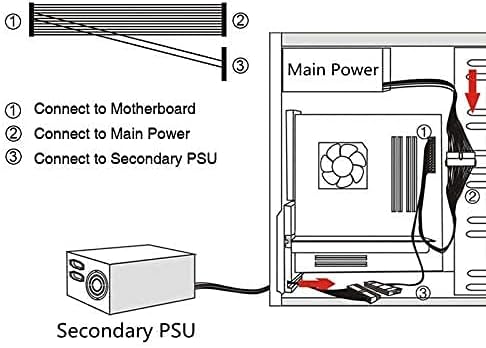
- Identify Connectors: Locate the 24-pin ATX power connector on your motherboard. Identify the 24-pin main power cables from both your primary and secondary power supply units.
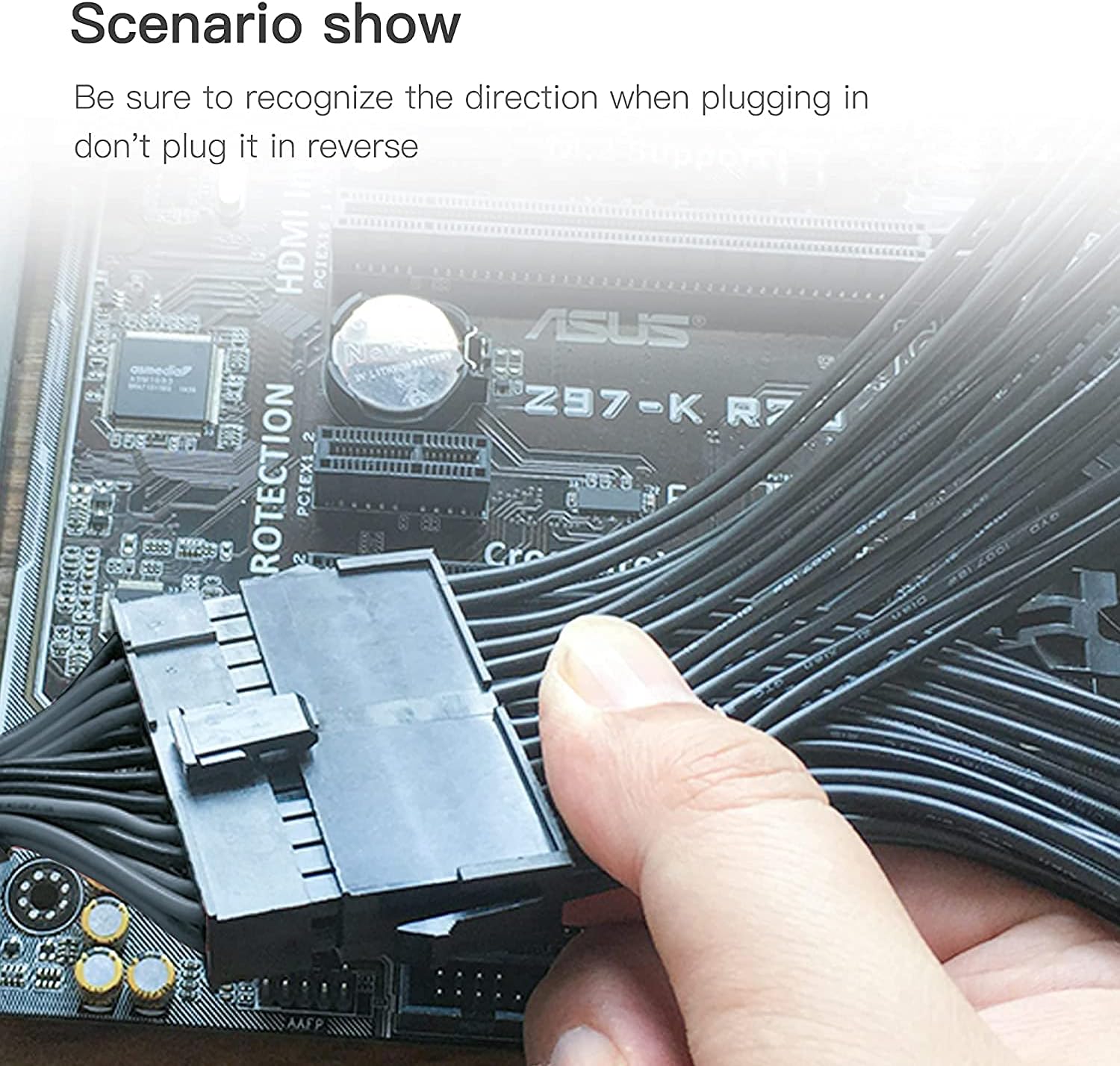
- Connect to Motherboard: Take the 24-pin (20+4) connector of the adapter cable and carefully plug it into the 24-pin ATX power socket on your motherboard. Ensure the connector is oriented correctly and fully seated.
- Connect Primary PSU: Connect the 24-pin main power cable from your primary power supply unit to one of the 24-pin female connectors on the adapter cable.
- Connect Secondary PSU: Connect the 24-pin main power cable from your secondary power supply unit to the other 24-pin female connector on the adapter cable.
- Secure Connections: Double-check all connections to ensure they are firm and correctly oriented. Incorrect insertion can damage the pins or connectors. When inserting, hold the socket of the device to avoid applying excessive force directly to the pins.
4. Operating Instructions
Once the Dual PSU Adapter Cable is correctly installed, both connected power supply units will power on and off simultaneously with your motherboard. There is no additional configuration required for the adapter cable itself. The primary power supply will control the signaling for both units.
5. Maintenance
The Dual PSU Adapter Cable requires minimal maintenance. To ensure longevity and proper function:
- Keep the cable free from dust and debris.
- Avoid sharp bends or kinks in the cable, which can damage the internal wiring.
- Ensure the cable is not under tension or strain.
- Periodically check connections to ensure they remain secure.
6. Troubleshooting
If you encounter issues, consider the following:
- Power Supplies Not Turning On:
- Verify that both power supplies are switched on at their respective units.
- Ensure all 24-pin connections (motherboard, primary PSU, secondary PSU) are fully seated and correctly oriented.
- Test each power supply individually to confirm they are functional.
- Intermittent Power:
- Check for loose connections.
- Inspect the cable for any visible damage or fraying.
7. Specifications
| Feature | Detail |
|---|---|
| Product Name | 24Pin Interface Extension Cord |
| Length | 30 cm / 12 inches |
| Wire Model | 1007 18AWG |
| Insulation Material | PVC insulation |
| Conductor Type | 34x0.12TS |
| Wire Outer Diameter | OD2.1mm |
| Color | Black |
| Interface | 5557 24pin (20+4) at one end, 5559 24Pin at the other end (x2) |
| Compatible Devices | ATX Motherboards |
| Special Feature | Tangle Free |
8. Warranty and Support
For warranty information or technical support, please refer to the documentation provided with your purchase or contact the seller directly. Keep your proof of purchase for any warranty claims.