
Introduction
This manual provides essential instructions for the proper installation, operation, and maintenance of the zatagen IRC5 Teach Pendant Touch Screen, model DSQC679 3HAC028357-001. Please read this manual thoroughly before using the product to ensure safe and efficient operation.
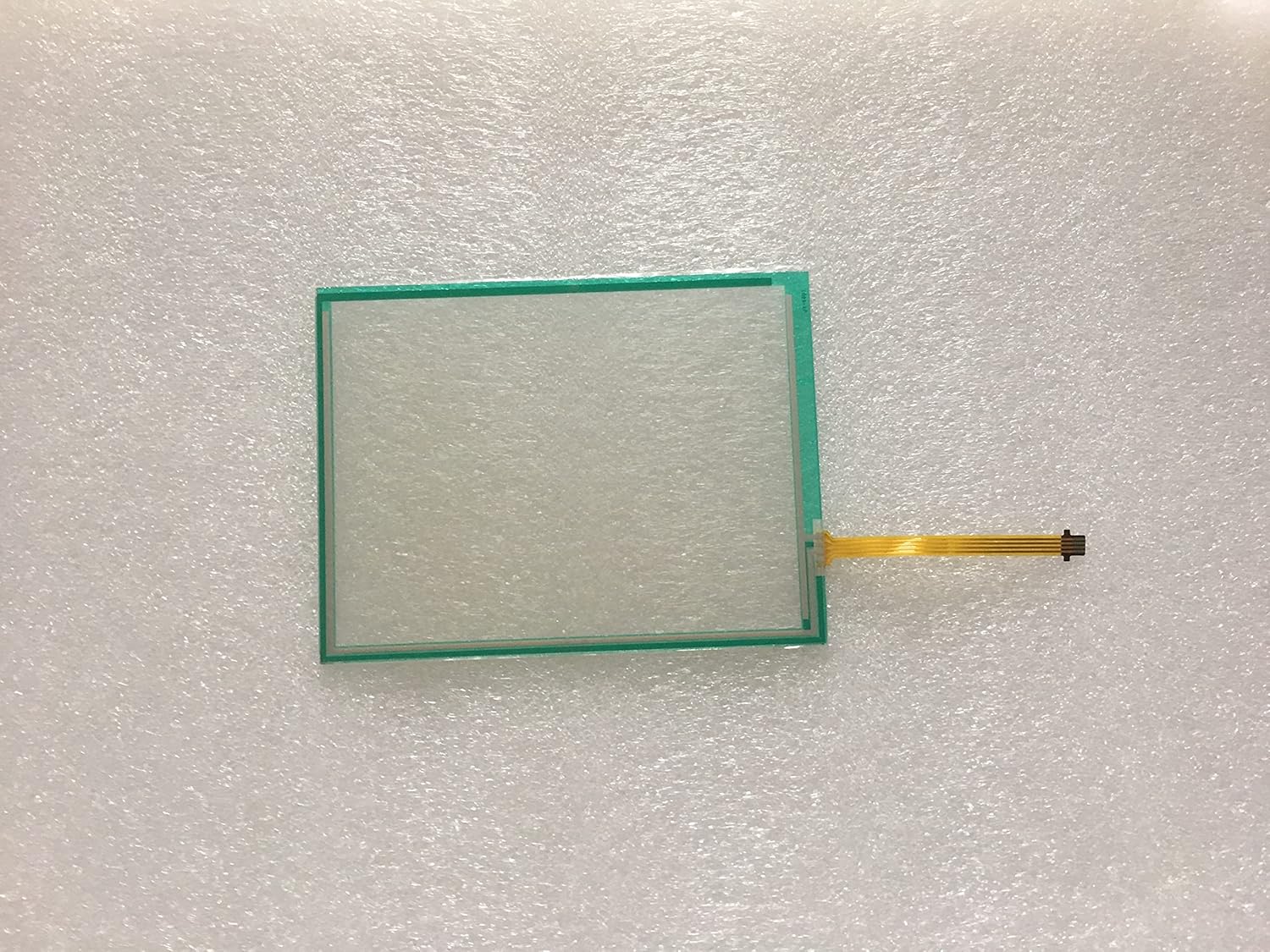
Figure 1: The zatagen IRC5 Teach Pendant Touch Screen (DSQC679 3HAC028357-001). This image displays the rectangular touch screen component with a flexible flat cable extending from one side, used for connecting to the main teach pendant unit. The screen has a thin green border.
Setup and Installation
The DSQC679 3HAC028357-001 touch screen is a replacement component for the IRC5 Teach Pendant. Installation should be performed by qualified personnel familiar with electronic component handling and static discharge precautions.
- Power Off: Ensure the IRC5 Teach Pendant and the robot controller are completely powered off and disconnected from all power sources before beginning installation.
- Disassembly: Carefully disassemble the IRC5 Teach Pendant casing to access the existing touch screen. Refer to the official IRC5 Teach Pendant service manual for specific disassembly instructions.
- Remove Old Screen: Gently disconnect the flexible flat cable of the old touch screen from its connector on the circuit board. Remove the old touch screen from its housing.
- Install New Screen: Position the new zatagen DSQC679 3HAC028357-001 touch screen into the teach pendant housing. Ensure it fits securely and is aligned correctly.
- Connect Cable: Carefully connect the flexible flat cable of the new touch screen to the corresponding connector on the circuit board. Ensure the connection is firm and properly seated. Avoid bending or creasing the cable sharply.
- Reassembly: Reassemble the IRC5 Teach Pendant casing, ensuring all screws are tightened appropriately and no cables are pinched.
- Initial Test: Reconnect the teach pendant to the robot controller and power on the system. Verify that the touch screen responds correctly to input and displays information clearly.
Important: Static electricity can damage electronic components. Always use appropriate ESD (Electrostatic Discharge) precautions, such as an anti-static wrist strap, during installation.
Operating Instructions
Once installed, the zatagen DSQC679 3HAC028357-001 touch screen functions as the primary input and display interface for the IRC5 Teach Pendant. Its operation is integrated with the teach pendant's software and hardware.
- Touch Input: Use a finger or a compatible stylus to interact with the on-screen elements. The touch screen supports single-touch input for selecting options, navigating menus, and entering data.
- Display: The screen displays the robot's status, program information, error messages, and various user interface elements provided by the IRC5 operating system.
- Calibration: If touch response is inaccurate, refer to the IRC5 Teach Pendant's system settings for touch screen calibration procedures. This typically involves touching a series of points on the screen to re-align the touch input.
- Cleaning: For optimal performance and longevity, keep the touch screen clean. Refer to the Maintenance section for cleaning guidelines.
Maintenance
Proper maintenance ensures the longevity and reliable performance of your touch screen.
- Cleaning the Screen:
- Turn off the teach pendant before cleaning.
- Use a soft, lint-free cloth slightly dampened with water or a mild, non-abrasive screen cleaner.
- Do not spray cleaner directly onto the screen. Apply it to the cloth first.
- Avoid using harsh chemicals, alcohol, or abrasive materials, as these can damage the screen surface.
- Inspection: Periodically inspect the screen for any signs of damage, such as cracks, deep scratches, or discoloration.
- Environmental Conditions: Operate and store the teach pendant within the recommended environmental conditions specified by the IRC5 manufacturer to prevent damage to the touch screen and other components.
Troubleshooting
This section addresses common issues you might encounter with the touch screen.
| Problem | Possible Cause | Solution |
|---|---|---|
| Screen is blank or dark. | Teach pendant not powered on, loose cable connection, screen damage. |
|
| Touch input is unresponsive or inaccurate. | Screen calibration issue, dirty screen, physical damage, loose cable. |
|
| Display shows distorted images or lines. | Loose cable connection, screen damage, internal component failure. |
|
For issues not covered here, or if solutions do not resolve the problem, please contact technical support.
Specifications
Key technical specifications for the zatagen IRC5 Teach Pendant Touch Screen DSQC679 3HAC028357-001.
- Model: DSQC679 3HAC028357-001
- Type: Resistive Touch Screen (typical for industrial pendants)
- Compatibility: Designed for ABB IRC5 Teach Pendants
- Manufacturer: 3HAC028357-001 (as per product data, likely the part number also serves as manufacturer ID for this component)
- Package Dimensions: Approximately 2.76 x 1.97 x 1.57 inches (7 x 5 x 4 cm)
- Weight: Approximately 2 ounces (57 grams)
- Connectivity: Flexible Flat Cable (FFC)
Note: Specific display resolution and exact dimensions may vary slightly. Refer to the original IRC5 Teach Pendant documentation for full system specifications.
Warranty and Support
This product comes with a warranty period as specified at the time of purchase. The product description states a 120-day warranty from the date of purchase.
- Warranty Coverage: The warranty covers defects in materials and workmanship under normal use. It does not cover damage caused by improper installation, misuse, accidents, unauthorized modifications, or natural disasters.
- Claiming Warranty: To make a warranty claim, please contact your point of purchase with your order details and a description of the issue.
- Technical Support: For technical assistance or further inquiries, please contact the seller or the manufacturer. Provide your product model (DSQC679 3HAC028357-001) and a detailed description of your issue for efficient support.
Please retain your proof of purchase for warranty purposes.