
EVVO V0078
EVVO CLIMA P9 Silent Portable Air Conditioner User Manual
Model: V0078
Introduction
Welcome to the user manual for your new EVVO CLIMA P9 Silent Portable Air Conditioner. This appliance is designed to provide efficient cooling, heating, and dehumidification for your living spaces. Please read this manual thoroughly before operating the unit to ensure proper use, optimal performance, and safety. Keep this manual for future reference.
Important Safety Instructions
Always follow basic safety precautions when using electrical appliances to reduce the risk of fire, electric shock, and injury.
- Ensure the power supply matches the voltage specified on the unit's rating label.
- Do not operate the unit with a damaged cord or plug.
- Do not block air inlets or outlets. Maintain at least 20 cm clearance around the unit.
- Do not insert fingers or objects into the air outlet.
- Always unplug the unit before cleaning or servicing.
- Keep the unit on a flat, stable surface to prevent tipping and water leakage.
- This appliance is not intended for use by persons (including children) with reduced physical, sensory or mental capabilities, or lack of experience and knowledge, unless they have been given supervision or instruction concerning use of the appliance by a person responsible for their safety.
- Do not use the unit in wet environments such as bathrooms or laundry rooms.
Product Components
Your EVVO CLIMA P9 Silent Portable Air Conditioner comes with the following components:
- 1 x Portable Air Conditioner Unit
- 1 x Remote Control
- 1 x Window Adapter Kit (exhaust hose, window slider kit)
- 1 x User Manual

Figure 1: Front view of the EVVO CLIMA P9 Silent Portable Air Conditioner. The unit is white with a grey top panel and features the EVVO logo prominently.

Figure 2: Top view of the air conditioner, highlighting the integrated control panel with various function buttons and a digital display.
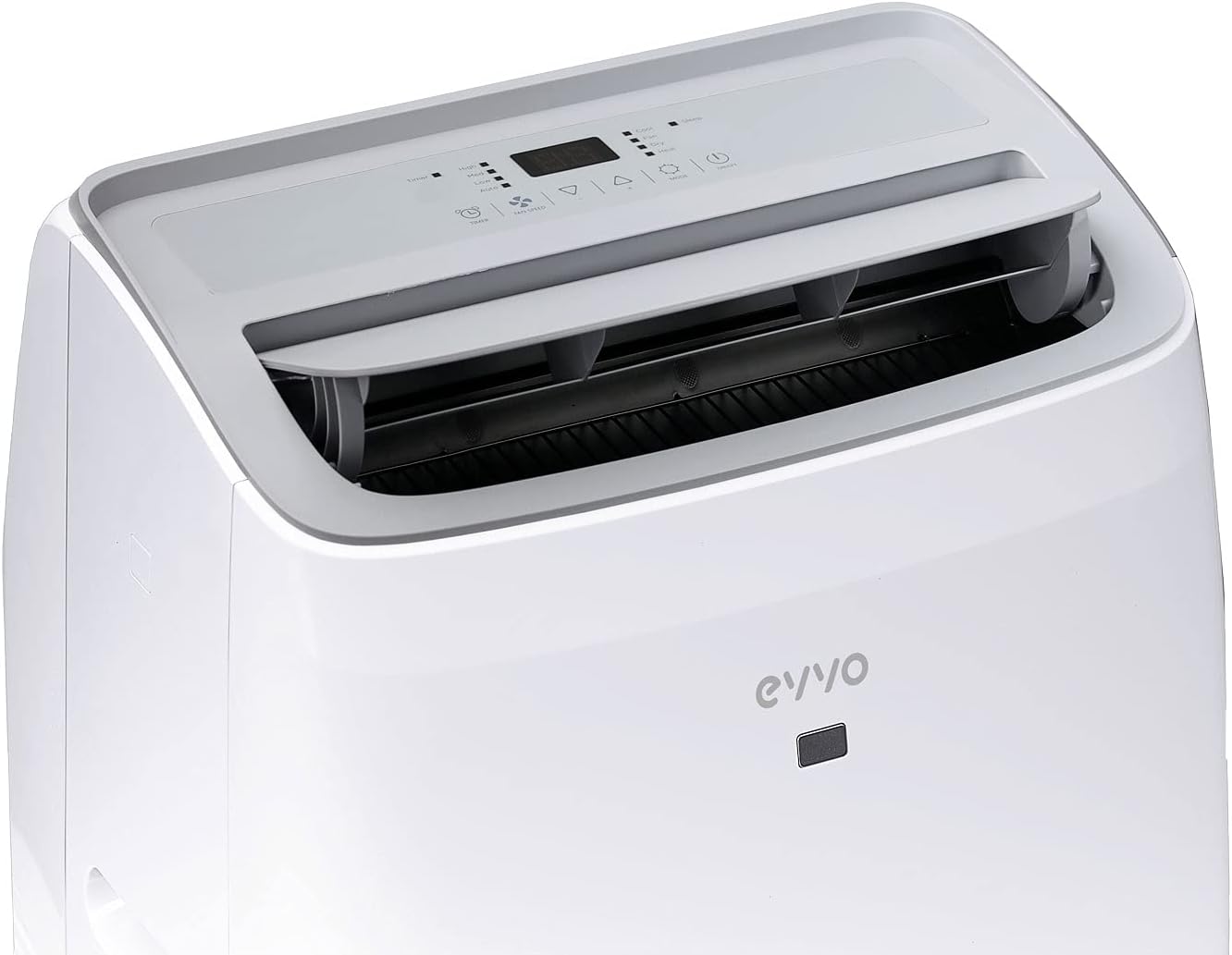
Figure 3: Top view of the unit with the air outlet louvers open, showing the internal fan mechanism. This is where conditioned air is expelled.
Setup and Installation
Follow these steps to set up your portable air conditioner:
- Unpack the Unit: Carefully remove the air conditioner and all accessories from the packaging. Retain the packaging for future storage.
- Positioning: Place the unit on a firm, level surface. Ensure there is at least 20 cm of space around the unit for proper airflow. The unit features multi-directional wheels for easy movement.
- Install Exhaust Hose: Attach the exhaust hose to the air outlet on the back of the unit. Extend the hose and connect the window adapter to the other end.
- Window Kit Installation: Open the window and place the window slider kit into the window opening. Adjust the kit to fit securely. Insert the exhaust hose window adapter into the opening of the window kit. Seal any gaps around the window kit to prevent air leakage.
- Power Connection: Plug the power cord into a grounded electrical outlet. Ensure the outlet meets the power requirements of the unit.

Figure 4: Side view of the portable air conditioner, illustrating the connection point for the exhaust hose, which expels hot air outside.

Figure 5: An angled view of the unit, emphasizing its compact design and the wheels at the base, which allow for easy portability between rooms.
Operating Instructions
Control Panel Overview
The control panel is located on the top of the unit and features various buttons and a digital display for easy operation.
- Power Button: Turns the unit ON/OFF.
- Mode Button: Cycles through Cooling, Heating, Dehumidifying, and Fan modes.
- Temperature Up/Down Buttons: Adjusts the desired temperature.
- Fan Speed Button: Selects fan speed (Low, Medium, High).
- Timer Button: Sets the auto ON/OFF timer.
- Sleep Button: Activates sleep mode for quieter operation.
- Turbo Function: Rapidly cools or heats the room to the desired temperature.
Modes of Operation
- Cooling Mode: Ideal for hot weather. Set your desired temperature using the Up/Down buttons. The unit will cool the room to the set temperature.
- Heating Mode: Provides warmth during colder periods. Set your desired temperature, and the unit will heat the room.
- Dehumidifying Mode: Reduces humidity in the air without significant temperature change. The fan speed will be fixed to low in this mode.
- Fan Mode: Circulates air without cooling or heating. You can select different fan speeds.
Remote Control
The included remote control allows you to operate all functions of the air conditioner from a distance. Ensure the remote control is pointed towards the unit's receiver when pressing buttons.
Maintenance
Regular maintenance ensures the longevity and efficiency of your unit.
Cleaning the Air Filter
The air filter should be cleaned every two weeks or more frequently depending on usage and air quality.
- Unplug the unit from the power outlet.
- Locate and remove the air filter from the back or side of the unit.
- Wash the filter with warm, soapy water. Rinse thoroughly and allow it to air dry completely before reinserting.
- Do not operate the unit without the air filter.
Draining Water
The unit has an internal water tank that collects condensed water. When the tank is full, the unit will stop operating and display an indicator. You will need to drain the water.
- Unplug the unit.
- Place a shallow pan or tray under the drain port at the bottom rear of the unit.
- Remove the drain plug and allow all water to drain out.
- Replace the drain plug securely.
Storage
If storing the unit for an extended period:
- Drain all water from the unit.
- Clean the air filter.
- Run the unit in fan-only mode for a few hours to dry the internal components.
- Store the unit in a dry, upright position, preferably in its original packaging.
Troubleshooting Guide
Before contacting customer support, please refer to the following table for common issues and solutions.
| Problem | Possible Cause | Solution |
|---|---|---|
| Unit does not turn on | No power; Power cord unplugged; Full water tank | Check power outlet; Plug in power cord; Drain water tank |
| No cooling/heating | Air filter dirty; Room too large; Exhaust hose not properly installed; Doors/windows open | Clean air filter; Ensure room size is within specifications (up to 21 m²); Check exhaust hose connection and window seal; Close all doors and windows |
| Unit is noisy | Unit not on a flat surface; Air filter dirty; Normal operating noise | Place unit on a flat, stable surface; Clean air filter; Some noise (e.g., compressor) is normal for portable units. This model operates at 46 dB. |
| Water leakage | Drain plug loose; Unit tilted | Ensure drain plug is secure; Place unit on a level surface |
Technical Specifications
Key technical details for your EVVO CLIMA P9 Silent Portable Air Conditioner:
| Feature | Specification |
|---|---|
| Model Number | V0078 |
| Cooling Capacity | 9,000 BTU (2250 frigories) |
| Heating Capacity | 2125 BTU (approx.) |
| Noise Level | 46 dB (high performance), 58 dB (max) |
| Dimensions (L x W x H) | 45 x 39.6 x 74.5 cm |
| Weight | 34.5 kg |
| Voltage | 210 Volts |
| Energy Efficiency Rating | A/A+ |
| Special Function | Dehumidifier |

Figure 6: Diagram showing the dimensions of the EVVO CLIMA P9 Silent Portable Air Conditioner: 74.5 cm in height, 39.6 cm in width, and 45 cm in depth.
Warranty and Support
Your EVVO CLIMA P9 Silent Portable Air Conditioner is covered by a manufacturer's warranty. For specific warranty terms and conditions, please refer to the warranty card included with your product or visit the official EVVO website. For technical support, troubleshooting assistance beyond this manual, or to inquire about replacement parts, please contact EVVO customer service through their official channels.
For more information, you can visit the EVVO Brand Store on Amazon.